Know which lead is worth
$14,000 before you call back.
A $180 capacitor call and a $14k system replacement arrive in the same queue, looking identical. They stop looking identical the moment they land here.
From their form to your board.
No Zapier in the middle, no CSV at the end of the day, no shared inbox nobody owns.
Your own website, straight into dispatch.
Put a form on your site. A submission creates the customer, the property and the lead in one go — the same records your dispatcher works from, not a copy to reconcile later.
- Locked to the exact hosts you list —
www.acme.comandacme.comare different sites, and you list both - Bot protection, plus a rate limit per visitor and per company
- Off by default. Nothing changes until you switch it on
Service or sales, decided on arrival.
Every lead is typed before anyone touches it — from the form’s own answer first, then the provider’s category, then your per-trade default.
- Never guessed from the words in the inquiry — that is how a replacement sale gets handed to a service van
- You map each provider category once; nothing is inferred from prose
- When it genuinely cannot be determined it says so, rather than picking
The right person hears about it.
Alerts fire by lead kind, so the comfort advisor is not paged for a drain clear and the service dispatcher is not sitting on a system replacement.
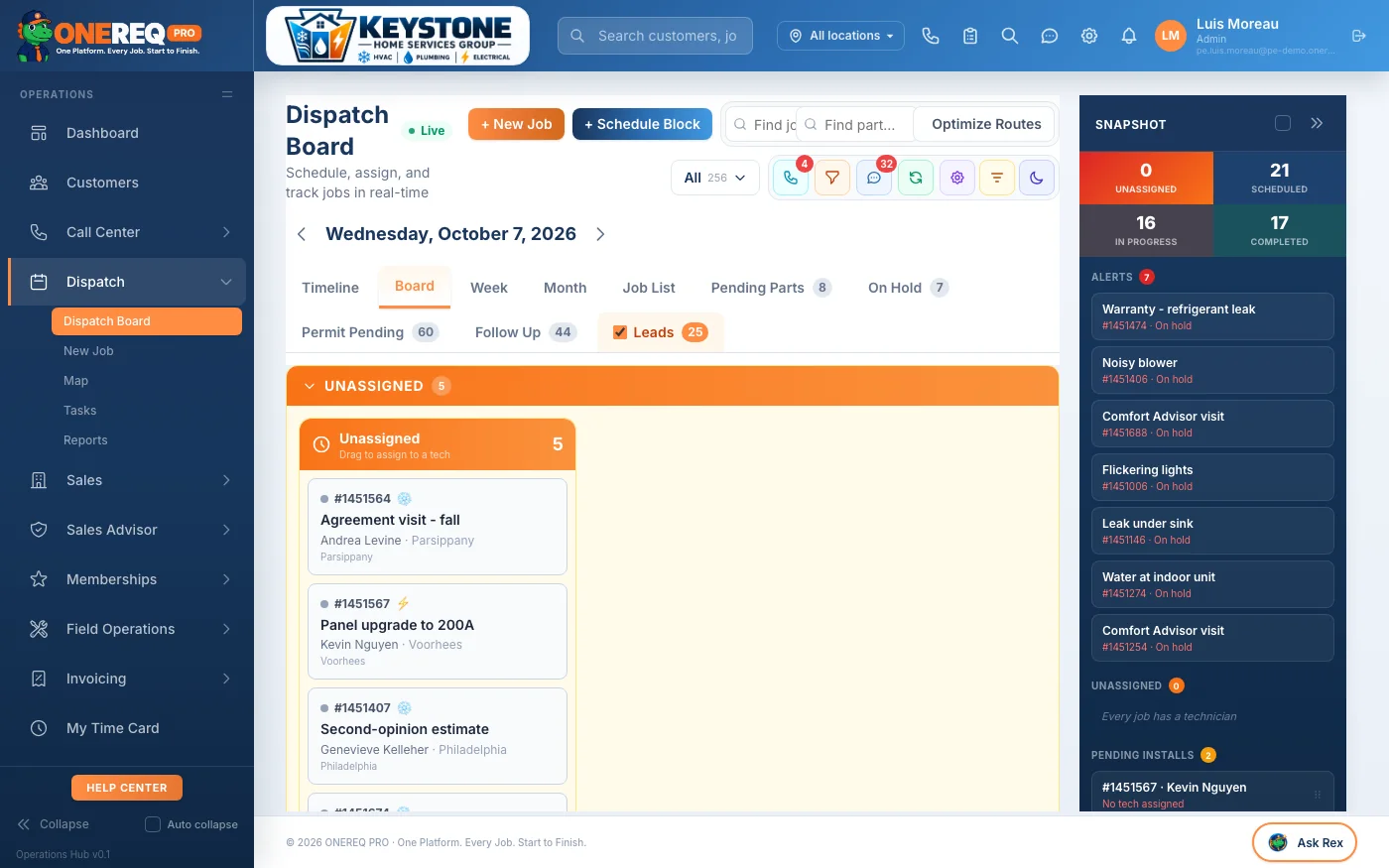
- Leads sit in the dispatch tab row with a live count
- A per-dispatcher popup each person turns on for themselves
- A lead is only “booked” once a job is actually scheduled
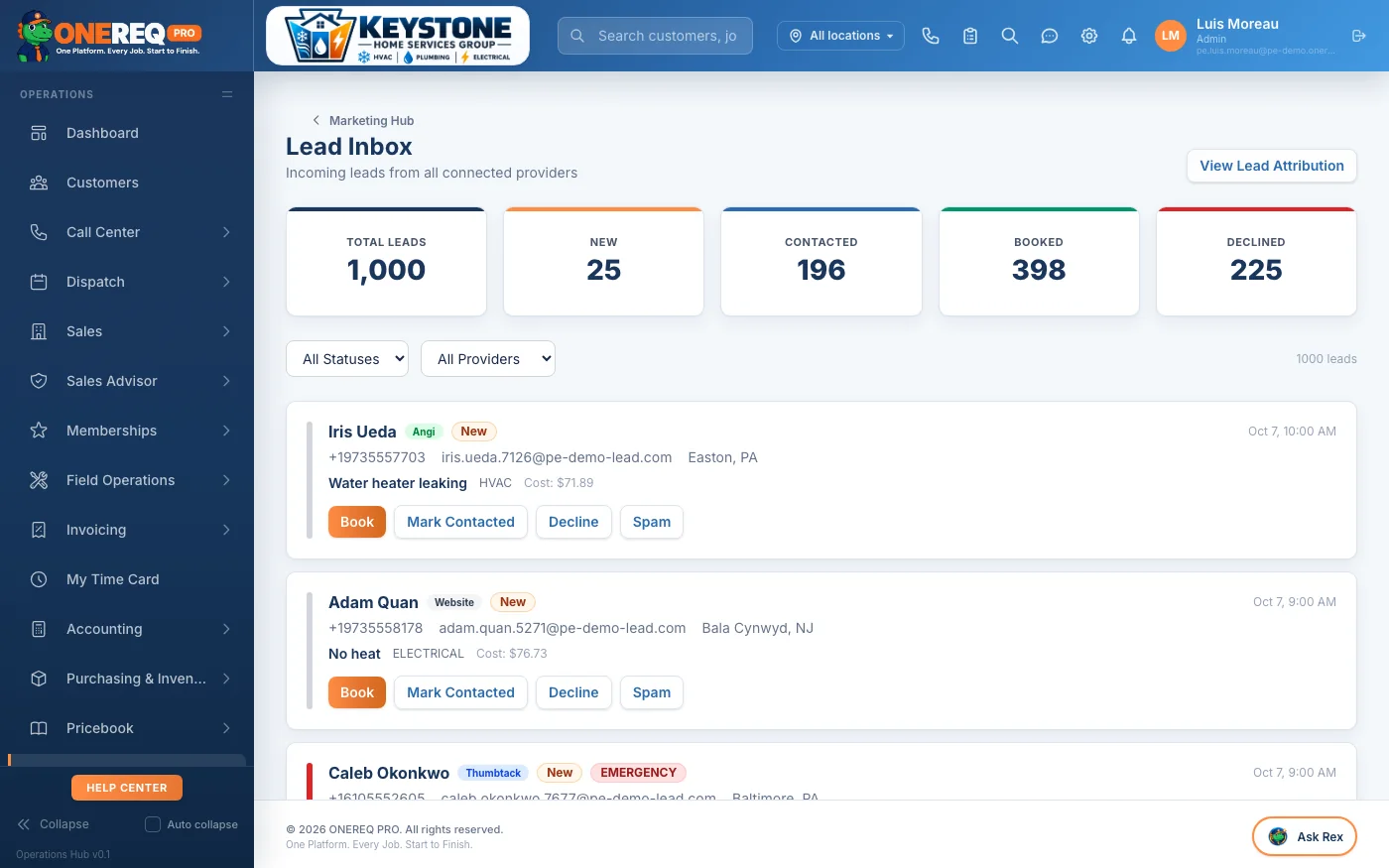
Providers, wired properly.
Three named providers with real integrations, and a universal receiver for everything else.
Angi, Thumbtack, Google LSA
Real integrations, not a credential box. Thumbtack runs the OAuth round trip and its negotiation webhook; Angi and LSA come through the lead receiver. Each provider’s own category is what feeds the service-or-sales decision.
Anything else
A universal webhook receiver with a URL you can regenerate yourself, an auto-convert toggle, and a test-fire button so you can prove it works before a real lead depends on it.
You can see what arrived
The last fifty webhook events with status, latency and the actual error text. When a provider stops sending, you find out from this screen rather than from a quiet week.
Then it is measured
Lead provider performance, response time, the inbox worklist, dialer productivity and the referral program are all standing reports — reading the same records, with the same definitions as everything else.
Before you ask.
How fast do you call back right now?
Most shops do not know. We will show you the report that answers it, on your own data.