Your business,
made easy.
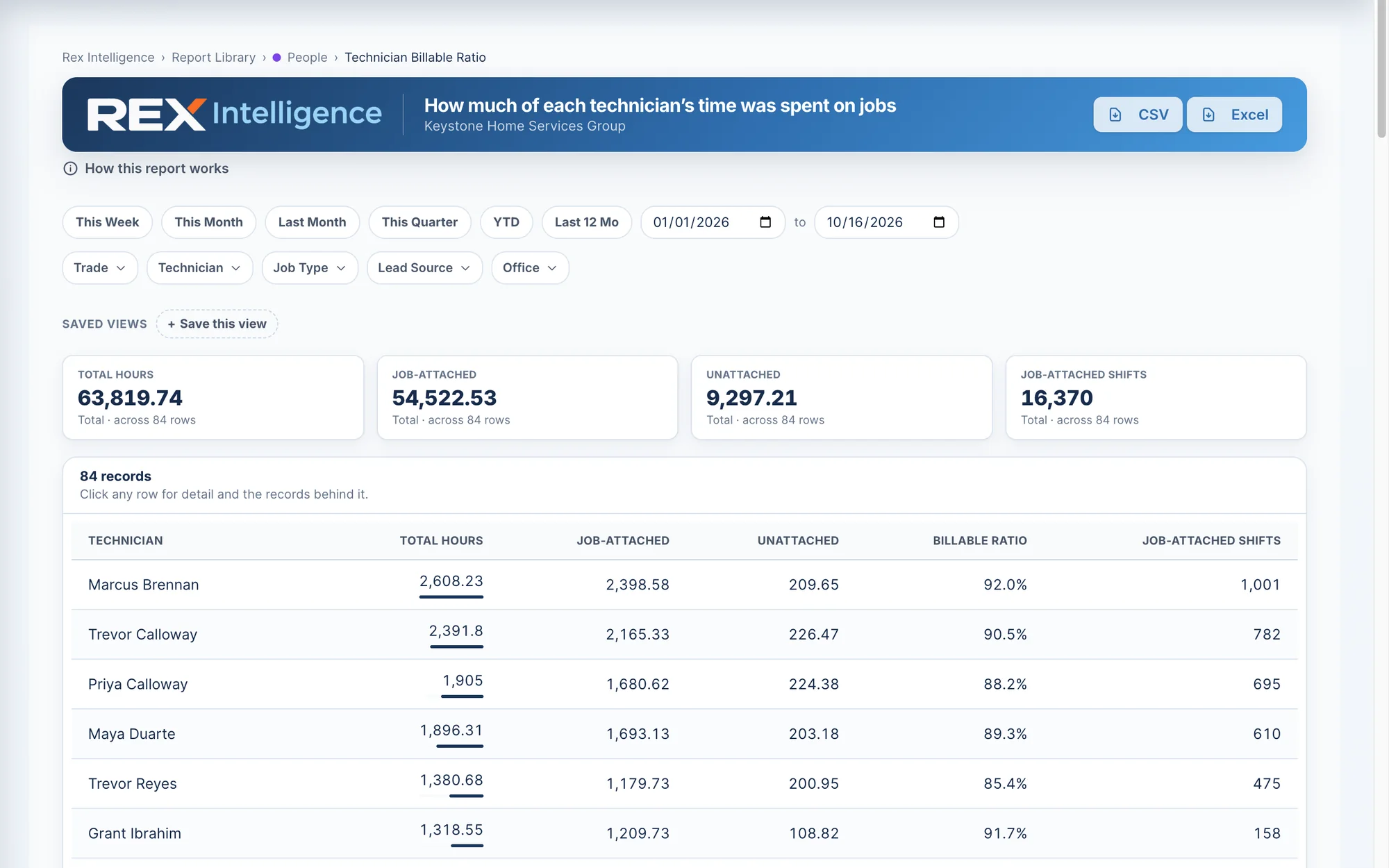
Built to stop jobs that lose money, cut the hours you pay for and can’t bill, give every tech their whole day in one place, keep the right parts on every truck, keep your customers coming back, put your ad money where it pays, protect the margin on every job, pay your techs for what they produce, and do the busywork for you.
One platform for sales, dispatch, the field, warehouse, permits, invoicing and payroll — built for HVAC, plumbing and electrical contractors. It does the busywork for you, and Rex Intelligence shows you exactly where the money and the hours are going, so you keep more of what you earn.




Stop guessing. Start keeping more of every job.
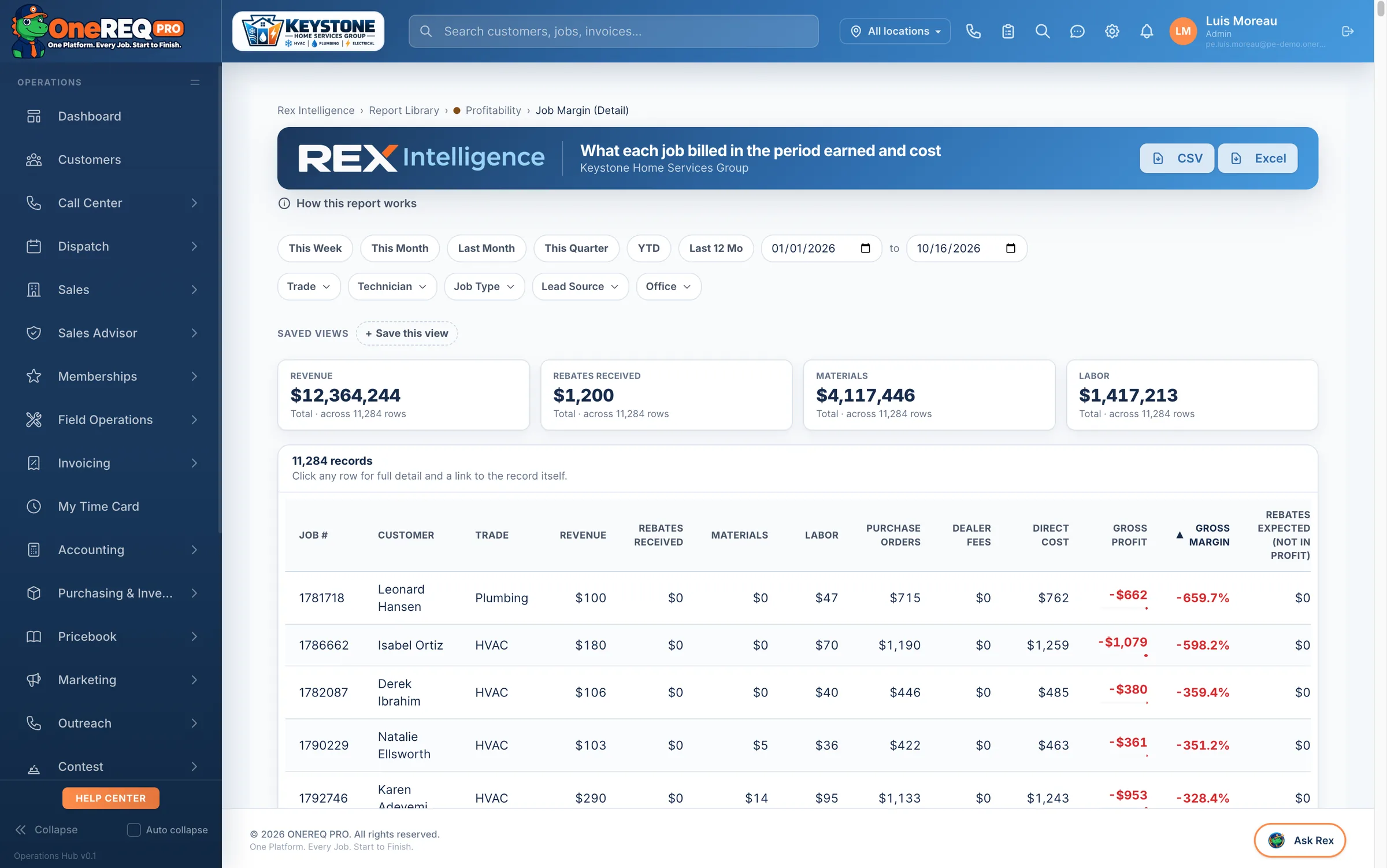
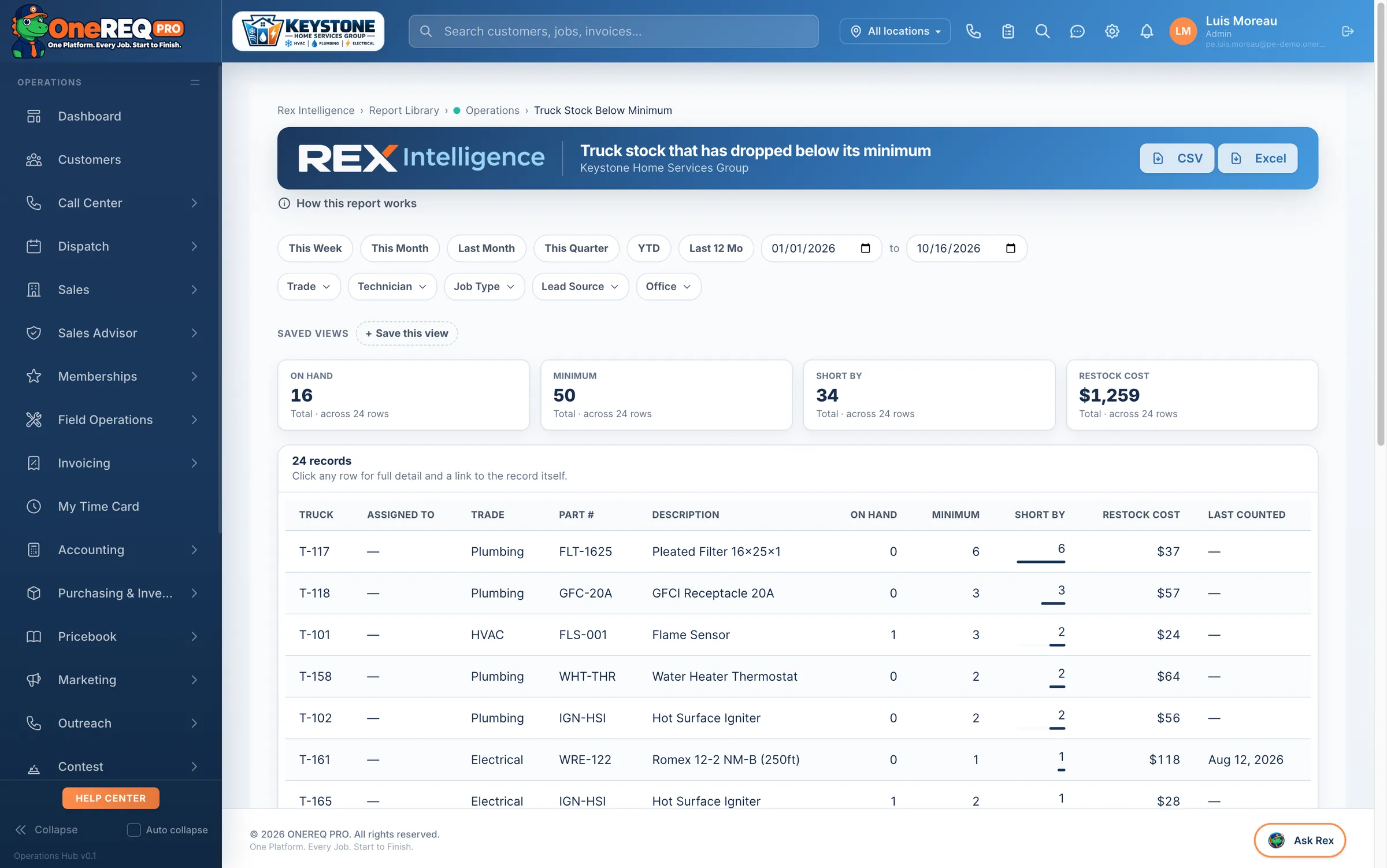
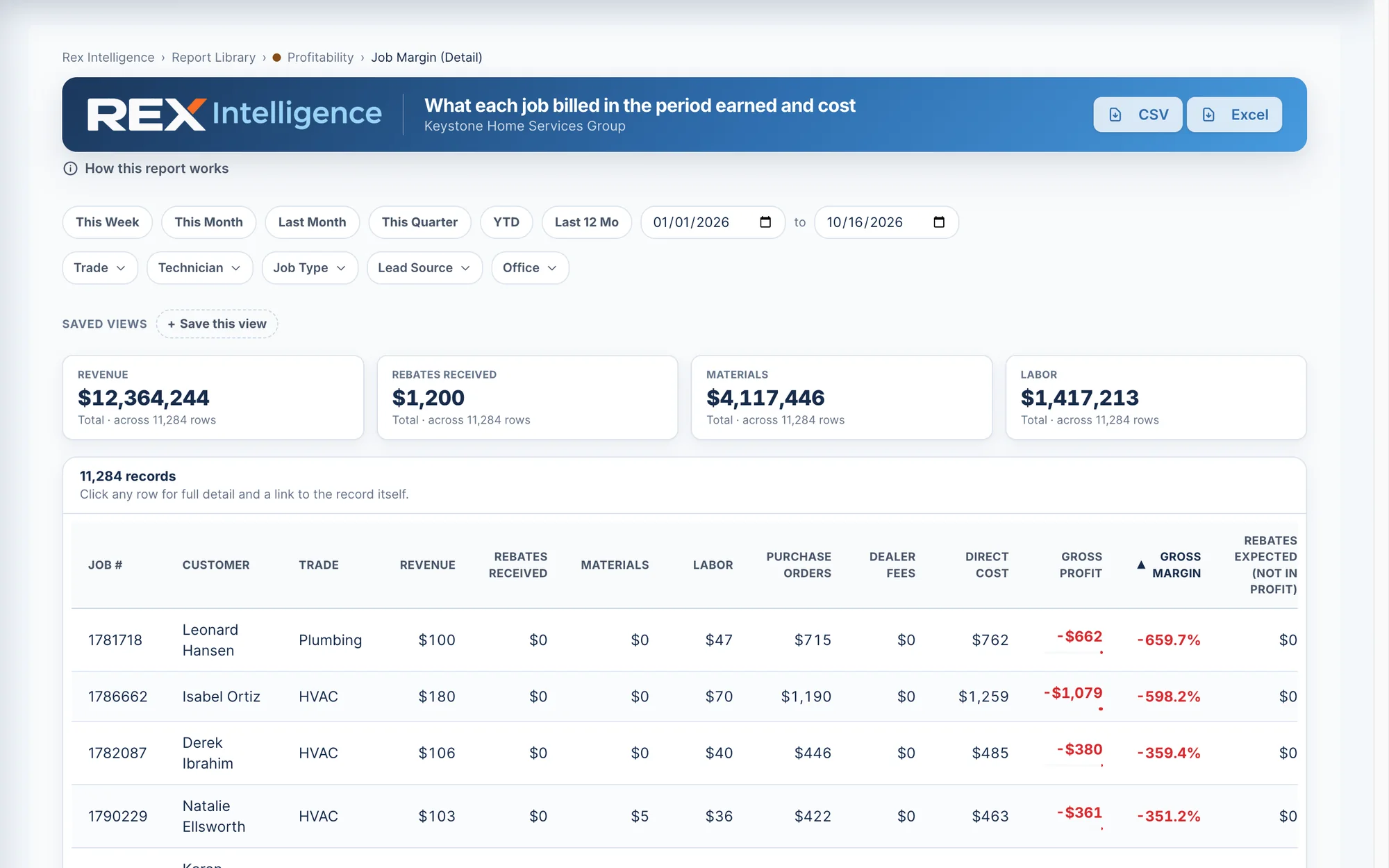
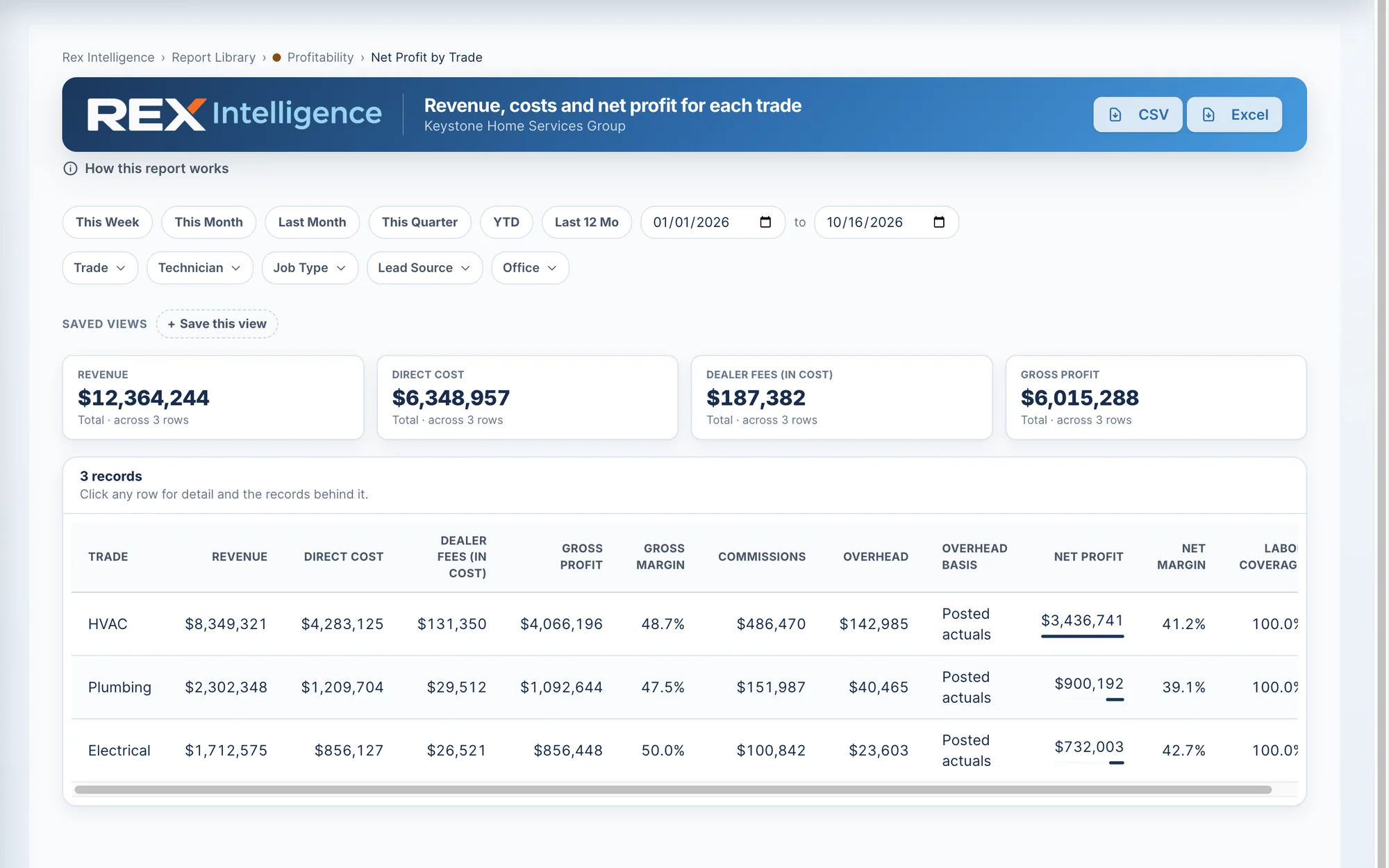
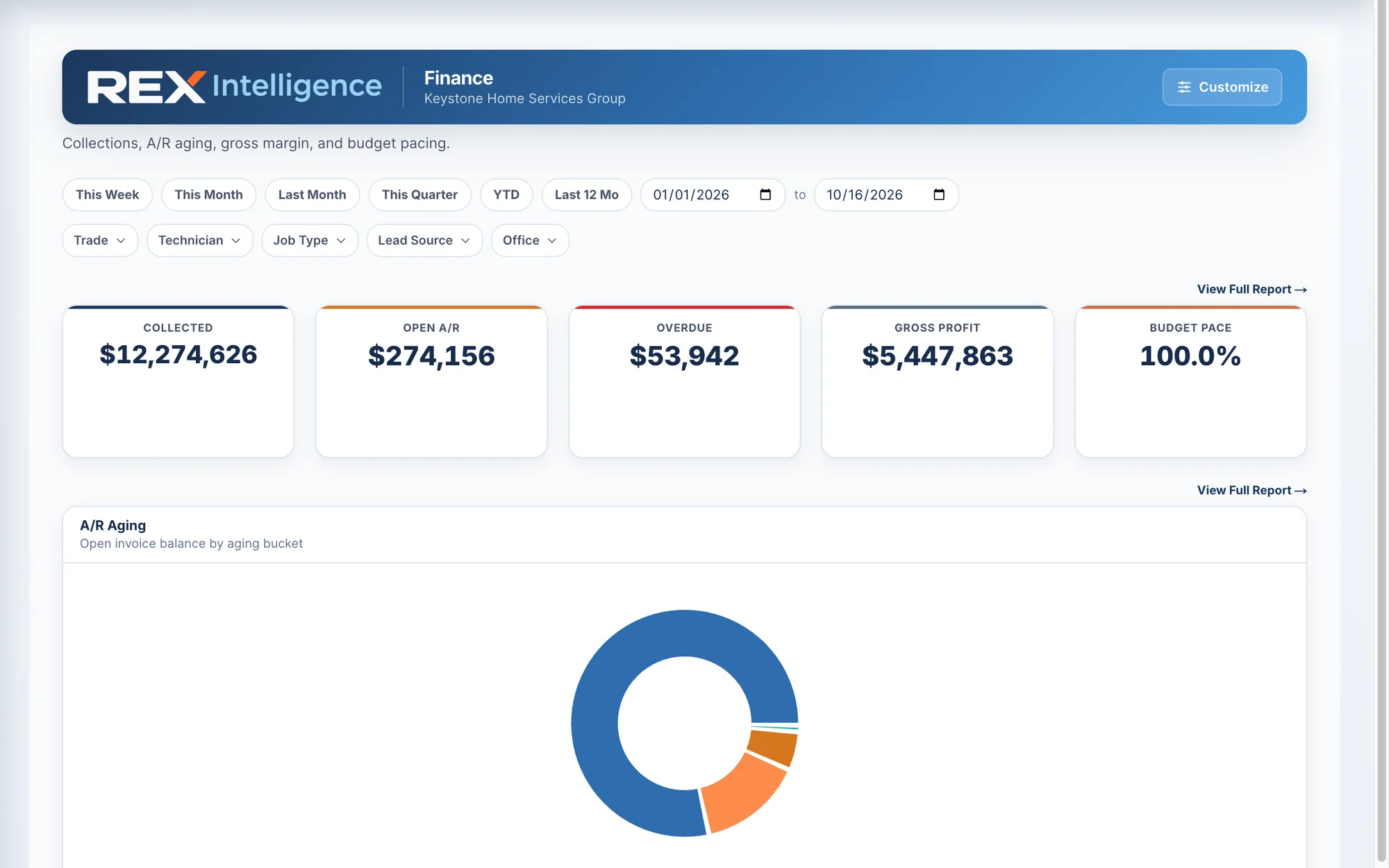
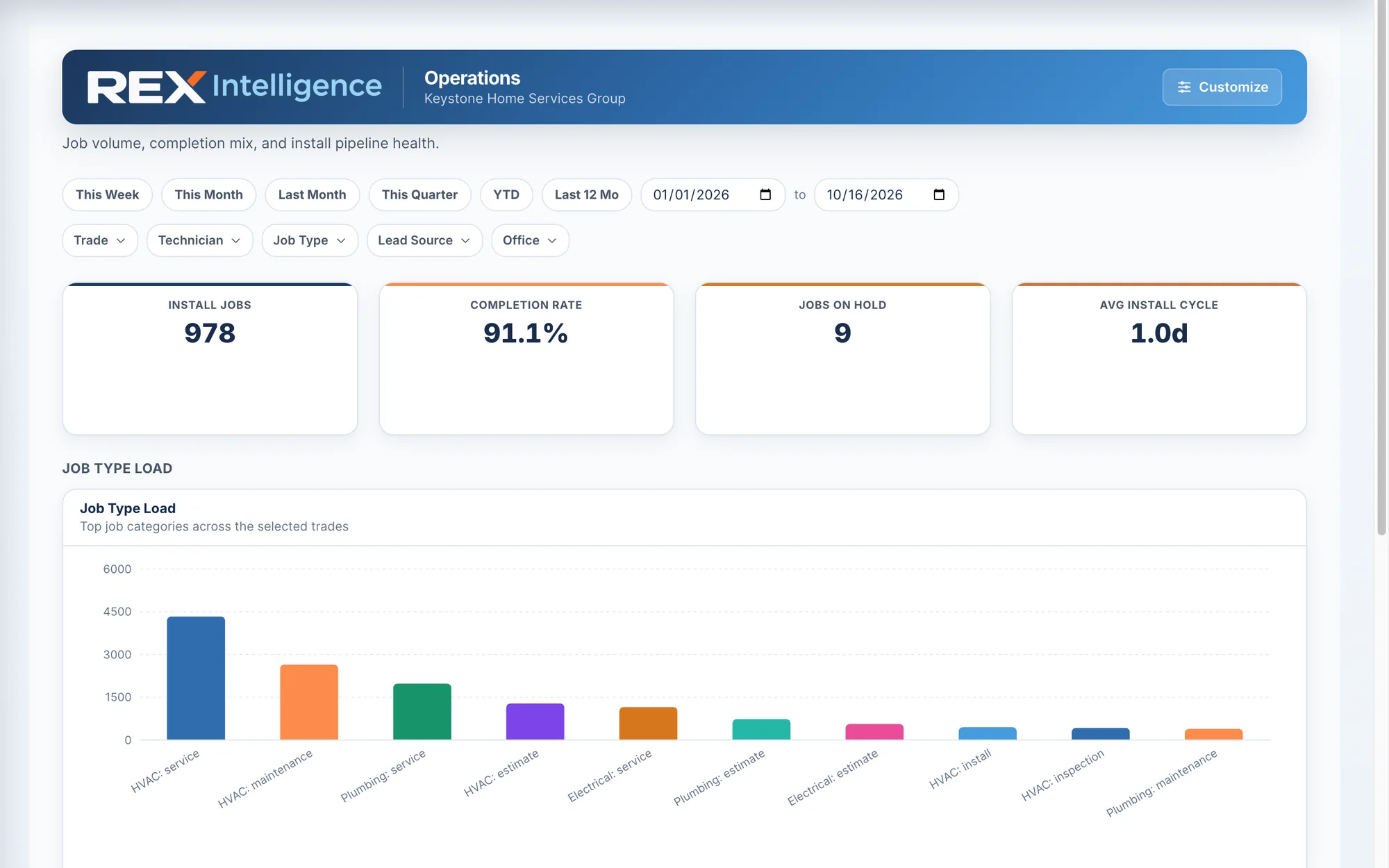
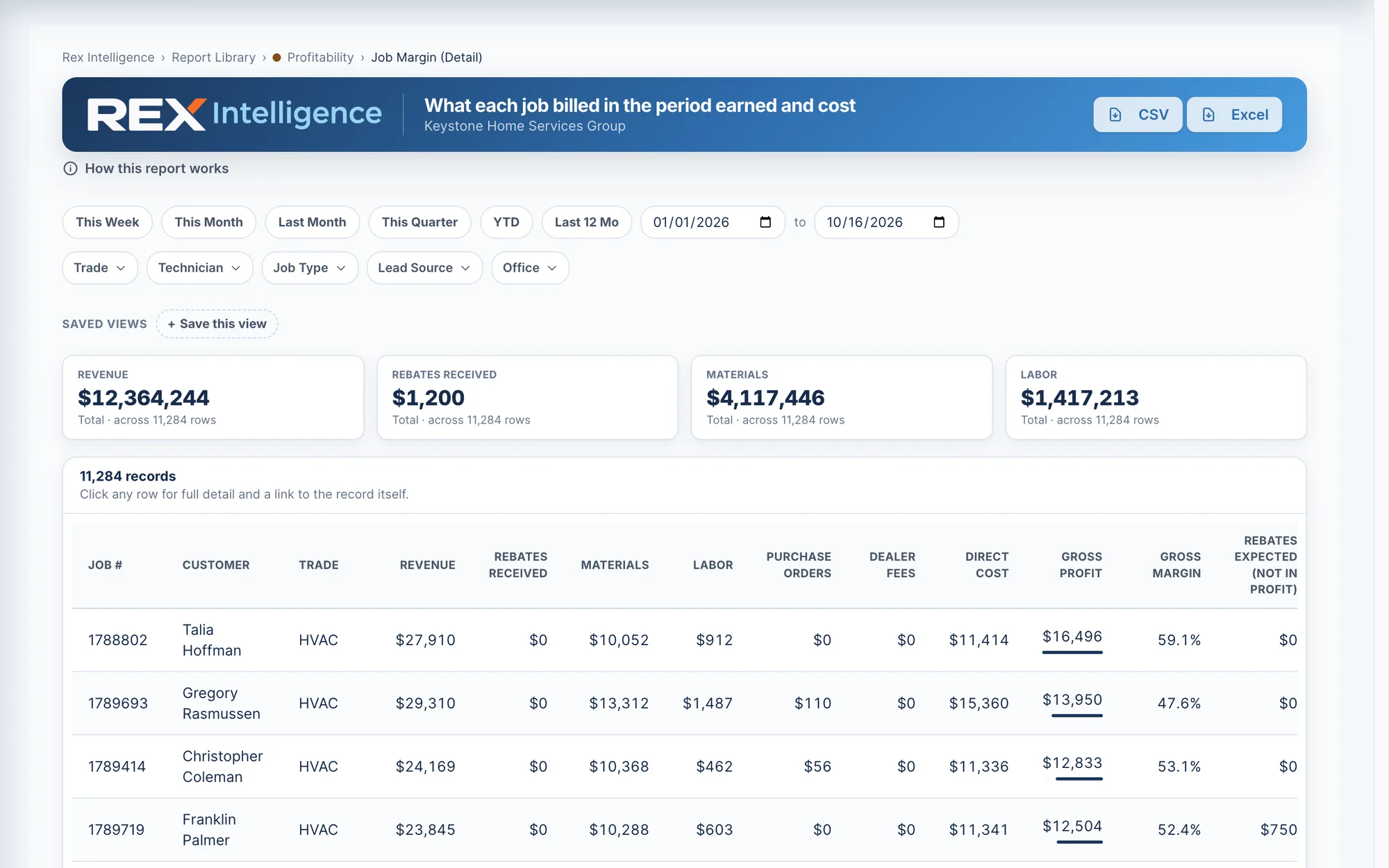
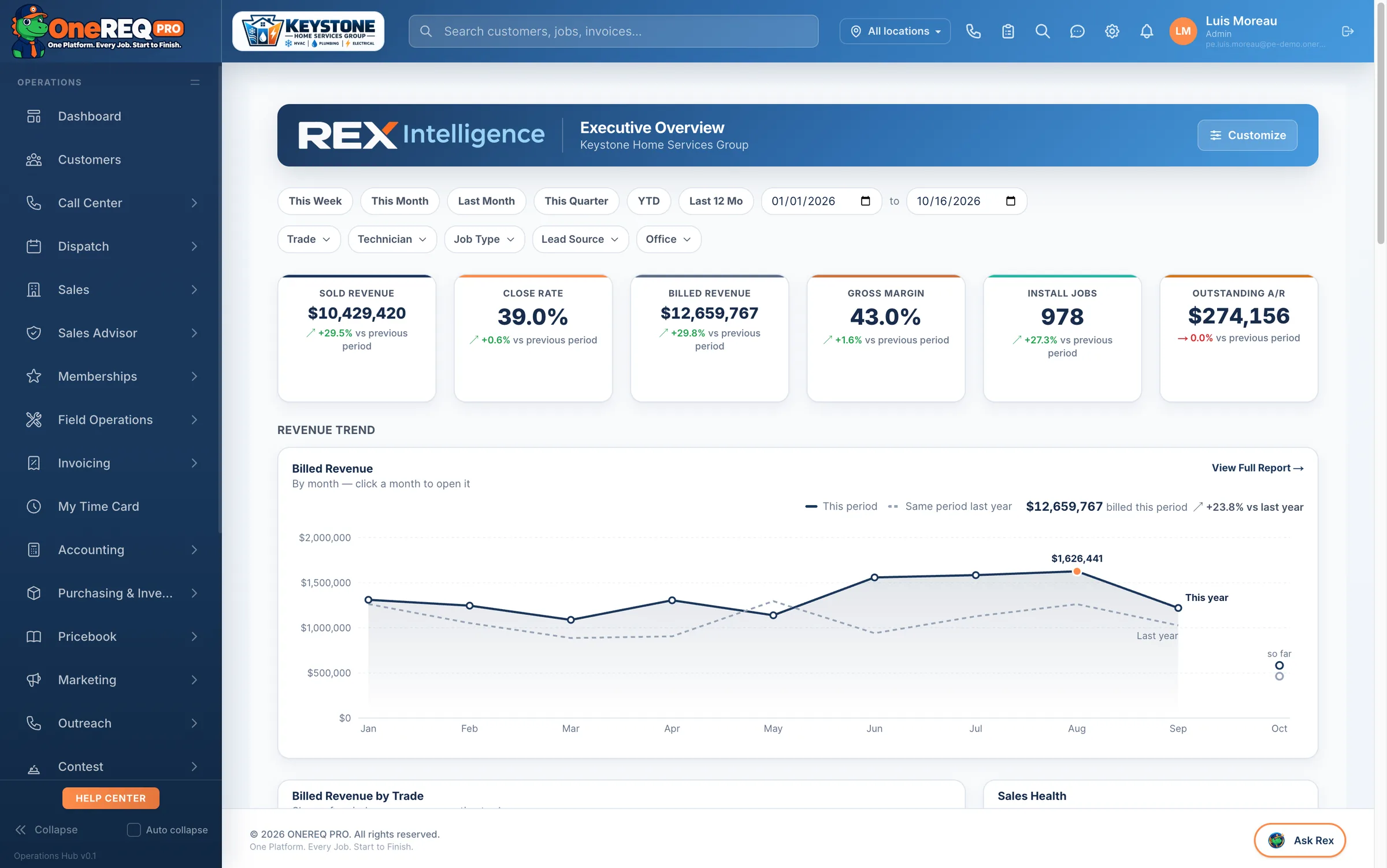
Rex Intelligence reads every job, invoice, time card, truck and lead on the platform and points you at the leak — the job that lost money, the hours nobody billed, the truck that’s short, the ad that doesn’t book. Then the platform does the fixing for you: costs, deductions, follow-ups and paperwork happen on their own.
See Rex Intelligence
The work that does itself.
Every hour your office spends copying numbers between screens is an hour you pay for and never bill. These run on the platform today — no extra software, nobody re-typing.
One signature, the whole install
When the customer signs, the platform creates the install job on the dispatch board, the permit applications, the rebate and tax-credit checks, the deposit invoice for the payment method they chose, the advisor’s commission, and the “your install is on the way” email.
Job done, invoice drafted
Mark a job complete and the invoice drafts itself from the work on the job, and the tech’s time card closes. Turn on review requests and they go out on their own, with reminders.
Paid means paid out
When an invoice is paid — card, check or Square — commissions calculate, contest points post, memberships activate and job costs lock. Connect QuickBooks and it syncs every night.
Memberships run themselves
Membership invoices bill on schedule, renewal reminders go out at 30 and 7 days, and members can switch on autopay.
Proposals follow up for you
Unsigned proposals get a branded follow-up sequence until the customer signs or the proposal closes.
Overdue invoices chase themselves
Friendly at 7 days, firm at 30, final at 60 — then it hands the account to a person instead of nagging forever.
Tomorrow’s customers get a text
Appointment reminders by text and push the day before, so the tech isn’t knocking on an empty house.
Customers know the tech is coming
When the tech marks a job en route, customers on HomeRex get an “on the way” notification — and the tech’s time card starts on its own.
New leads can’t sit
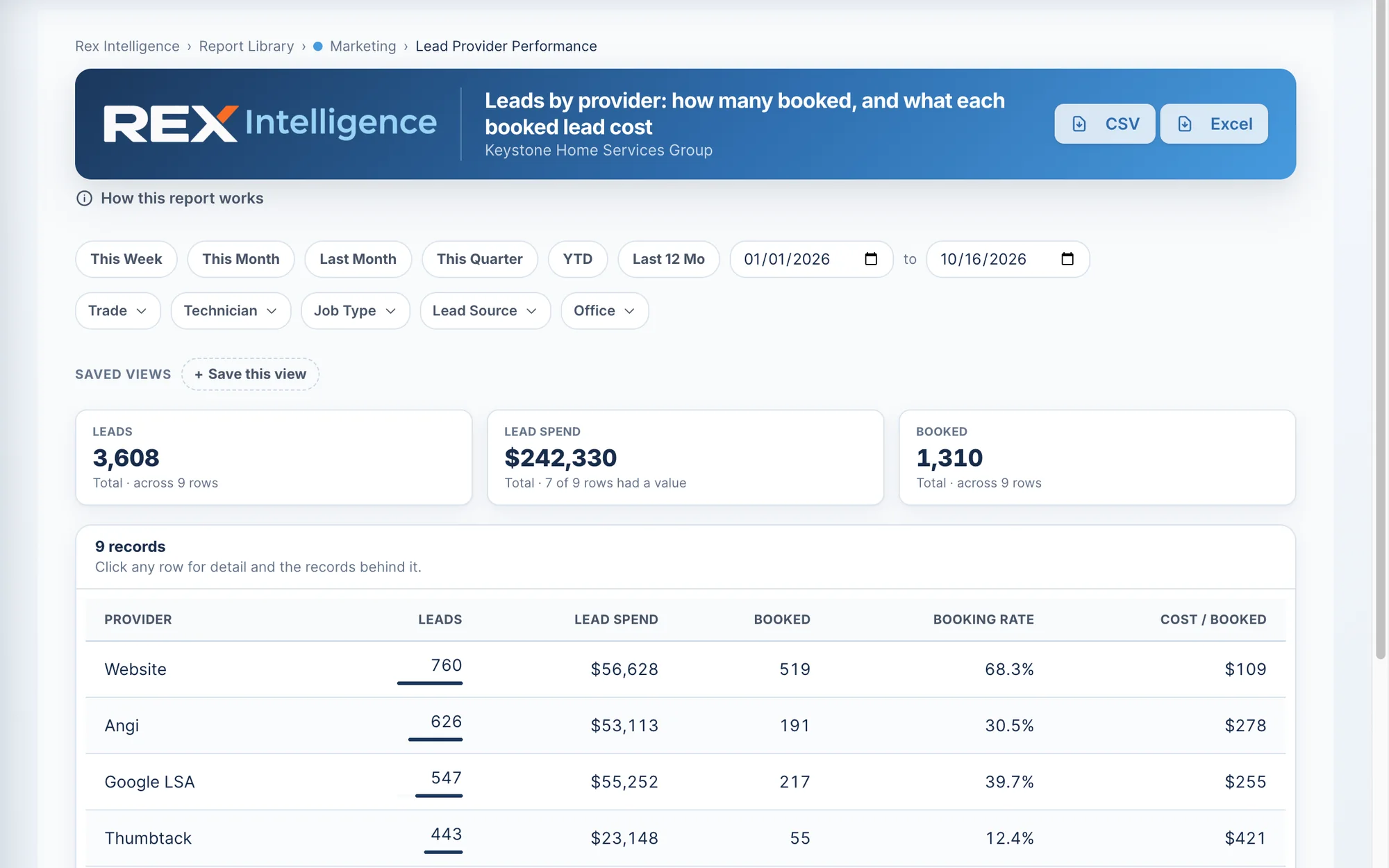
Leads from Angi, Thumbtack, Google LSA and your website land in one inbox, duplicates filtered. Turn on alerts and the office gets a text plus a “call this lead” task with a 15-minute clock.
Shrinkage gets caught
A truck count that comes up short on high-value parts goes straight to the warehouse review queue with the dollars missing, and an urgent email goes out.
Supplier price jumps get flagged
Every purchase order builds your vendor price history, and a price that jumps past your threshold raises an alert before it eats your margin.
Paperwork fills itself
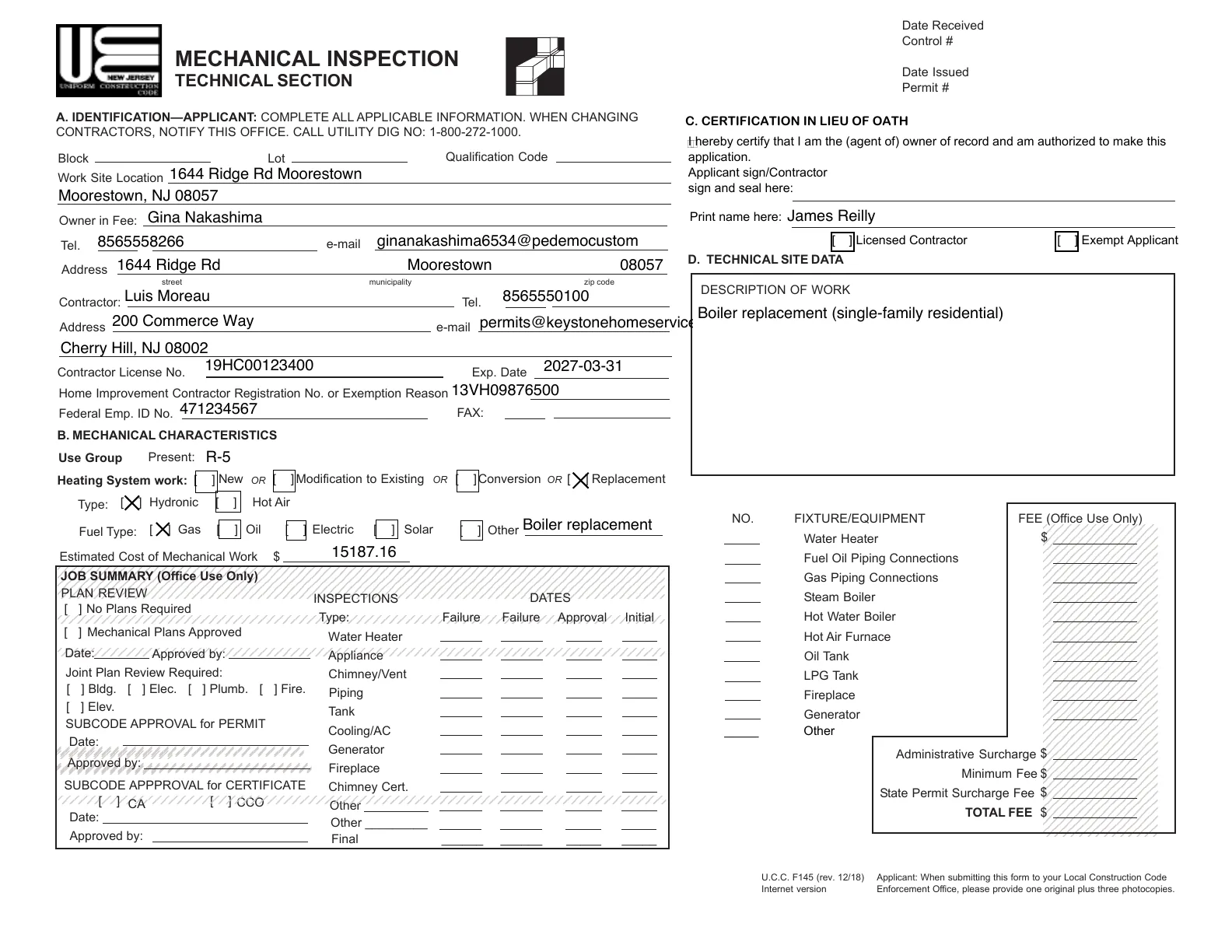
Permit PDFs pre-fill from the job and your contractor details. In Auto mode, EPA 608 refrigerant logs write themselves from the invoice.
Your trucks are a warehouse on wheels. Run them like one.
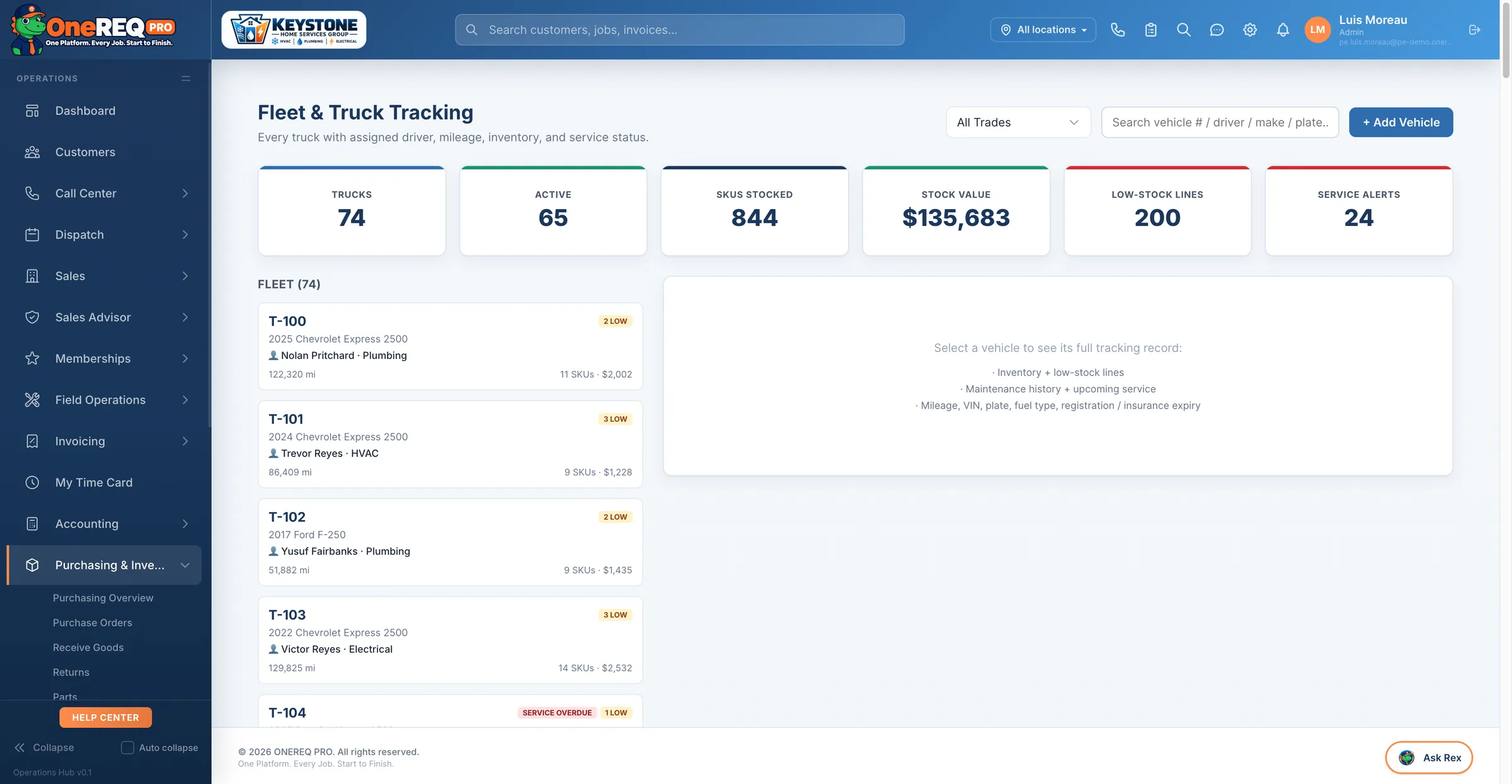
Parts walk. Parts get bought twice. A tech drives to the supply house for a capacitor that’s sitting on the next truck. Every one of those is margin you already paid for — this is how you stop it.
- Every truck, every binStock per tech and truck with bins, min/max and cost. Stock a new truck in one click from a template.
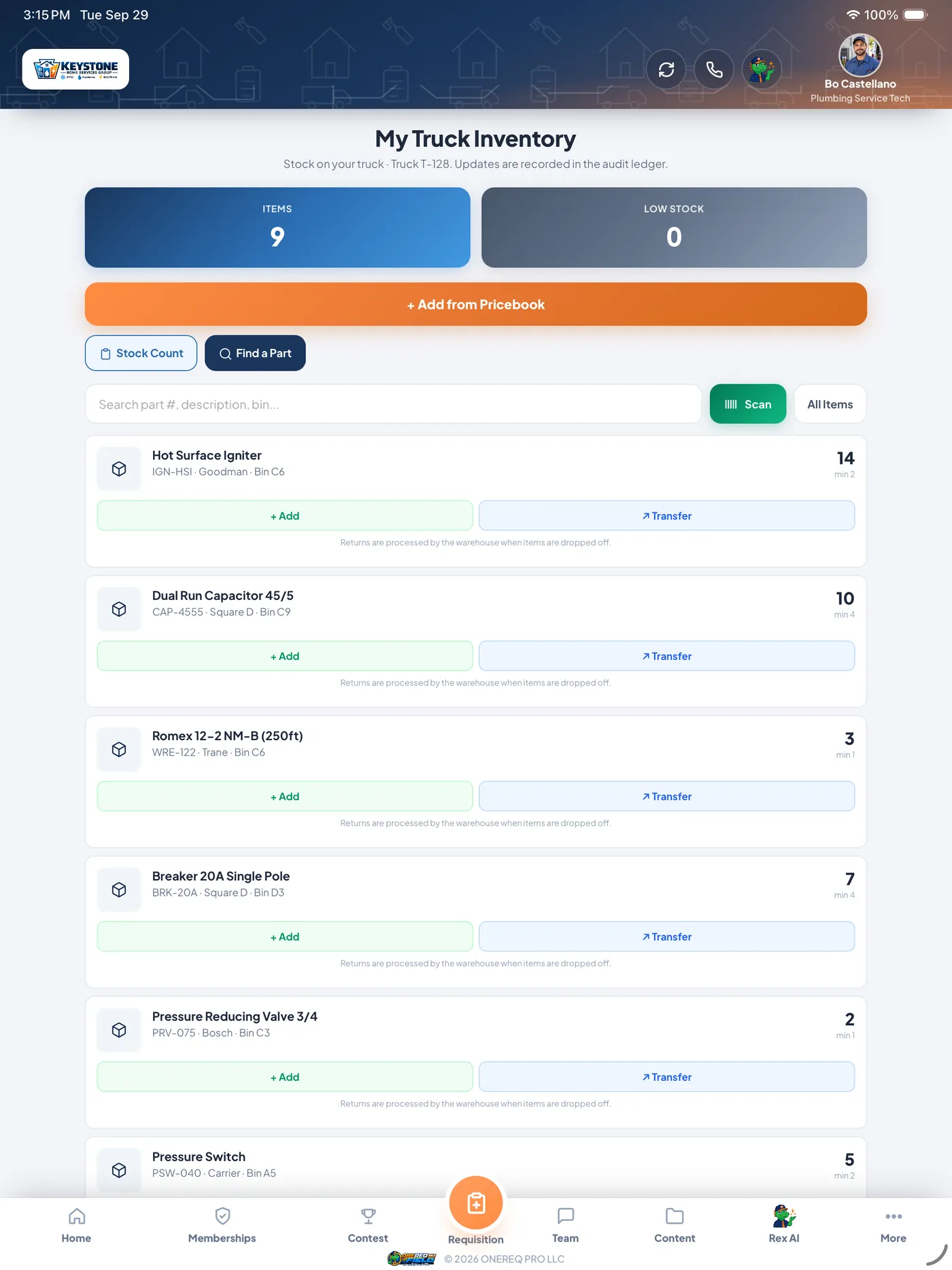
- Used on the job, off the truckAdd a part to the job and it comes off that tech’s truck automatically. Delete the line and it goes back.
- Find it on another truckSearch every truck by name or barcode — who has it, which bin, how many — and transfer it tech to tech instead of driving to the supply house.
- Nothing leaves without a recordTechs can’t quietly remove stock. Parts leave a truck only through job use, a transfer or a warehouse-processed return, and every move is logged: who, what, when, what it cost.
- Counts that catch shrinkageStock counts flag high-value shortages to the warehouse review queue with the dollars at risk.
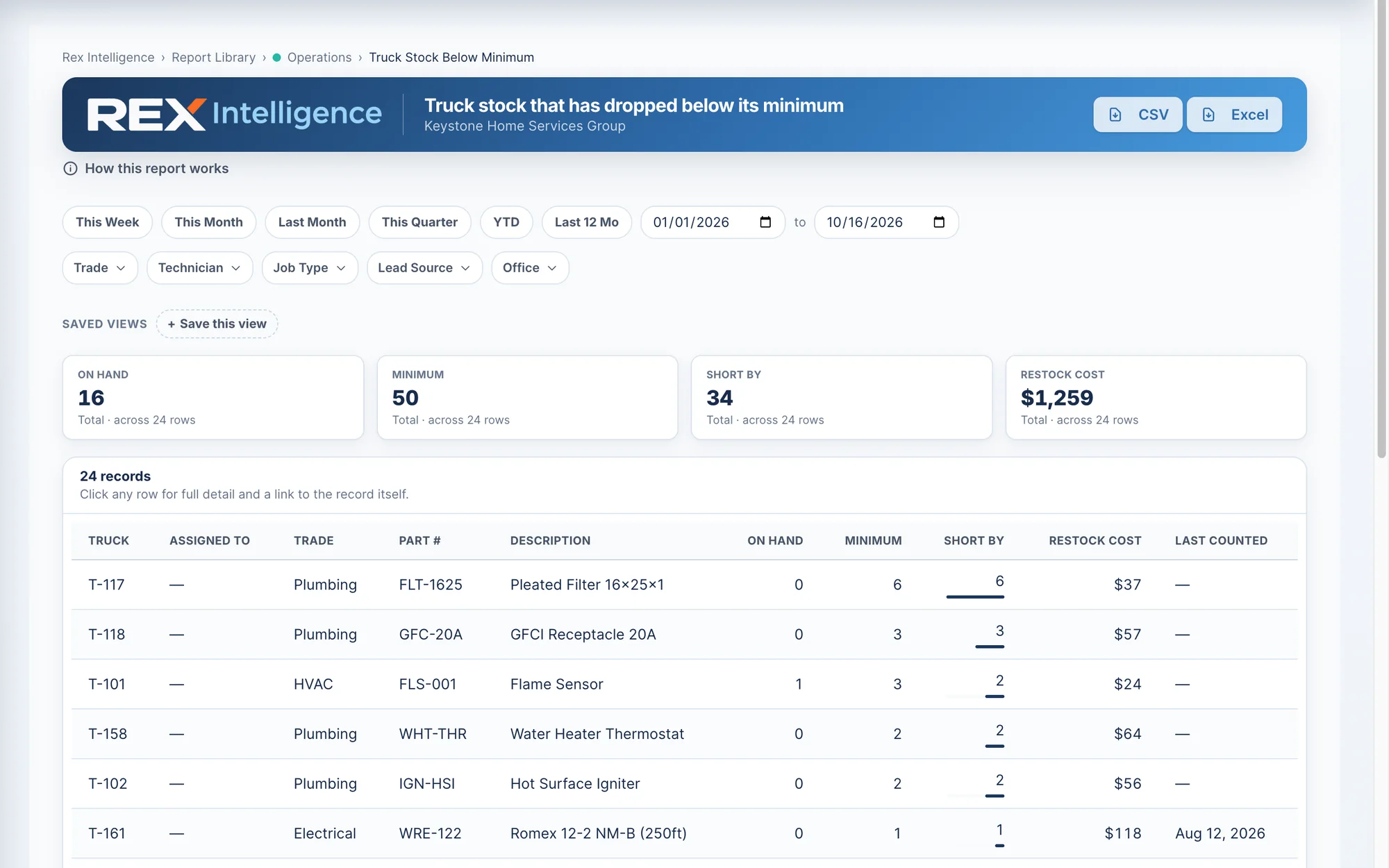
- Know what to restockTruck Stock Below Minimum and the replenishment list show what each truck needs and what it costs to fill it.
- Scan and label everythingBarcode and QR scanning in ONEREQ PRO Field, and printed Code 128 or QR labels for trucks, shelves, VMI bins and job materials.
- Requisitions from the drivewayTechs request install and service parts from the job; the requisition goes to the right buyer and the job is marked ordered.
- Dead stock, in dollarsSee what hasn’t moved in 90+ days, ranked by the cash tied up in it.
Sell. Serve. Get paid.
Every workflow your contractor business runs on — from the first lead to the last paid invoice — happens inside one platform with one login.
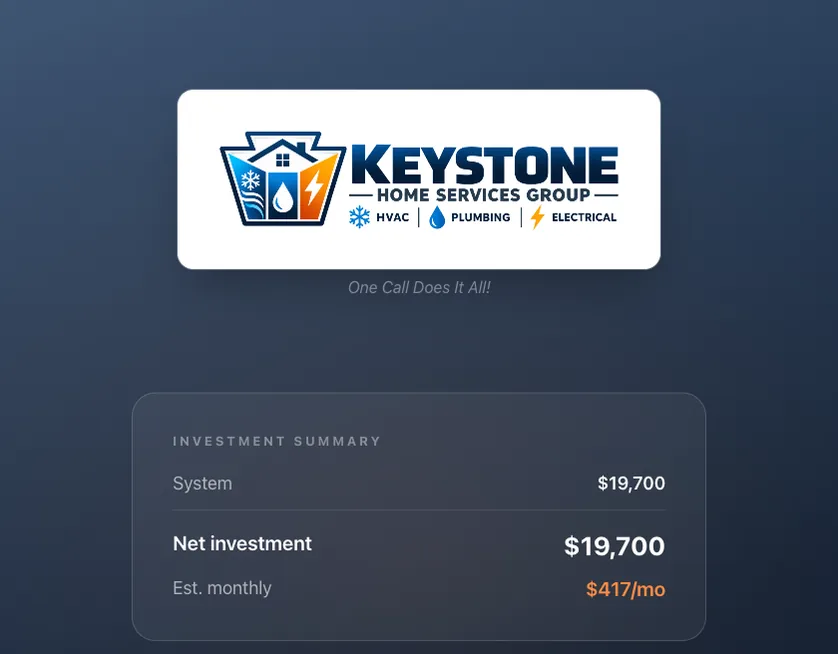
Close more, in-home.
A guided in-home Sales Advisor with Manual J, energy ROI, tier pricing, financing, real images, customer signature — and a live commission preview for the advisor.
- HVAC, Plumbing & Electrical — one wizard, three trades
- Customer-facing iPad presentation mode
- One-click sold: job + permits + rebates + commission
- Financing applied for at the table, with the real plan’s monthly
Run the truck.
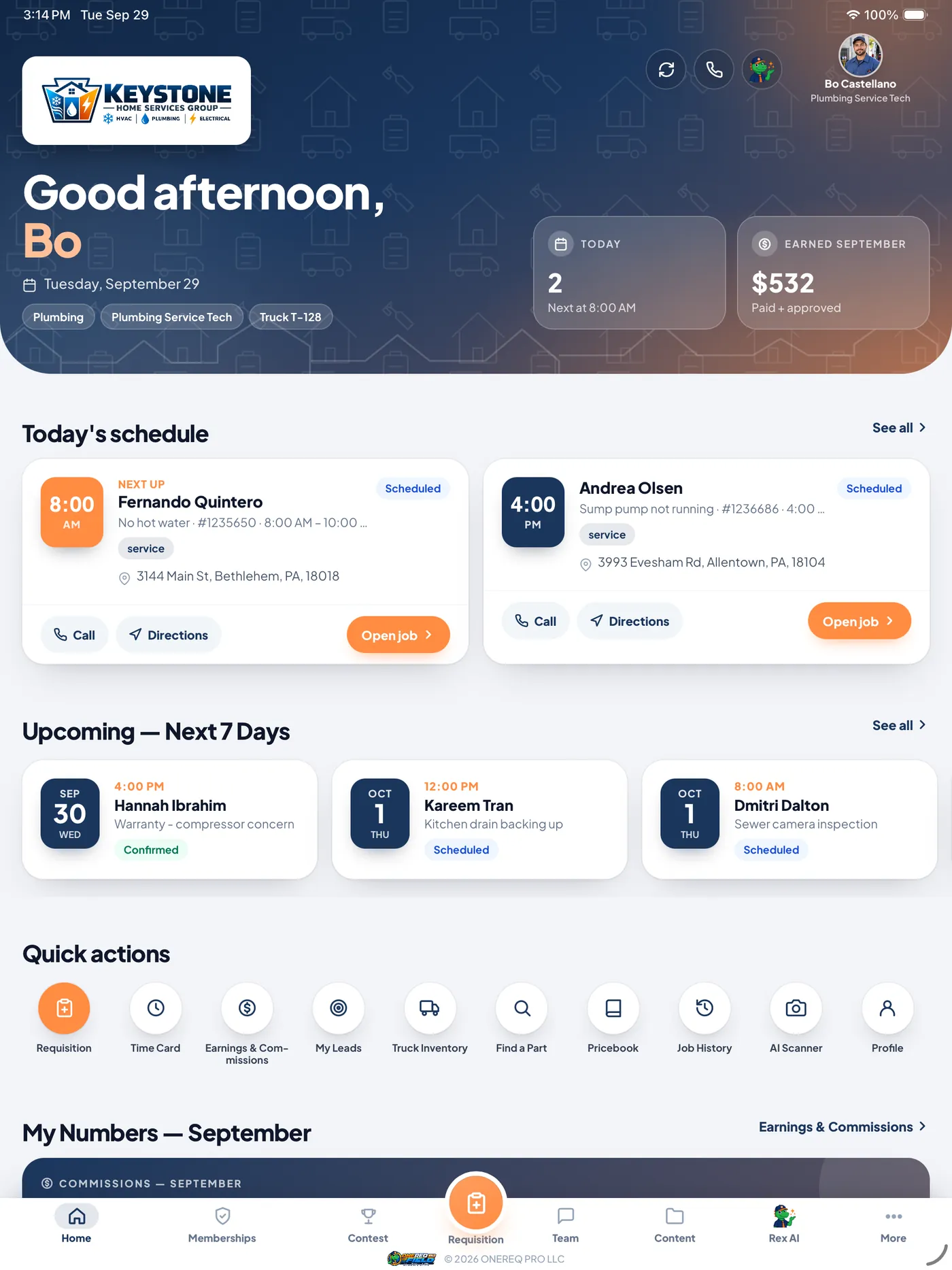
A native app — iPhone, iPad and Android — techs actually want to use. Voice-to-diagnosis, on-screen signatures, photo workflow, truck inventory, cross-truck parts locator. On the App Store and Google Play.
- Voice notes → diagnosis & work-completed reports
- Data-plate scan: make · model · serial · age · refrigerant
- Card, cash or check taken in-app, with the method recorded
- Parts pulled off the truck on the job, so stock stays honest
Close the invoice loop.
An automated collections loop chases aging invoices nightly, sends bilingual reminders, and sends every customer a Pay Now link into HomeRex. When they pay, Stripe closes the invoice and pushes it to QuickBooks the same minute.
- Pay Now in HomeRex, straight from the invoice
- QuickBooks sync — auto on, or your bookkeeper can run it manually
- Commissions fire automatically the moment an invoice is paid
- Partial payments, deposits and surcharges all land on the same ledger
Built for your trade.
Three trades, each with its own catalog, safety quiz, calculators and financing — on one CRM, one dispatch, one accounting layer.
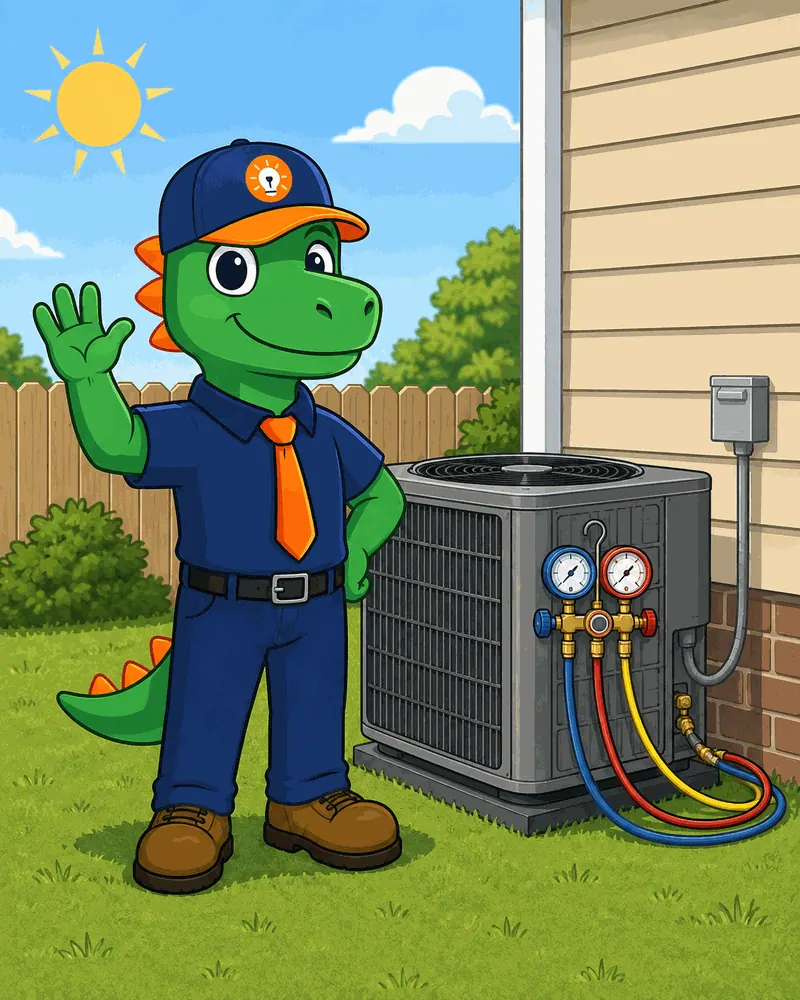
HVAC
The trade Rex was born for. Comfort Advisor, Manual J, IAQ catalog, refrigerant 608 logs, hybrid dual-fuel pricing, superheat/subcooling calc.
- Equipment compatibility matching
- Sales-tax defaults by category
- Bilingual SH/SC calc + diagnoses

Plumbing
Water heater diagnostic, Plumbing Health Check, filtration catalog. CA-parity wizard adapted for plumbing-specific tools — financing, safety quiz, customer contacts.
- Tankless / storage / hybrid comparison
- 25-year operating cost line
- Service-agreement upsell built in
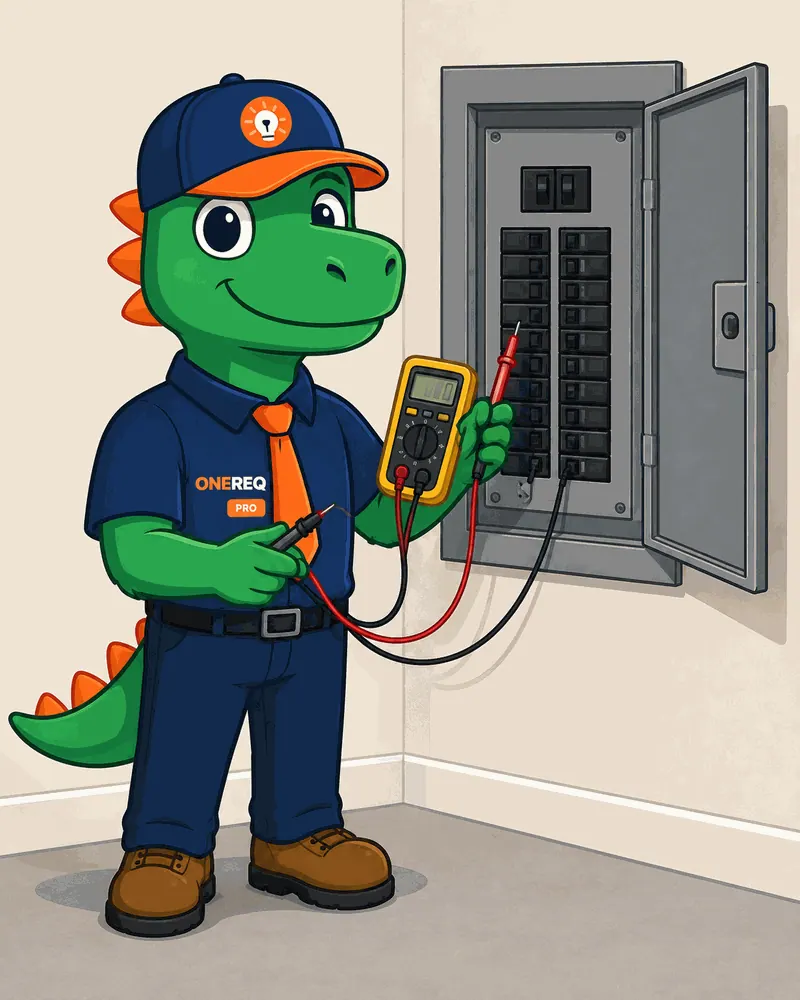
Electrical
Panel upgrades (200A → 400A), surge protection, generators, EV chargers, smart-panel catalog. NFPA safety urgency built into the script.
- NEC reference + permit catalog
- Span / Lumin smart-panel presets
- Generator + battery sizing tool
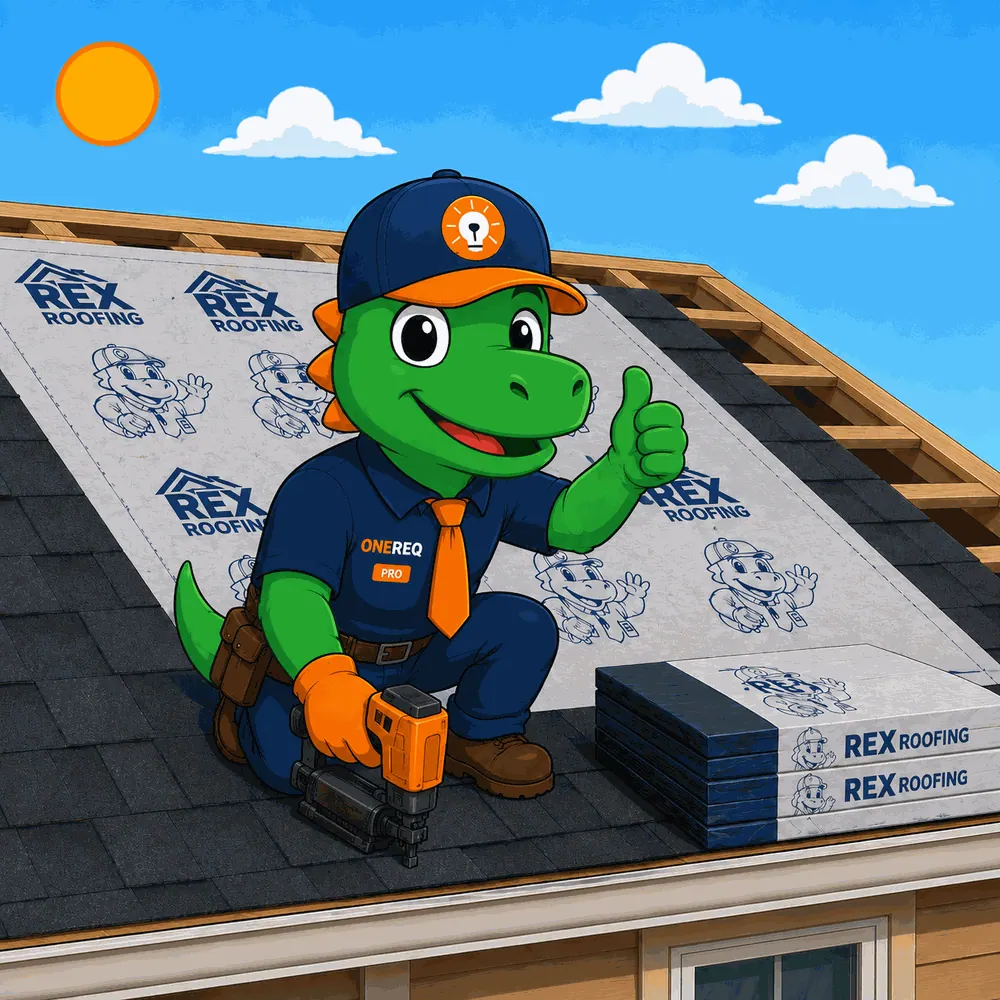
Roofing Next up
Roofing is the next trade we build, and we are building it with the contractors who sign up now — not guessing at it. Tell us how your shop actually runs and you get first slot.
- Storm & insurance claim workflow
- Material takeoff + supplier ordering
- Warranty registration + service calls
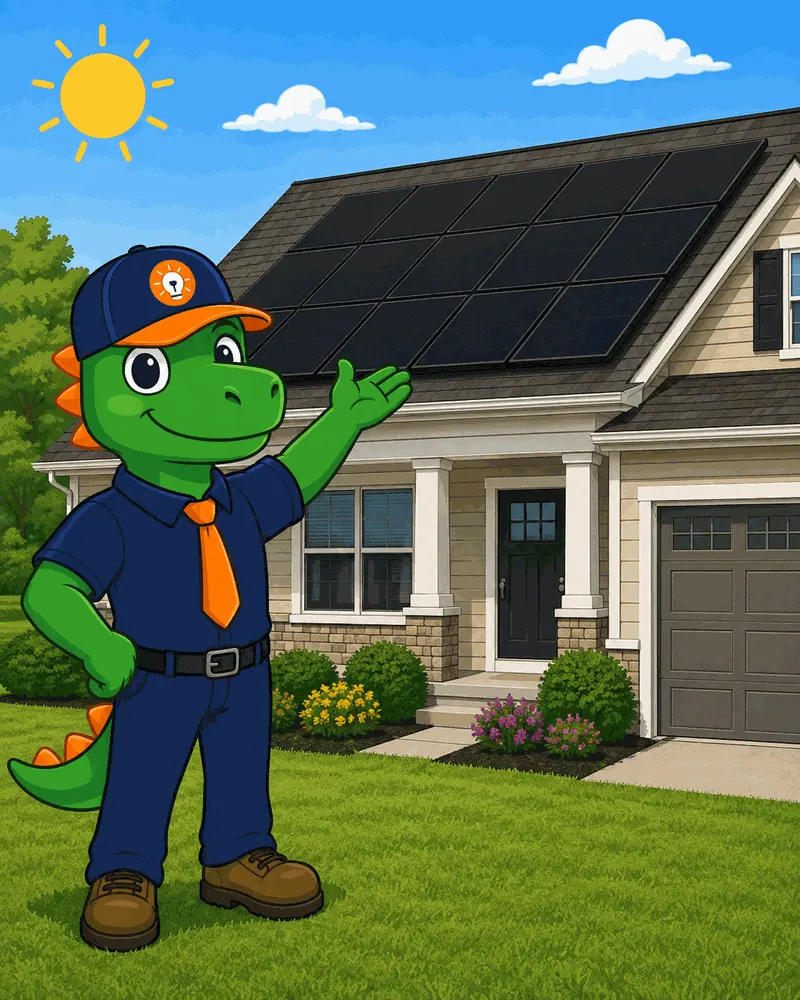
Hyperis Solar Coming soon
Solar runs on Hyperis — our sister platform, built by the same team for solar dealers. Separate product, separate login, same people behind it. Not open yet — we will say so here when it is.
- 12-stage pipeline + proposal engine
- Interconnect & permit automation
- Homeowner app + financing
Three things nobody else ships.
Most platforms give you the record-keeping. We give you the multiplier on top — and we bake it into every screen instead of selling it as an add-on.
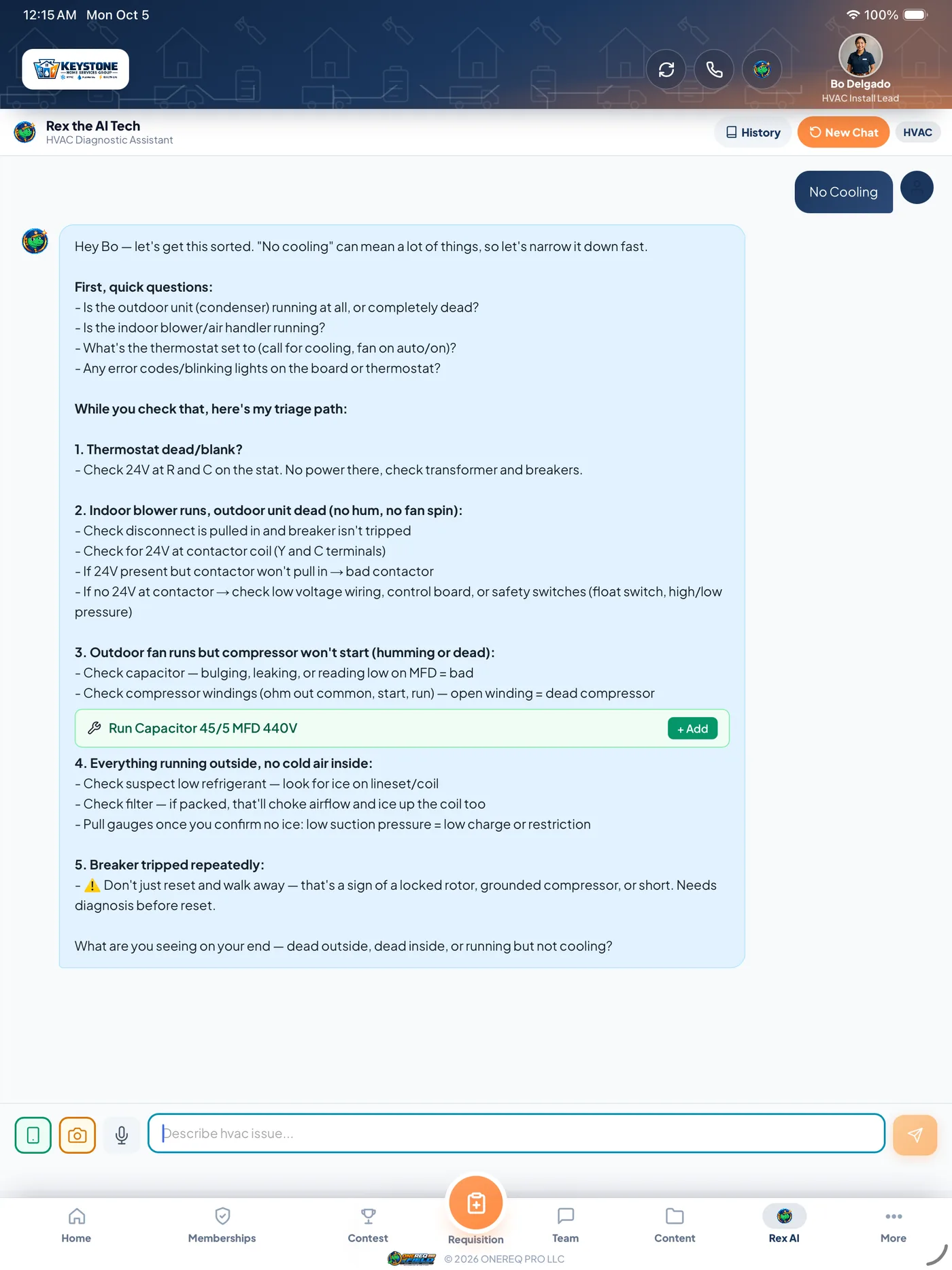
Rex AI on every screen
Voice notes → professional diagnosis with tech approval. Data-plate scan with Vision. Marketing copy + hero artwork generator. Bilingual translation — one click.
- Voice-to-diagnosis with one-tap tech approval before save
- Manual J PDFs read in and cross-checked before they touch a quote
- Comfort Advisor AI writes the in-home pitch script live
- Marketing copy + branded hero artwork from one prompt
- Issue-photo triage — the customer sends a picture, Rex says what it is likely to be
- Review replies drafted in your voice, for a person to read before it posts
Native app. iPhone, iPad and Android.
Not a responsive website crammed into a webview. A real Swift / Capacitor native app for iPhone, iPad and Android with background GPS, push notifications on Android, on-screen signatures, in-field card and check capture, and a contest tab that only appears during live contests.
- Cross-truck Parts Locator (scan + transfer)
- Direct Messaging — 1:1 + group chats
- Payment method is always explicit — never defaulted to cash
- Spanish toggle in the ONEREQ PRO Field app, rolling out screen by screen
- Truck inventory moves with the job — parts consumed deduct from the van
- Time card, purchase orders and warranty claims all start from the job
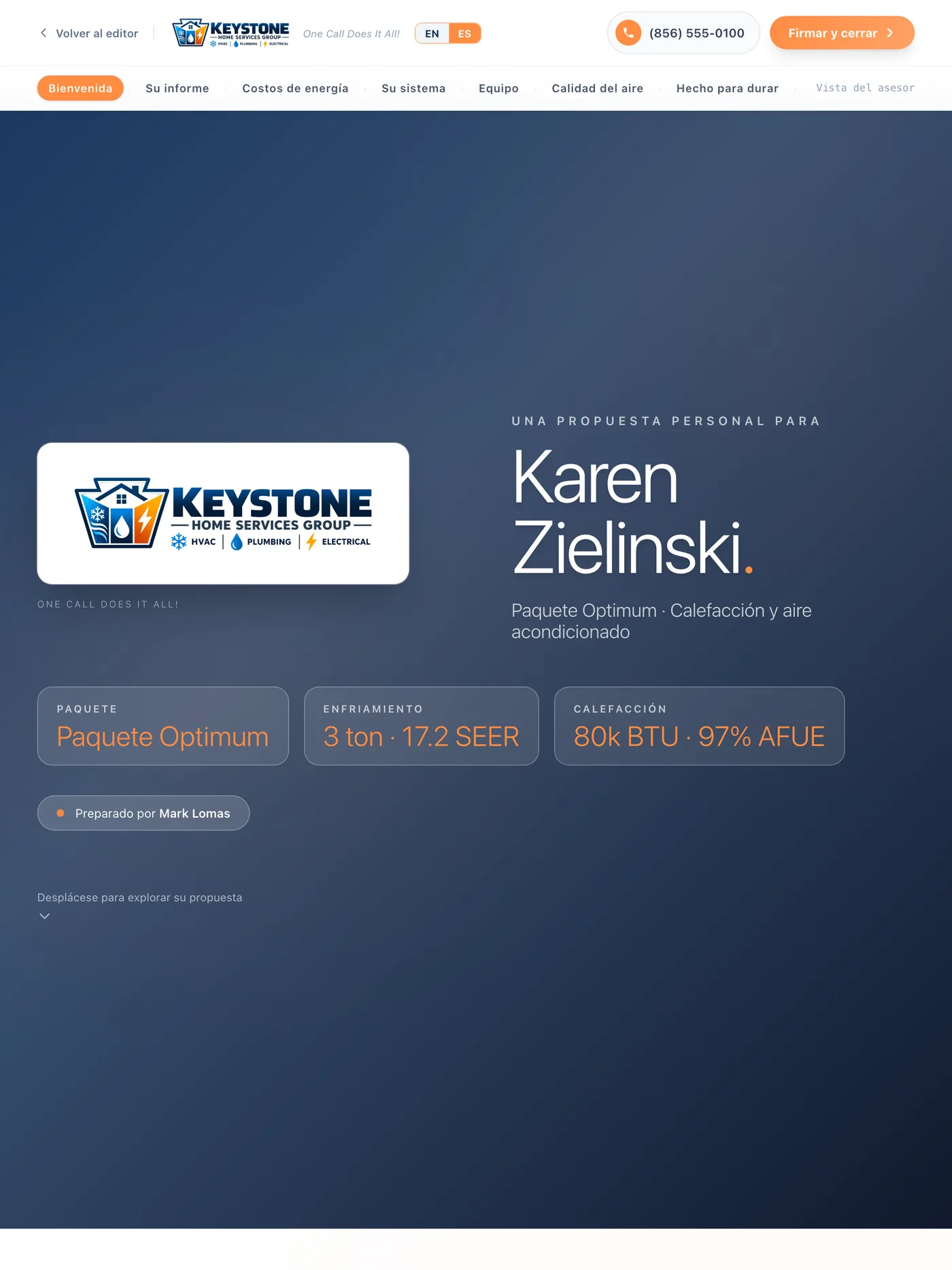
Spanish where the customer sees it
Every customer-facing document — signing pages, estimates, invoices, agreements, PDFs and transactional email — renders in the customer’s preferred language. Inside the app, the CRM and ONEREQ PRO Field app carry an EN/ES toggle built on a 1,743-entry dictionary, and we are still rolling it screen by screen. We would rather say that than claim it is finished.
- Per-customer preferred-language setting
- Locale-aware T&Cs per company
- AI marketing translation w/ audience filter
- 1,743-entry dictionary behind the toggle
- Techs and office staff each pick their own interface language
Real screens. Real workflows.
Nine parts of the platform, in the screens your people would actually be looking at. Pick one — the office CRM, the in-home advisor on an iPad, ONEREQ PRO Field for your techs, HomeRex for your customers, and the rest.
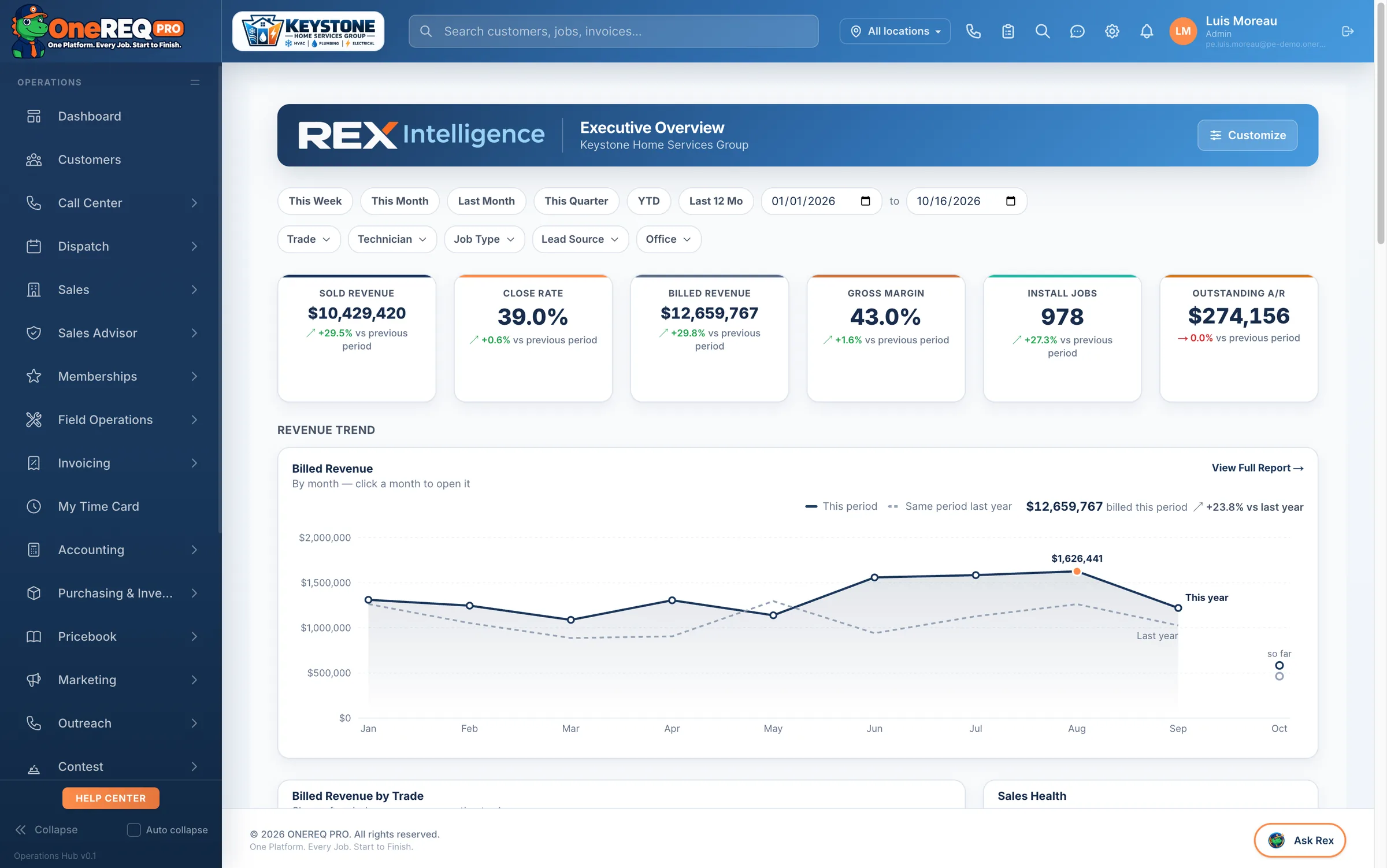
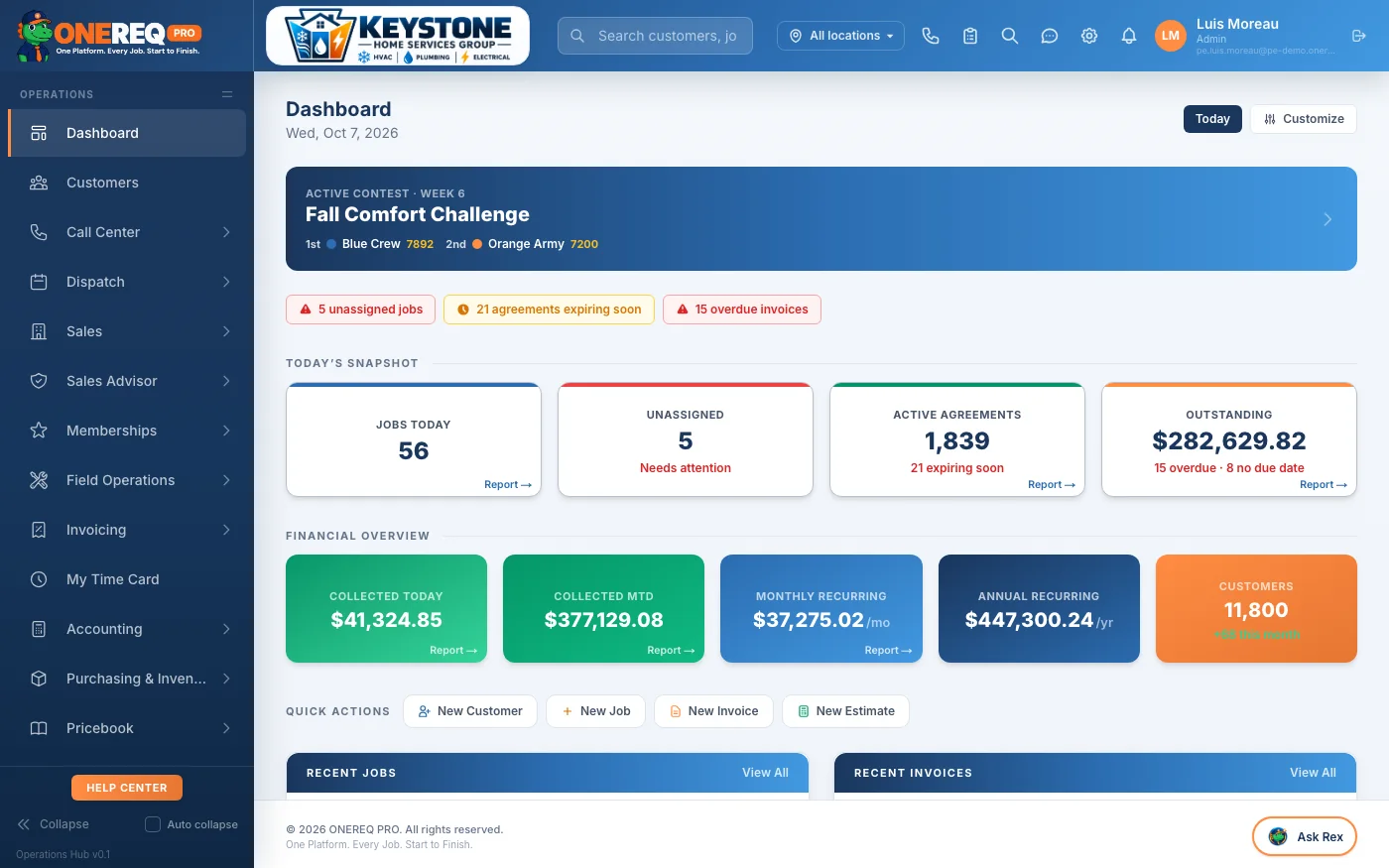
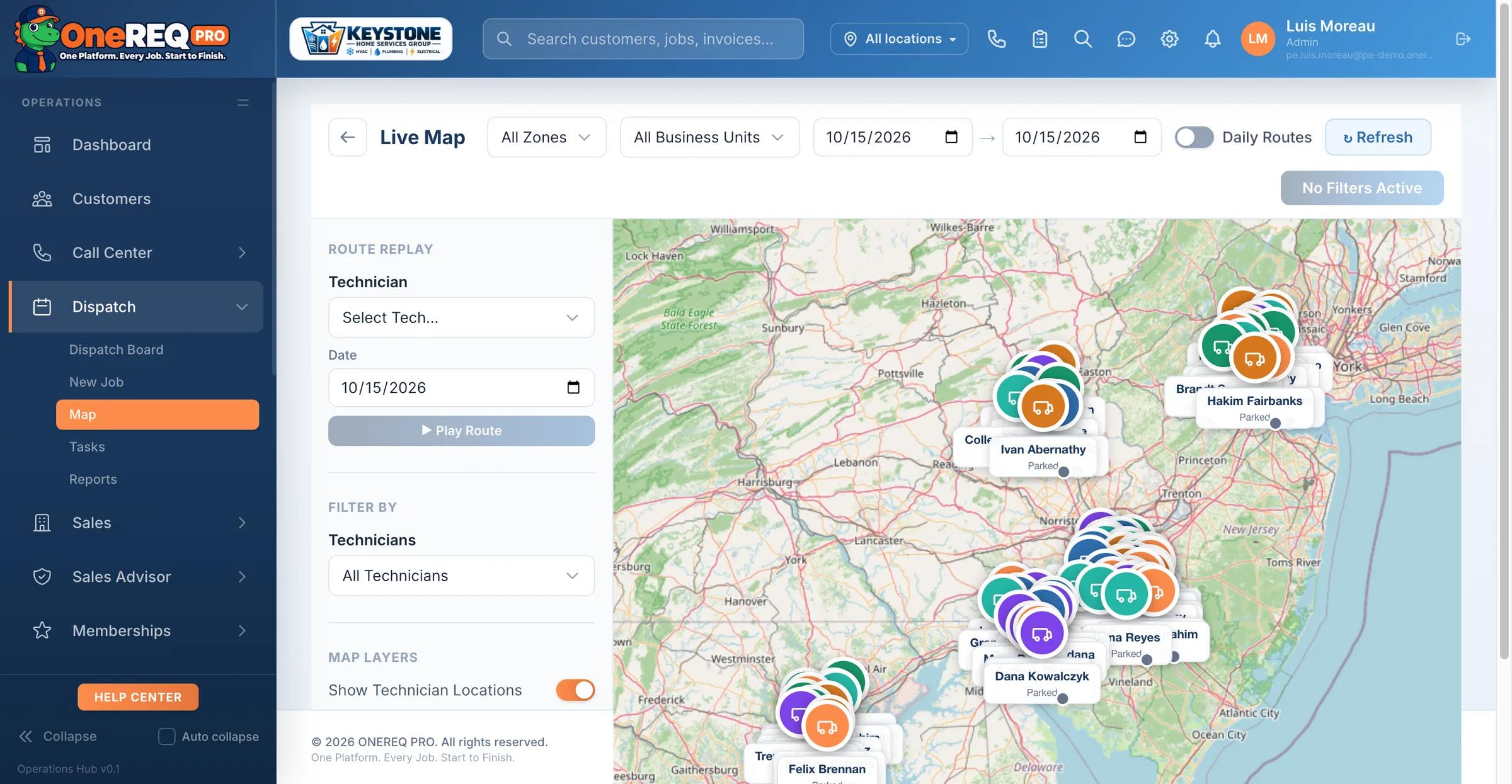
Dispatch, dashboard, fleet — one login.
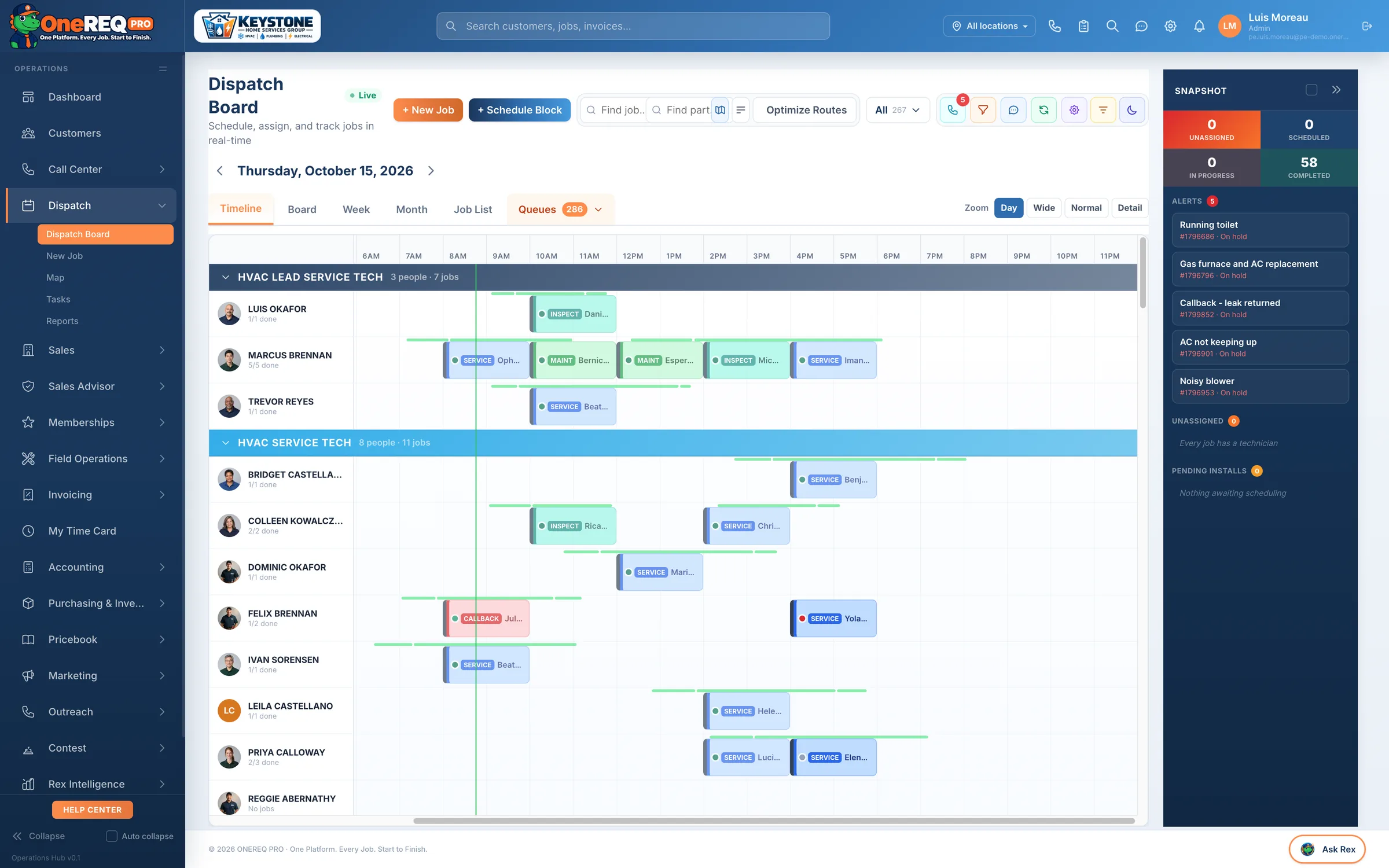
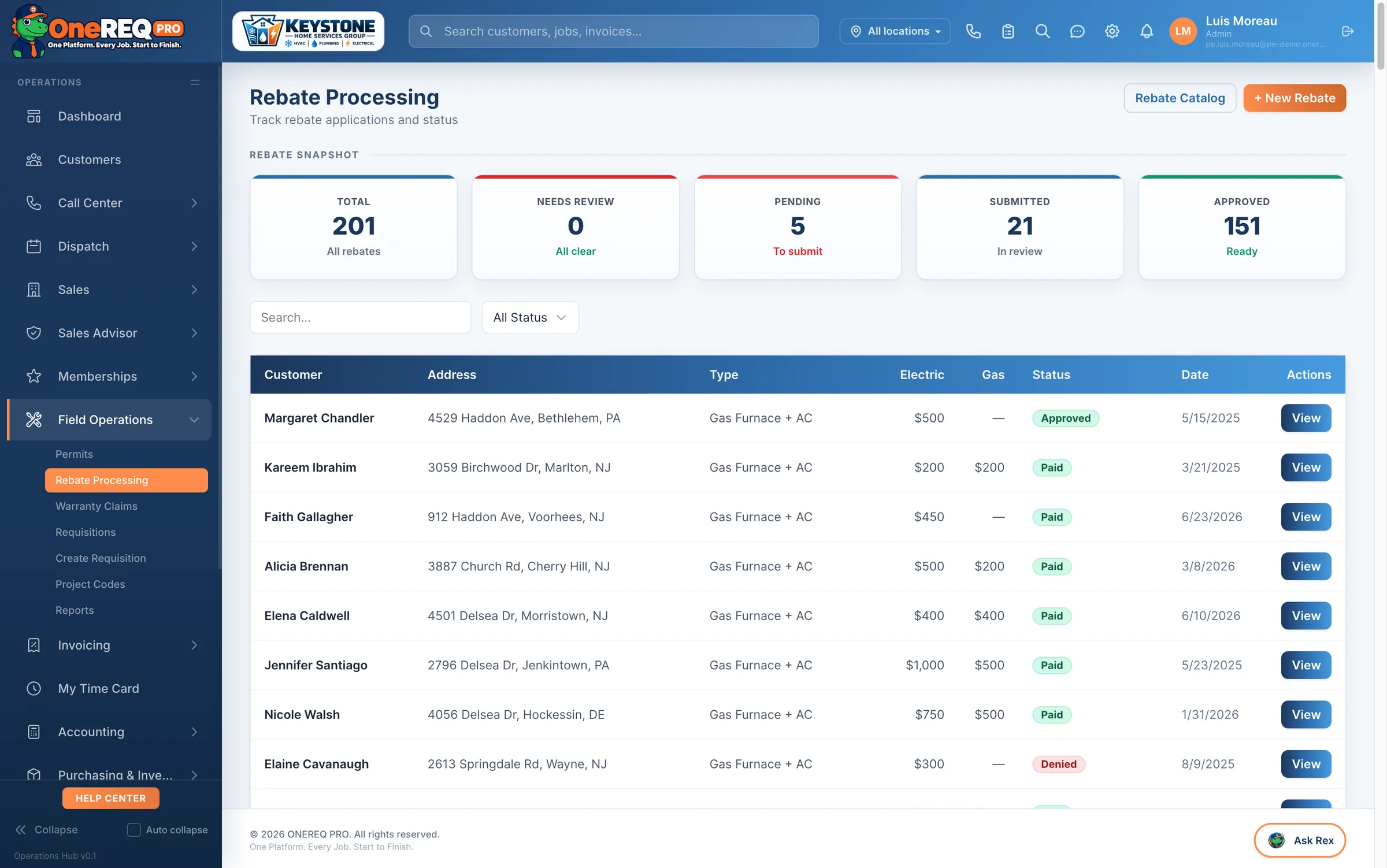
Drag-and-drop dispatch with live tech GPS, revenue + leaderboard reports, fleet tracking, vehicle maintenance — all wired into the same data ONEREQ PRO Field writes from the field.
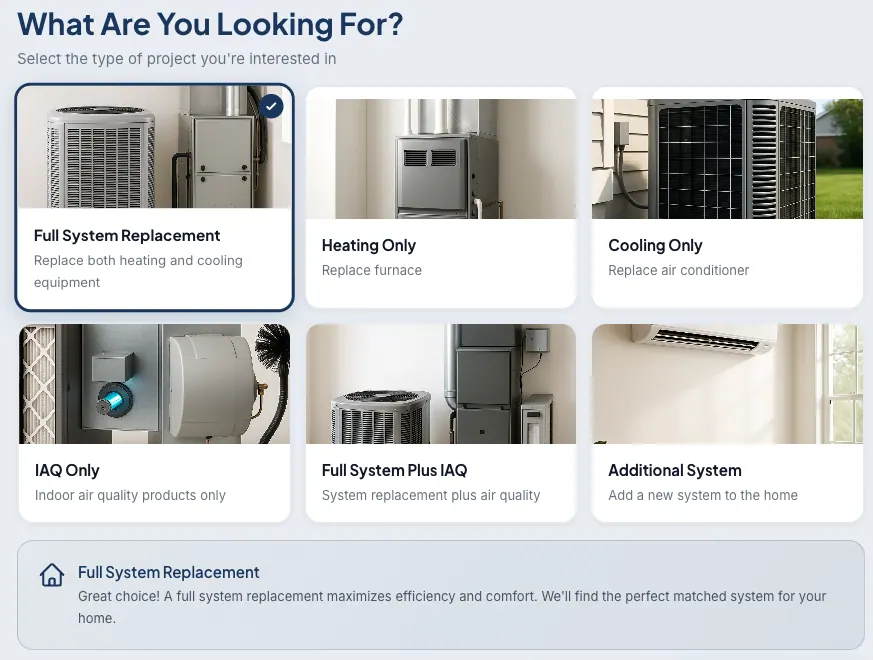
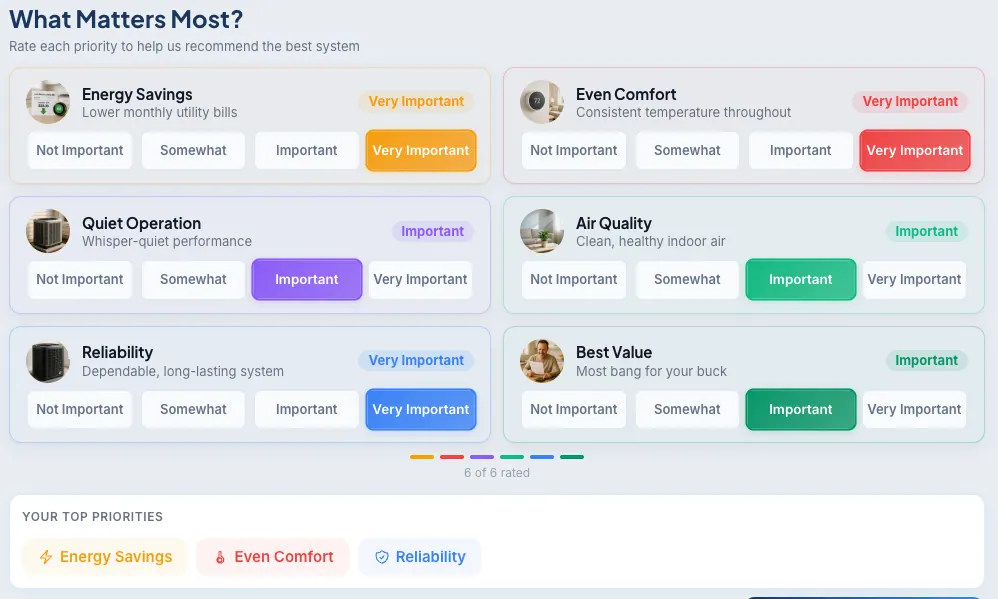
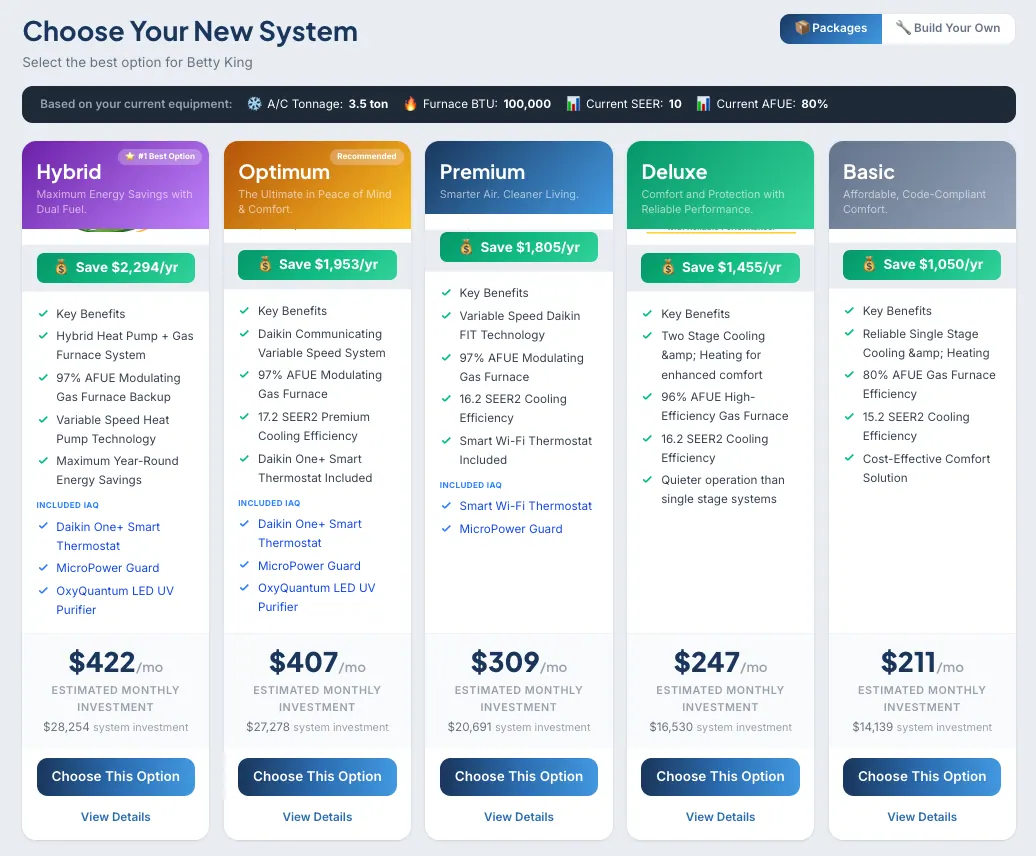
The in-home wizard that closes more.
Customers walk their own home on the iPad — what’s broken, what matters, what fits. Ends in a signed proposal.
 iPhone + iPad + Android · App Store & Google Play
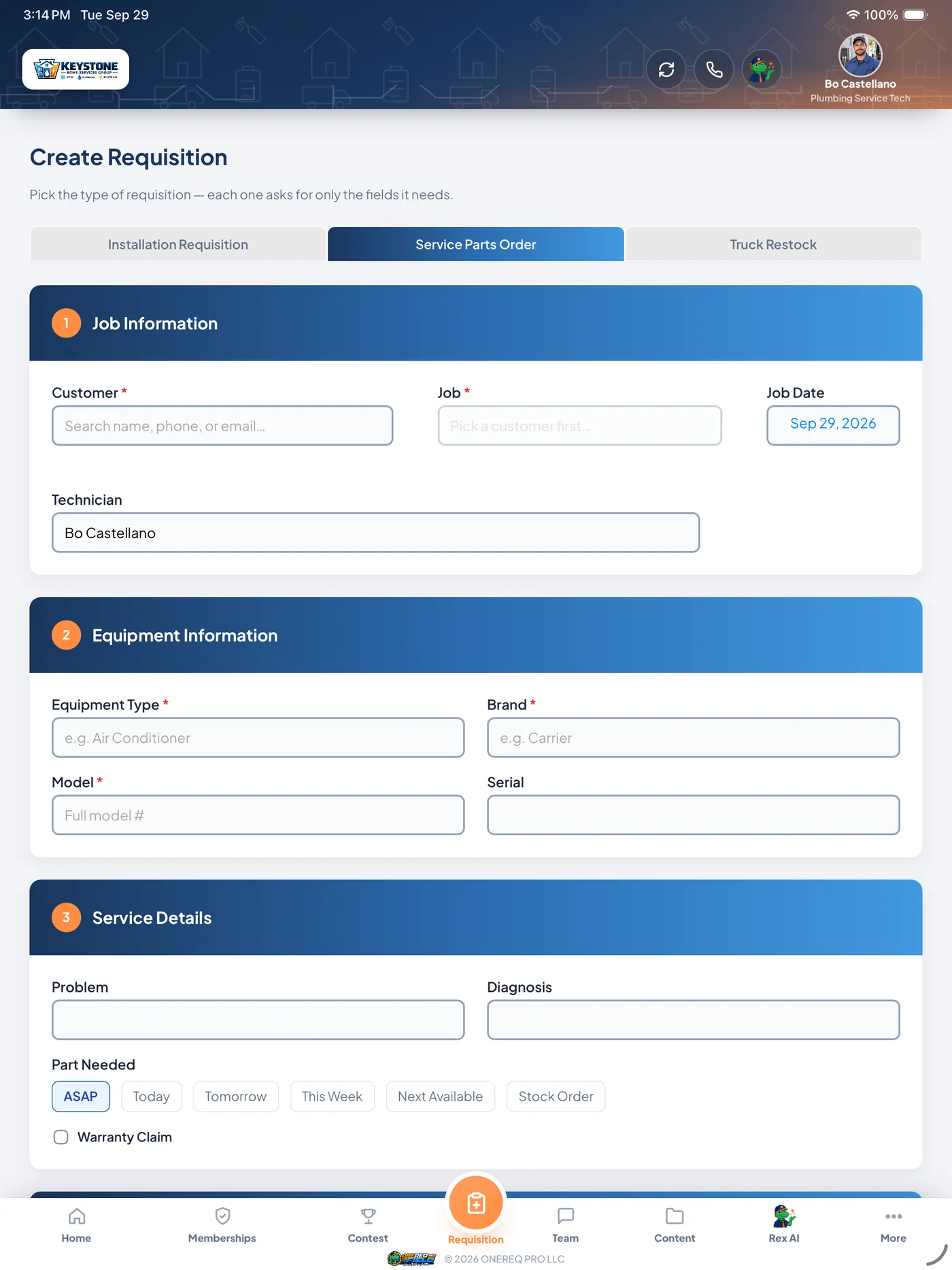
The app techs actually want to use.
Daily dashboard, job details with voice-to-diagnosis, AI data-plate scan, truck inventory, in-app memberships, real earnings — all native iOS.
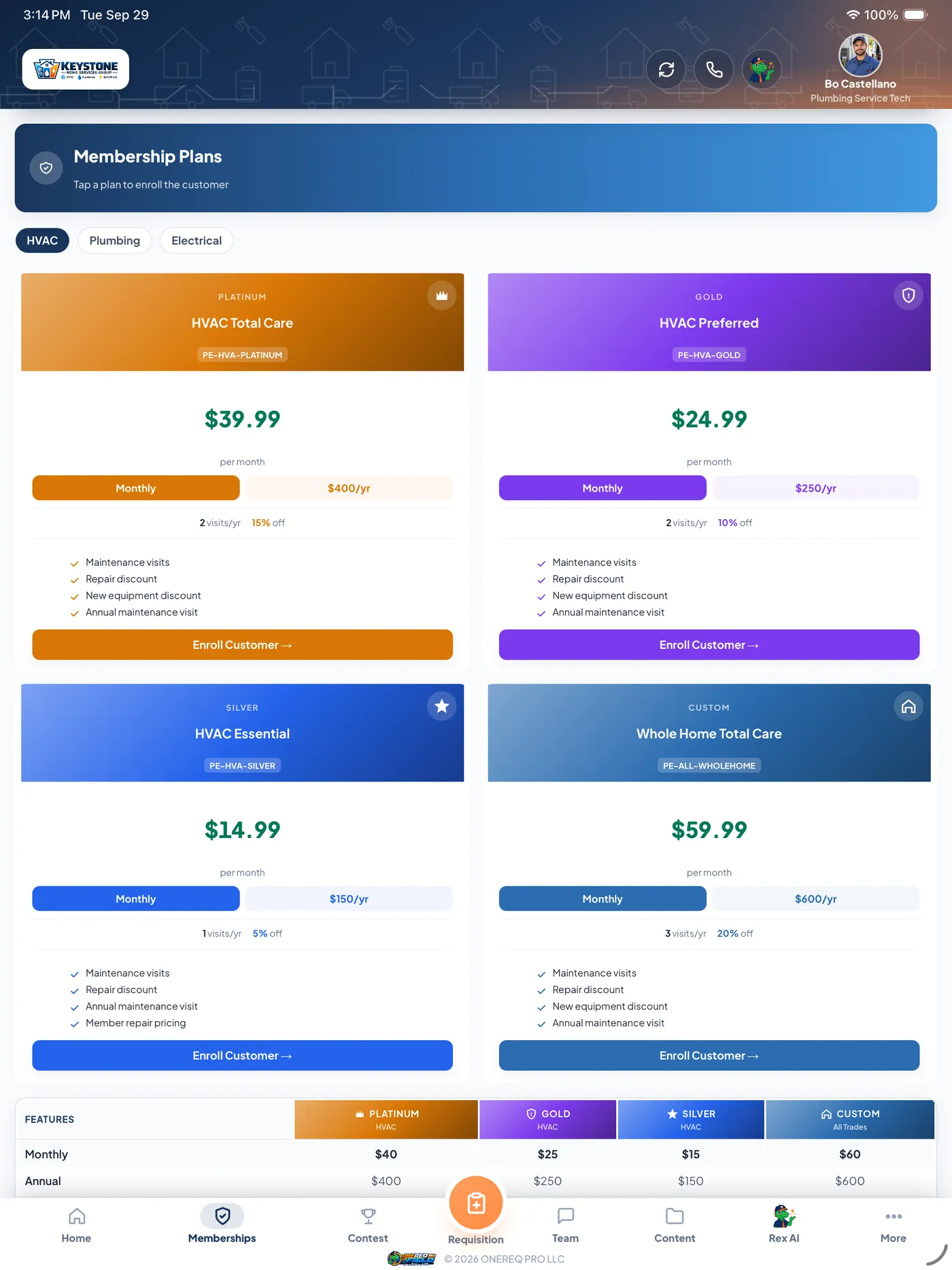
 Included on every plan · Web + iPhone + iPad + Android
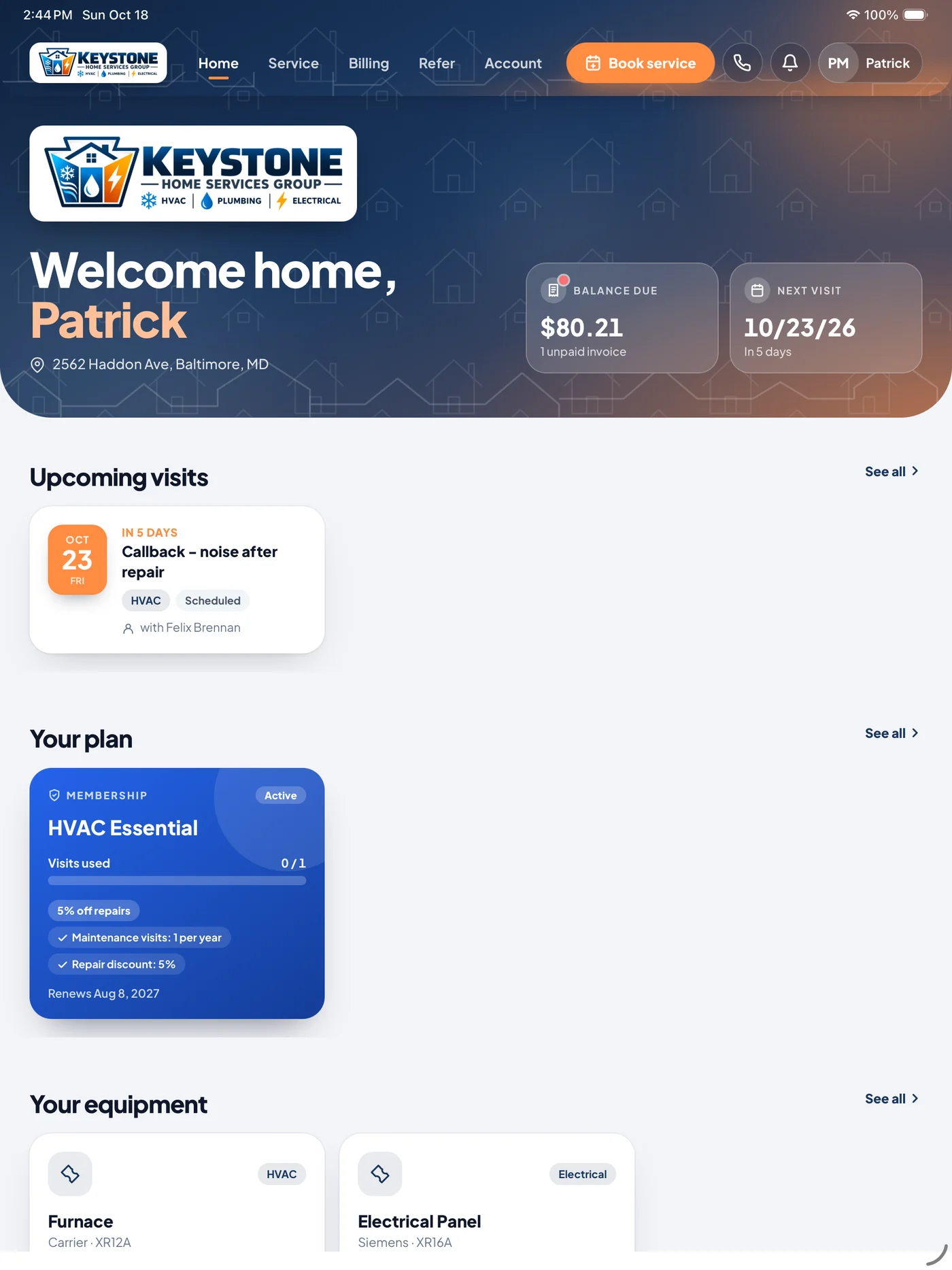
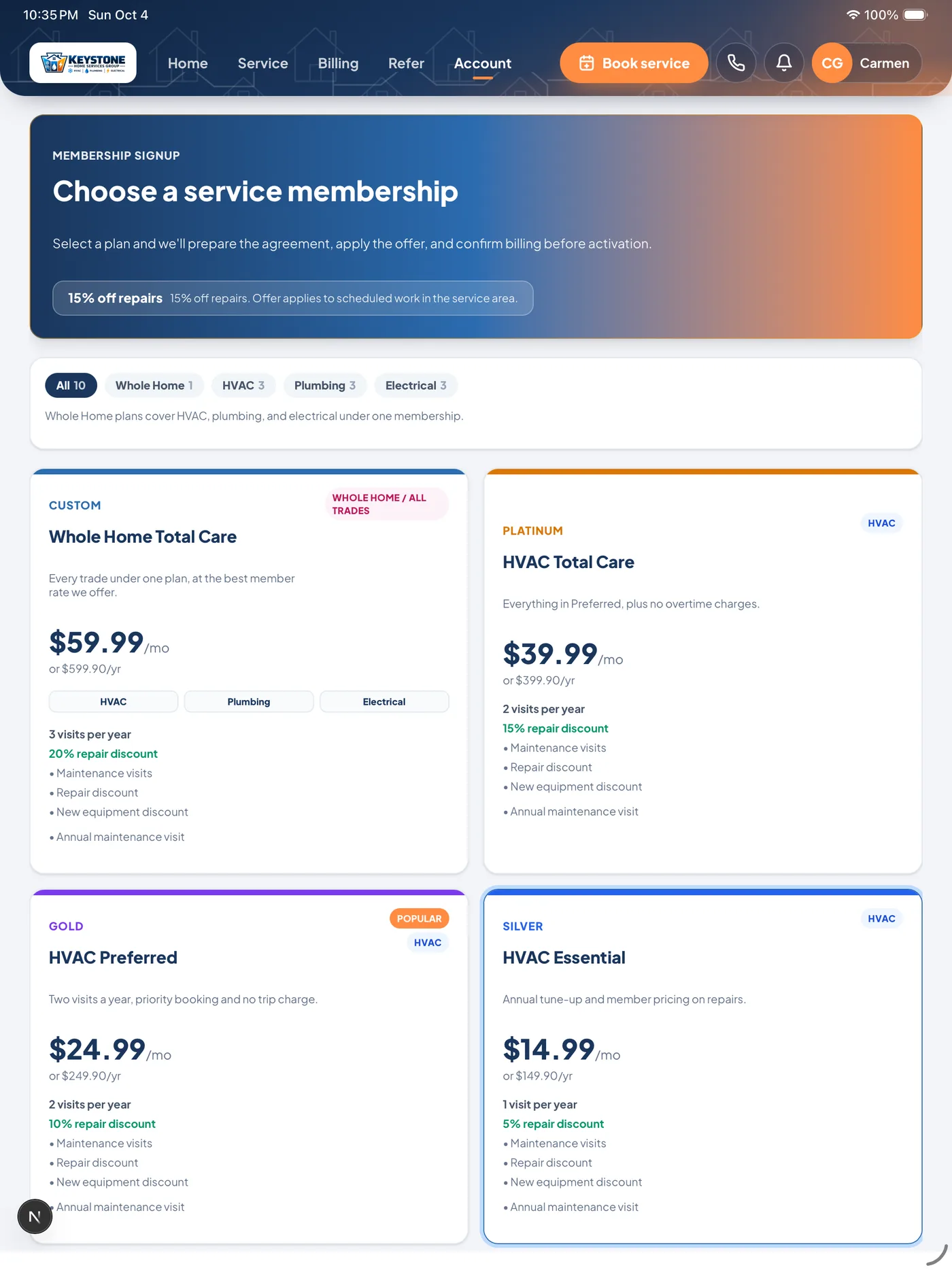
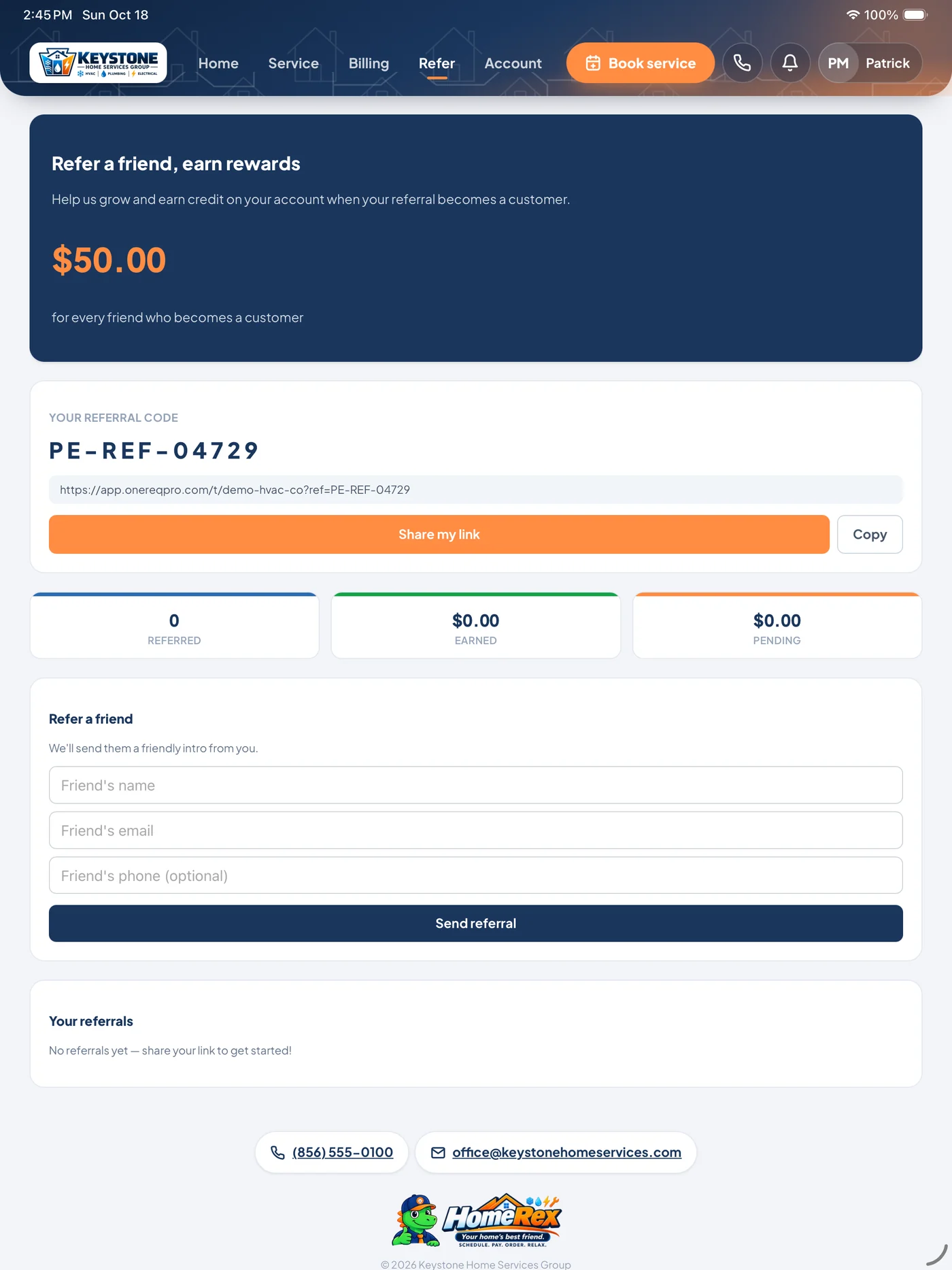
Your customers’ side of the platform.
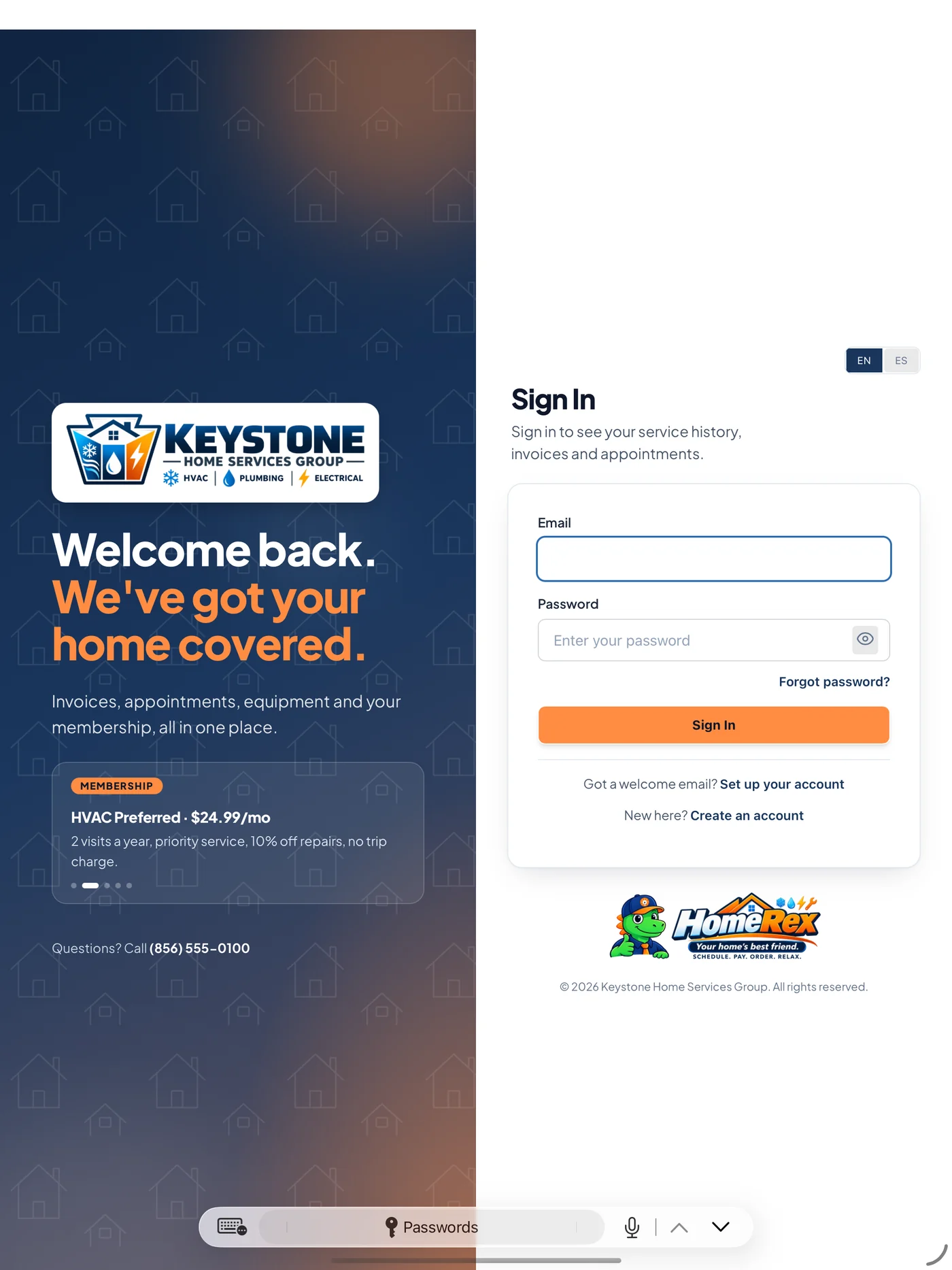
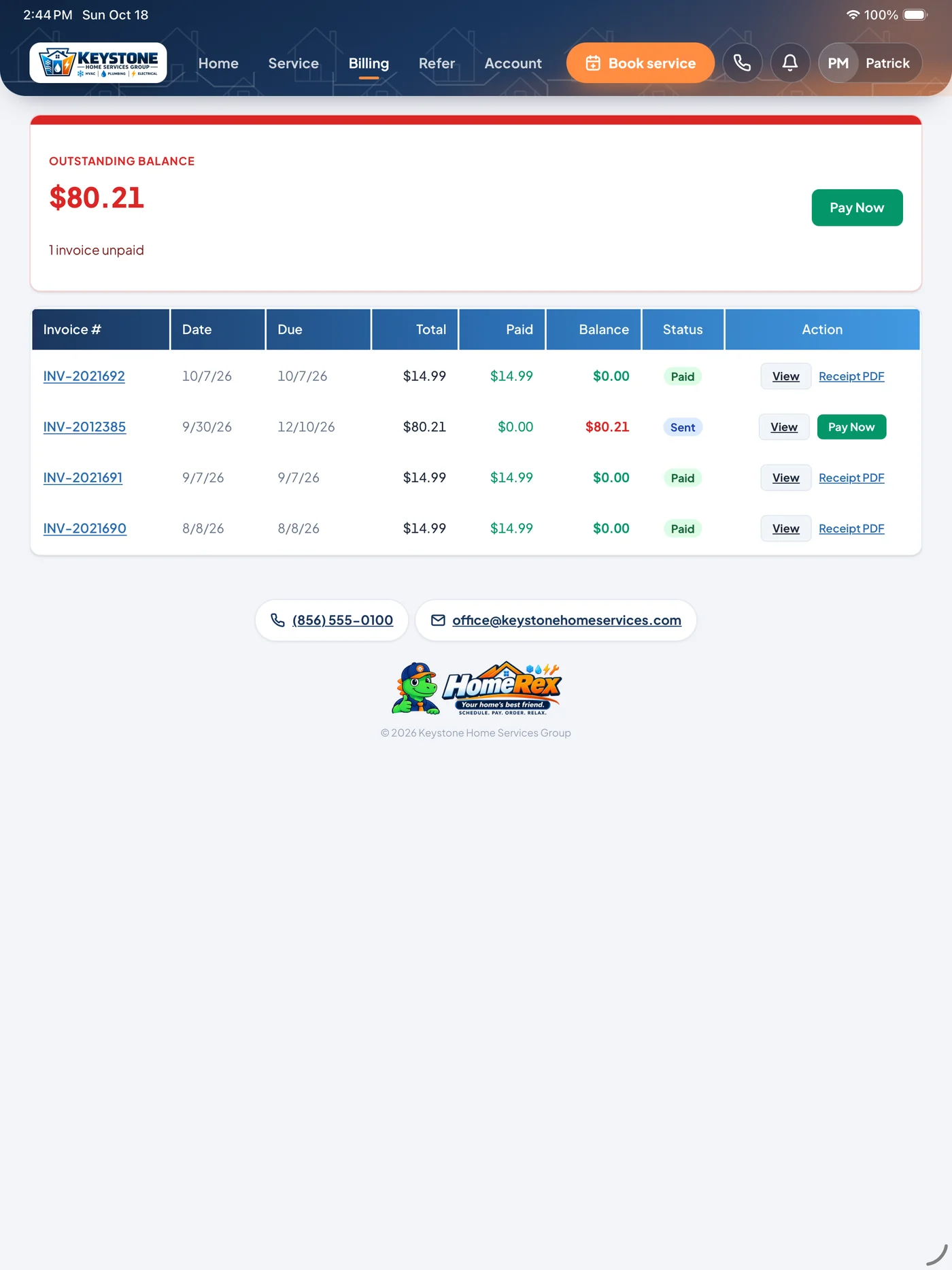
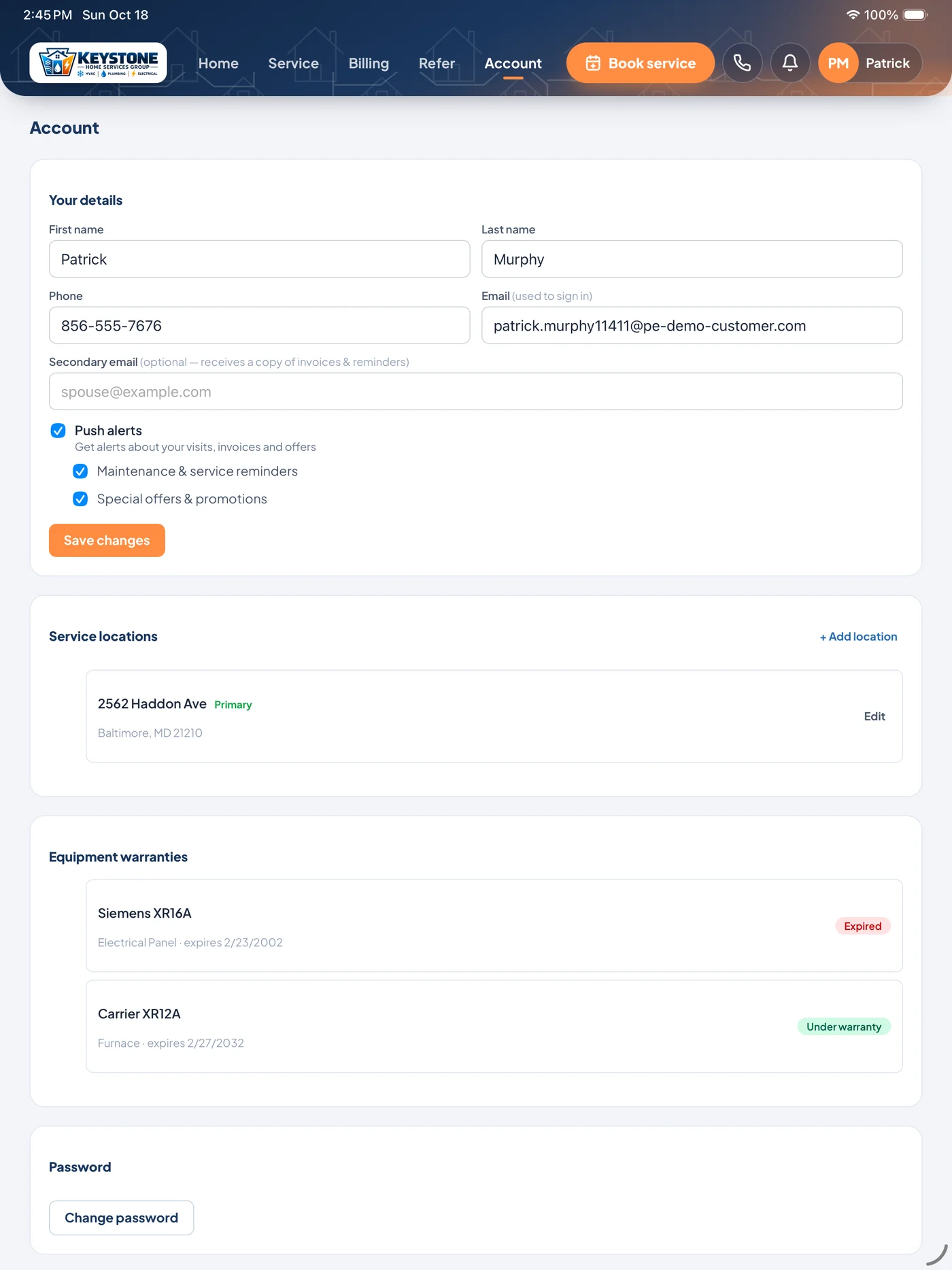
HomeRex is where your customers pay invoices, book service, sign estimates, join a membership and see every visit — under your logo, your colors and your phone number. Same data your office and techs already work in.
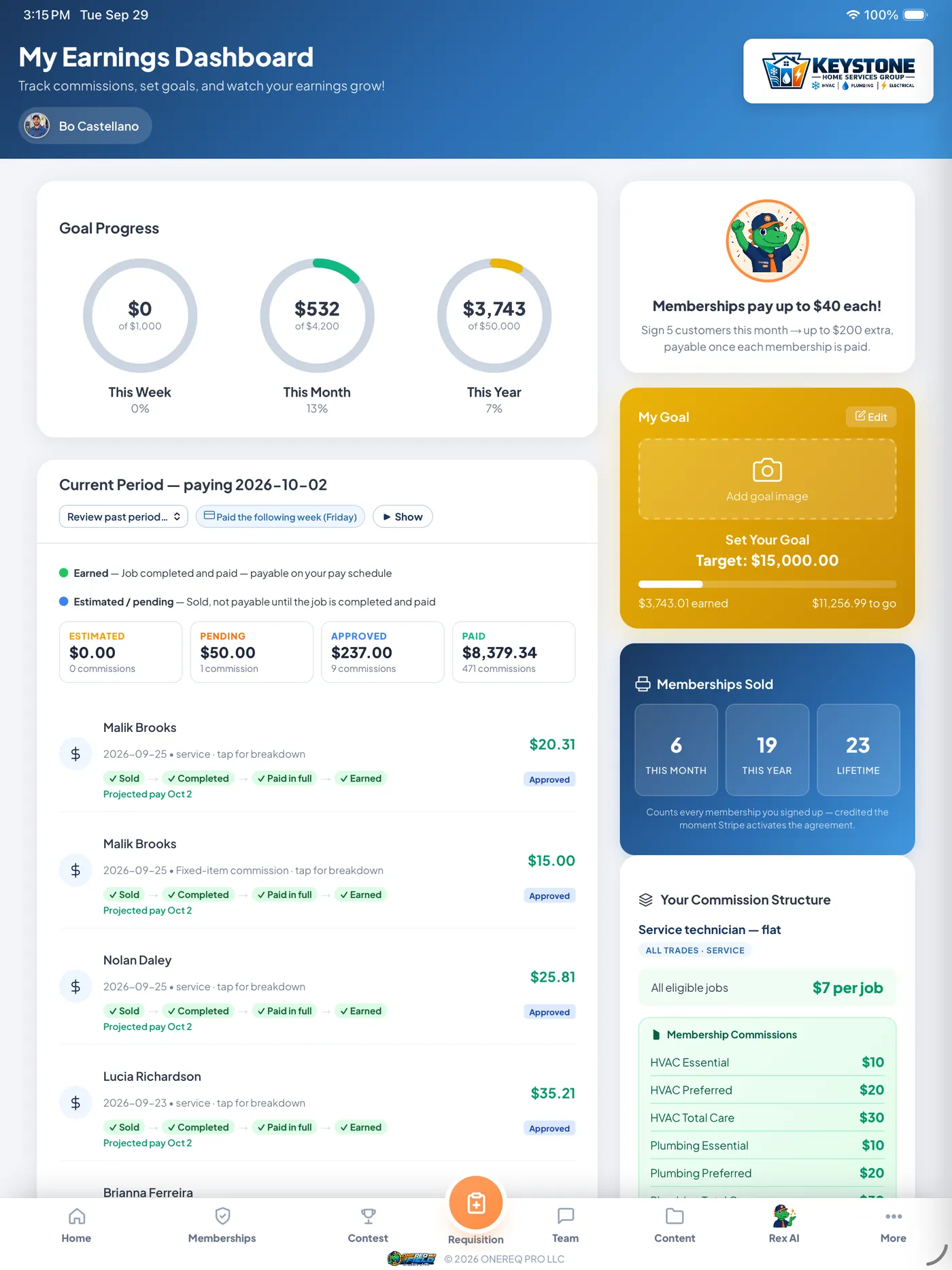
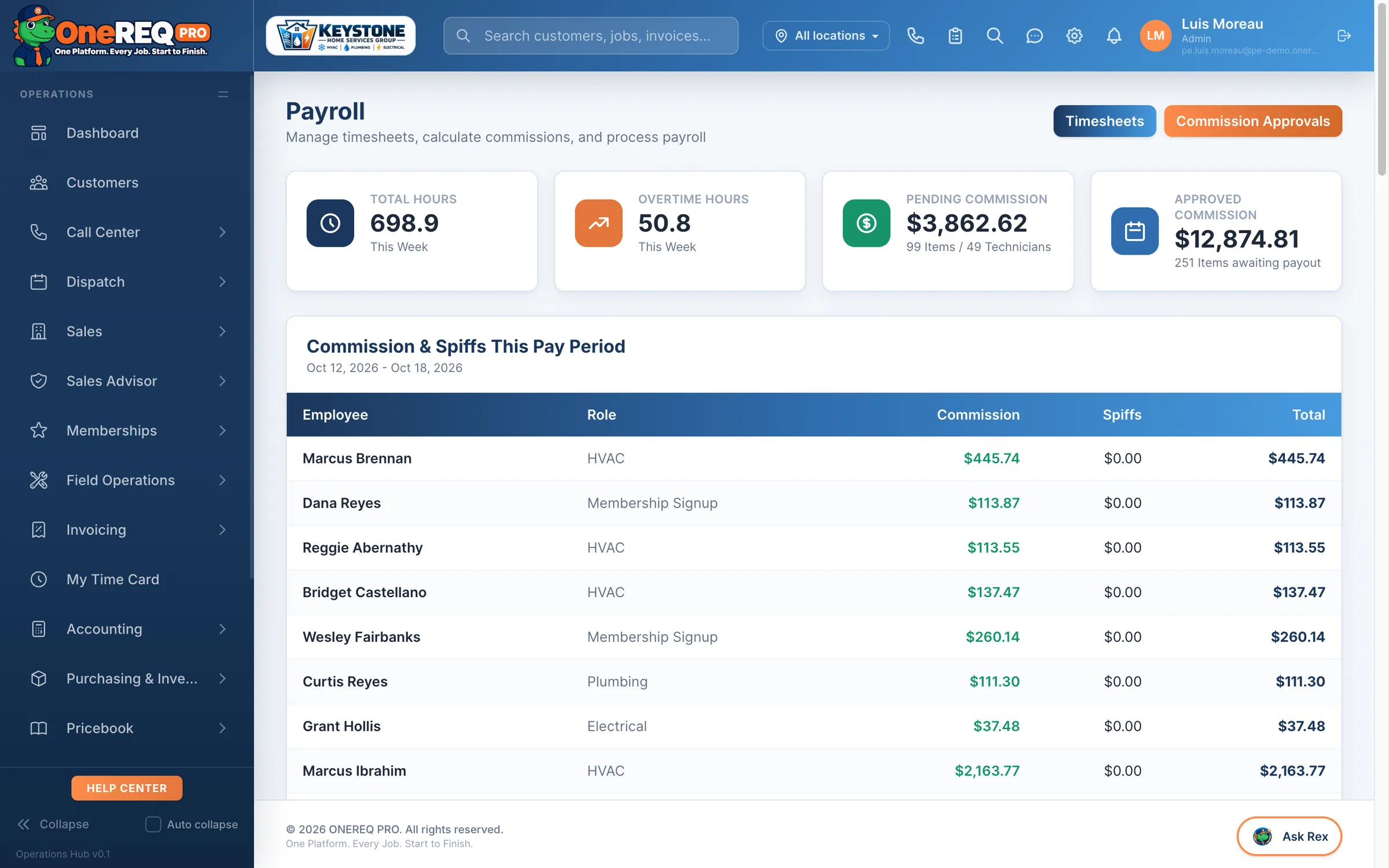
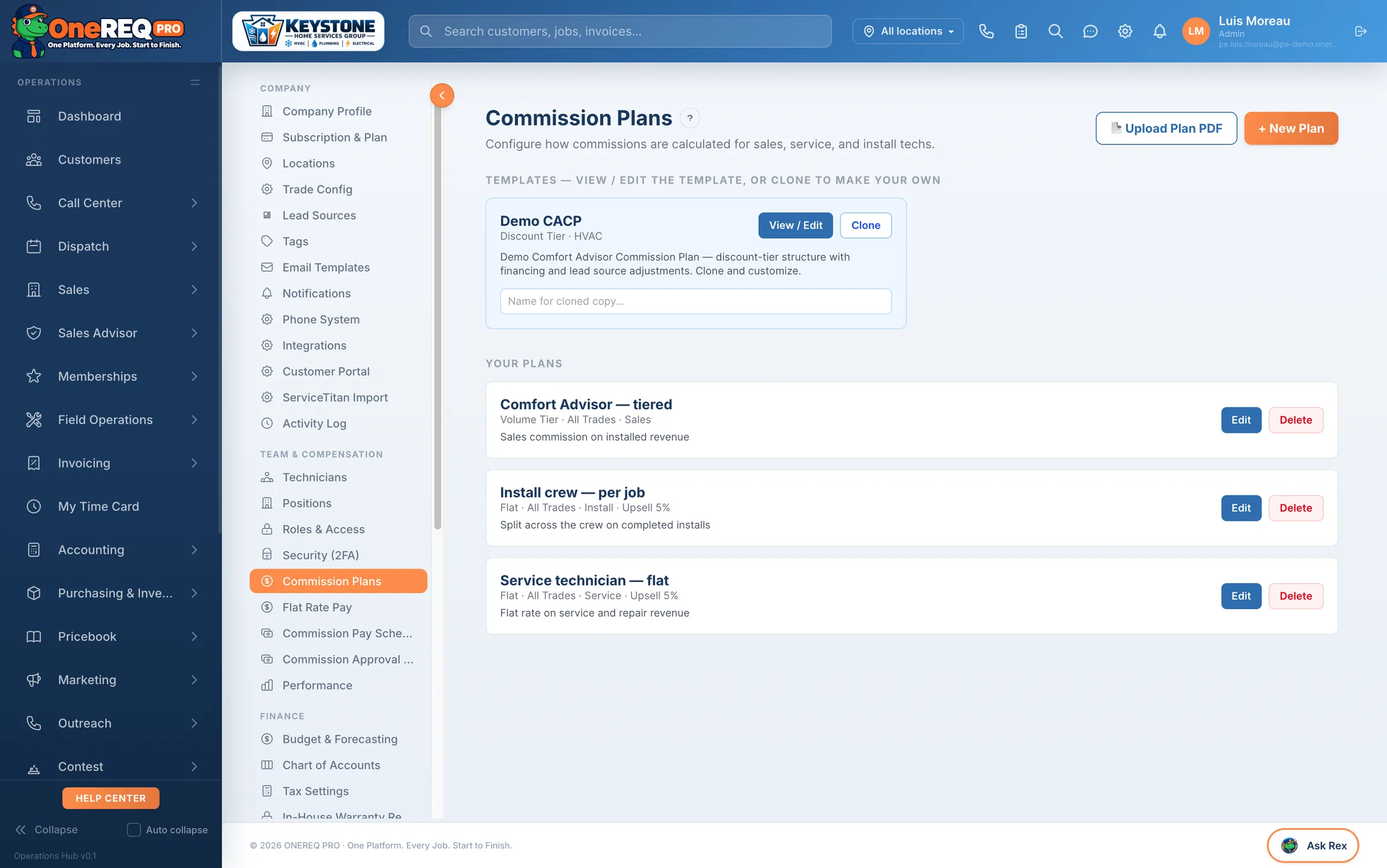
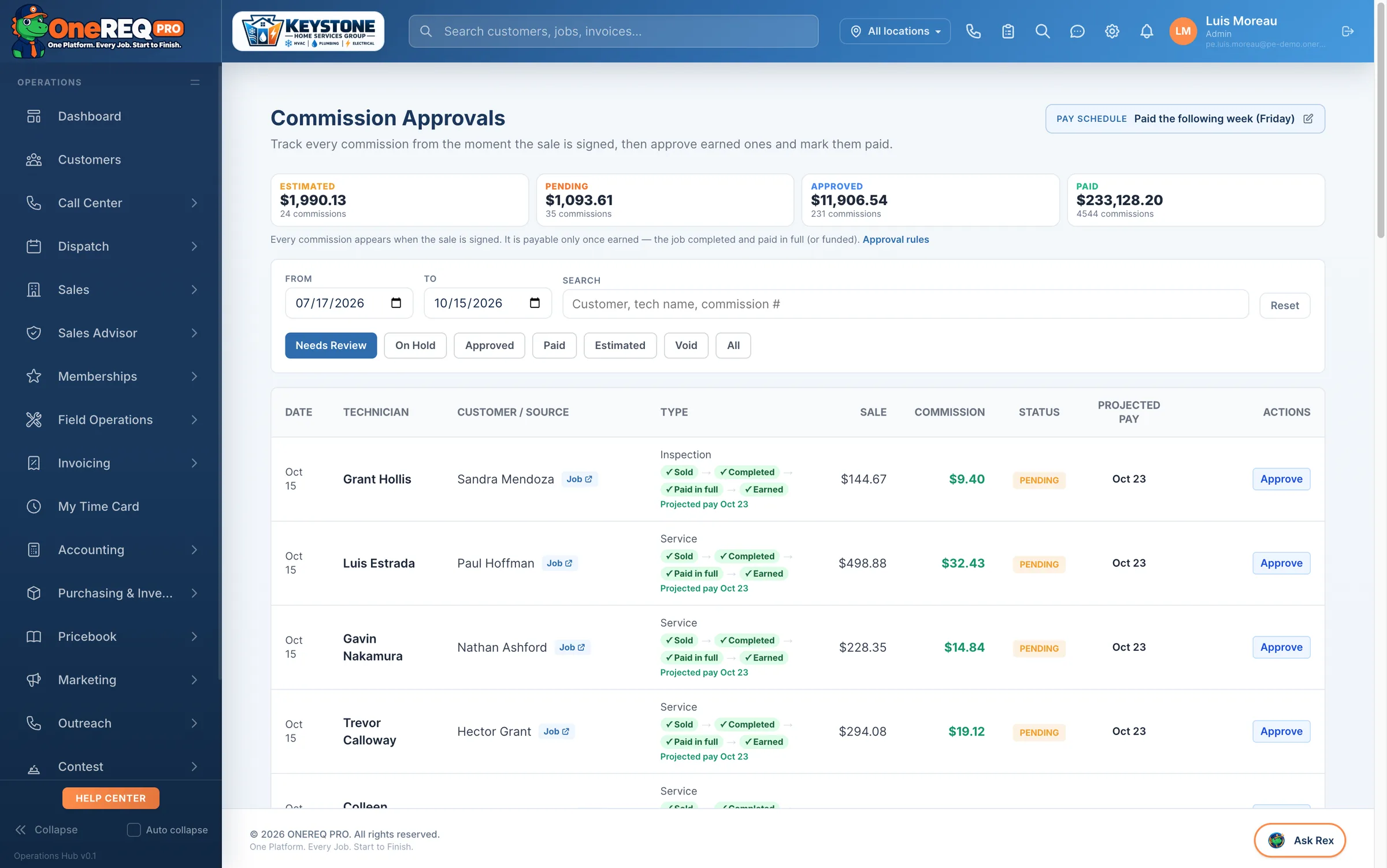
Commissions paid right, every time.
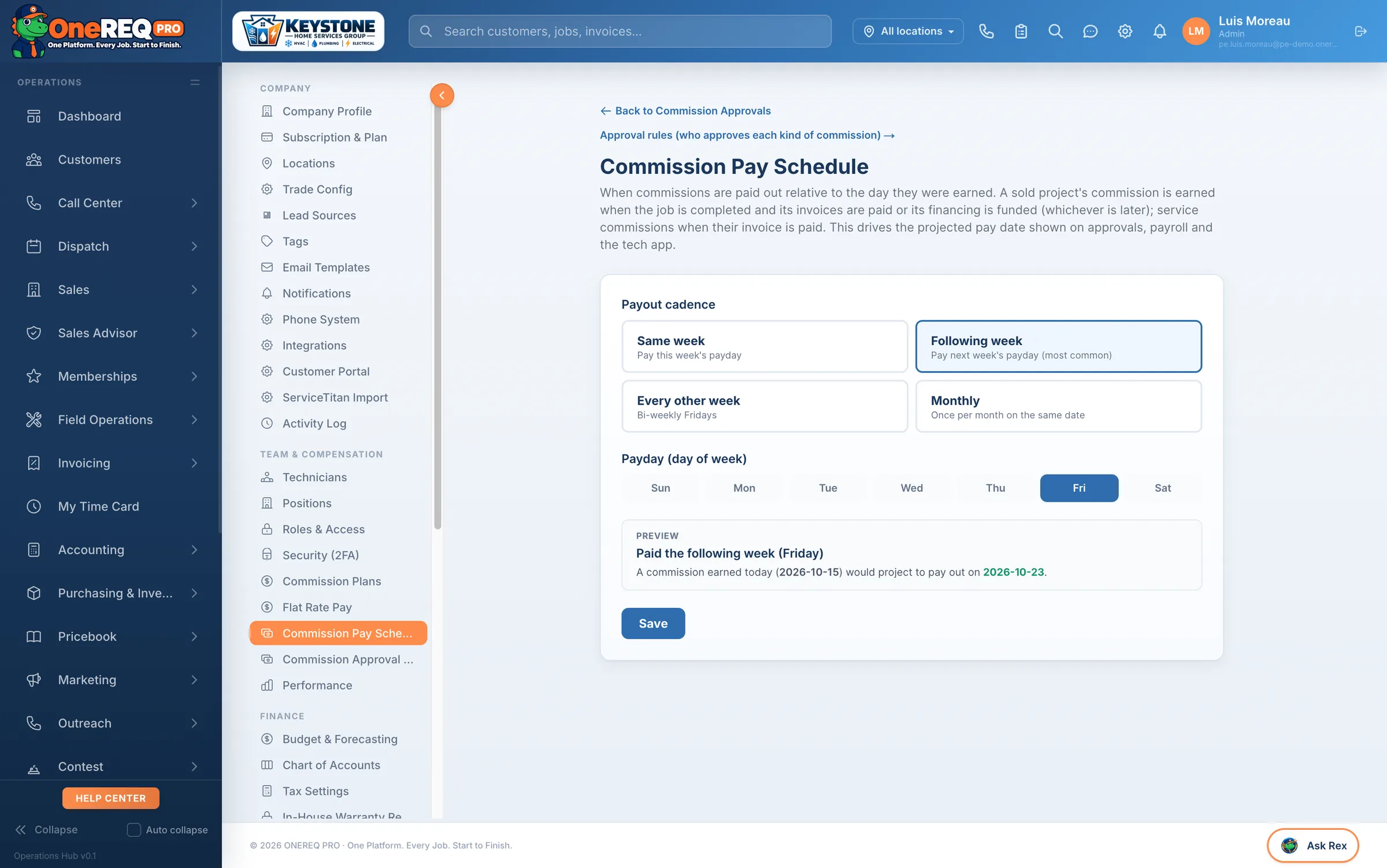
Plans by trade × position × seniority. Engine fires on invoice payment — labor + commission frozen to job_costs the moment cash clears. Approval queue + payout report for the office, real earnings on every tech's iPad.
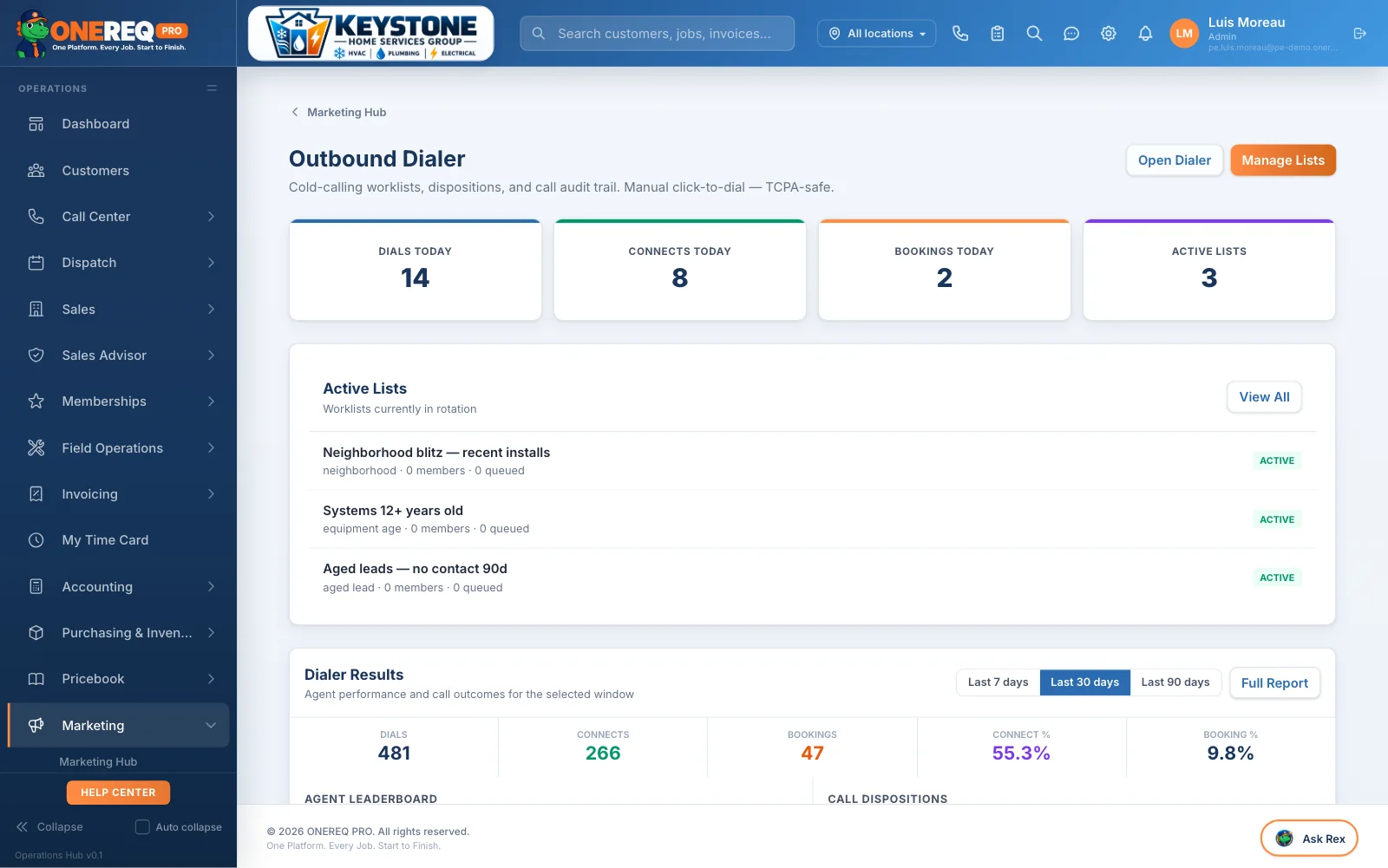
From a list of numbers to a booked job.
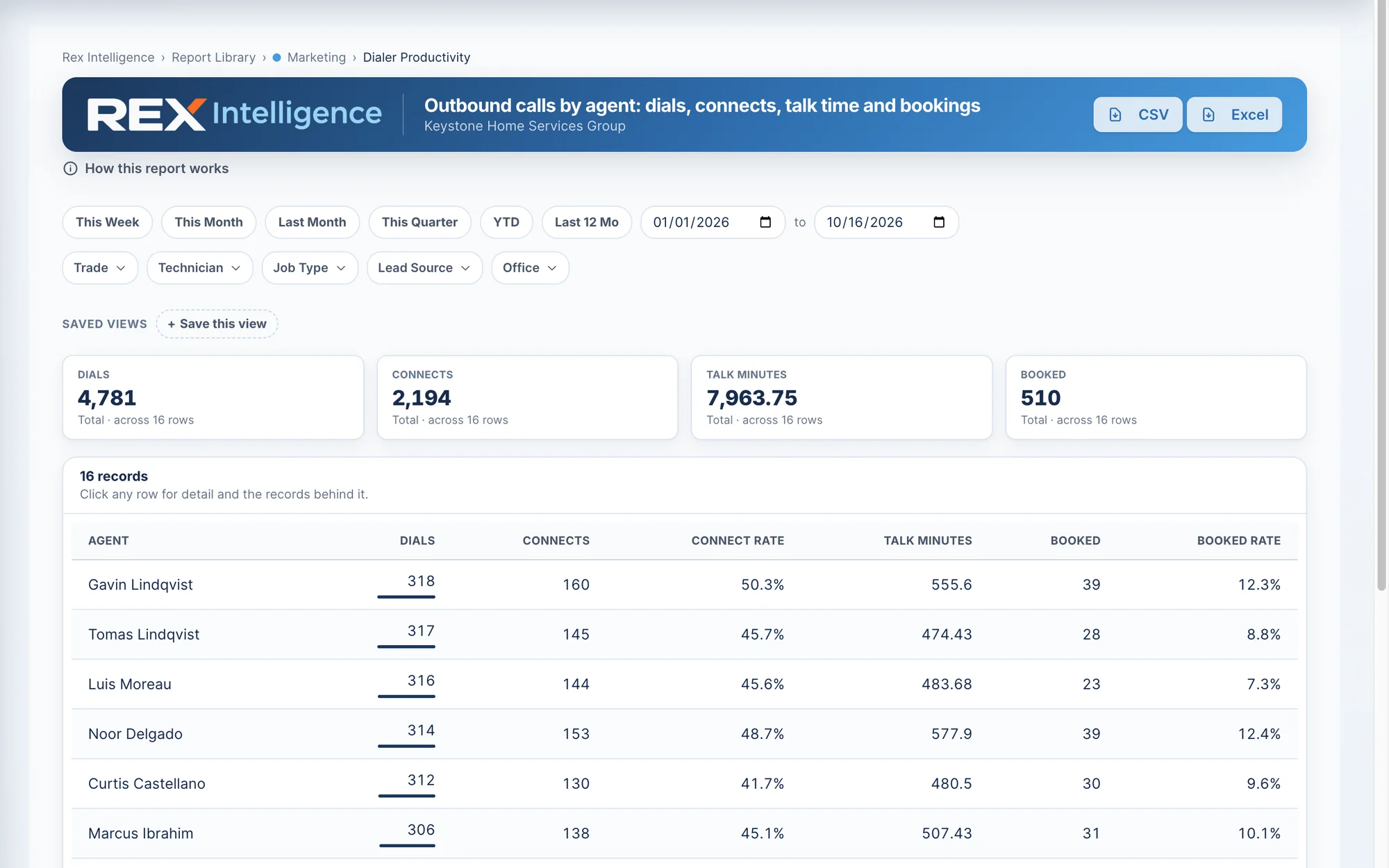
Upload a list, queue it on the dialer, watch the funnel fill. Dispositions auto-log, bookings drop into dispatch with the customer + property pre-created. Per-agent leaderboard + funnel report so you know what's working.
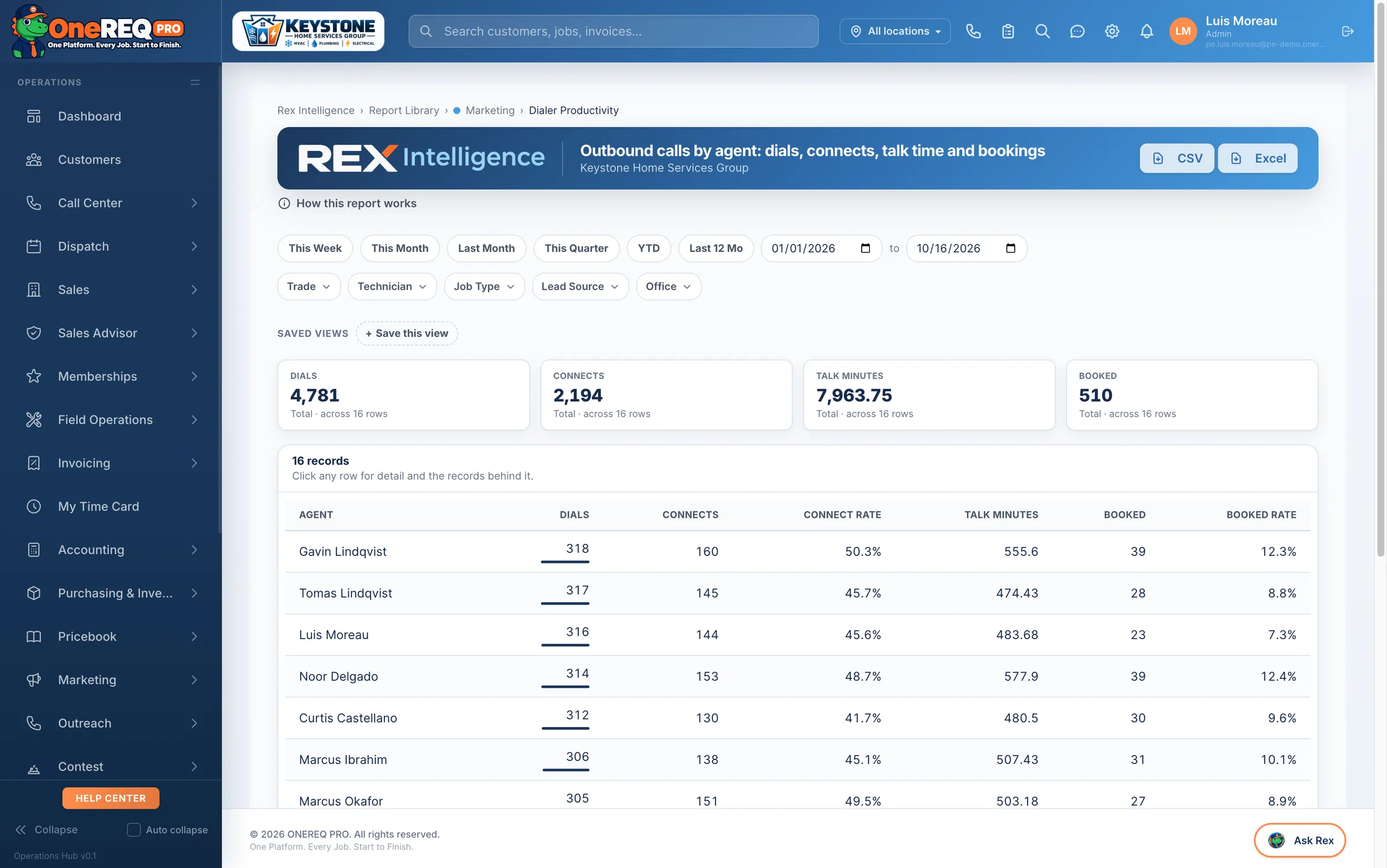
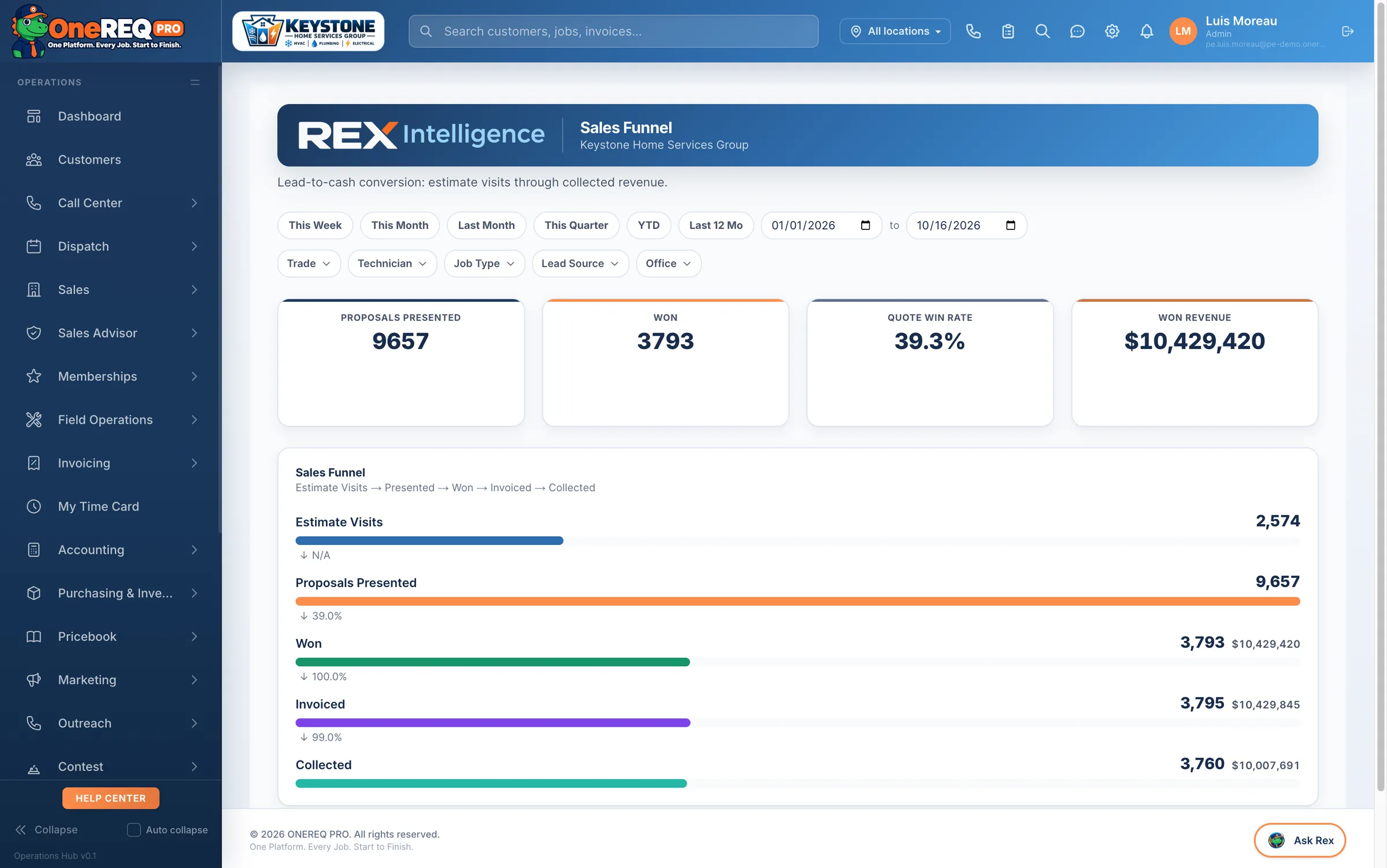
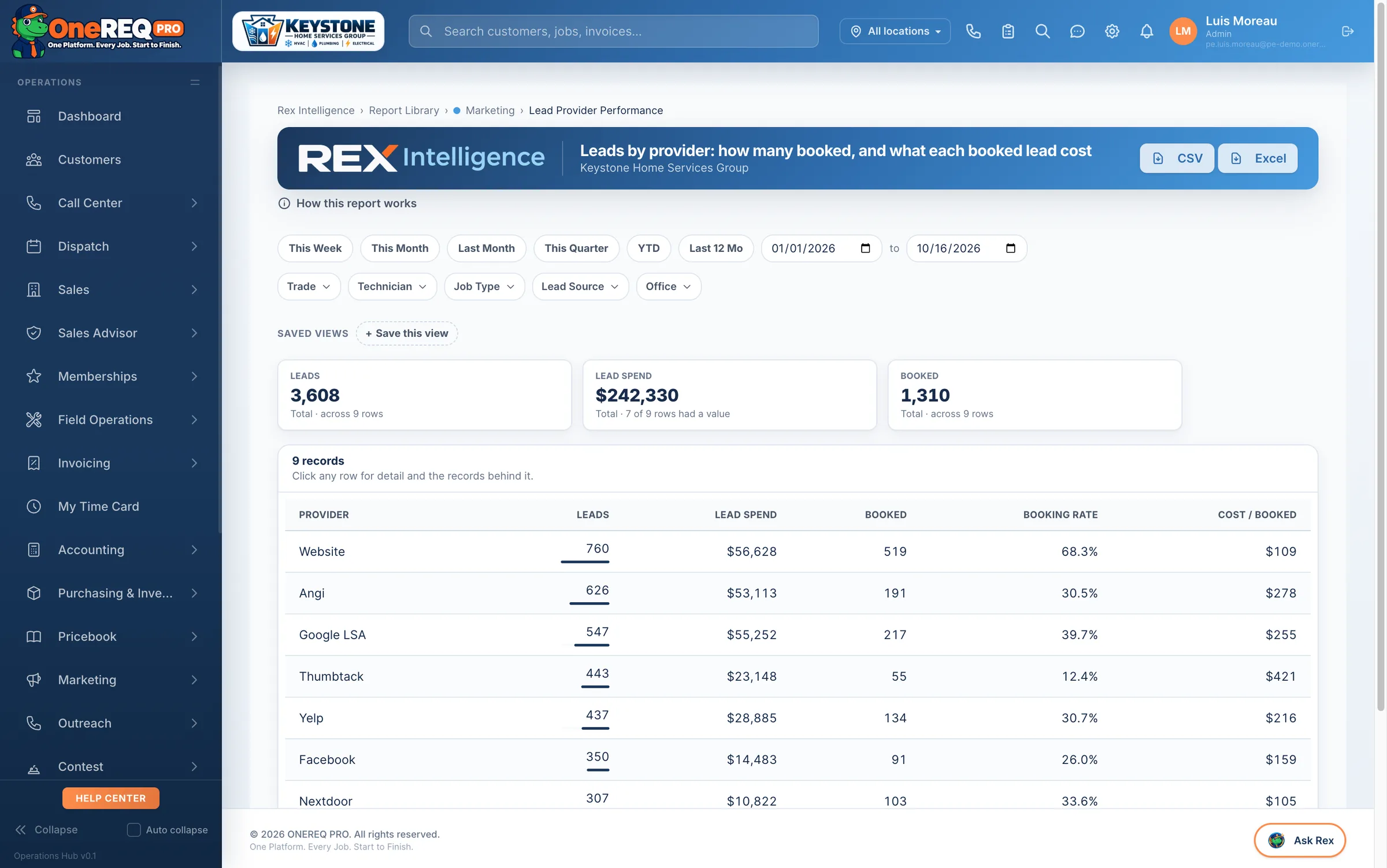
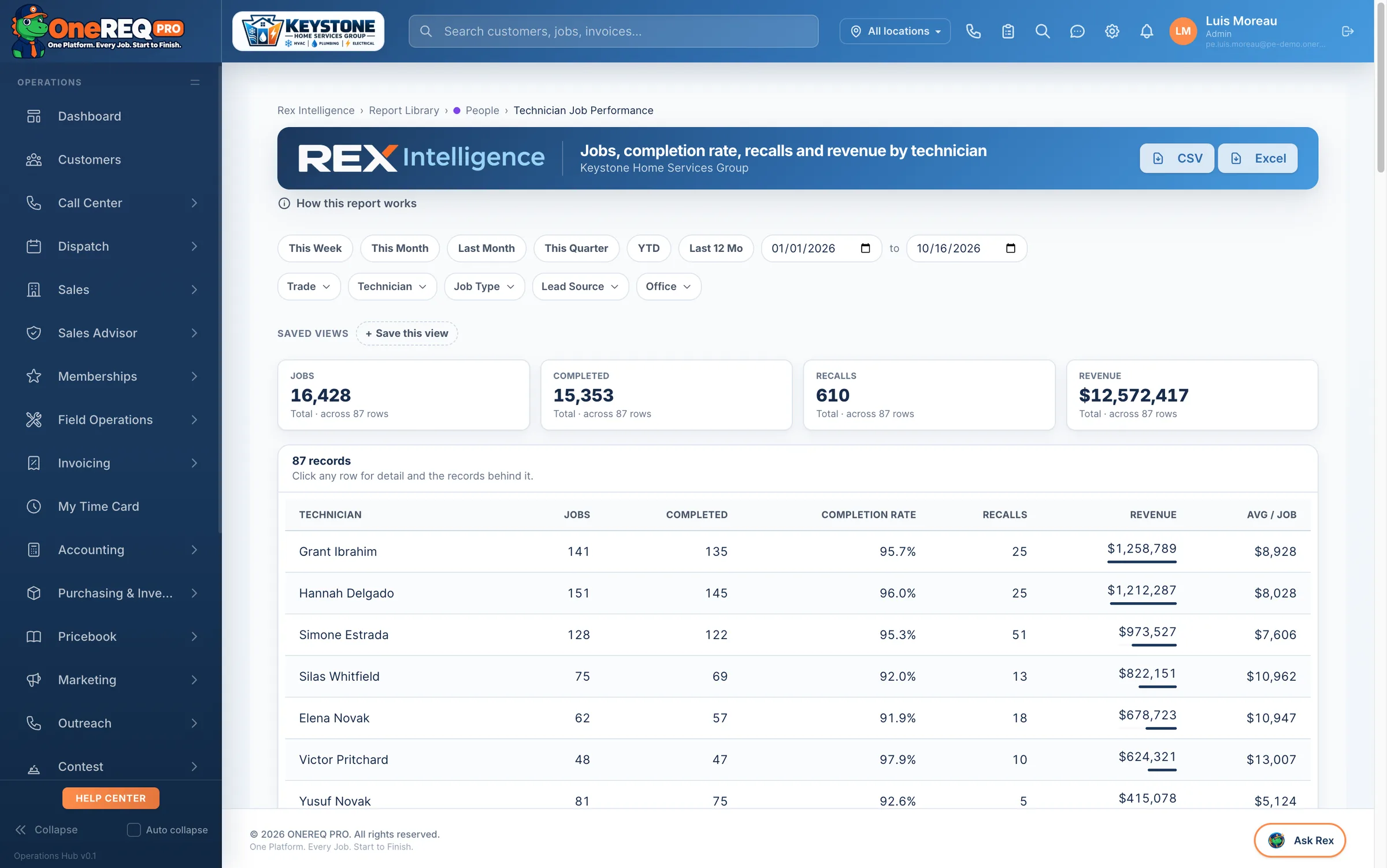
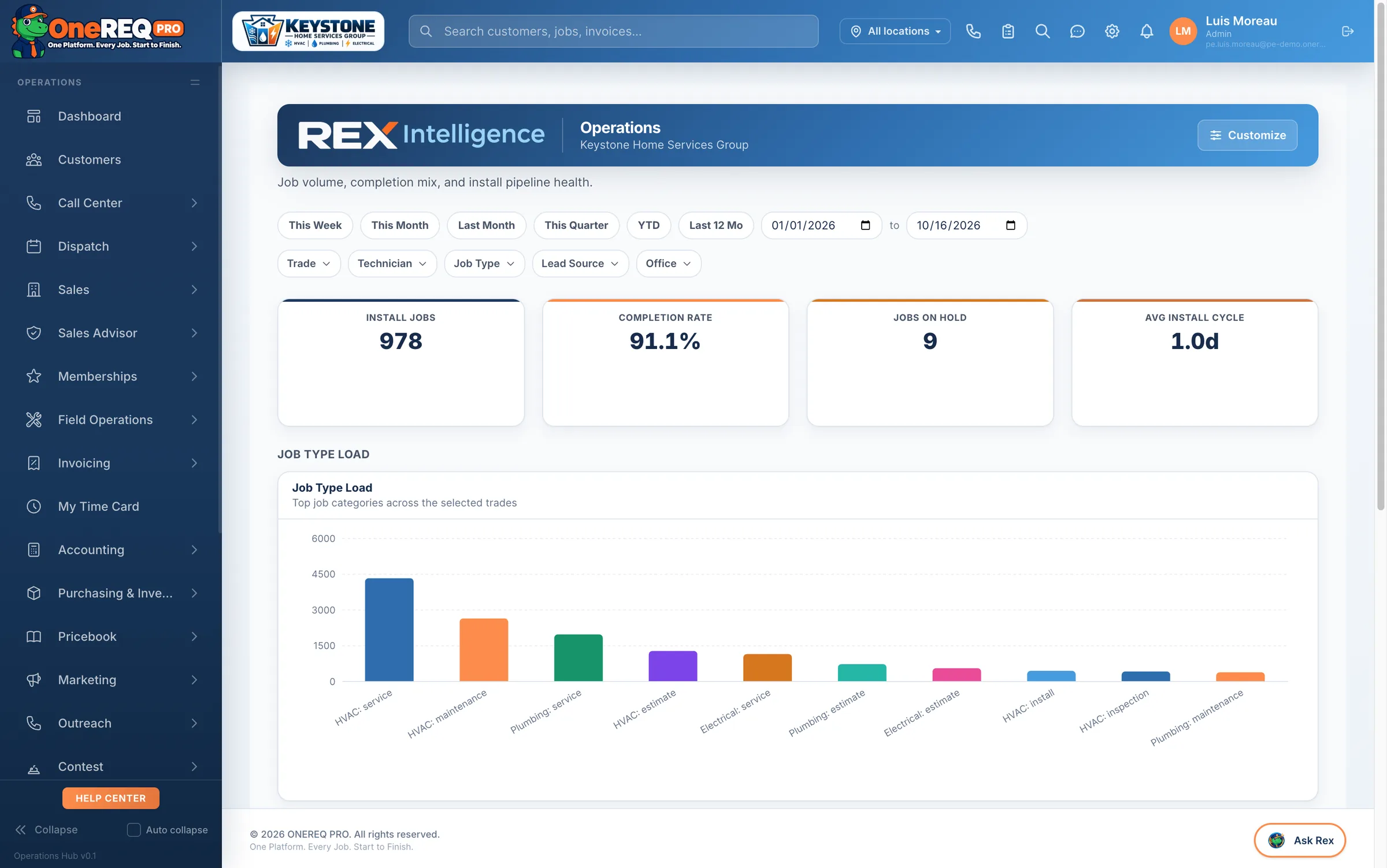
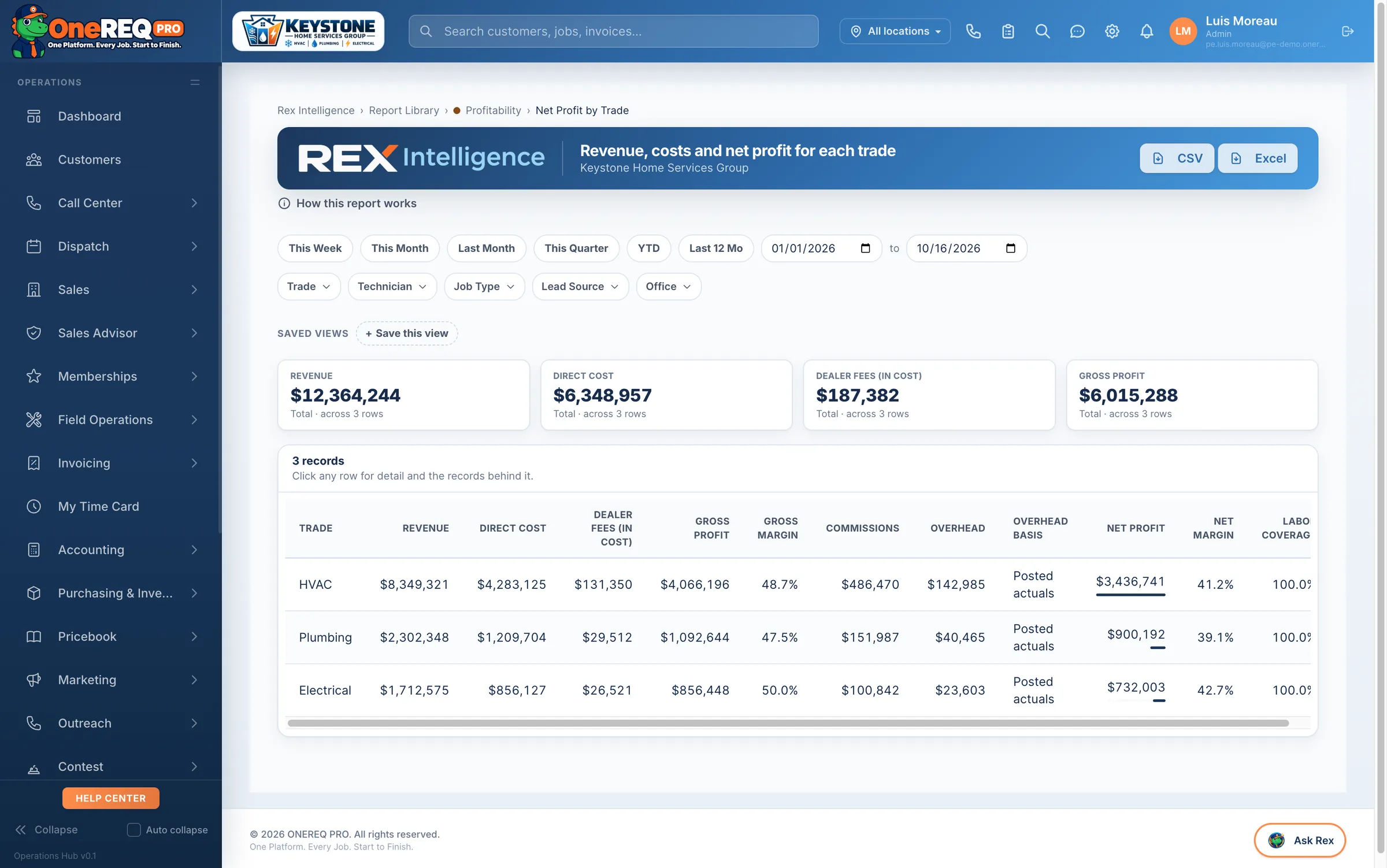
The reports your numbers actually come from.
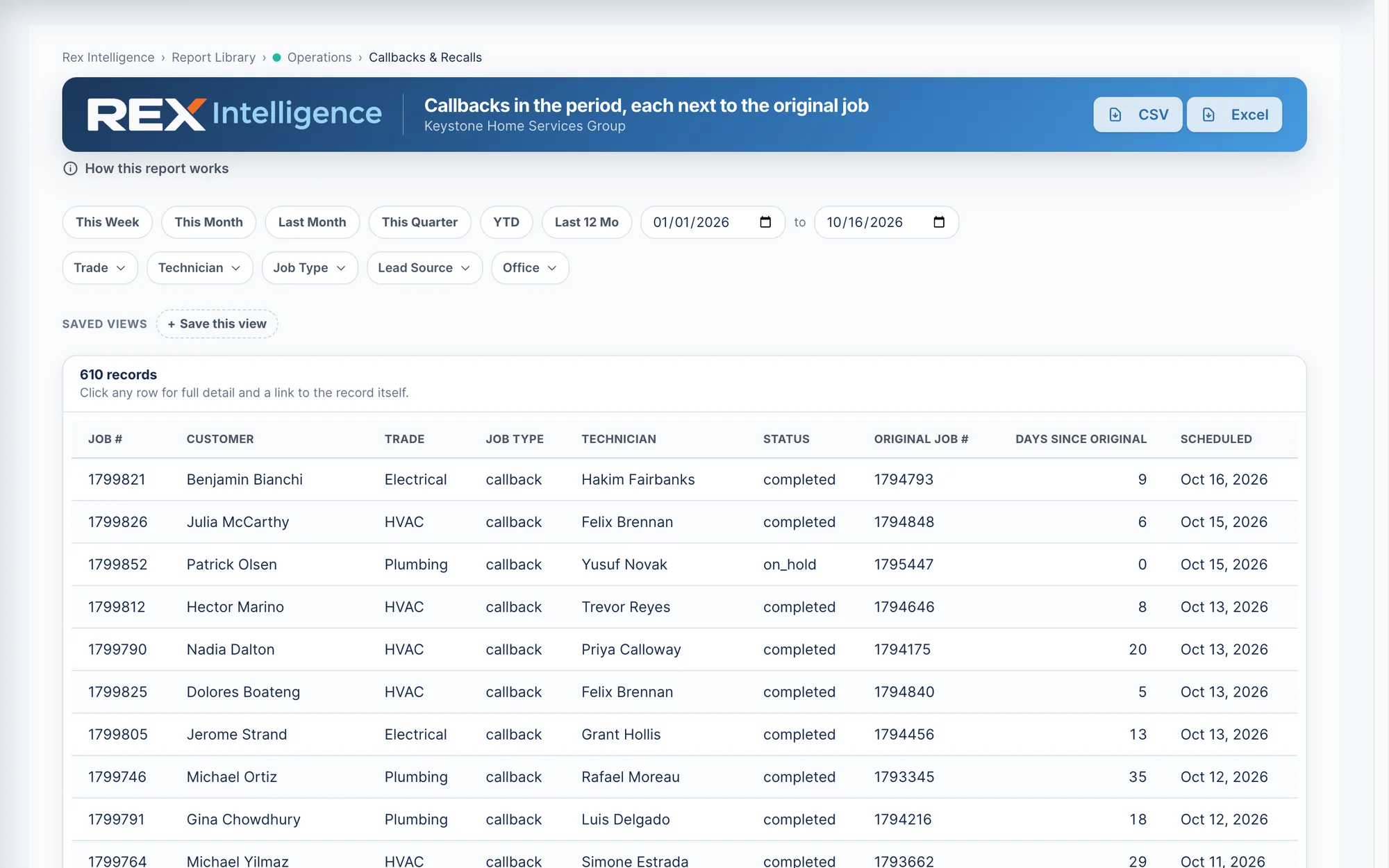
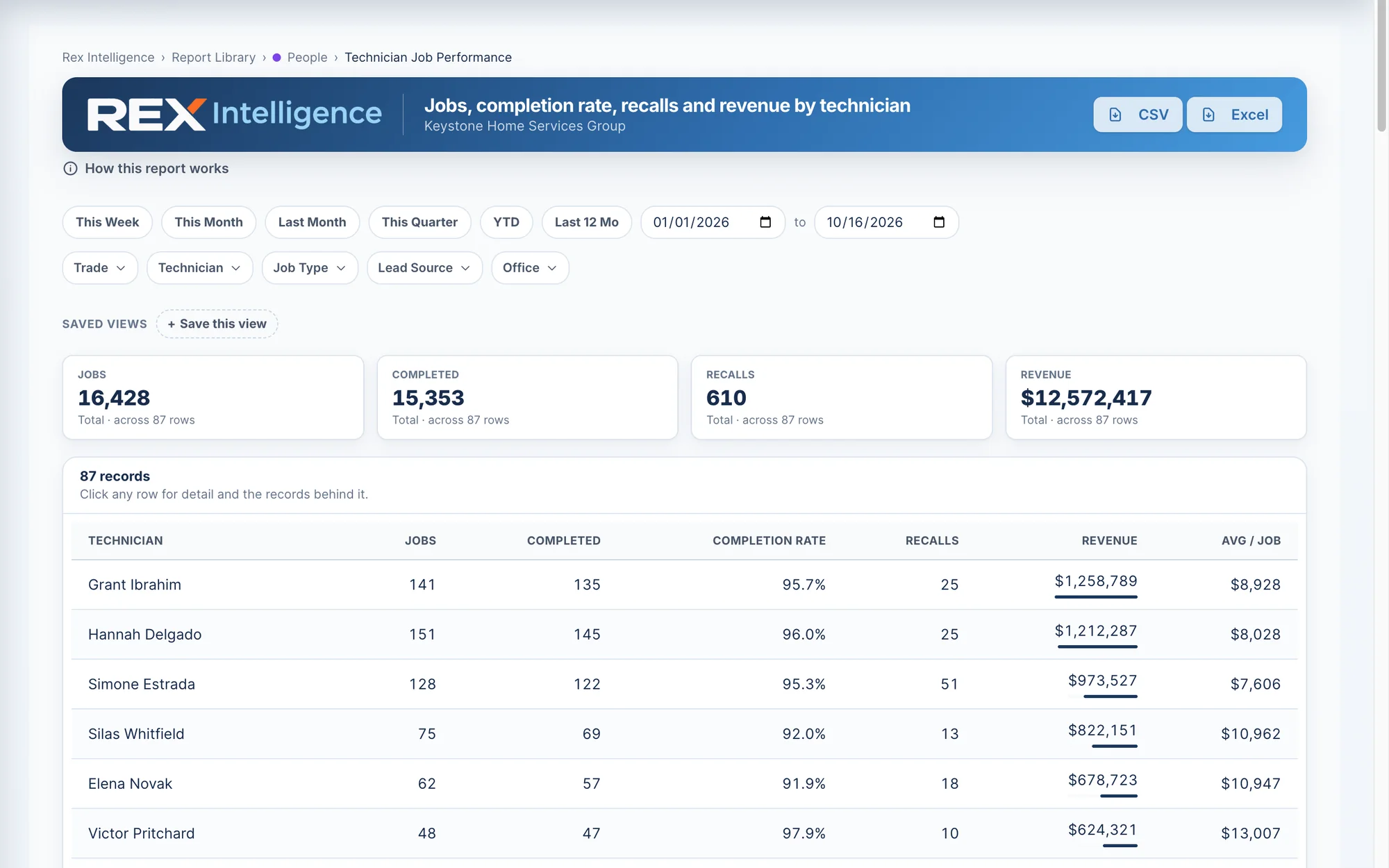
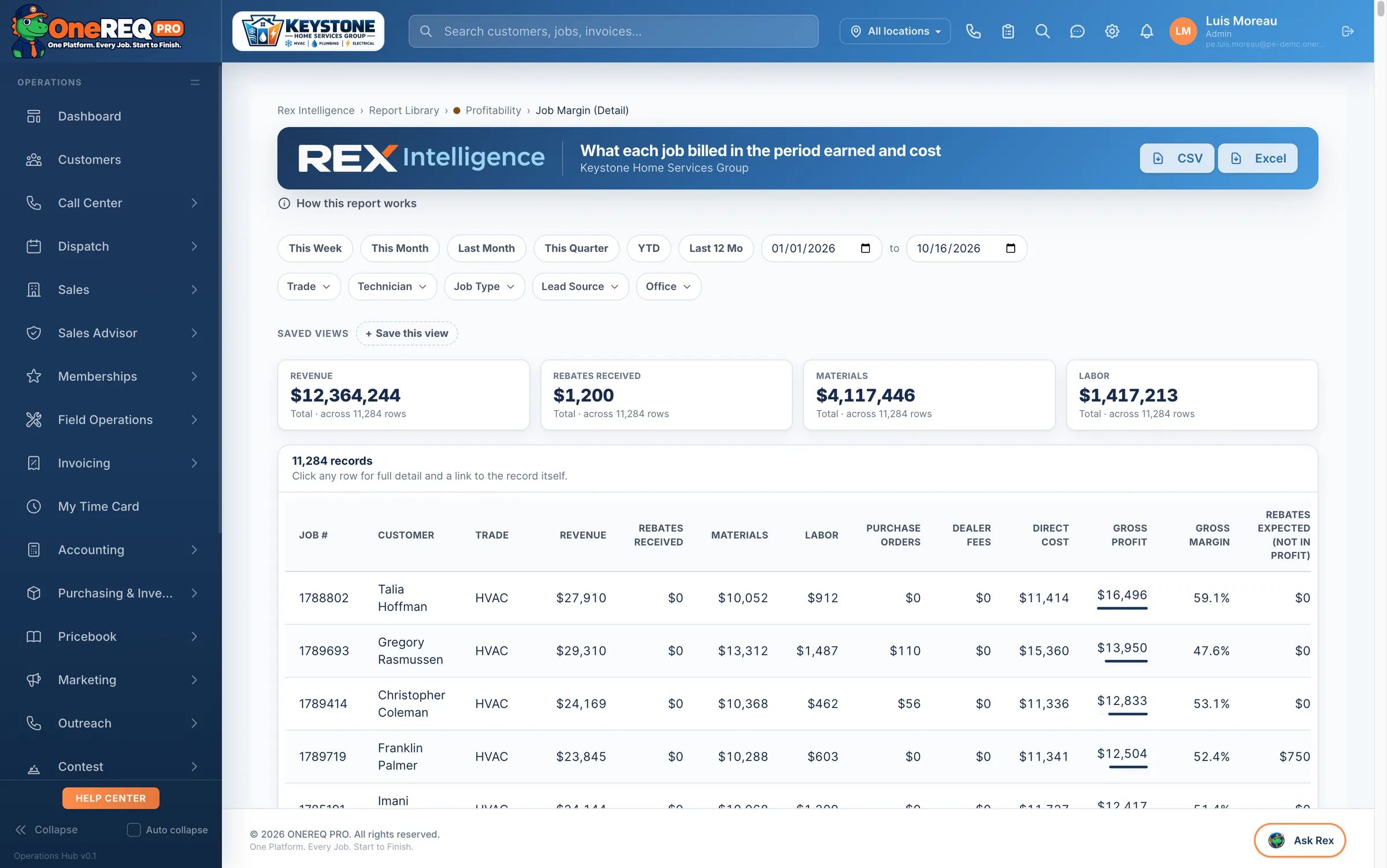
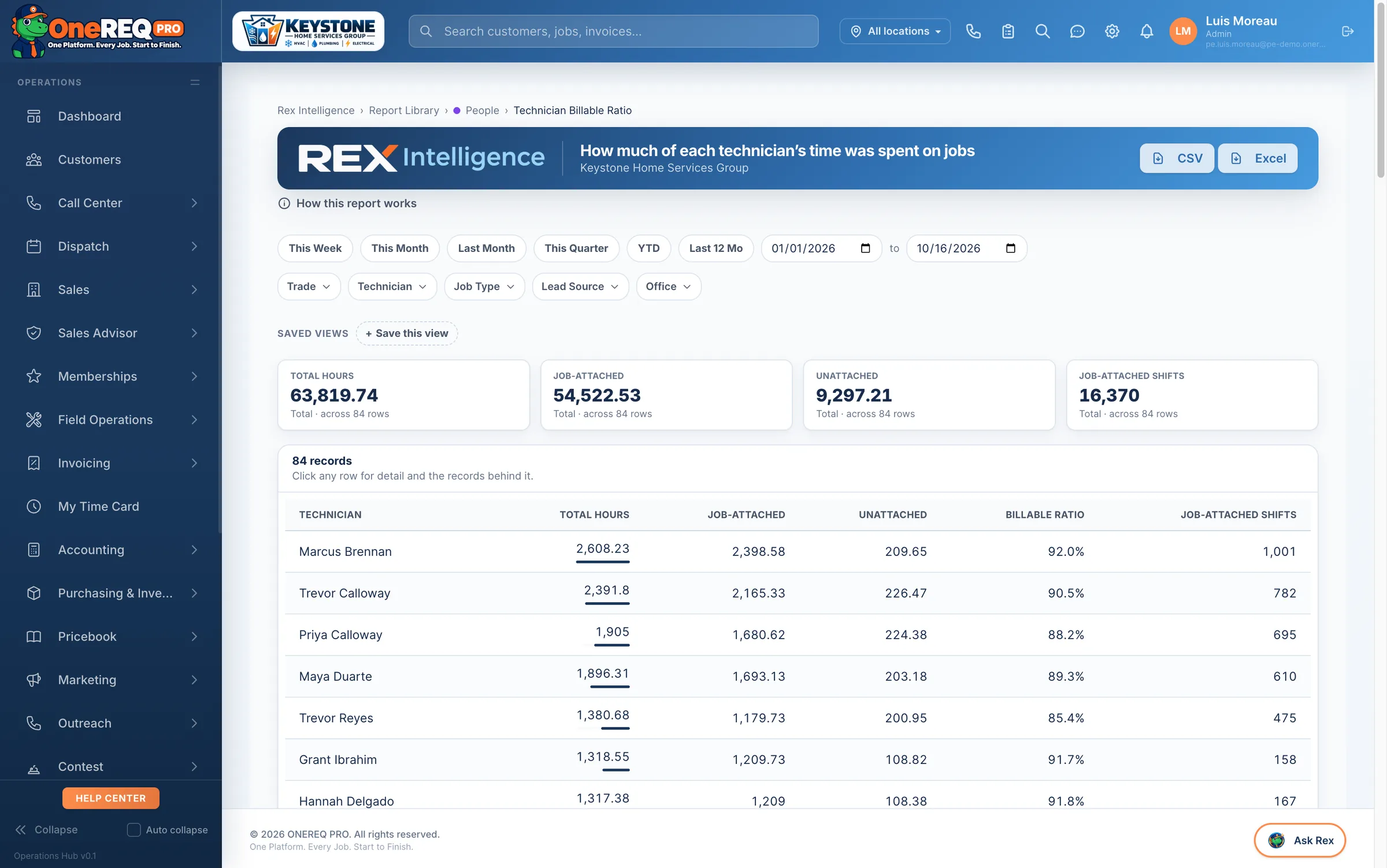
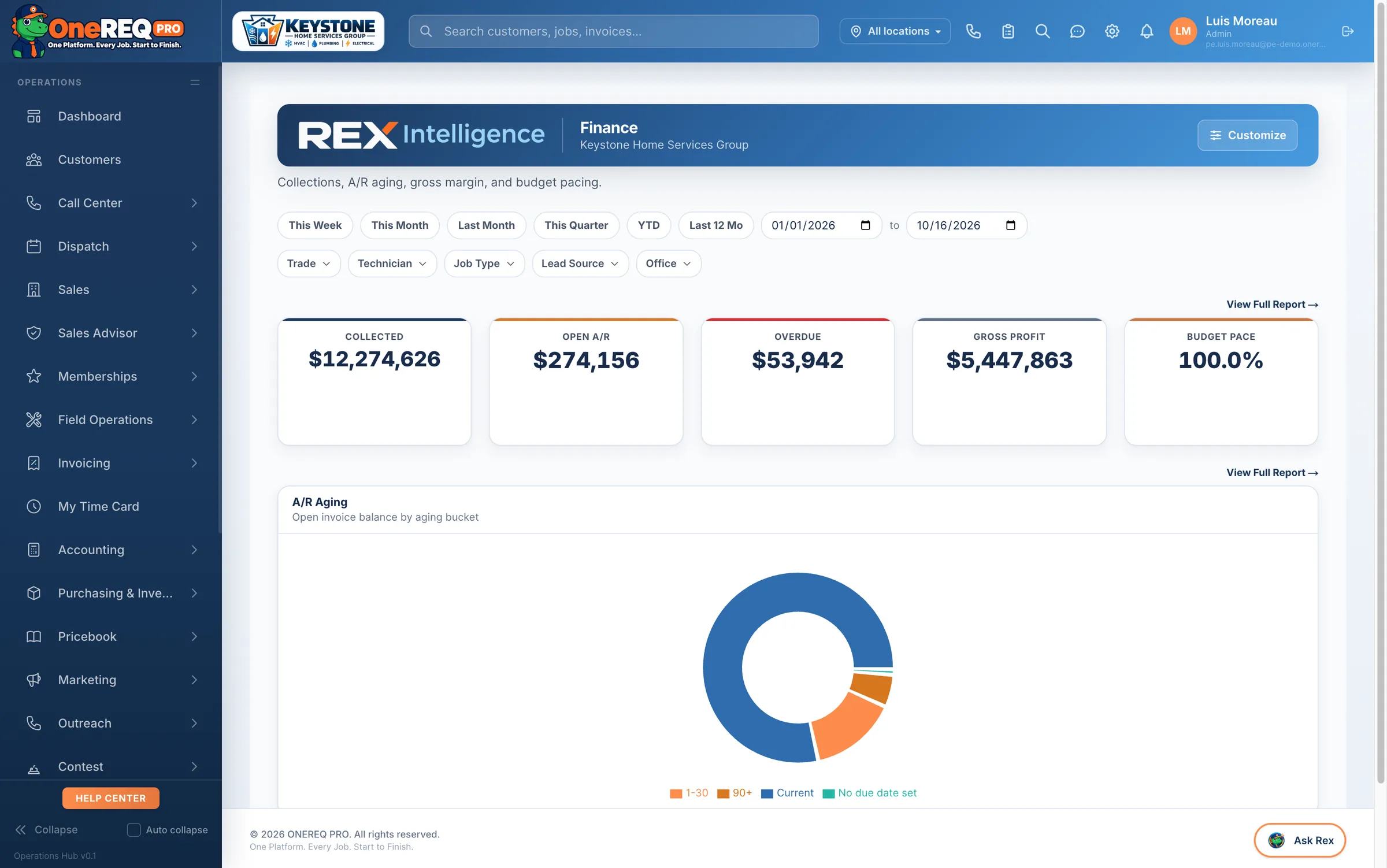
Ninety-three reports — sales, operations, finance, technicians, marketing, profitability — and every business number in them has exactly one definition. “Collected revenue” means the same thing on every screen, because it is computed in exactly one place. See how Rex Intelligence works →
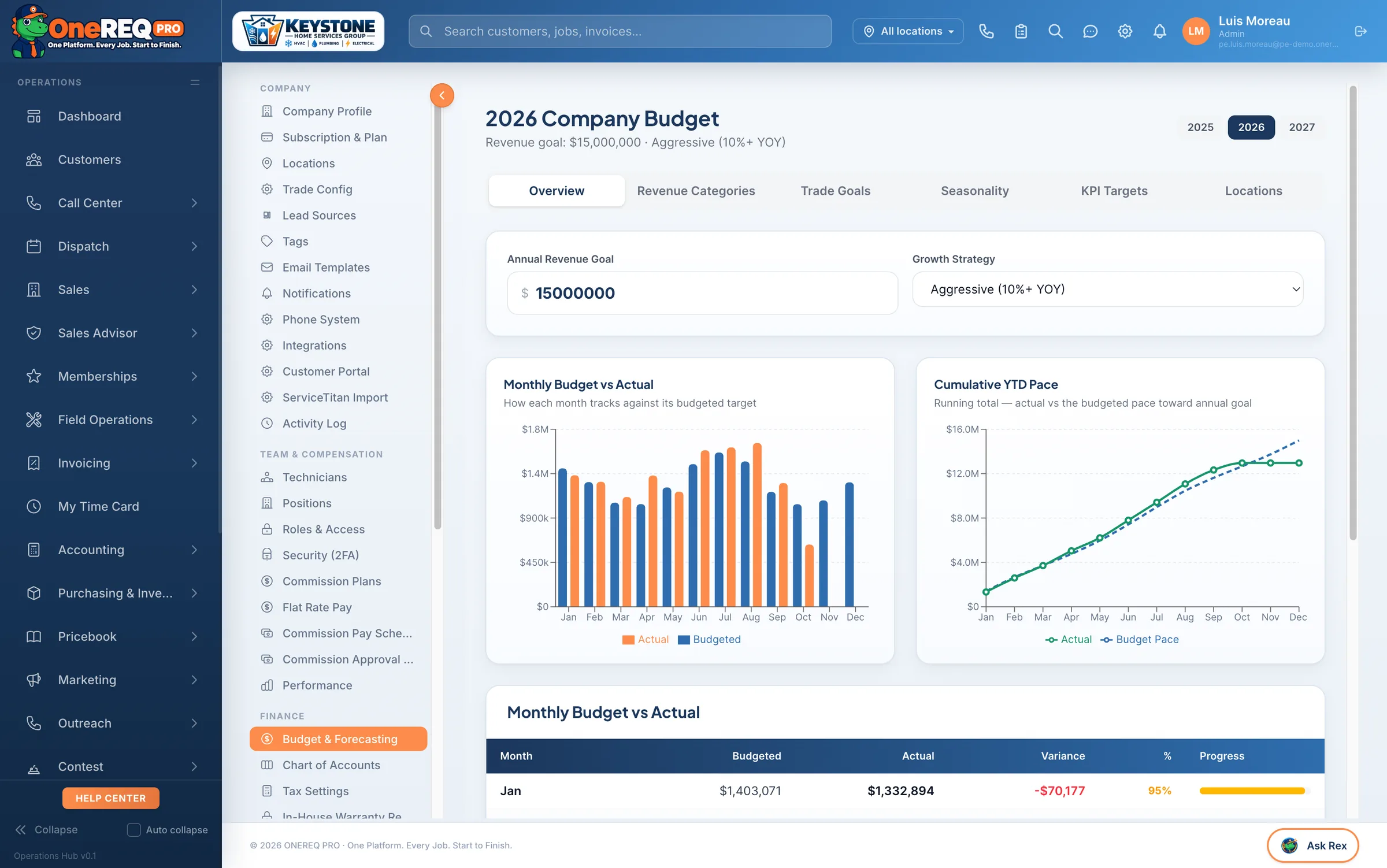
Build a budget. Track the variance live.
Set monthly revenue, labor, and cost-of-goods targets per trade. The Budget vs Actual report compares live invoice + job_costs data against the plan — green when you're ahead, red when you slip. No more end-of-quarter surprises.
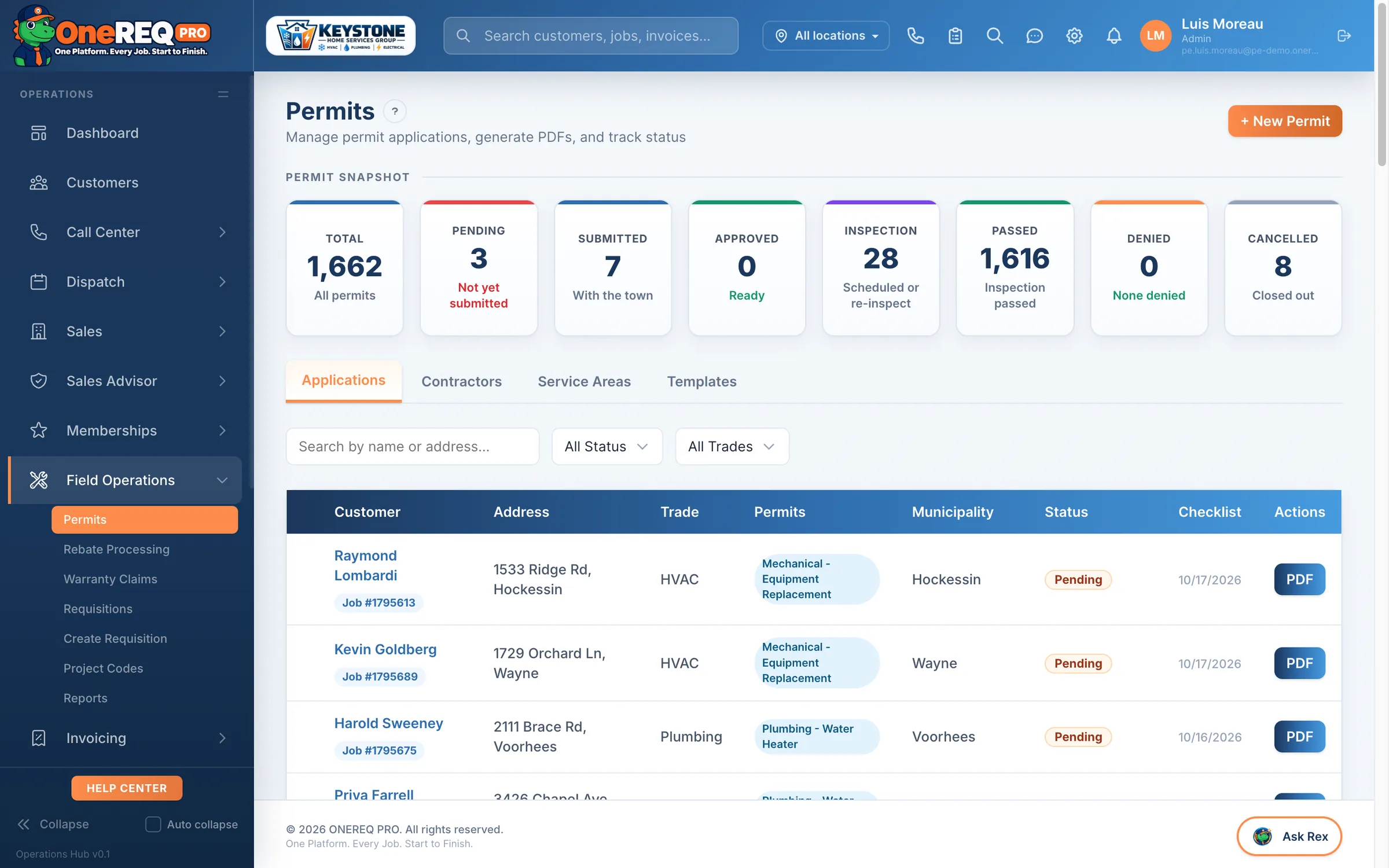
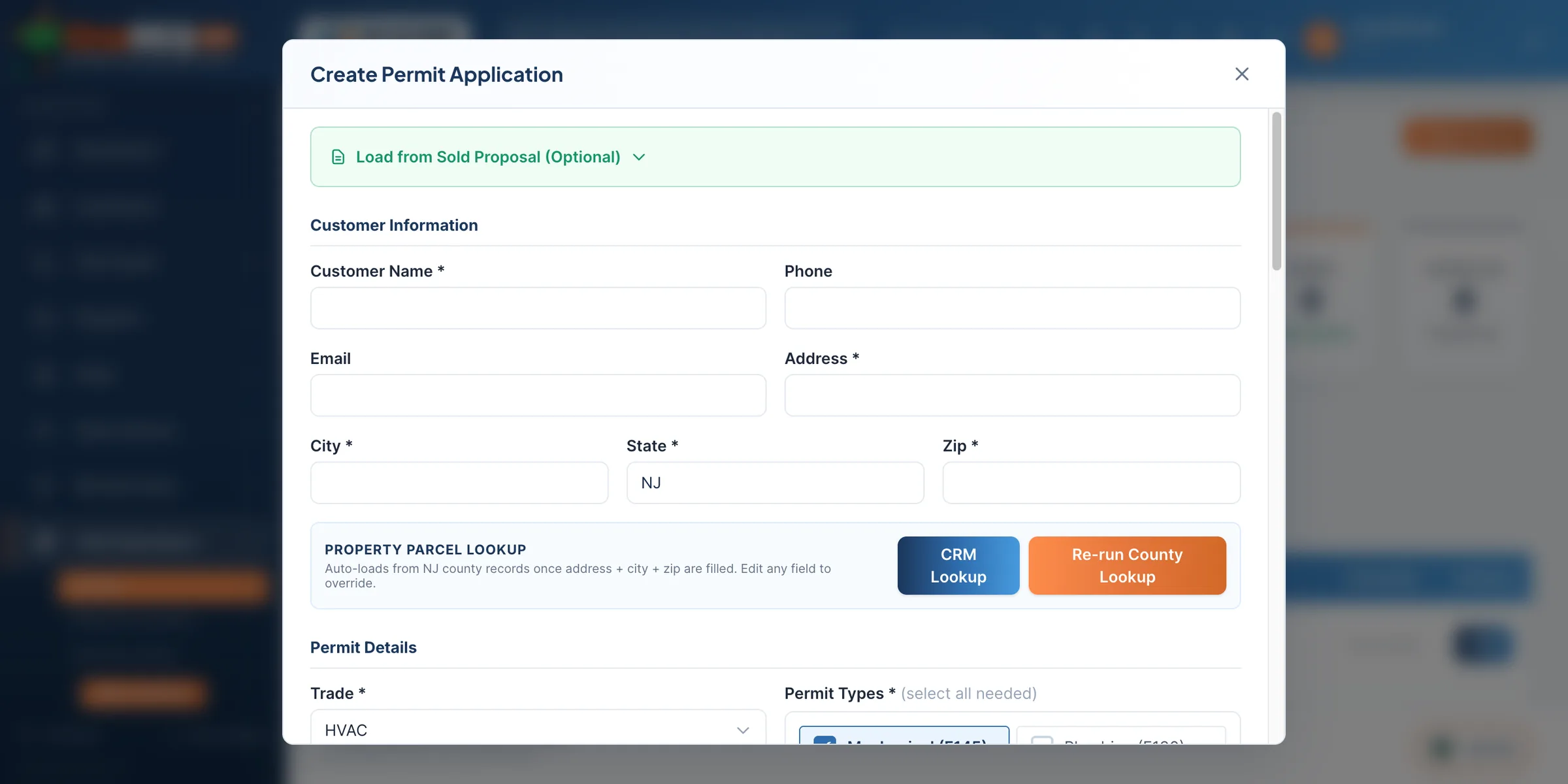
Type the address. We generate the permit.
Parcel auto-fill pulls block, lot, qualifier, municipality, county the moment you type the address — wherever county GIS supports it. Pick the permit type, attach spec sheets, and ONEREQ PRO auto-generates the application PDF ready to e-file.
Built by someone who’s done your job. All of them.
ONEREQ PRO wasn’t designed in a boardroom by people who’ve never run a service call. It was built by Mark Lomas — a service technician, a comfort advisor, a sales manager, a general manager, and the owner of multiple companies across HVAC, plumbing and electrical.
- Service TechnicianThe attic in July. The callback nobody budgeted for.
- Comfort AdvisorThe kitchen table, and the proposal that has to close.
- Sales ManagerClose rates, ride-alongs and commission arguments.
- General ManagerDispatch, payroll and the Monday numbers.
- OwnerMultiple companies, every trade, and the bottom line.
Every screen in the platform answers a problem from one of those seats. That’s why it’s built around the money and the hours — not around data entry.
Leaving ServiceTitan, Housecall Pro, or Jobber?
A side-by-side of the things contractors actually email us about. Contract length, time to live, what's actually in the platform.
| ONEREQ PRO | ServiceTitan | Housecall Pro | Jobber | |
|---|---|---|---|---|
| One-time setup | Talk to sales | $3K – $10K | $0 | $0 |
| Contract length | Month‑to‑month | 2 – 3 years | Annual | Annual |
| Time to live | 14 days | 3 – 6 months | Weeks | Weeks |
| One definition per business number | ✓ | — | — | — |
| AI on every screen (Rex) | ✓ | — | — | — |
| Spanish on customer documents | ✓ | — | — | — |
| ONEREQ PRO Field, native iPhone, iPad and Android app | ✓ | Partial | Partial | Partial |
| Sales Advisor (HVAC + Elec + Plumb) | ✓ | HVAC only | — | — |
| AR Collection Loop (cron + portal) | ✓ | — | — | — |
| Per-tech charges | Talk to sales | ~$250 / tech | Tier-gated | Tier-gated |
Connected to the tools you already use.
Real integrations — accounting, payments, telephony, lead providers, fleet, reviews, and AI — using each vendor’s own API. Already built from running the CRM.
 Live
Live Live
Live Live
Live Live
Live Live
Live Live
Live LiveRolling out
Plus pricebook + data import from ServiceTitan, Housecall Pro, Jobber, or CSV — sequential hierarchy import for 10k+ item catalogs.
The questions we hear most.

One platform. Every job.
Start to finish.
See your shop run on ONEREQ PRO in a 30-minute demo. No deck, no slides — we walk you through the platform with your real workflow.