Your customers’ side of the platform.
Wearing your brand.
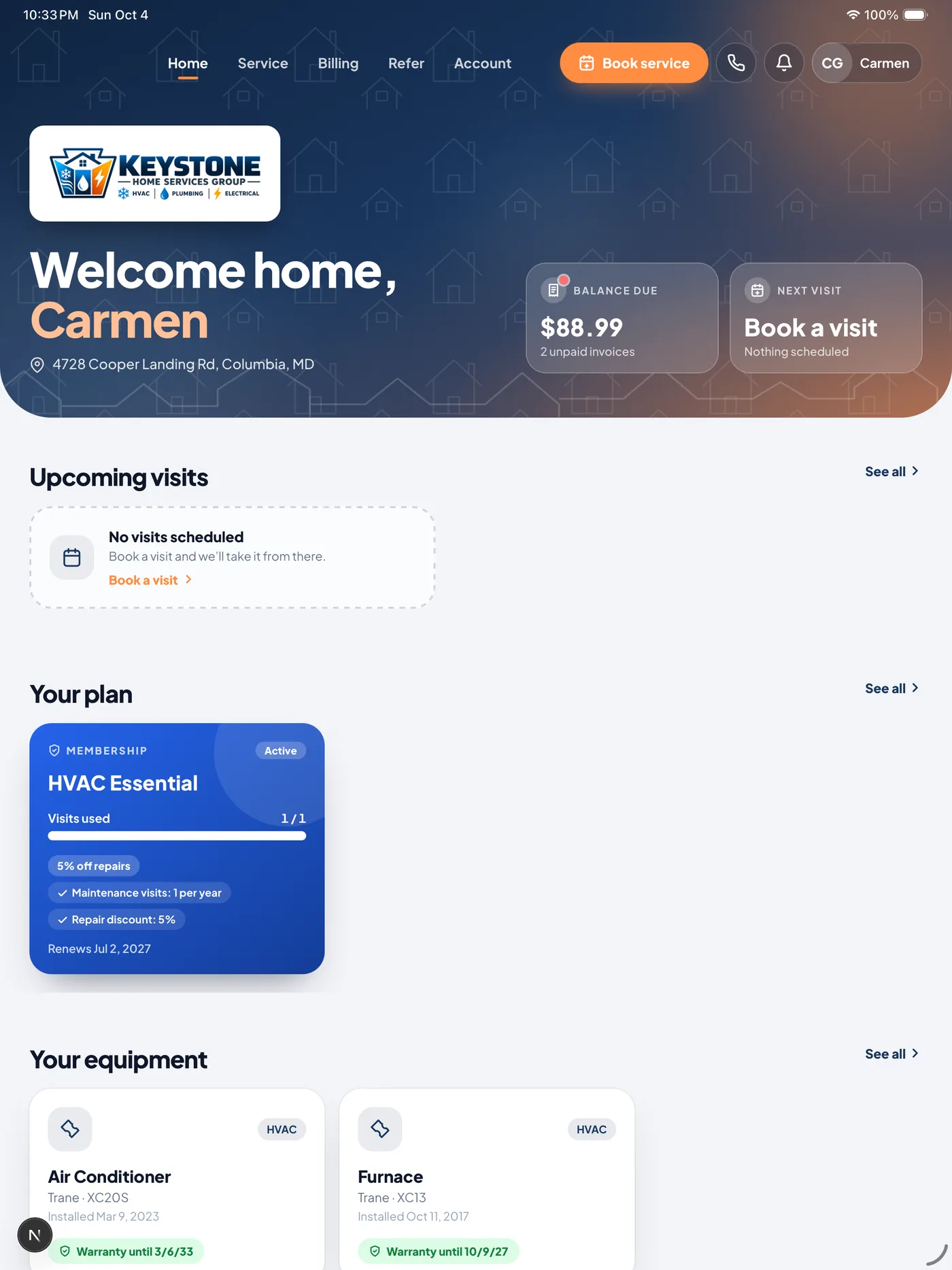
Homigo is the customer app built into ONEREQ PRO. Your customers pay invoices, book service, sign estimates, join your membership plan and see every visit, all under your logo, your colors and your phone number. It runs on the same data your office and techs already work in, so nothing gets re-keyed and nothing gets lost.
 The full breakdown
Everything your customers can do without calling you.
Homigo isn’t a separate product bolted on. It’s the customer-facing half of ONEREQ PRO, so every tap a customer makes shows up in the CRM your office already uses.
Get paid
Invoices, estimates and memberships, settled from the customer’s phone.
Pay Now on every invoice
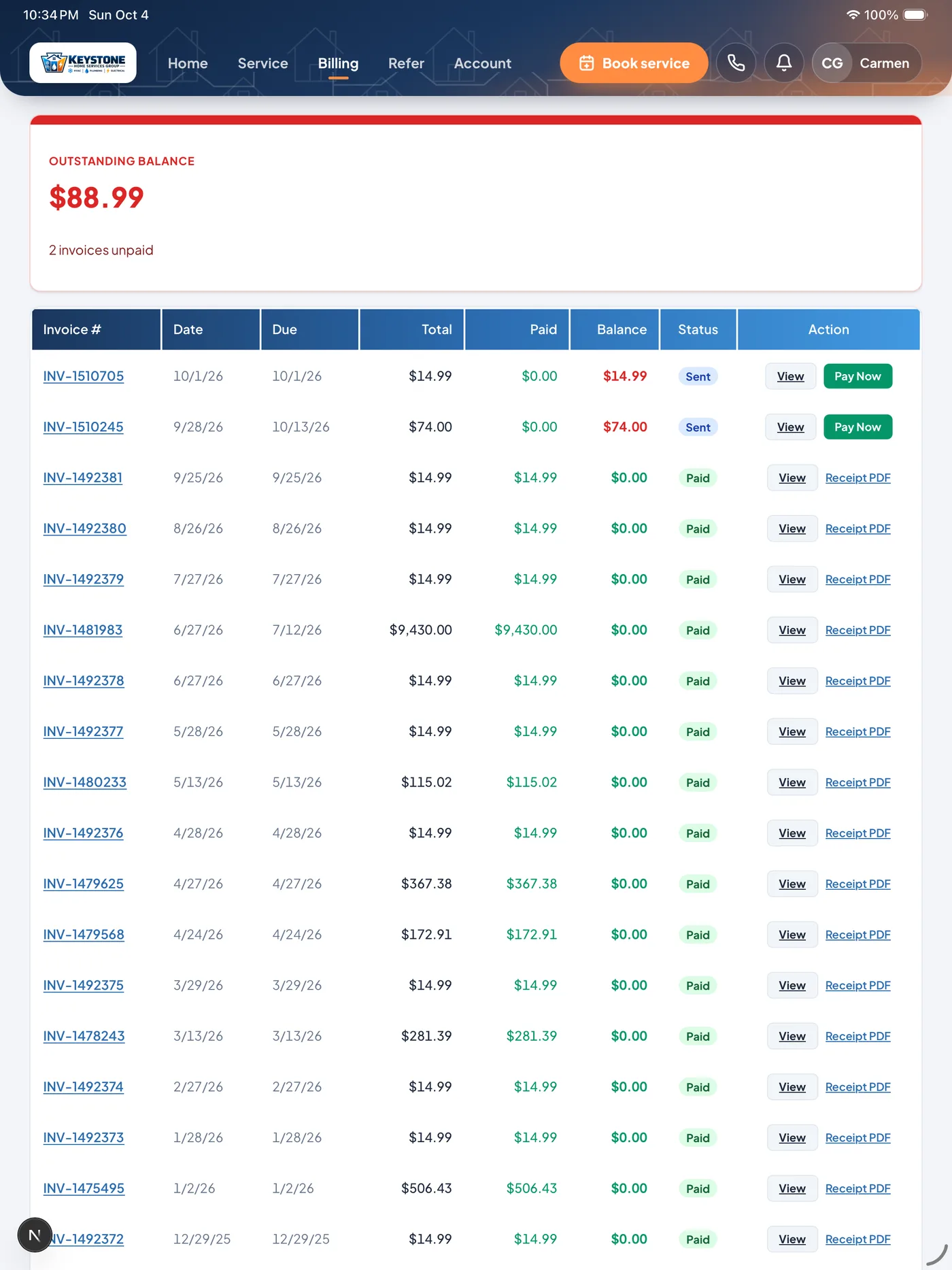
Customers open the invoice, check it and pay by card through secure Stripe checkout. The payment marks the invoice paid in your CRM and sends the customer a receipt alert. No mailed statements, no card numbers read over the phone.Card payments run through your connected Stripe account.
Sign estimates and agreements
Estimates and service agreements sit in the customer’s Documents tab, ready to open and sign on screen. A signed estimate is approved and turned into an invoice without anyone re-keying it.
Membership self-signup
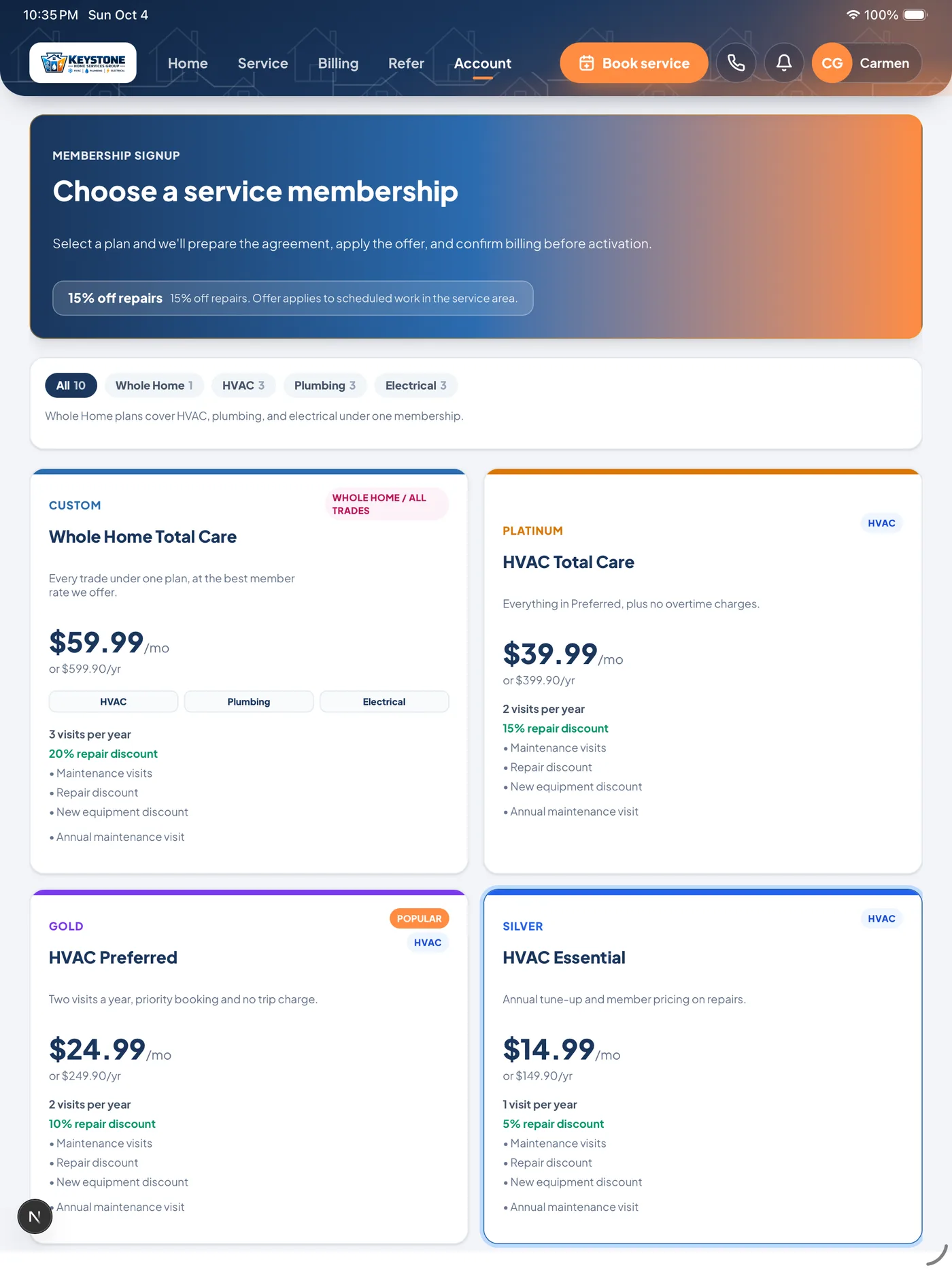
Customers pick your maintenance plan and pay monthly or in full through Stripe checkout. One checkout can cover several plans, each with its own equipment, and existing members can switch on autopay themselves.Shows the plans you set up in ONEREQ PRO.
Keep them booked
Fewer “when are you coming?” calls, more visits on the board.
Book service online
Customers pick the property, the arrival window and add a photo of the problem, at 9 p.m. or any other time. The request lands on your dispatch board as a job and your office is notified. Members can book the tune-ups their plan includes.You set the arrival windows, and you can switch online booking off.
Alerts that answer the call before it happens
Push alerts on the phone or in the browser when a visit is booked, the day before it, if it moves, when the tech is on the way, when an invoice is sent and when a payment lands. Maintenance reminders go out on the rules you set.Customers choose which alerts they get.
Live tech tracking
While the tech is on the way, customers see them on a map with an ETA, using the location the ONEREQ PRO Field app shares. It disappears once the tech arrives.Off until you switch it on.
Every visit, every photo
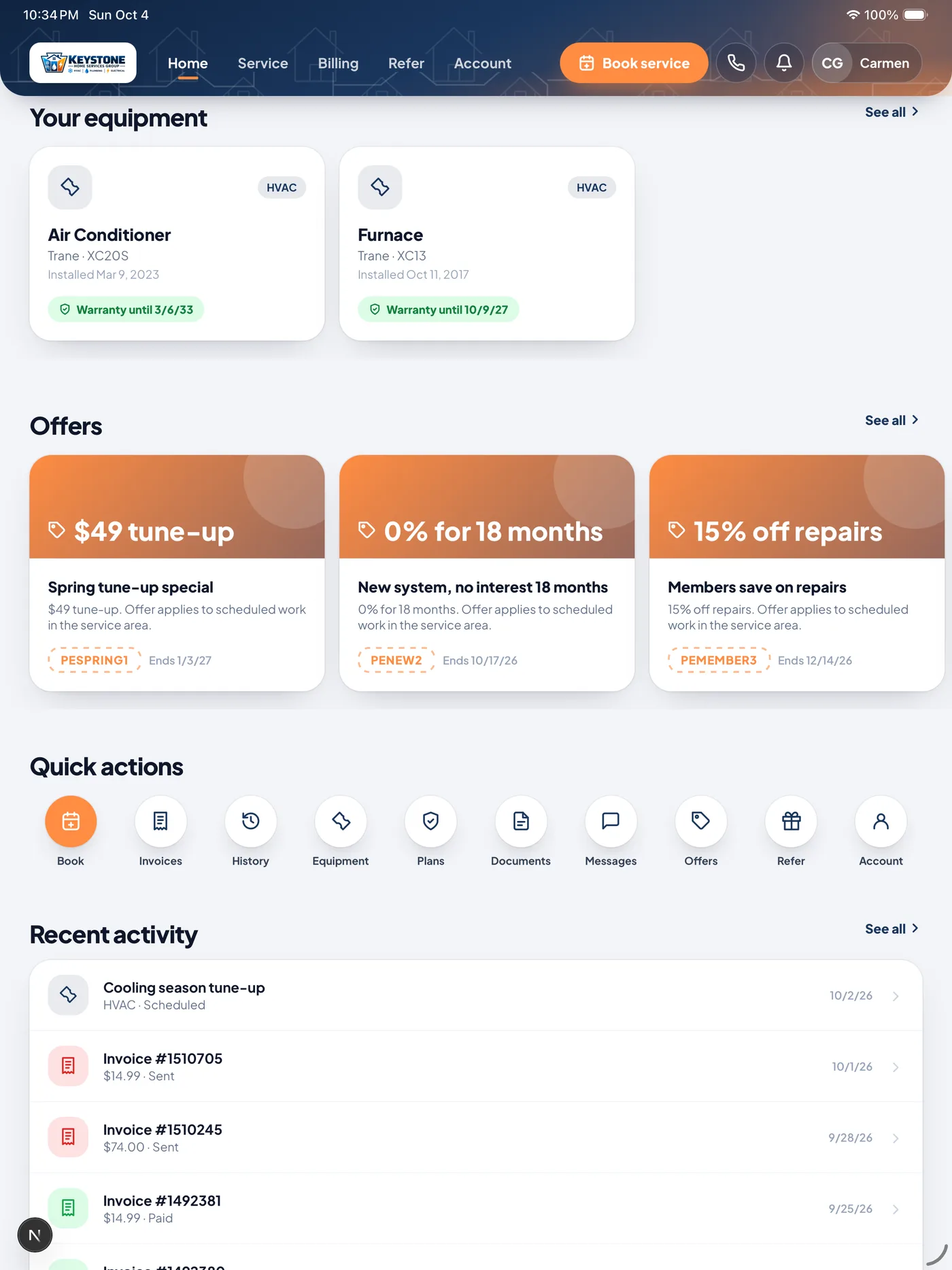
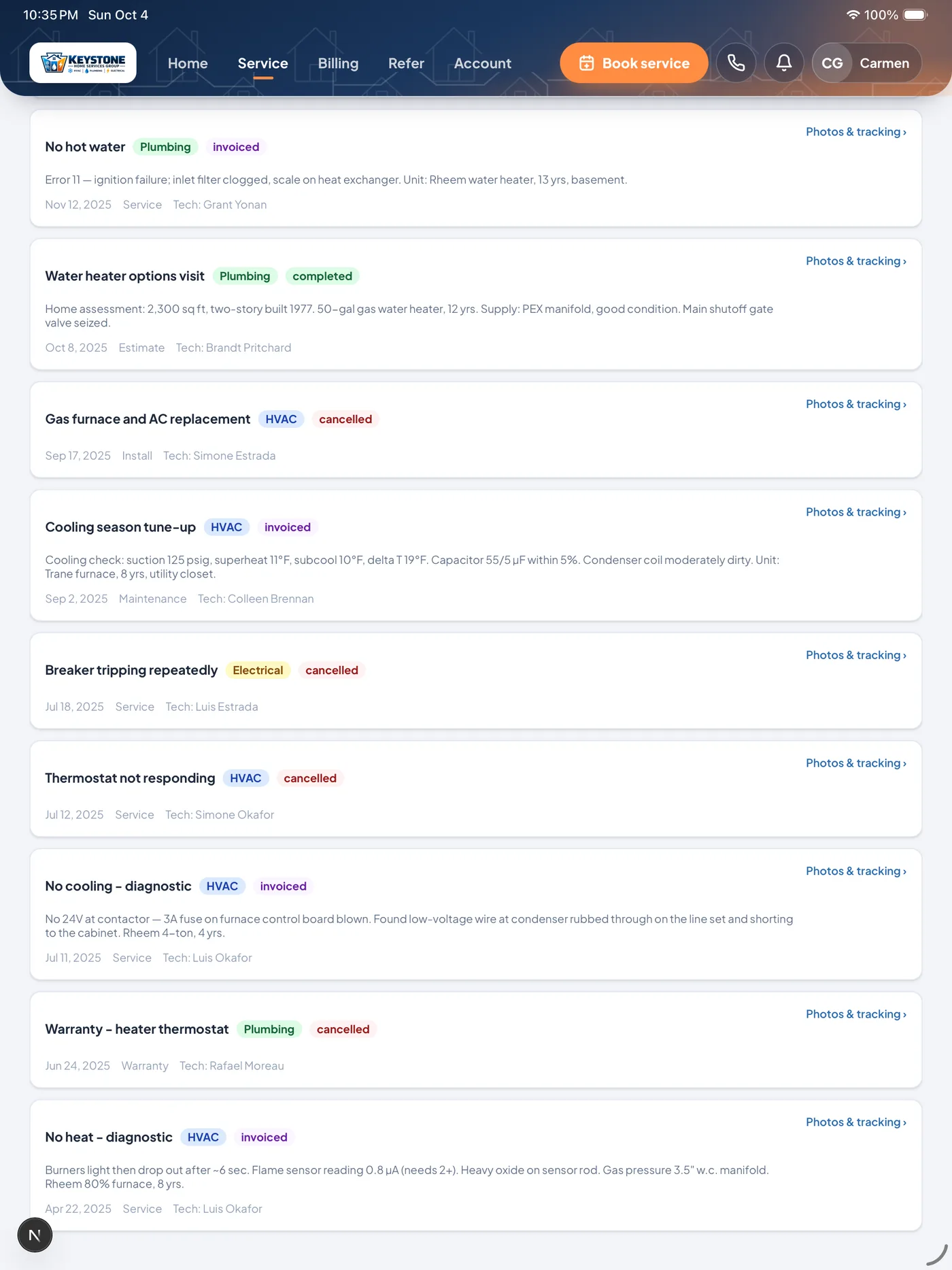
Service history with the photos your techs took on each job, so customers can see what was done and when.
Know their home
The equipment record your techs build, in the customer’s hands.
Equipment on file
Every installed system with brand, model, serial number, install date and warranty dates, plus a clear active, expiring or expired warranty status.
Data plate scan
Customers photograph the data plate on their condenser, water heater or panel and AI fills in make, model and serial. Works in the browser and in the app.
More than one property
Customers can keep a rental, a parent’s house or a second home on the same account and pick which one each booking is for.
Grow from your customer base
Turn happy customers into the next job.
Refer-a-friend
Every customer gets a personal referral code and share link, and can send a friend an invite email from the app. When you confirm the friend became a customer, the reward lands as credit on the referrer’s account.
Your offers, in their pocket
Your live promotions with their coupon codes, filtered to the customer’s trade, with member-only offers shown only to members.
Push campaigns
Send seasonal tune-up reminders and promotions straight to customers’ lock screens from the Marketing Hub. Customers who opt out of marketing don’t get them.
Review requests at the right moment
After a completed visit, customers get a one-tap link to leave you a review on the site you choose, such as Google.
QR codes for trucks and leave-behinds
Print your own codes for truck wraps, door hangers and invoices. Each scan opens your branded Homigo page, and you can see how many scans each code gets.
Your brand, their account
It looks like your company because it is.
Your logo, colors and phone number
Your branding loads on the sign-in screen and stays on every page: logo, colors, phone, email and slogan. Homigo sits quietly in the footer.
English and Spanish
Customers switch every Homigo screen between English and Spanish.
Face ID and Touch ID
In the iPhone, iPad and Android app, customers turn on Face ID, Touch ID after their first sign-in and skip the password from then on.
Customers manage their own account
They update their name, phone and email, choose which alerts they get, change their password, or delete their account in the app.
The app your customers will actually keep.
A real iPhone, iPad and Android app, and the same experience in any browser. Your company is the star of every screen.
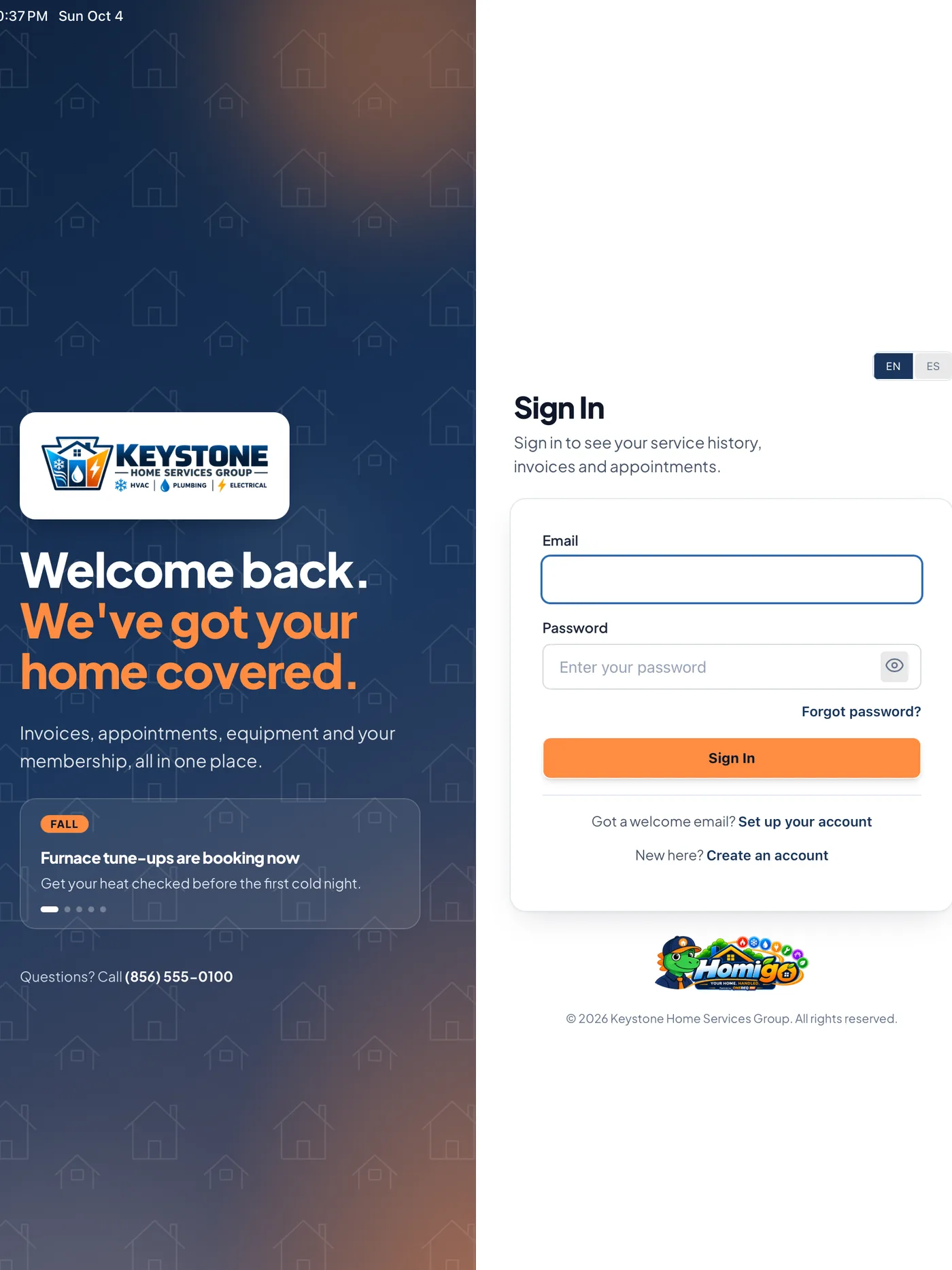
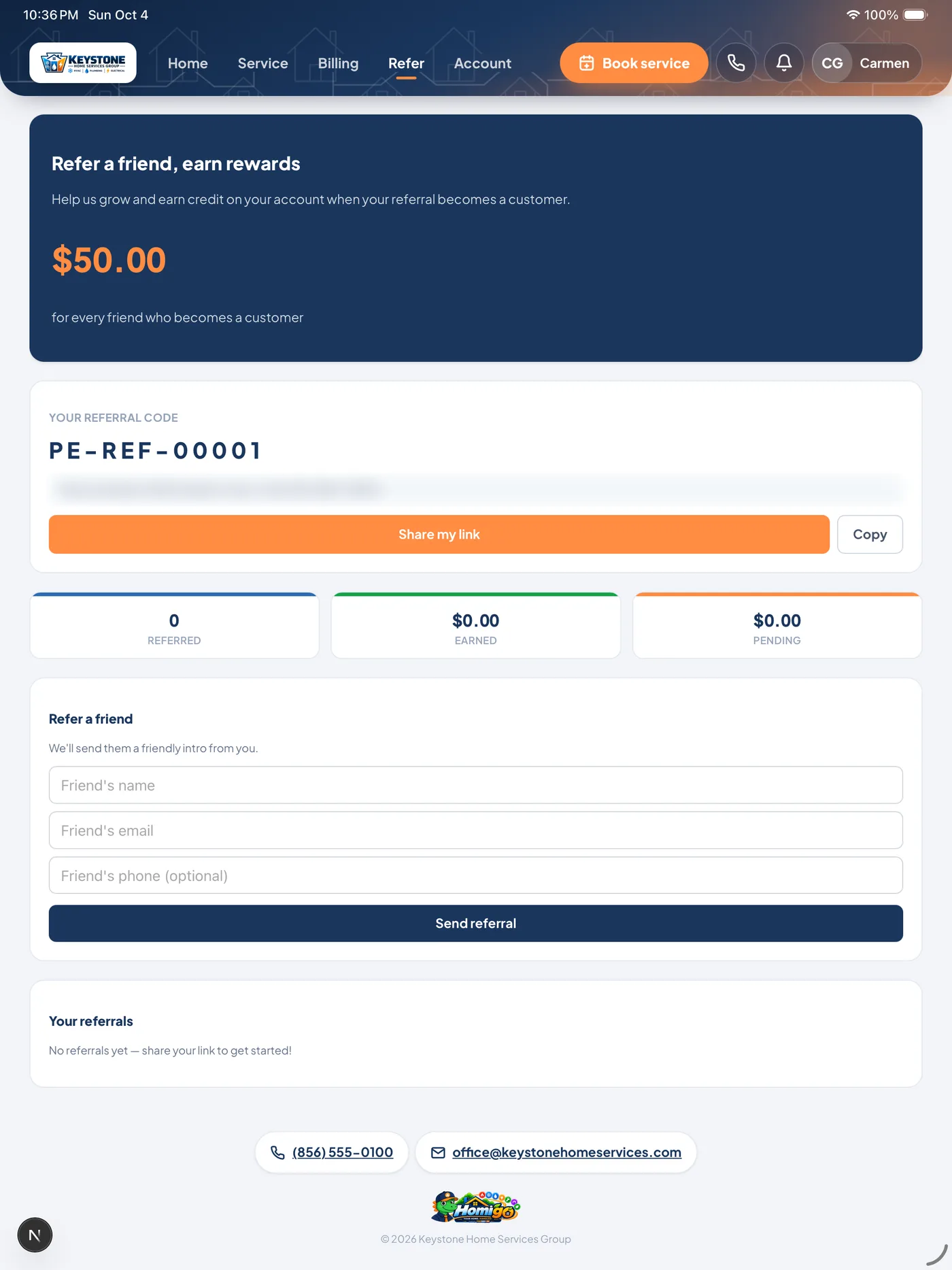
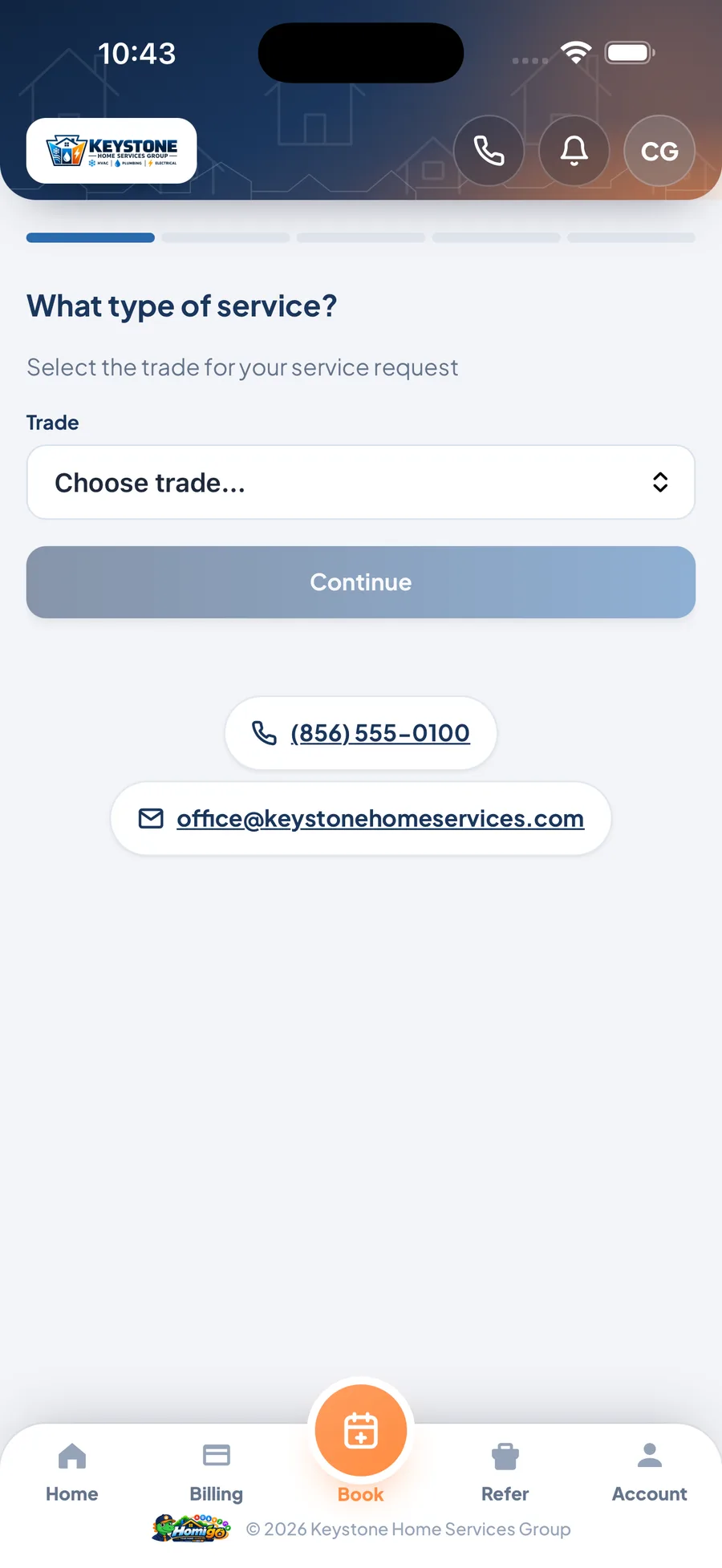
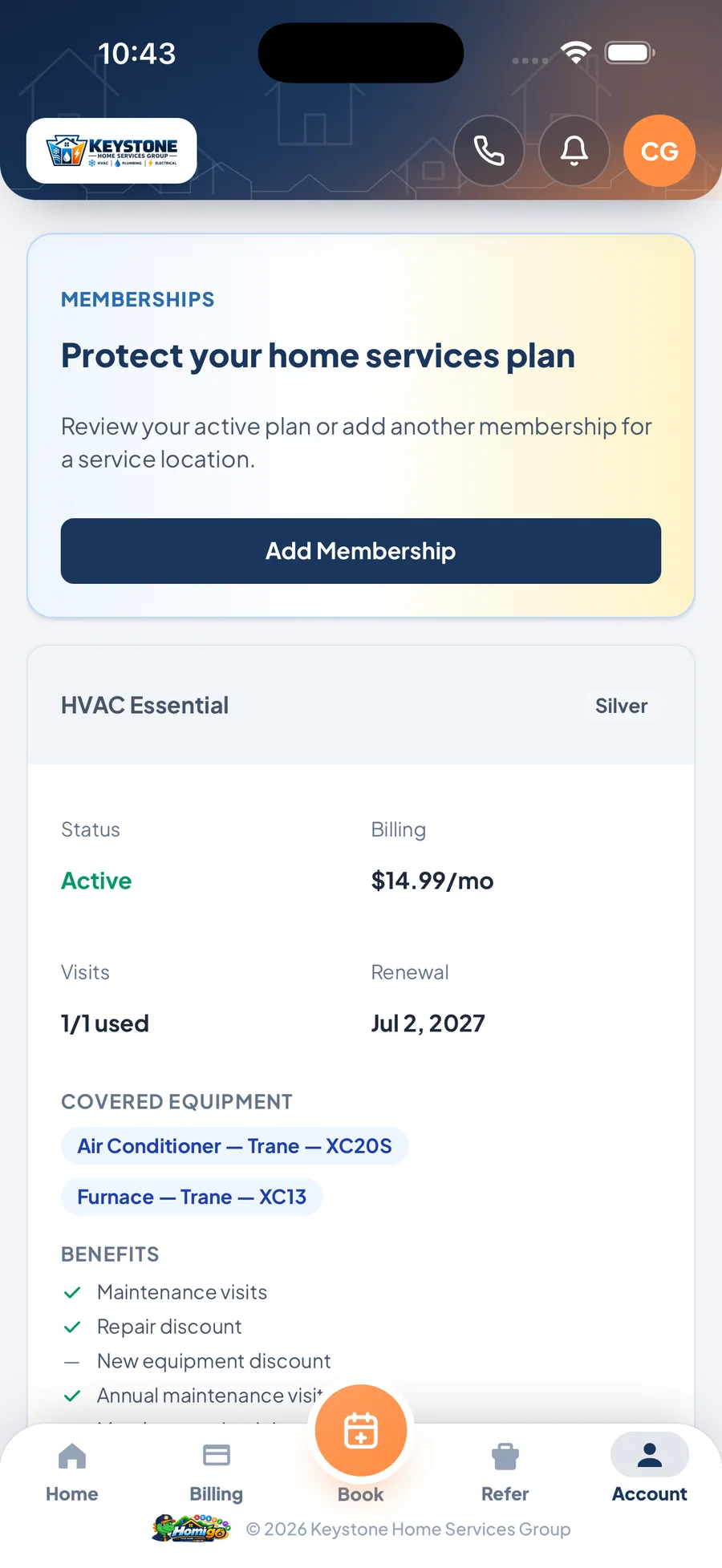
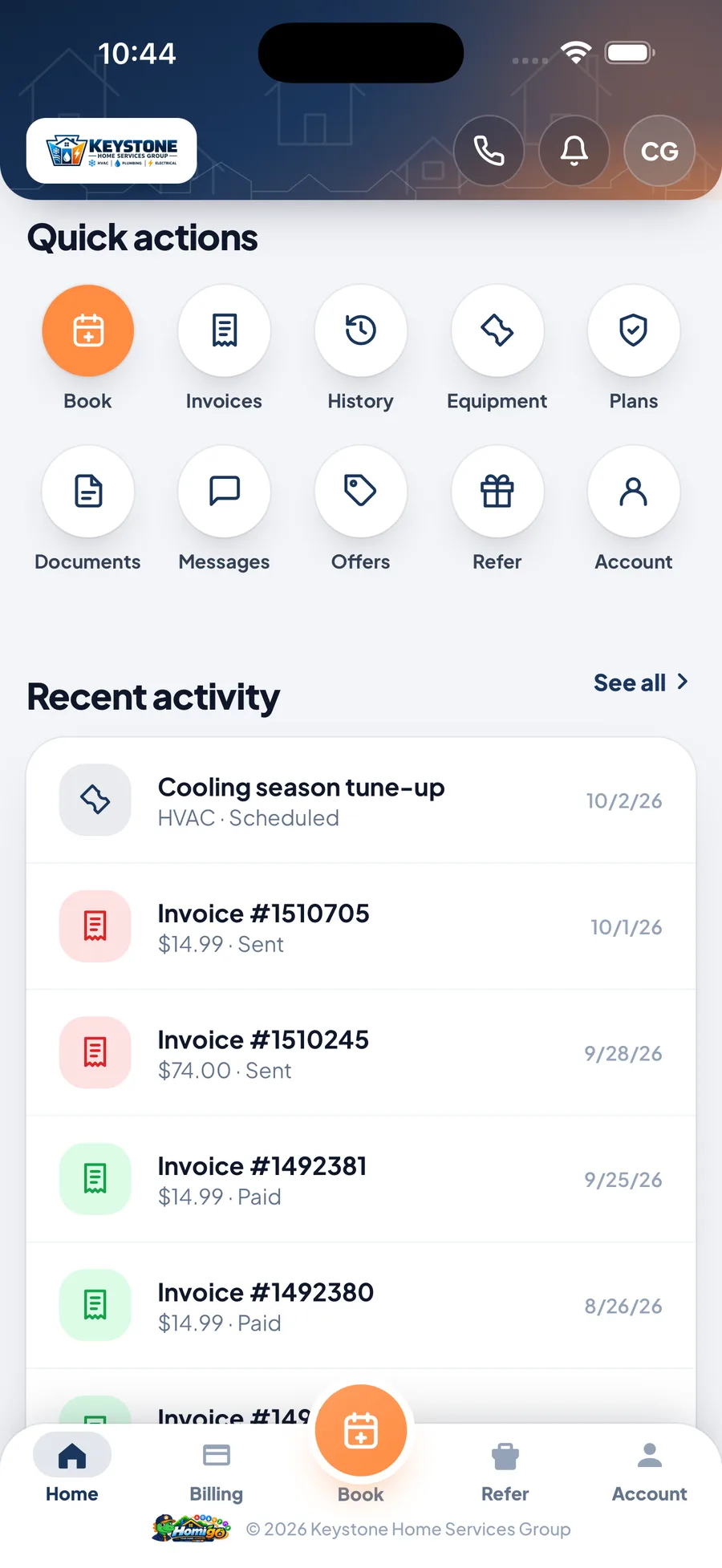
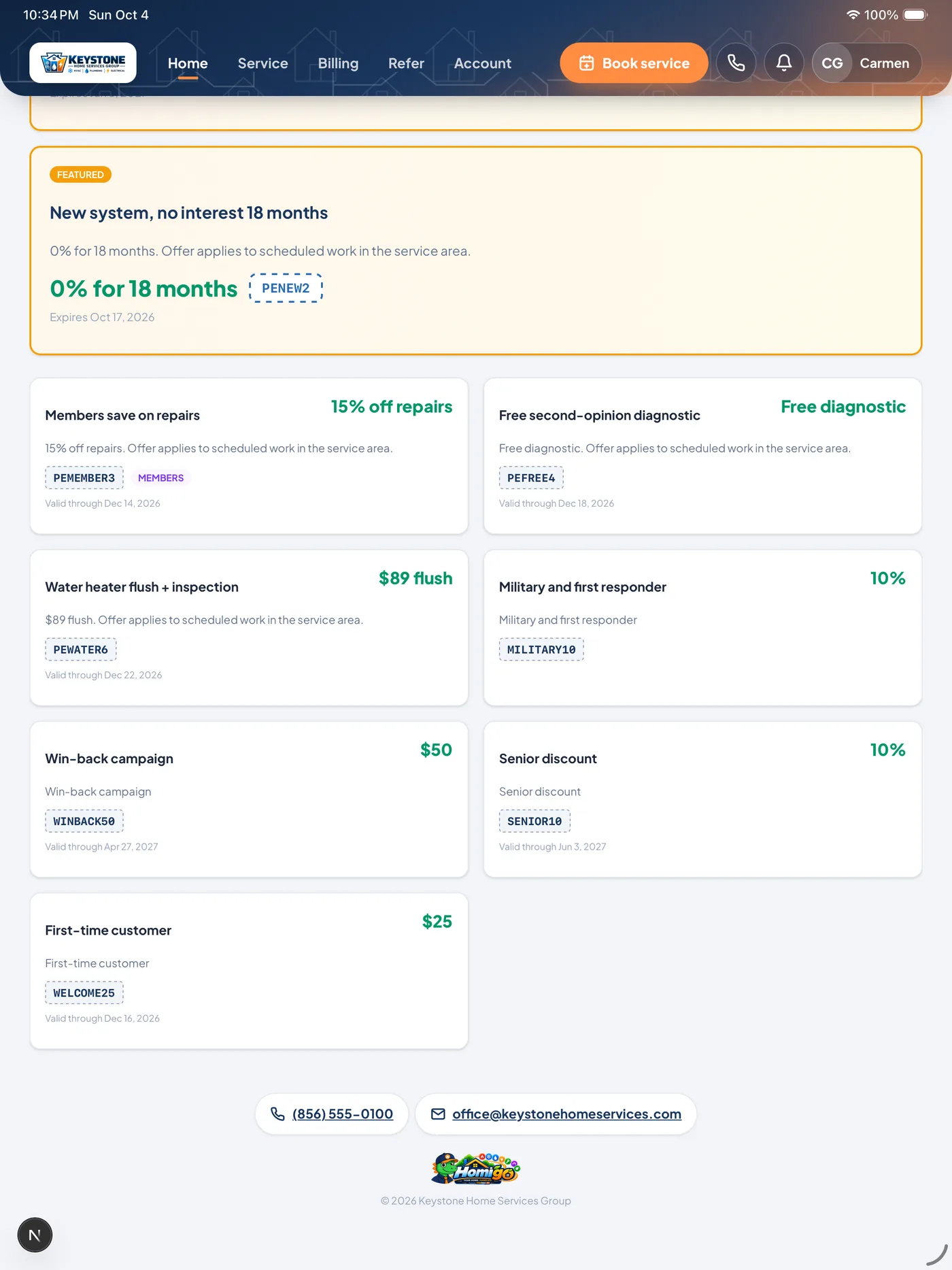
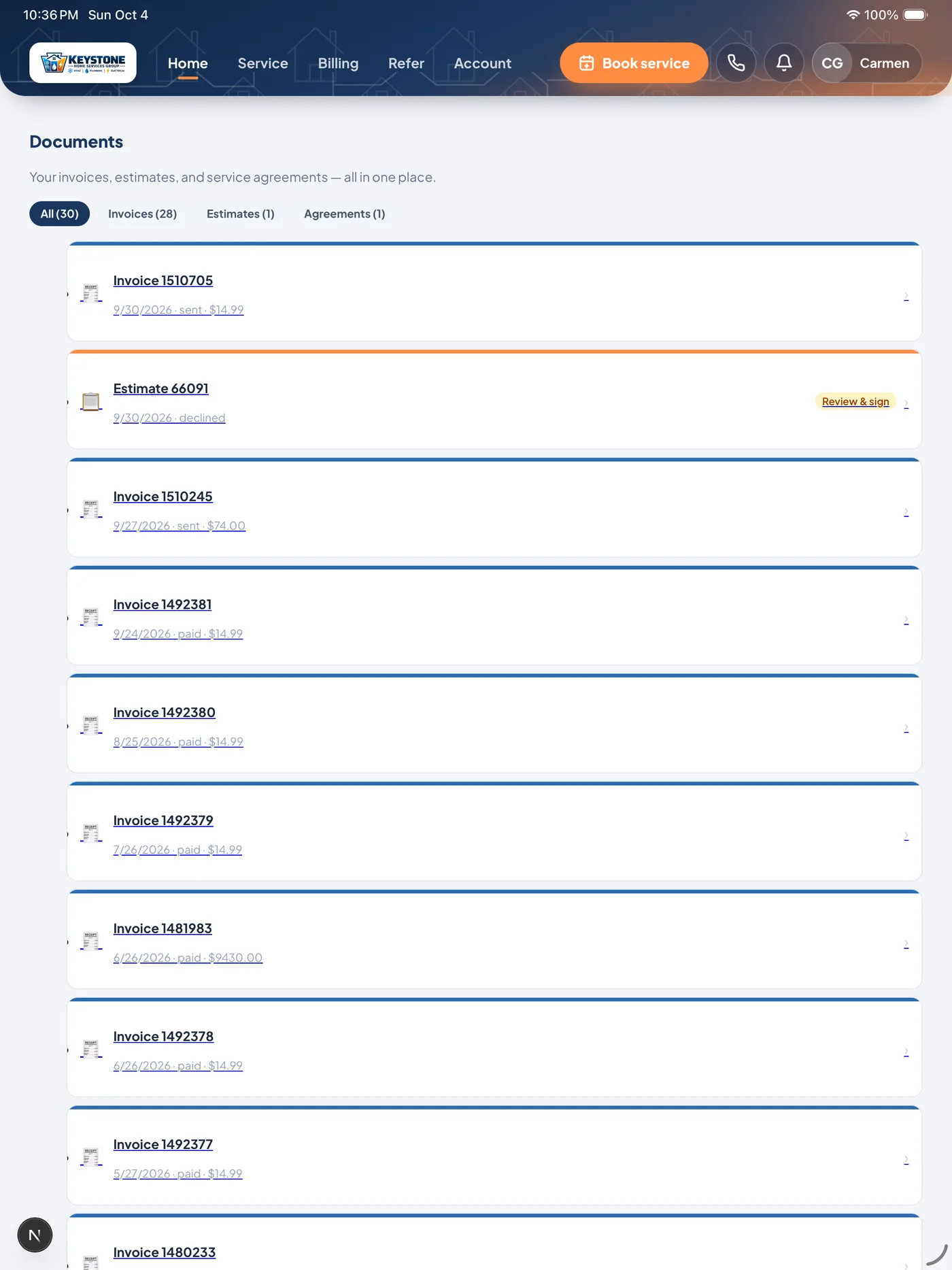
Screens from the Keystone demo account. Six screens are shown on both devices; the last three change with the layout you pick.
What a customer does in Homigo, your office sees in ONEREQ PRO.
No exports, no second login, no syncing a separate portal. Homigo and the CRM share one set of records.
| In Homigo | In ONEREQ PRO |
|---|---|
| A customer books a visit | It appears on your dispatch board as a job, and your office gets a notification. |
| A customer pays an invoice | The invoice is marked paid, the payment is recorded and the customer gets a receipt alert. |
| A customer signs an estimate | The estimate is approved and turned into an invoice. |
| A customer joins a membership | The agreement is created with its equipment and billing, monthly or paid in full. |
| A customer scans a data plate | The equipment lands on their record, where your techs see it on the next visit. |
| Your tech heads out in ONEREQ PRO Field | The customer gets an on-the-way alert and, if you turn it on, a live map with an ETA. |
| You send a push campaign | It reaches every opted-in customer’s lock screen and their Homigo alerts. |
Three ways in, one account.
Your office invites them
Send a customer a setup link from their record in the CRM. They choose a password and they’re in, with their jobs, invoices and equipment already there.
They find you
Your branded sign-up link and QR codes let new and existing customers create their own account. You decide whether self sign-up is on.
Browser or app, their choice
Homigo works in any web browser, and in the free Homigo app for iPhone, iPad and Android. Either way, your branding loads as soon as they sign in.
On the App Store and Google Play.
Homigo is one app — on the App Store for iPhone and iPad, and on Google Play for Android — that carries every ONEREQ PRO contractor’s brand. Your customers download it free, sign in with the account you set up for them, and see your company, not ours.
Open in App Store Get it on Google PlaySee Homigo with your logo on it.
In a 30-minute demo we’ll book a visit, pay an invoice and sign an estimate as your customer, and show you each one landing in the CRM. No deck, no slides.