Every job, every tech.
One board.
Drag a job from one tech to another and it is assigned. Split it across two and the percentages hold. The time punch starts when the status changes, the customer gets the text, and the map already knows who is moving.
The same jobs, however you think.
A dispatcher, an install manager and an owner are each looking for something different. Nobody should have to learn somebody else’s view.
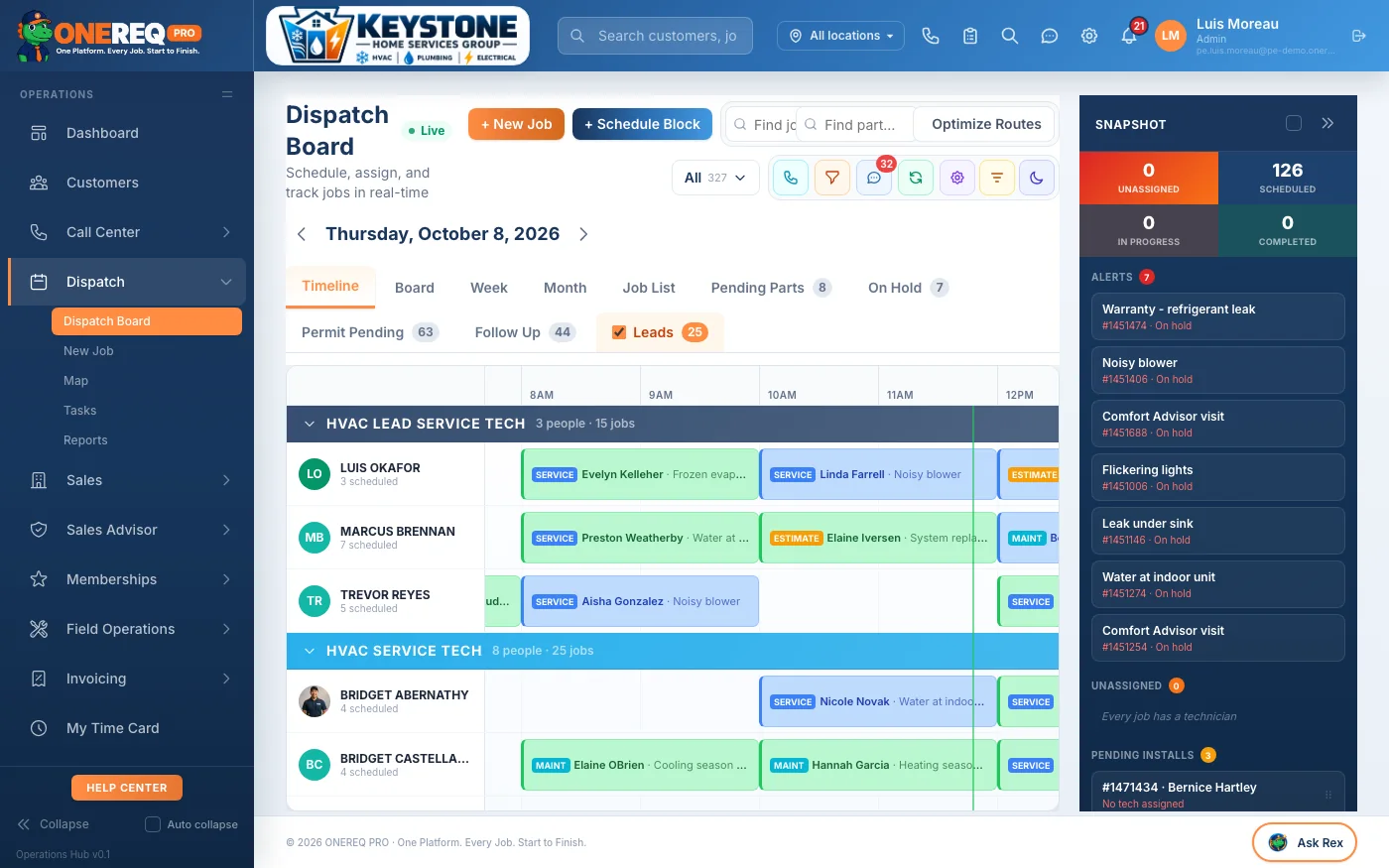
Every tech as a row, the day across the top. Who is loaded, who is free at 2pm, and the gap you can drop a call into — without asking anyone.
Assigning is the small part.
The reason dispatch is worth its own screen is everything that happens after you let go of the job.
The tech is told
An SMS to the tech, an MMS to the customer with who is coming. Neither one is a task someone has to remember at 7am.
The clock starts itself
Status changes punch the time card. The hours on the job are the hours that get costed, not the hours somebody types in on Friday.
Two techs, one job
Split a job and the percentages carry into the labor cost and the commission. No spreadsheet to reconcile the split later.
Across locations
Lend a tech to another location for the day. Capacity, the board and the numbers all know it happened.
Not just the board.
Four more screens that come with it, none of them a separate product with a separate price.
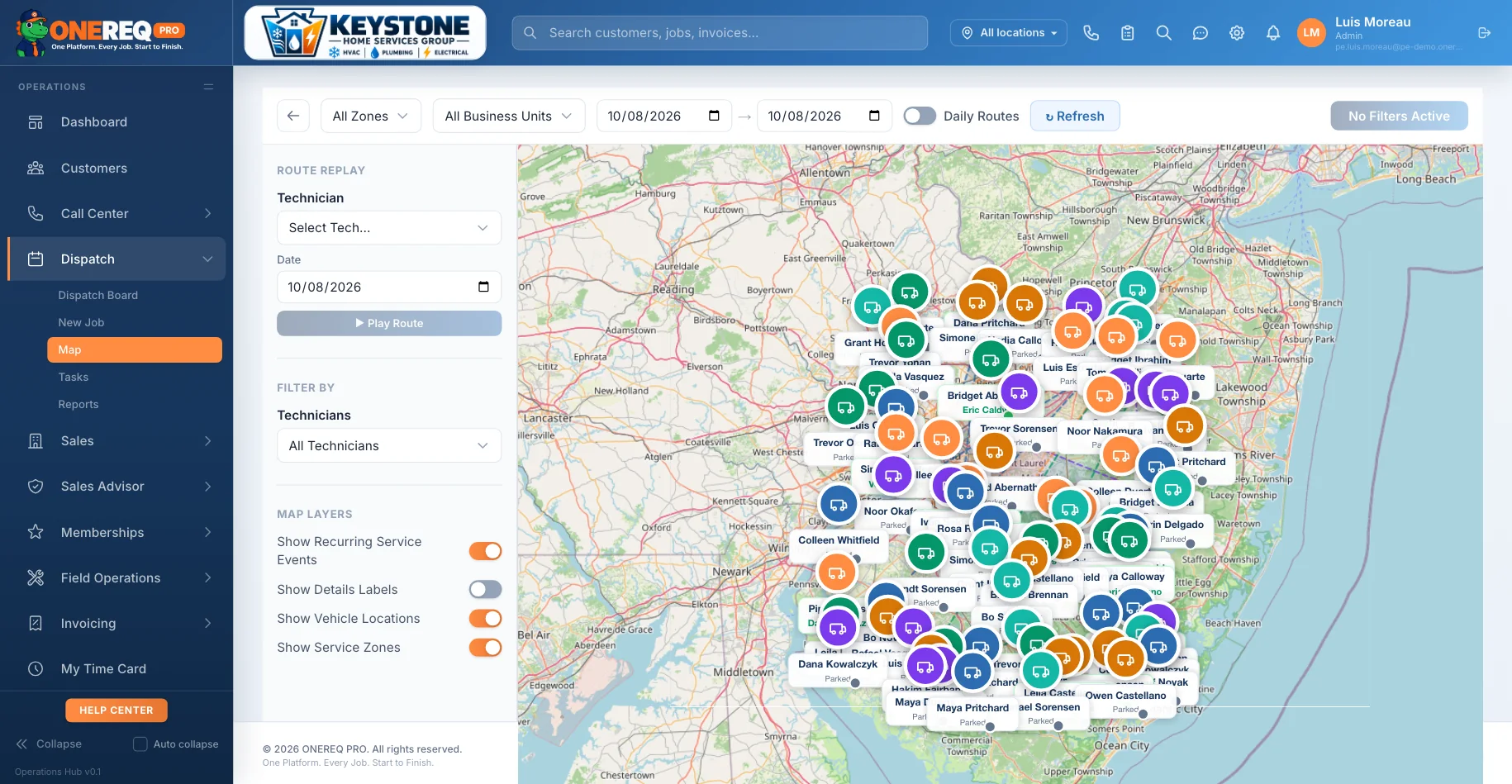
Live map
Every truck on one map, with service zones, route replay and a day you can scrub through. The GPS comes from the tech’s own phone — no hardware to buy, and no monthly box per truck.
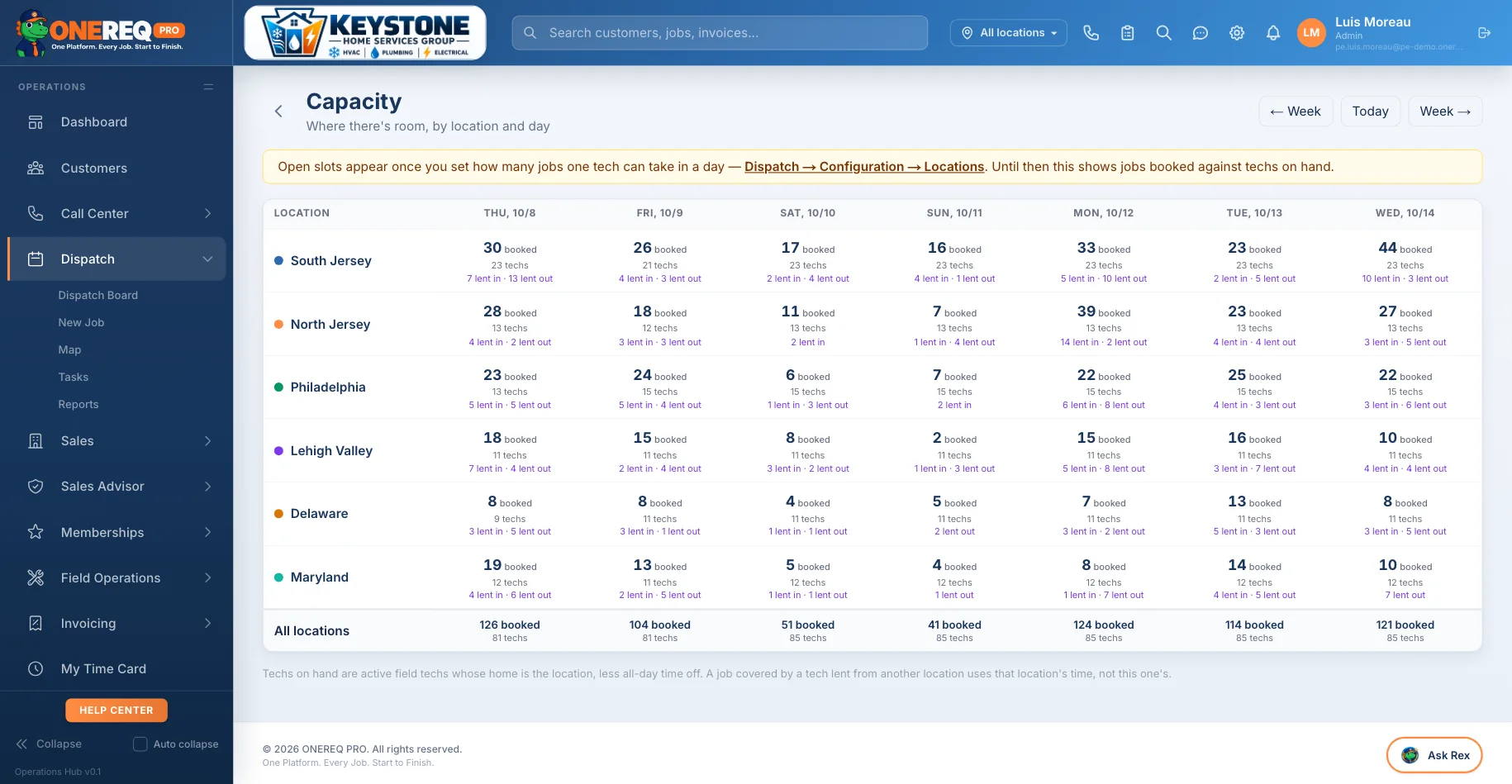
Capacity by location
How many jobs each location can still take, by day, across every market. Open slots appear once you set how many jobs one tech can carry — so the number is yours, not an average.
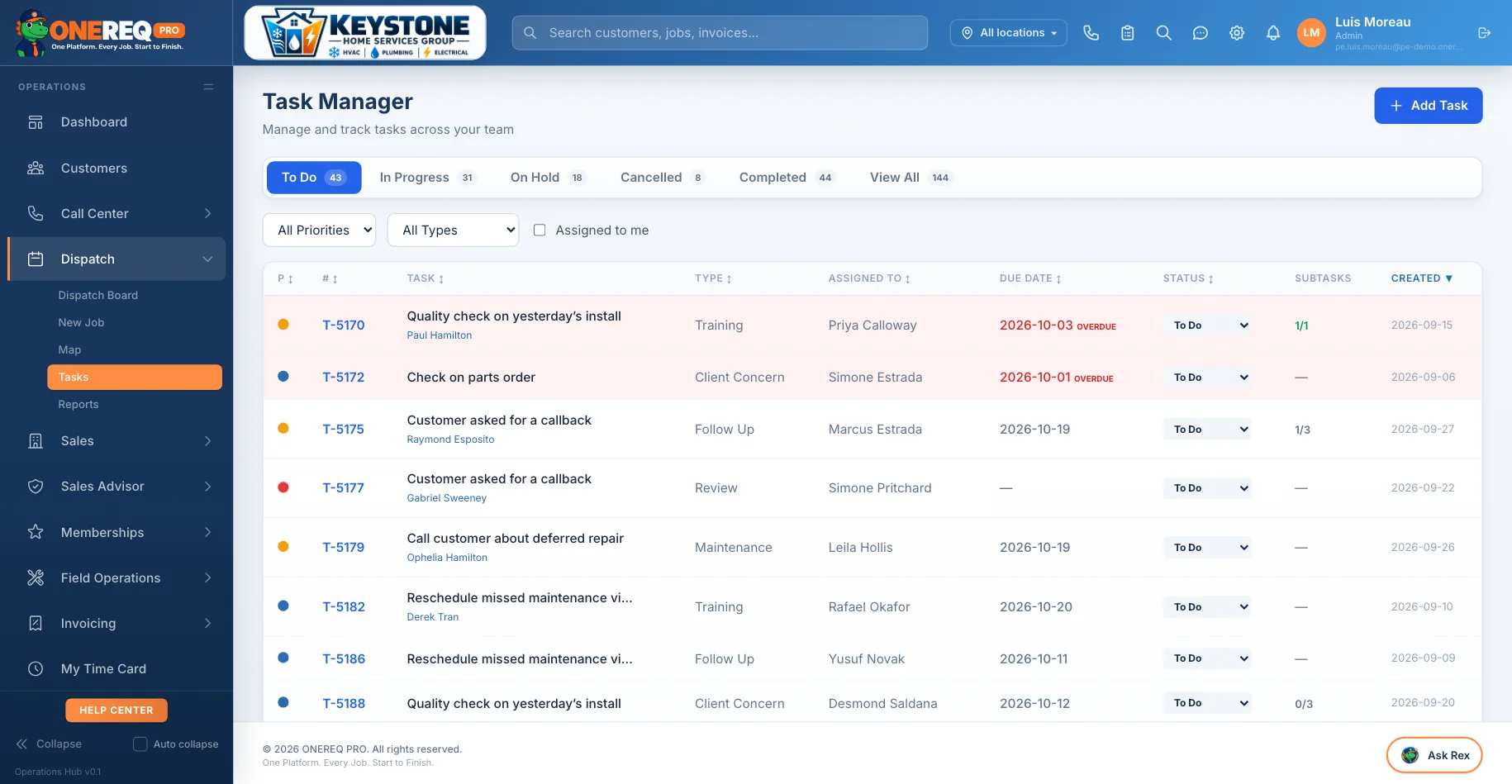
Tasks
Callbacks, follow-ups and the things that fall between jobs. Priority, owner, due date, and an overdue flag that is honest about it.
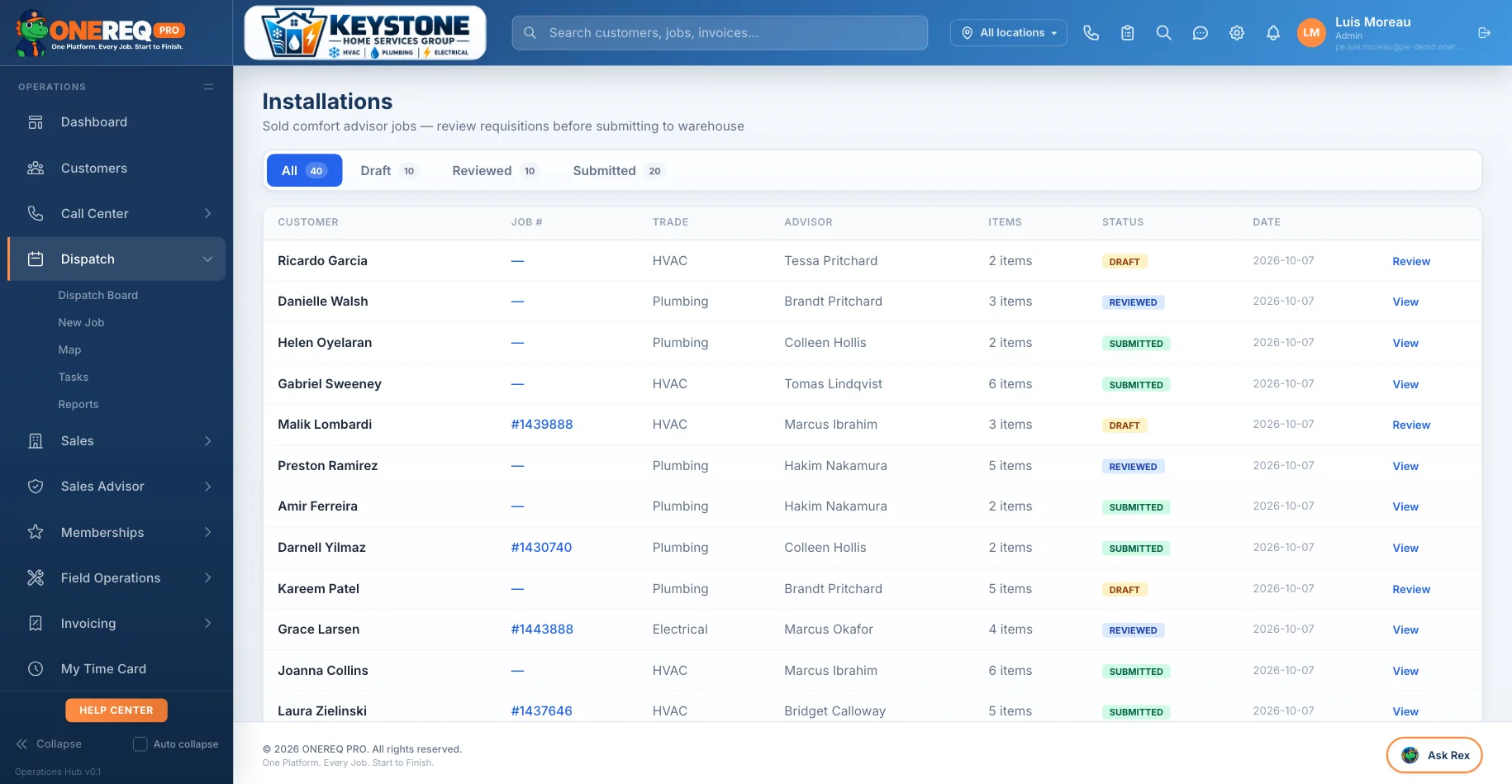
Installs to the warehouse
Sold comfort-advisor jobs, queued for review before the requisition reaches the warehouse. The sale and the parts order stop being two separate conversations.
Before you ask.
Bring us a Tuesday.
Pick a day you remember going badly and we will walk it through the board with you — on your trades, your locations, your crew size.