Replace seven group chats.
One internal feed.
Announcements in every tech’s feed, with push on Android. 1:1 and group Direct Messages — NEW. Sales contests with live leaderboards. Photo wins. Group channels. Member management. One feed wired into your jobs, your invoices, and your contest rules.

Eight things your shop does in three different apps.
Slack for announcements, iMessage for DMs, WhatsApp for the photo wins, group texts for "I'm running late" — all replaced by a single feed wired into your jobs, your invoices, and your contest rules.
Announcements
Owner / manager broadcasts land in every tech's feed, with a push notification on Android. Auto-posts (job assignments, payment received) intentionally silent. Tap → deep-link straight in.
Direct Messages
1:1 DMs and group chats — between techs, dispatch, and office staff. Toggle 📢 Feed and 💬 Messages at the top of Team Hub. Push notification on Android. Last-read + mute per member. Migration 321.
Sales Contests
Live leaderboards by trade, tech, or team. Points auto-tally from completed jobs and signed estimates. Gold / Silver / Bronze rankings, prize tracking, automatic winner reveal. Trophy tab appears in the field app only while a contest is active.
Photo Wins
Techs post install photos and before/afters. Hearts, comments, automatic contest points. Owners share the best ones to social with one tap.
Groups & Channels
HVAC team, Plumbing team, after-hours crew, install crew, sales advisors — group-specific feeds keep noise down for everyone else.
Member Management
Roles, permissions, opt-out per tech. New hires onboarded with one click. Departing techs deactivated, feed contributions preserved.
Comments & Edits
Threaded replies, edit history, system messages from the platform's lifecycle events (job created, estimate signed, payment received).
Cross-device (iOS + CRM)
The same Messenger panel renders inside ONEREQ PRO Field and on the CRM /team-hub page — office staff and techs DM each other from any device, same thread.
Trophy tab (iOS)
The live-only contest tab. Only renders when a contest row is status='active'. Red dot fires when standings update; clears on open.
Per-tech opt-out
Tech sets their own preferences from the ONEREQ PRO Field settings page. Admin mute respected. Bilingual EN/ES throughout.
Live leaderboard
Standings refresh as jobs complete and estimates close. No end-of-week spreadsheet. No manual entry.
Wired to the CRM
Photo wins attach to the invoice. Contest points pull from real revenue. System messages broadcast from job/estimate lifecycle events.
The same feed. Every device.
Office staff post from the CRM, techs read and reply from the iPad. Same threads, same DMs, same leaderboard — one canonical Team Hub.
ONEREQ PRO Field · iPhone + iPad + Android
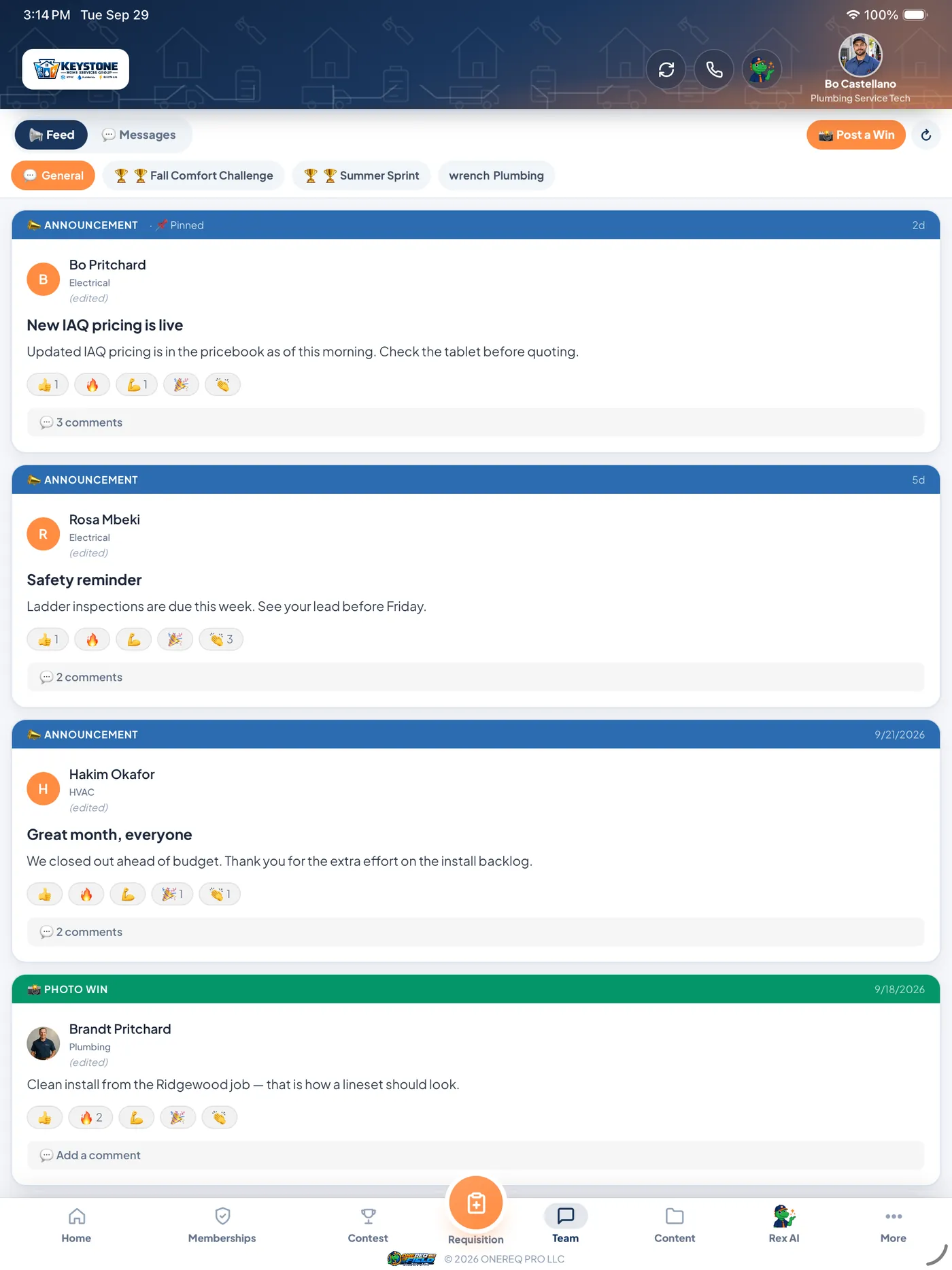
Team Hub on the iPad
Feed and DMs share the same screen with a toggle at the top. Android techs get a push on every announcement. Memberships, contest tab, photo wins — all one tap away on the bottom nav.
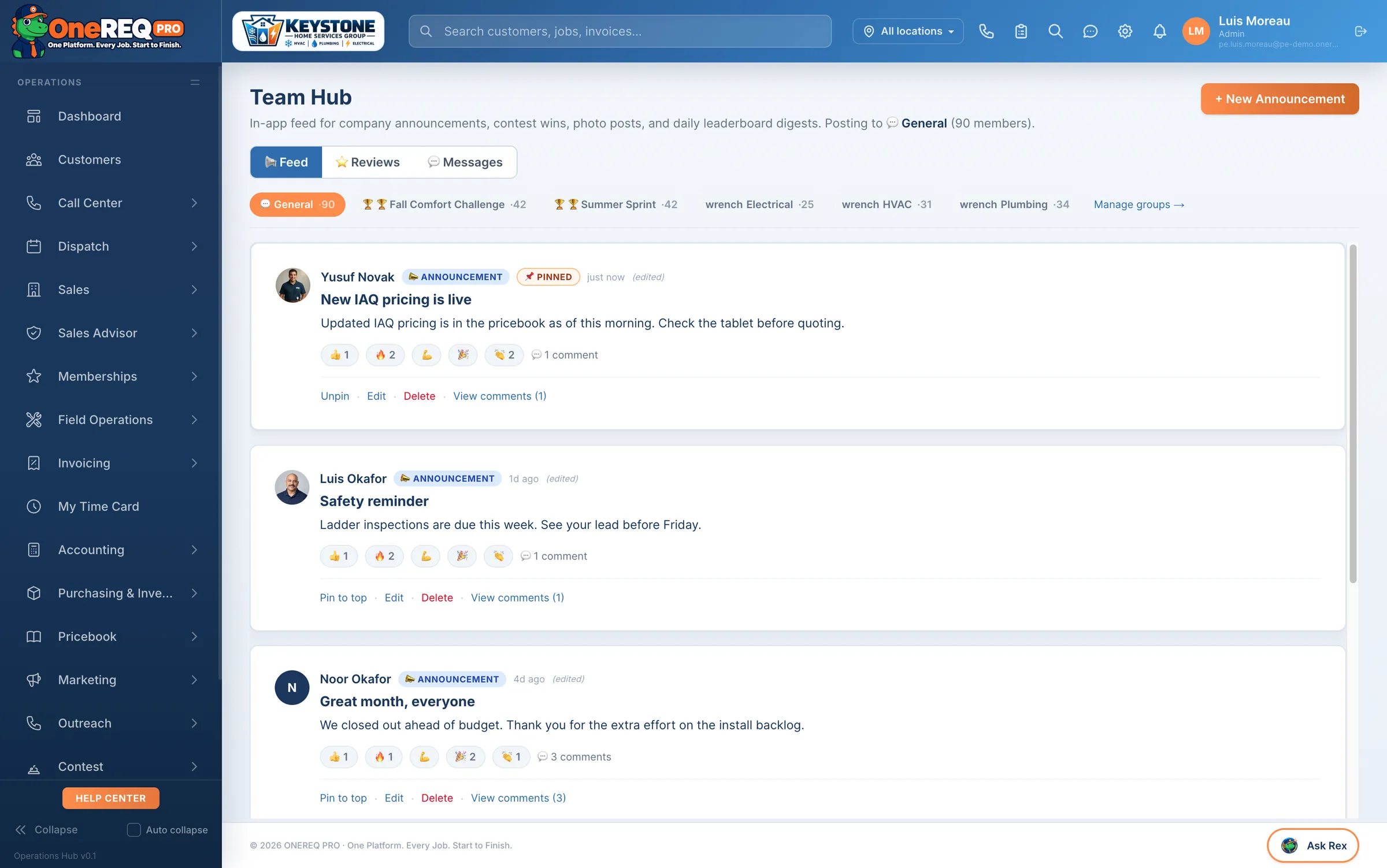
Team Hub on the CRM
Office posts announcements, manages members, fires up contests, and DMs the team — all from the browser. Cross-device threads stay in sync.
A contest that pays for the behaviour you want.
Points post themselves off completed jobs, signed estimates and reviews — no spreadsheet, no end-of-week tally. What makes it worth running is what the prizes are attached to: closing %, add-ons, and installs that do not come back.
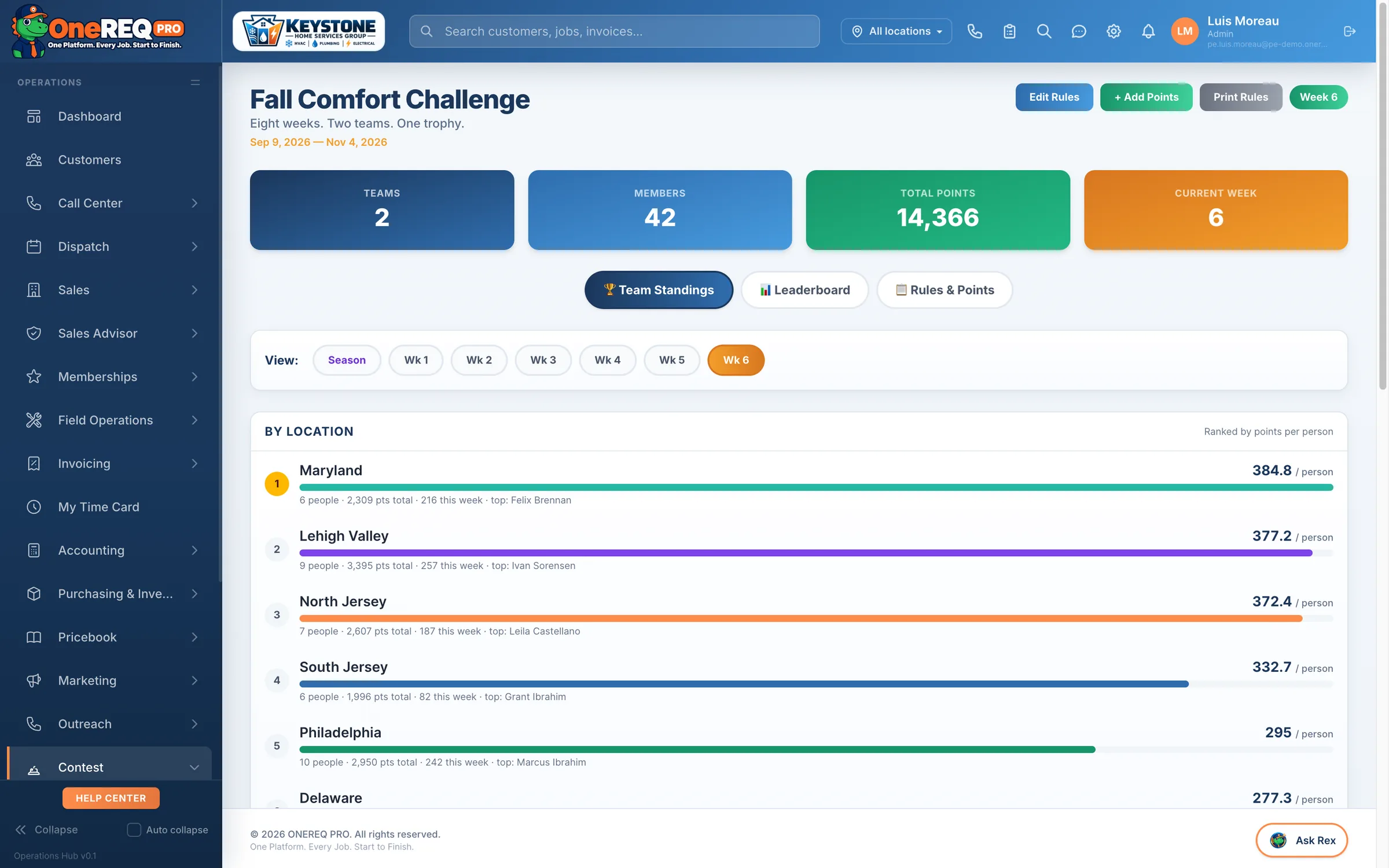
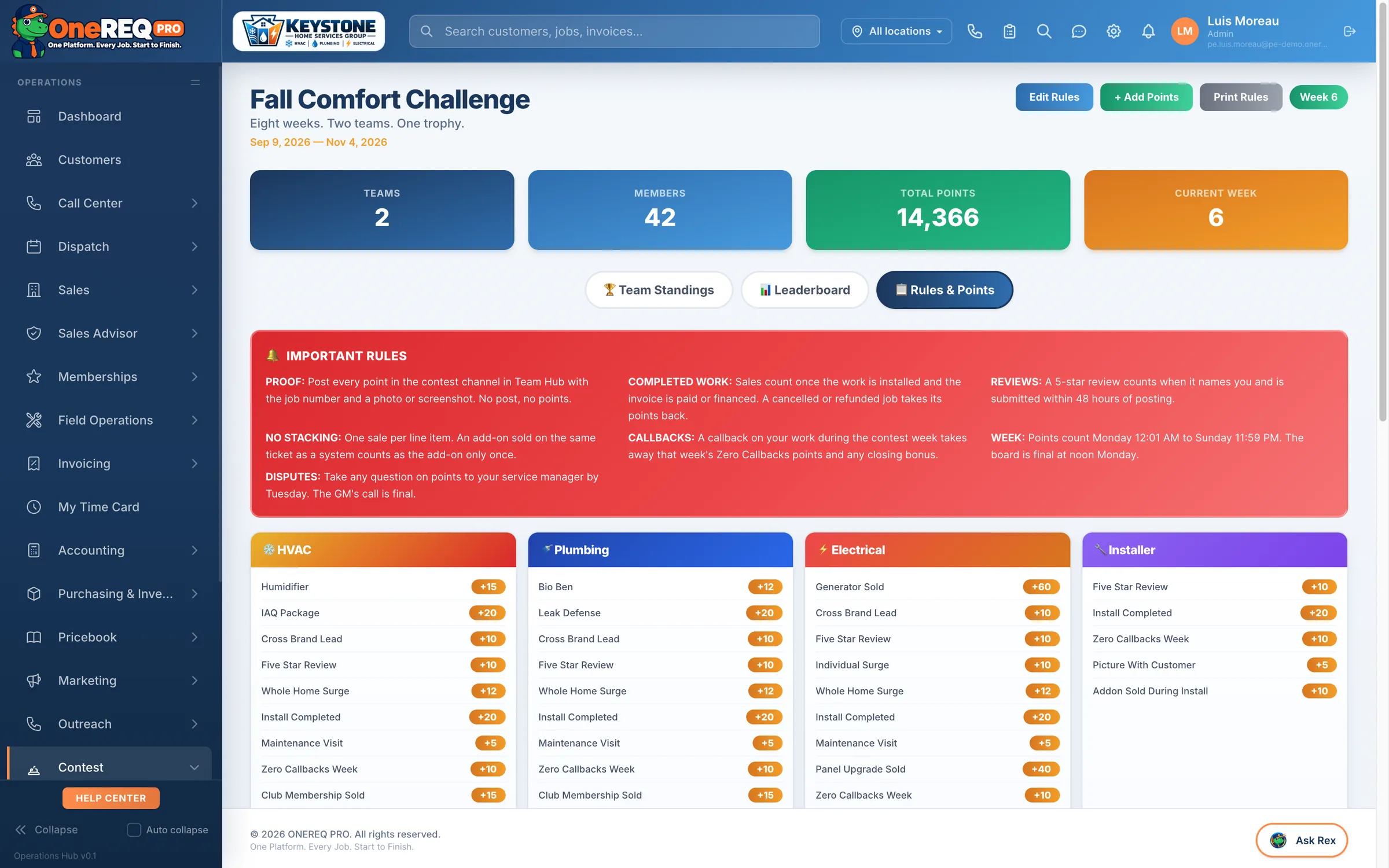
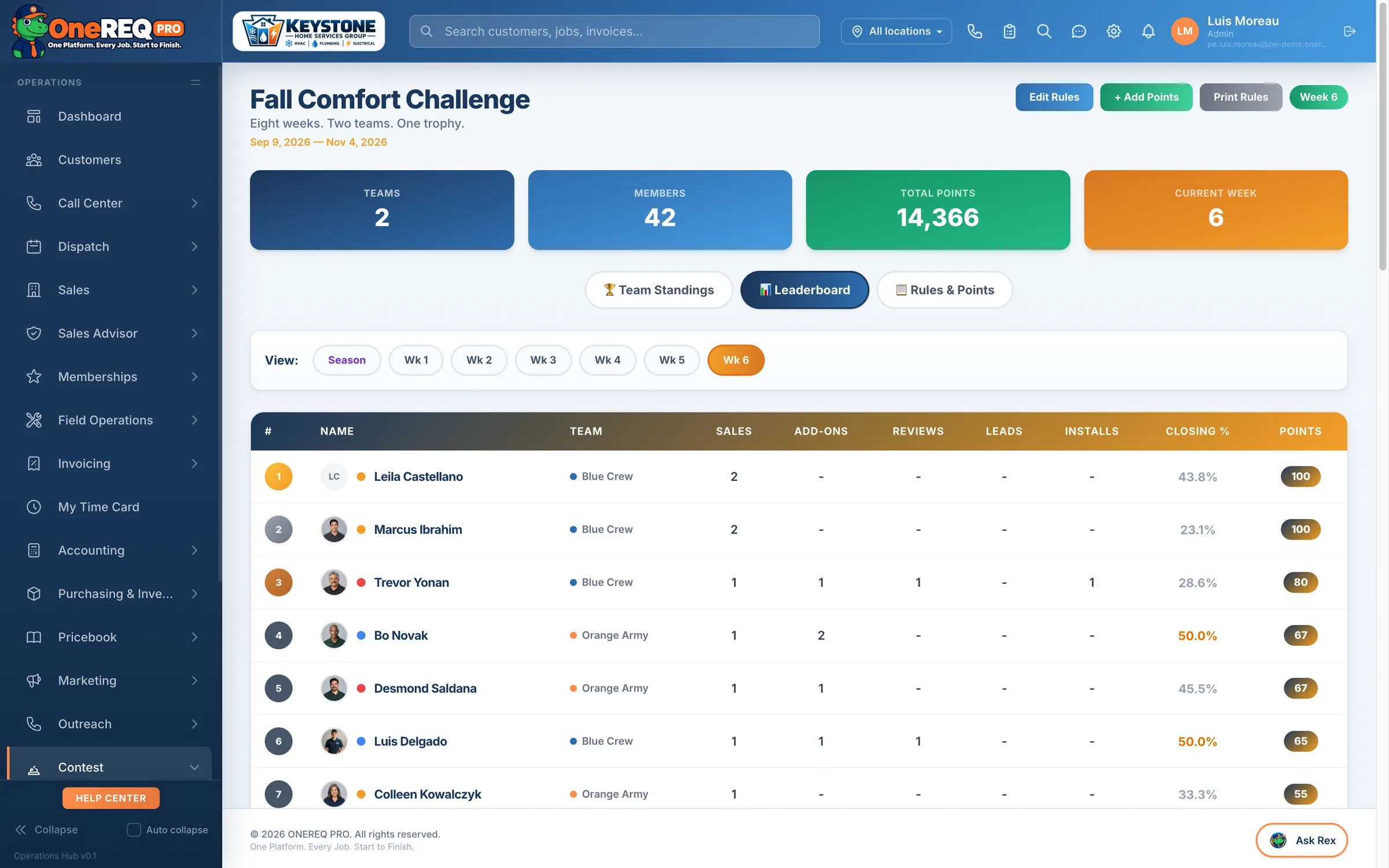
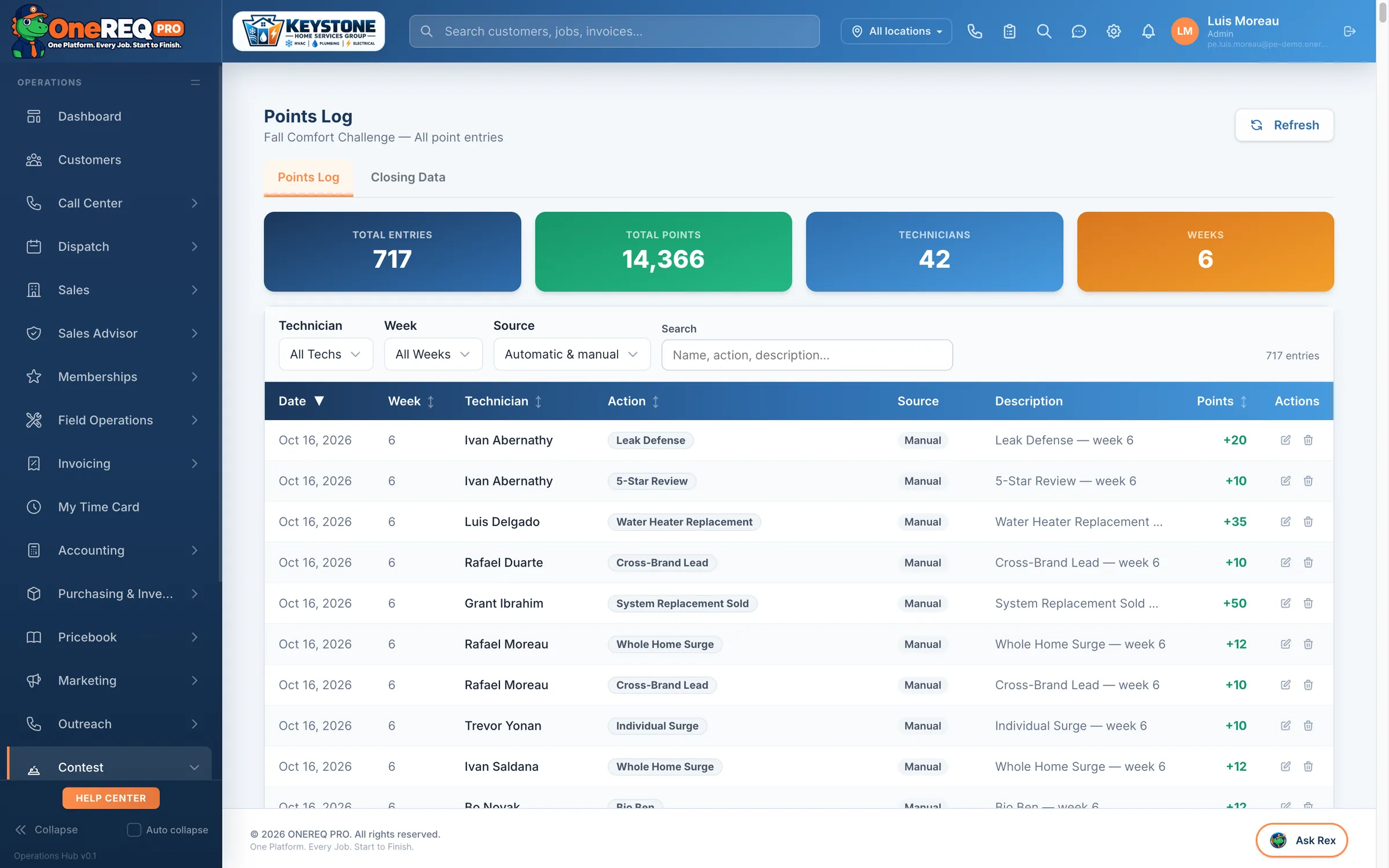
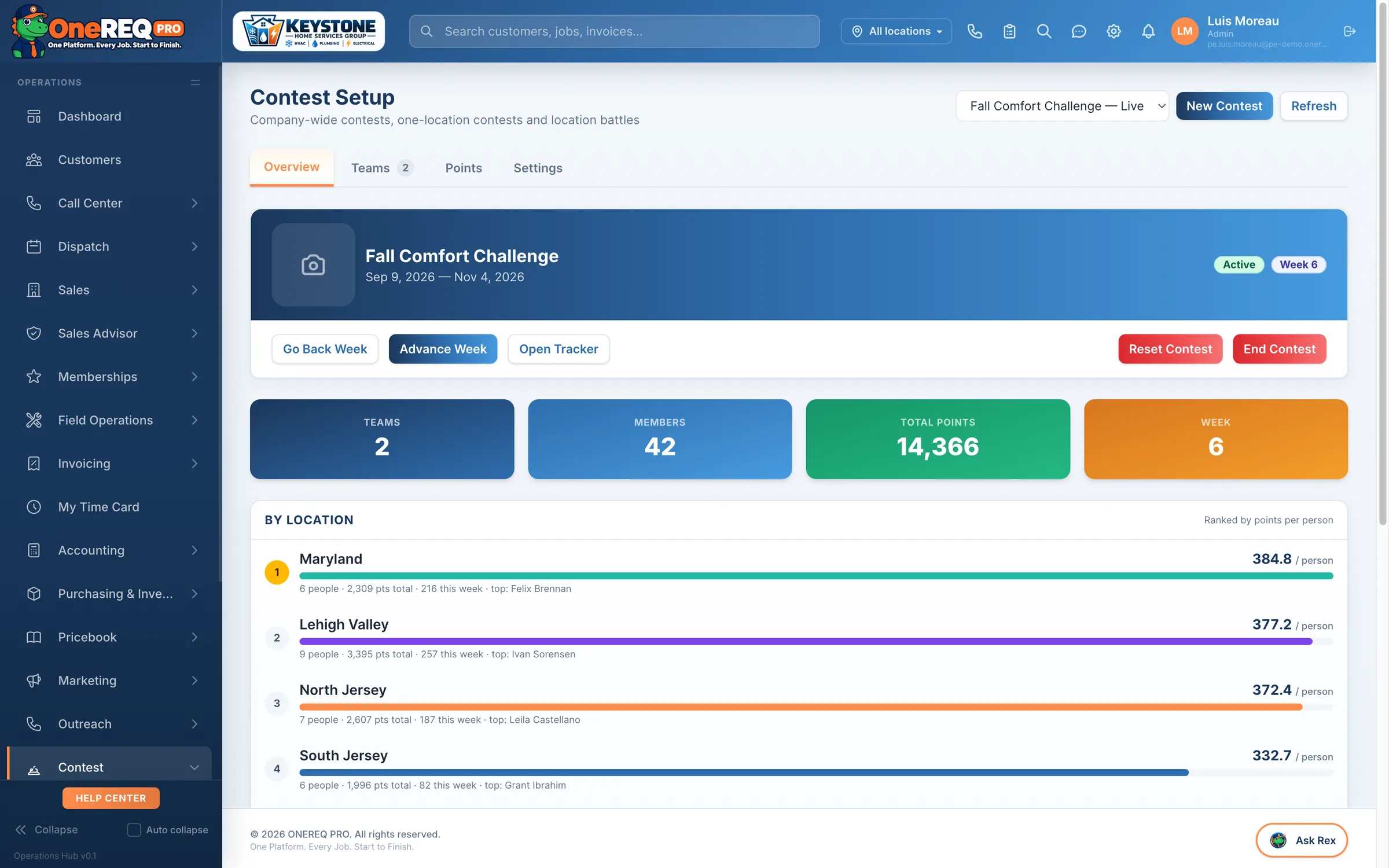
Real screens from the demo account — the Fall Comfort Challenge, week 6 of eight, two teams across six branches.
It measures itself
Each contest records the team’s closing % before it started, then pays a weekly bonus on the improvement against that baseline. So you find out whether the contest moved anything, instead of assuming it did.
Nobody is left out
Dispatchers and CSRs score on their own weekly production rather than on sold jobs, with the metrics set per company. Installers are kept out of the closing tiers, because they do not sell.
It runs on its own
Points post off the job. Weekly bonuses compute on a schedule. Closing % is recalculated nightly as late invoices land, so a number cannot be stale on a Monday.
In their pocket
A trophy tab appears in the field app while a contest is live and disappears when it ends. Techs see the standings on the same phone they run the job on.
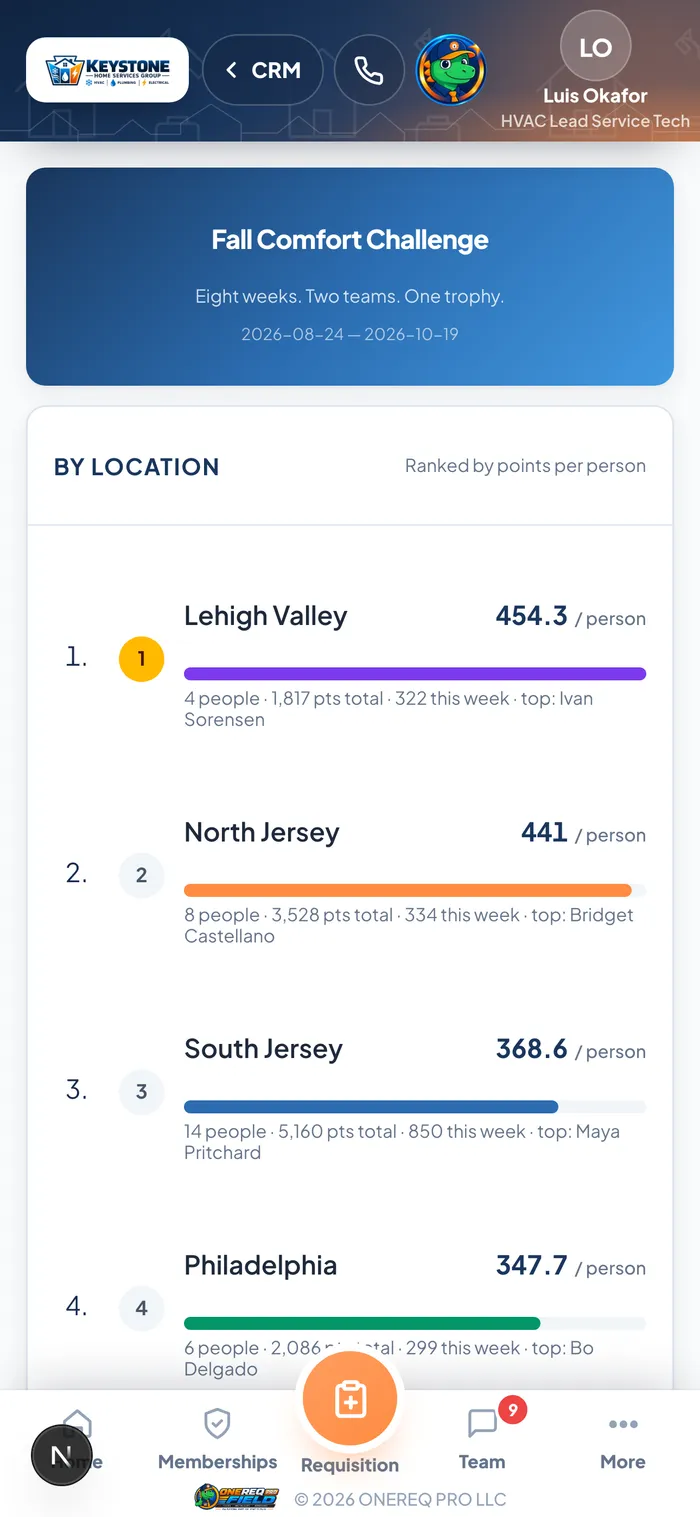
The tech’s view
The same standings the office sees, on the phone in their pocket, while the contest is running. No separate app to install, no login to remember, and nothing to update by hand.
Replace seven group chats with one feed.
Team Hub is built into ONEREQ PRO — no extra setup, no extra subscription. Direct Messages live now. Schedule a demo and we'll show you exactly how it lights up your shop.