Memberships your team sells.
Billing that runs itself.
Build the plans you actually sell, for one trade or the whole home. Your office, your techs in the ONEREQ PRO Field app and your customers in HomeRex sign members up on the same plans, and the HVAC Sales Advisor offers one the moment a system sells. Billing, visits, discounts and renewals are handled for you, and an annual member is never charged for another year without saying yes.
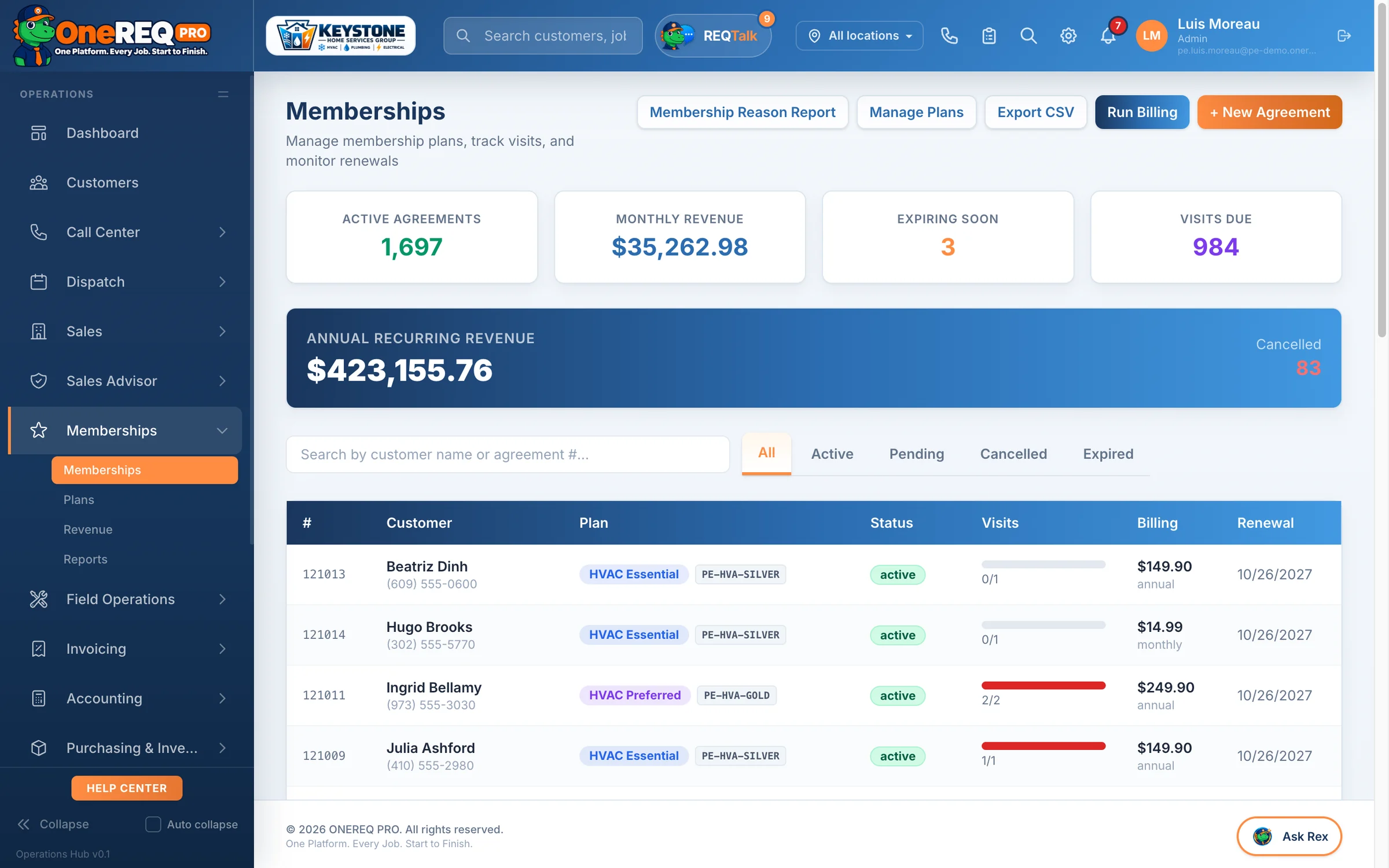
Build the memberships you actually sell.
No fixed tiers to fit into. Set up as many plans as you like, and change them as you learn what sells.
Any plan, any trade
HVAC, plumbing, electrical, or one whole-home plan that covers every trade you run. Each plan gets your own name, plan code, tier, color and logo.
Monthly, annual, or both
Set a monthly price, an annual price, or both, plus a one-time setup fee if you charge one. The customer picks how they want to pay.
Visits and member discounts
Visits per year, a repair discount and an equipment discount. The discount shows as its own line on additional work, never on the visit itself, and you choose which price-book items it applies to.
Member voucher
Give members a fixed dollar amount off a new system or equipment purchase, once per membership if you like. It’s only used up when the sale goes through, and comes back if the invoice is voided.
In the price book automatically
Every plan shows up in your price book under its trade, ready to sell as a line item. Decide per plan whether dues are taxed, with a default for each state.
Commission on every signup
Whoever signs the customer up gets the credit on the first payment: a fixed amount you set per plan, or their commission plan’s percentage of the annual price. Calculated for you.
The same plans in the office, in the home and in their pocket.
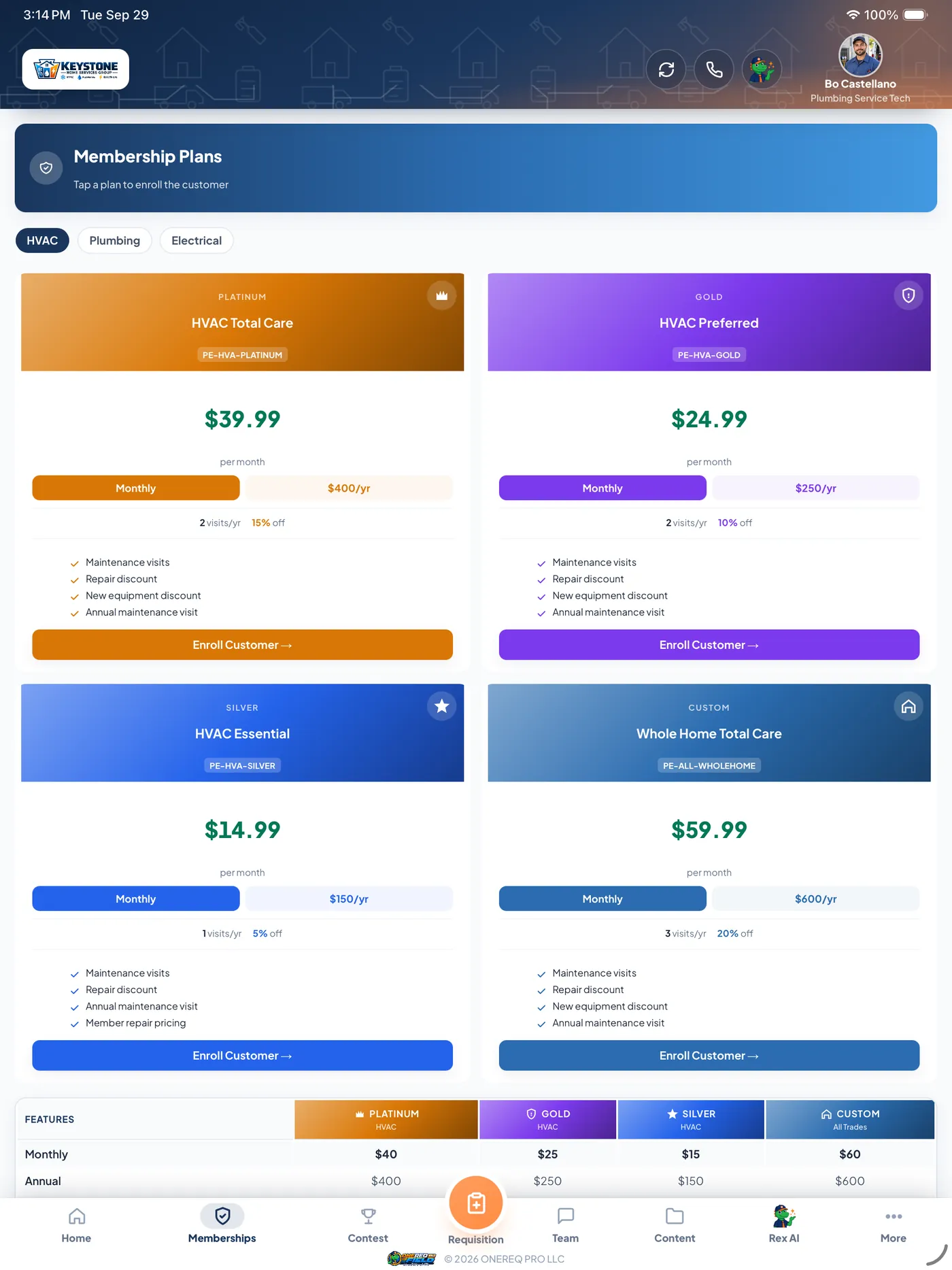
Your tech presents the plans at the kitchen table.
- On the iPad, every plan sits side by side, with its visits, repair and equipment discounts, benefits and price, so the customer can compare them at a glance. Tap Enroll Customer on the one they pick.
- Take a monthly subscription or an annual payment, or add the membership to today’s invoice and it starts when the invoice is paid.
- On the job, a member badge shows the plan’s discounts and the member price on the job total.
- Techs see how many memberships they’ve sold this month, this year and all time.
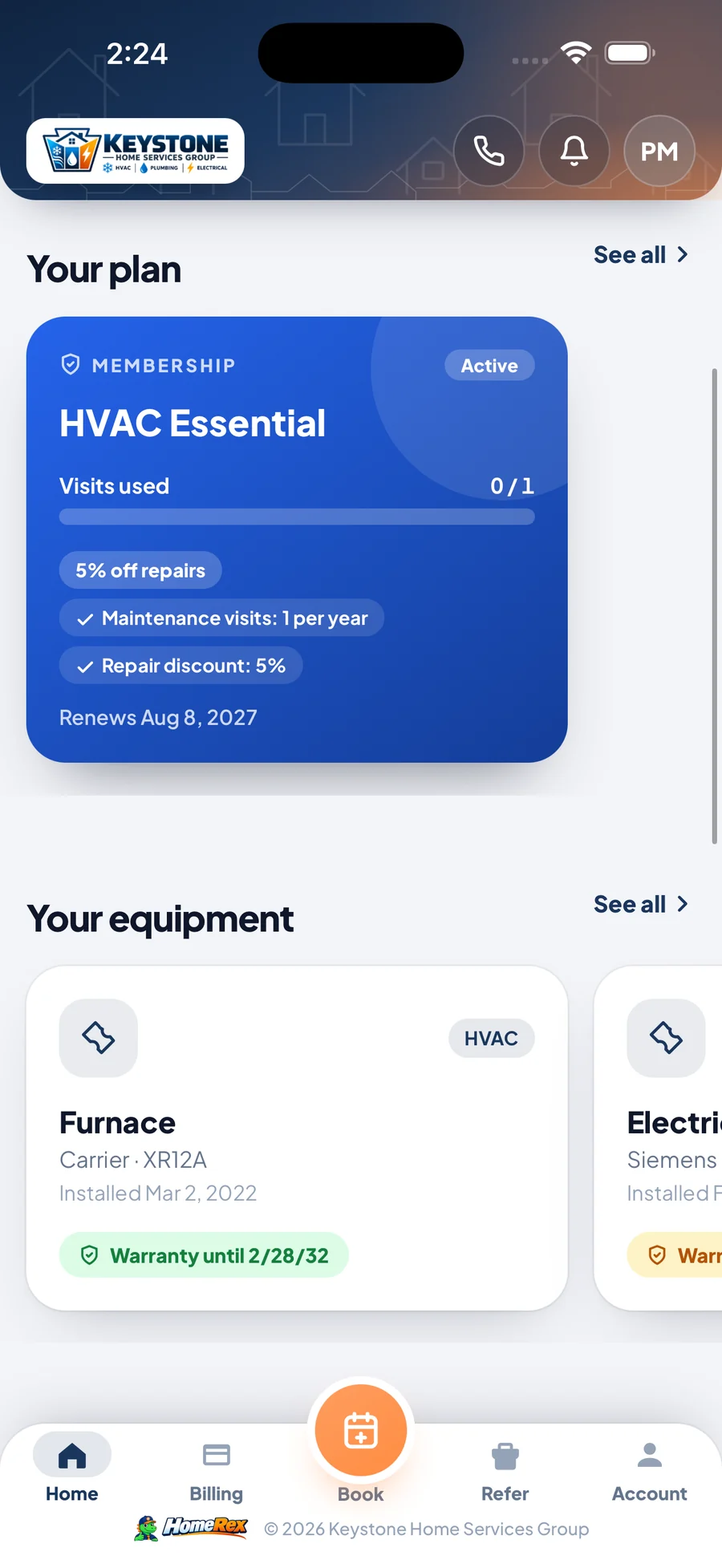
Customers join, pay and book on their own.
- Customers pick a plan in your branded HomeRex app and pay by card, setup fee included.
- Members see their plan, visits used, discounts and benefits, and can set up autopay.
- They book a service visit from the app, linked to their membership.
- Annual members approve their renewal from a link, with no phone tag.
From the office
Pick the plan and monthly or annual, and the customer gets a sign-up link by email and text to sign and add their card, good for 14 days. A Present to Customer screen walks them through the plans side by side.
Right after the sale
In the HVAC Sales Advisor, the membership offer comes straight after the customer signs: monthly, annual, rolled into their financing, or paid separately. Every Sales Advisor sale also creates a follow-up task to present your plans.
“Protect your investment”
After a new install, the customer gets a membership offer email a few days later, with one reminder. You set both timings, from 1 to 30 days, and preview the email first.
Recurring revenue, without the surprise charges.
Monthly runs on autopay
Monthly members keep going on autopay with no end date to chase. Billing runs every day on its own, with a Run Billing button when you want it now.
Annual renews only on a yes
At 30 and 7 days before the end date, the customer gets an “Approve your renewal” email (and a text, if they’ve agreed to texts), a CSR gets a follow-up task, and the office bell rings. No approval, no charge: the plan simply expires.
Pay the rest of the year
When a monthly member has used their visits, the office can collect the rest of the year in one payment. Autopay pauses until the renewal date.
Collected, earned, deferred
The revenue page splits what you’ve collected from what you’ve earned and what’s still deferred. Turn on QuickBooks journal entries and the earned part posts every month.
Every change has a reason
Cancel, upgrade, downgrade or renew, and the office records a reason and notes. The Membership Reason Report shows why customers leave and why they stay.
Nothing expires quietly
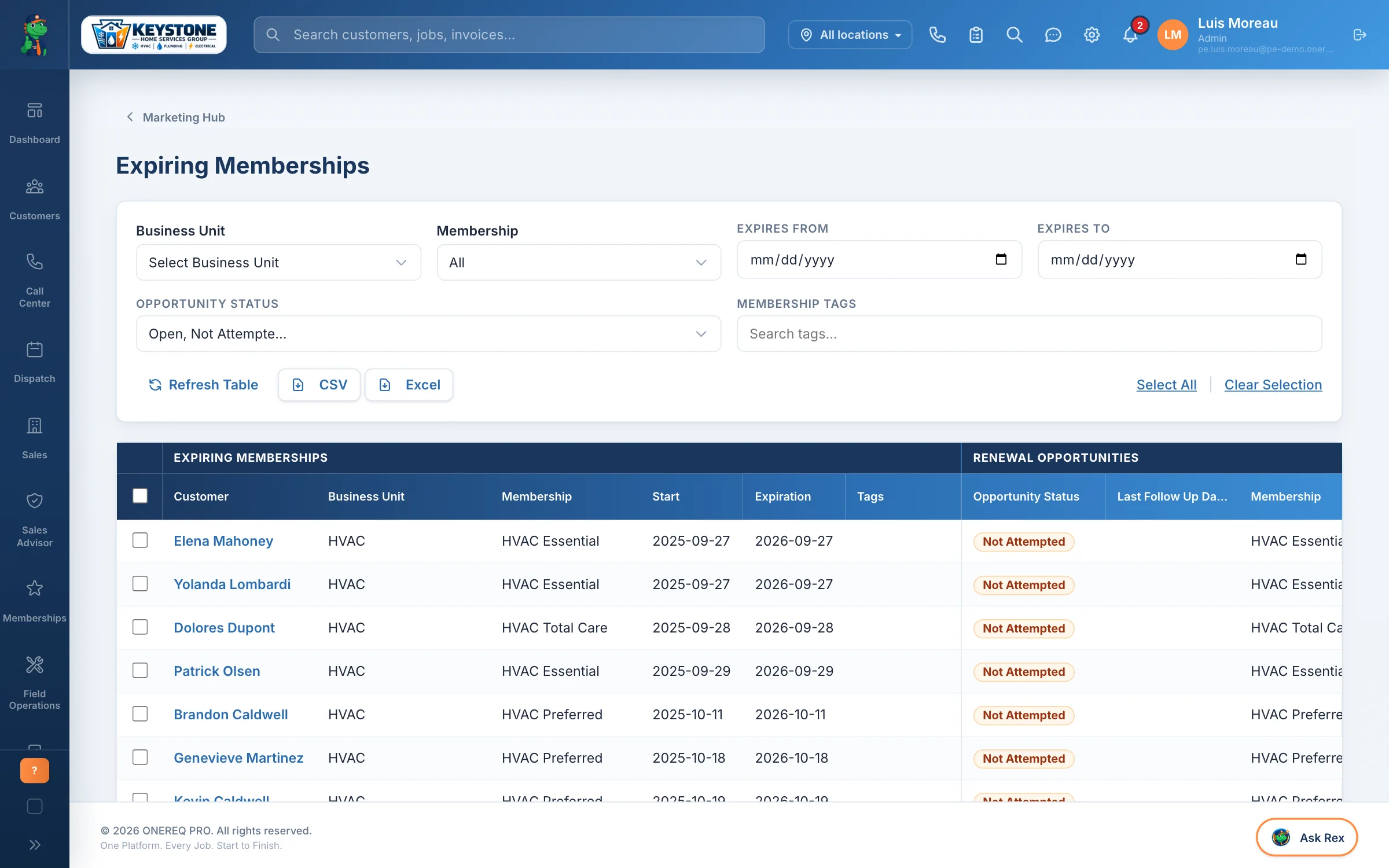
An Expiring Memberships list lets your CSRs work every renewal by status and date, with an alert in the bell when a plan is close to its end date. Each user can switch that alert off.
Every visit booked. Every number in one place.
- Visits Due lists every member due within 14 days or overdue. One click opens the dispatch board to book a maintenance job linked to the membership.
- Set season windows by trade, such as cooling tune-ups in spring, and a minimum number of months between visits.
- The dashboard shows active members, monthly revenue, renewals coming up and visits due at a glance.
- Rex Intelligence reports cover renewals and churn, member coverage, membership revenue and recurring revenue month by month.
Included in every plan, on day one
Memberships aren’t an add-on. Starter, Professional and Enterprise all get unlimited plans, billing, renewals, visits and reporting, with the Field app and HomeRex. Online card payments run through your own Stripe account. Moving from another platform? We bring your existing members across.
Turn one-time customers
into members.
See plan setup, a Field app sign-up, a HomeRex join and an annual renewal approval on your live demo.