Run every job.
Keep more of every dollar.
 Built by a contractor who’s been the tech, the comfort advisor, the GM and the owner.
Built to stop jobs that lose money, keep every crew moving, know where the cash is, keep the right parts on every truck, and put your ad money where it pays.
Sales, dispatch, the field, warehouse, permits, invoicing and payroll prep in one platform for HVAC, plumbing and electrical contractors. Rex Intelligence shows you where the money and the hours go, so you keep more of what you earn.
- Built by a contractor
- 14 days to live
- 3 trades on one platform
- English & Spanish for customers
- 105 Rex reports
Who built this
Built by someone who’s done your job. All of them.
ONEREQ PRO wasn’t designed in a boardroom by people who’ve never run a service call. It was built by Mark Lomas — a service technician, a comfort advisor, a sales manager, a general manager, and the owner of multiple HVAC companies.
If you’ve paid for software that couldn’t handle a callback, a split commission or a permit — or signed a three-year contract to find out — this was built for you.
- Service TechnicianThe attic in July. The callback nobody budgeted for.
- Comfort AdvisorThe kitchen table, and the proposal that has to close.
- Sales ManagerClose rates, ride-alongs and commission arguments.
- General ManagerDispatch, payroll and the Monday numbers.
- OwnerMultiple HVAC companies, and the bottom line.
Every screen in the platform answers a problem from one of those seats. That’s why it’s built around the money and the hours — not around data entry. Read the full story →
One platform. Six jobs done right.
Most software is built for the office and tolerated by everyone else. Here’s what each person in your shop gets on day one.
Keep more of every dollar.
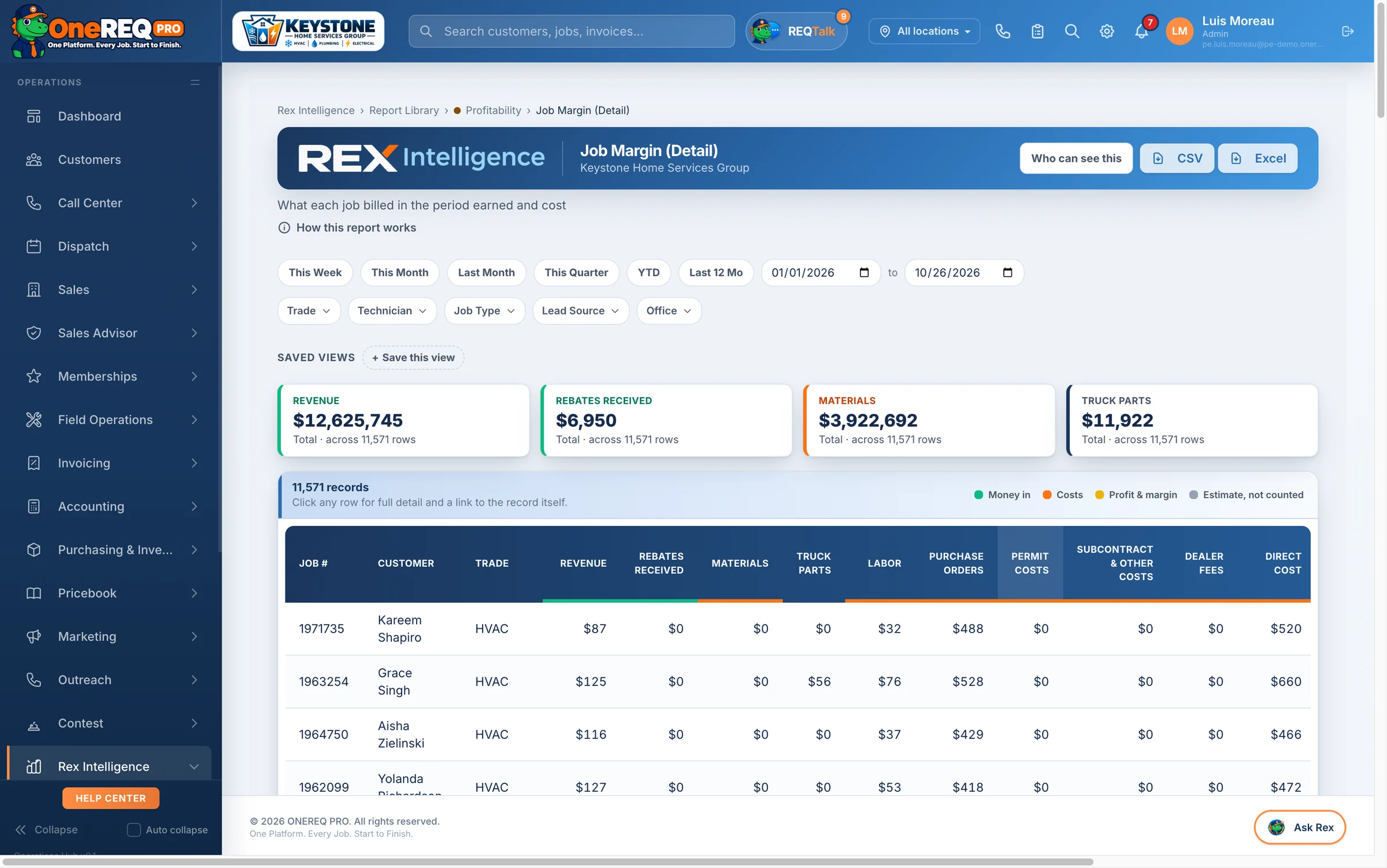
- Margin on every job, worst first. Materials, labor, purchase orders, truck parts and lender fees are costed onto the job for you.
- Finished work that never got billed shows up on its own report, before it’s forgotten.
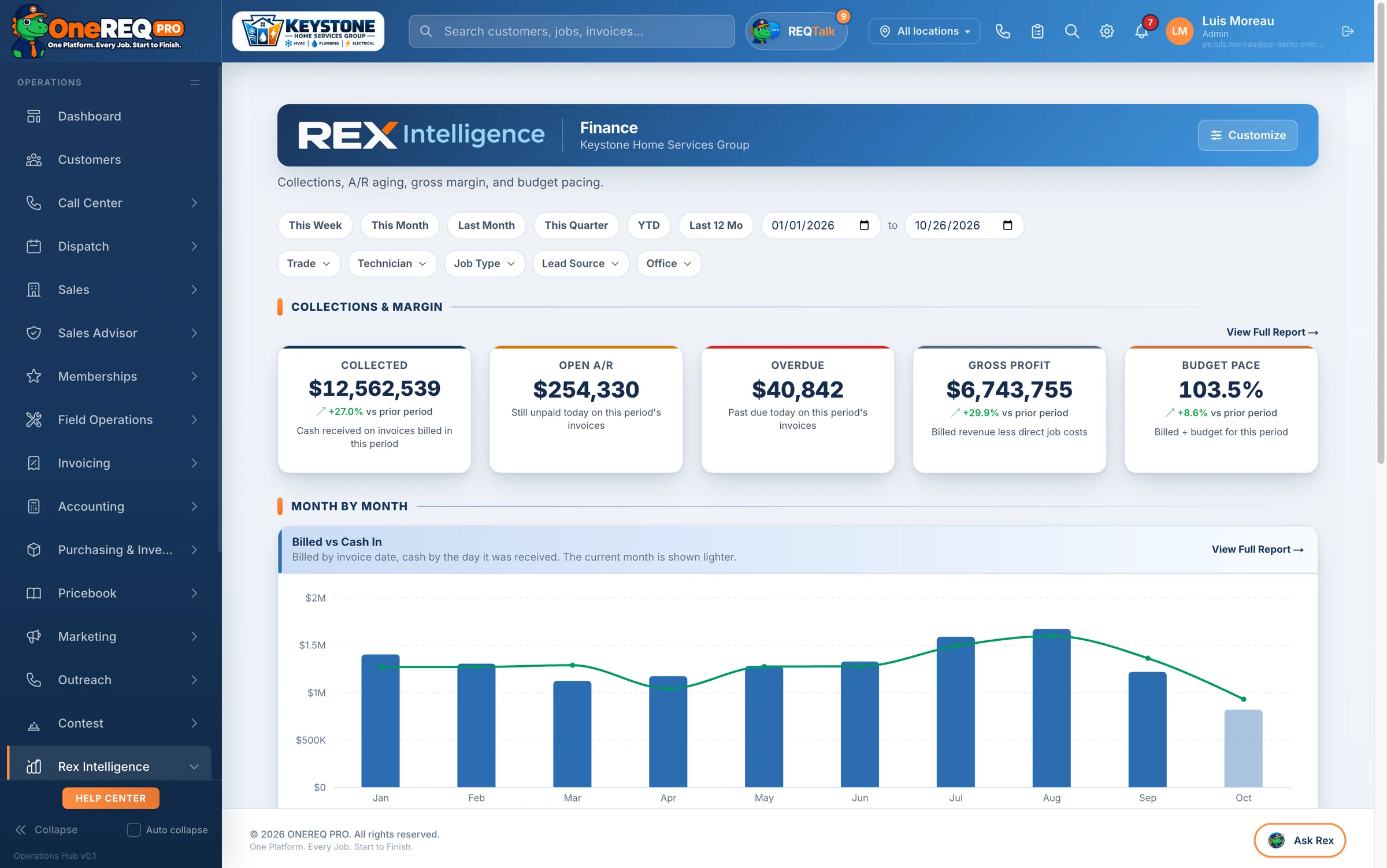
- Cash, A/R and overdue in one place, with reminders that chase invoices and a pay link in every one.
- Ad money that books. Cost per booked job for every lead source, so you cut what doesn’t pay.
Catch problems before Monday.
- An exception center flags the trade or location falling behind its budget.
- Budget vs actual every month, and by location if you run more than one.
- Callbacks, recalls and repeat visits by tech, so free return trips stop being invisible.
- Permits and inspections tracked with alerts, so a stuck inspection doesn’t hold up final payment.
Sell the way your best advisor sells.
- Options on every call. Good, better, best in the Sales Advisor Add-on, and a report of the calls where no options were shown.
- Financing at the table with real monthly payments from your own lender plans. A financed sale can’t be signed until the approval is on file.
- Unsold proposals follow up for you, and the open ones sit in a queue until someone works them.
- Closing % by tech, counted by jobs run, not quotes sent, so the number can’t be gamed.
The whole day in one app.
- ONEREQ PRO Field on iPhone, iPad and Android: the job, the customer’s history, the parts and the paperwork.
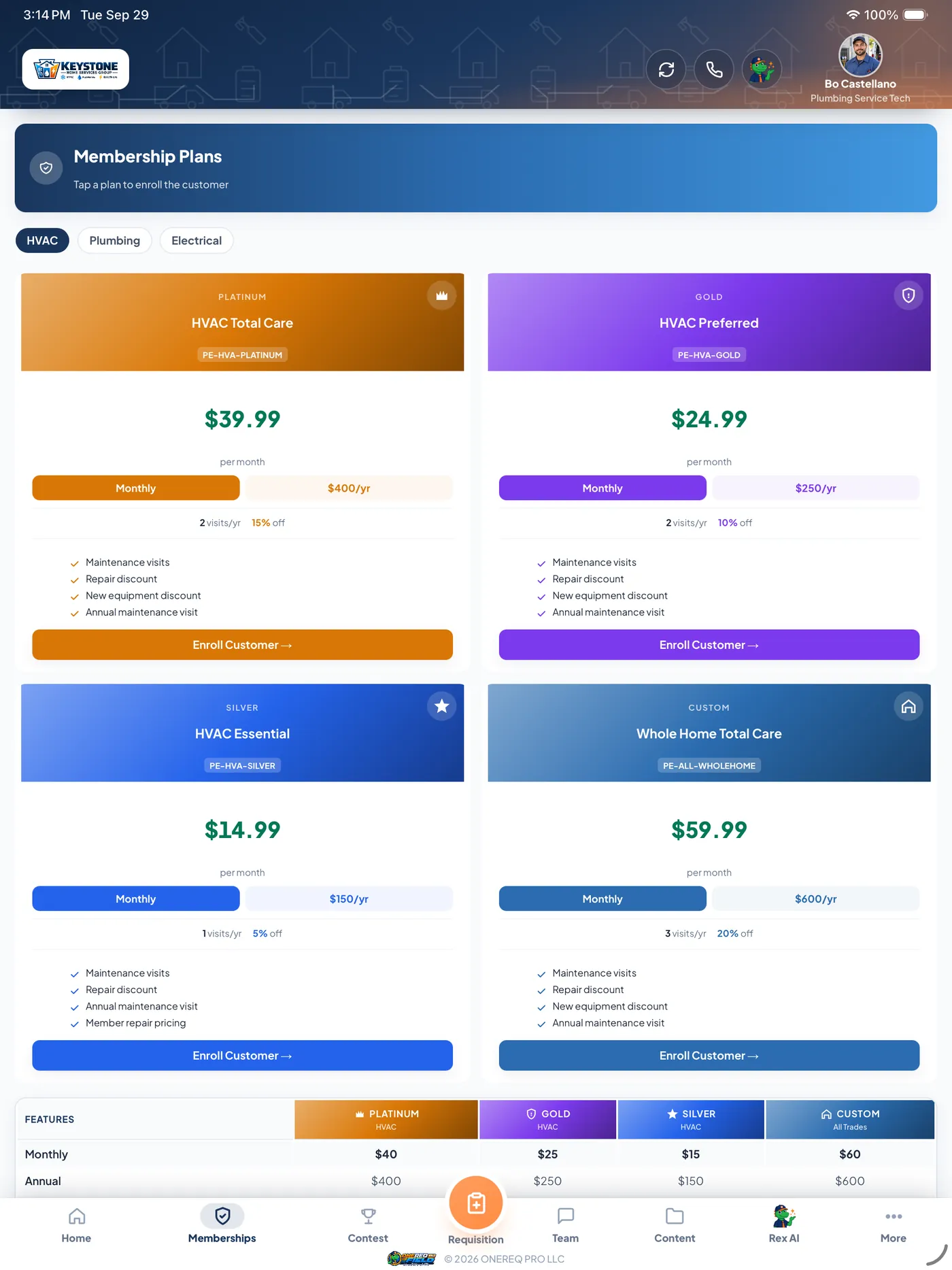
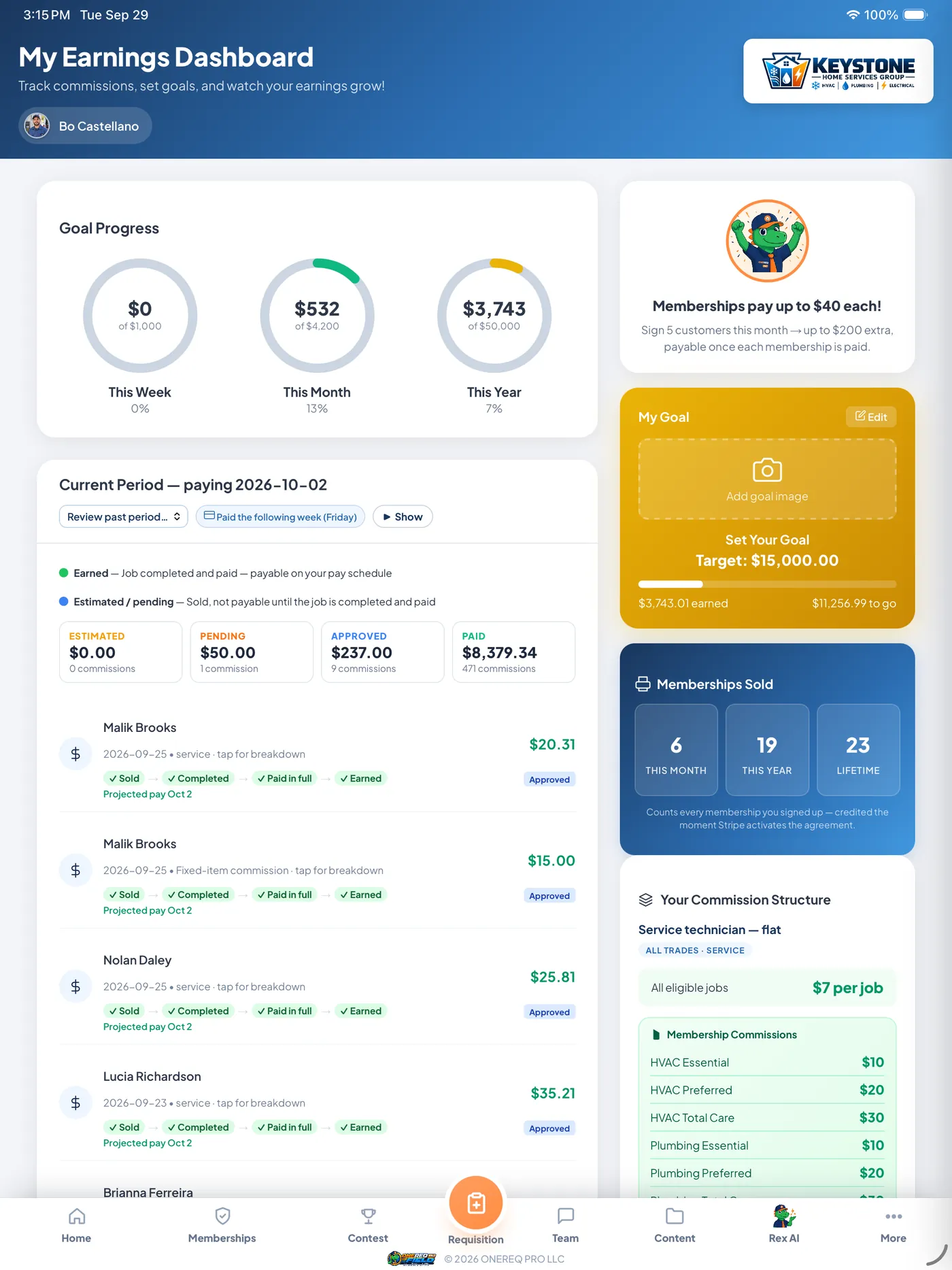
- Their pay, in front of them. Commission shows at signing and is earned when the job is paid, or flat rate per job, with goals on their earnings screen.
- Talk, don’t type. A voice note becomes a clean customer-ready report, and a data-plate photo fills in the equipment.
- Get paid at the door with a card pay link, cash or check recorded on the job.
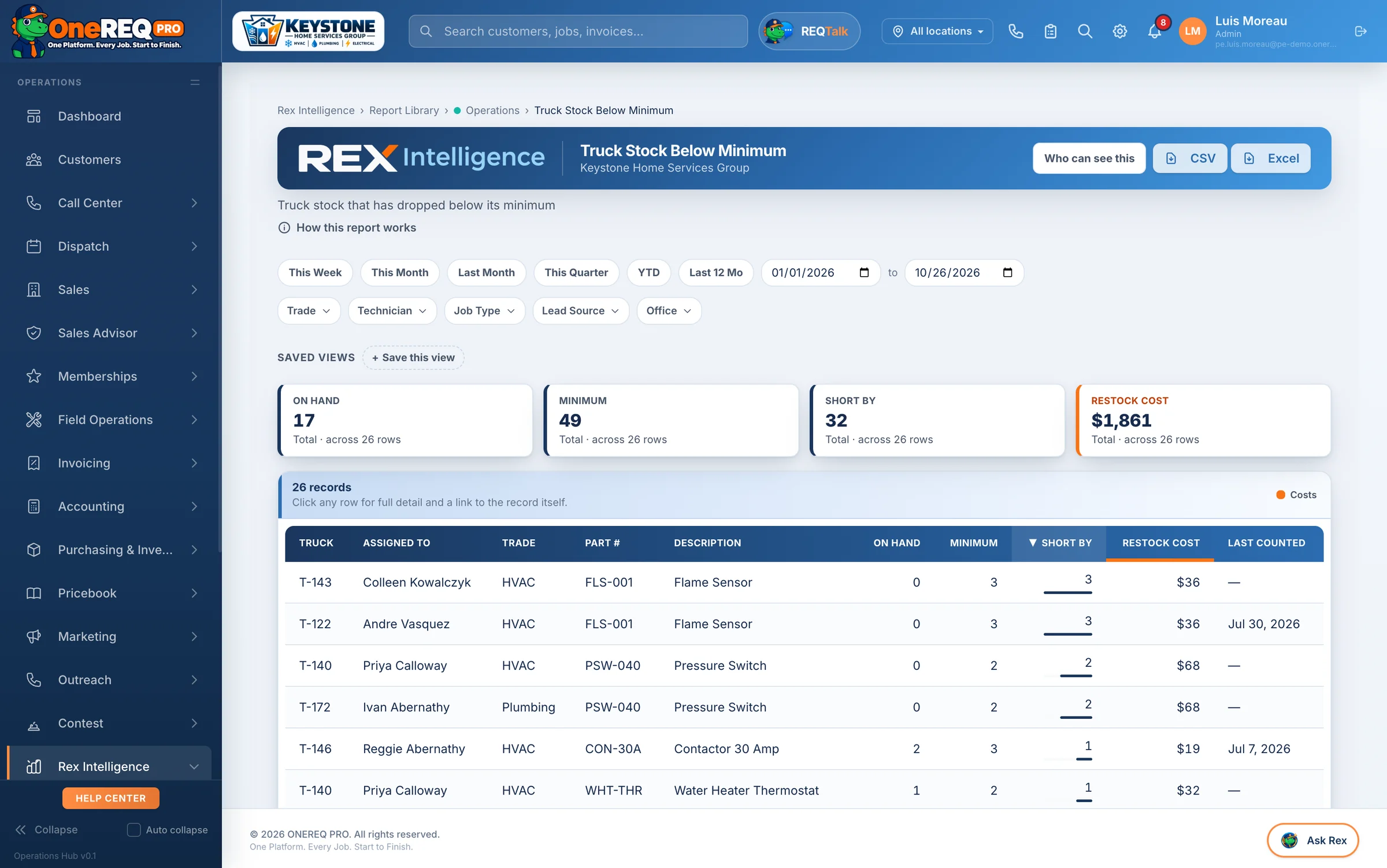
Stop buying parts twice.
- Every truck, every bin, with min and max. Parts used on a job come off that truck on their own.
- Requisitions and purchase orders start from the job, and a supplier price jump raises an alert.
- Receiving, returns and restocking, plus a review queue for counts that come up short Warehouse Pro.
- Find it on another truck and transfer it tech to tech instead of driving to the supply house Warehouse Pro.
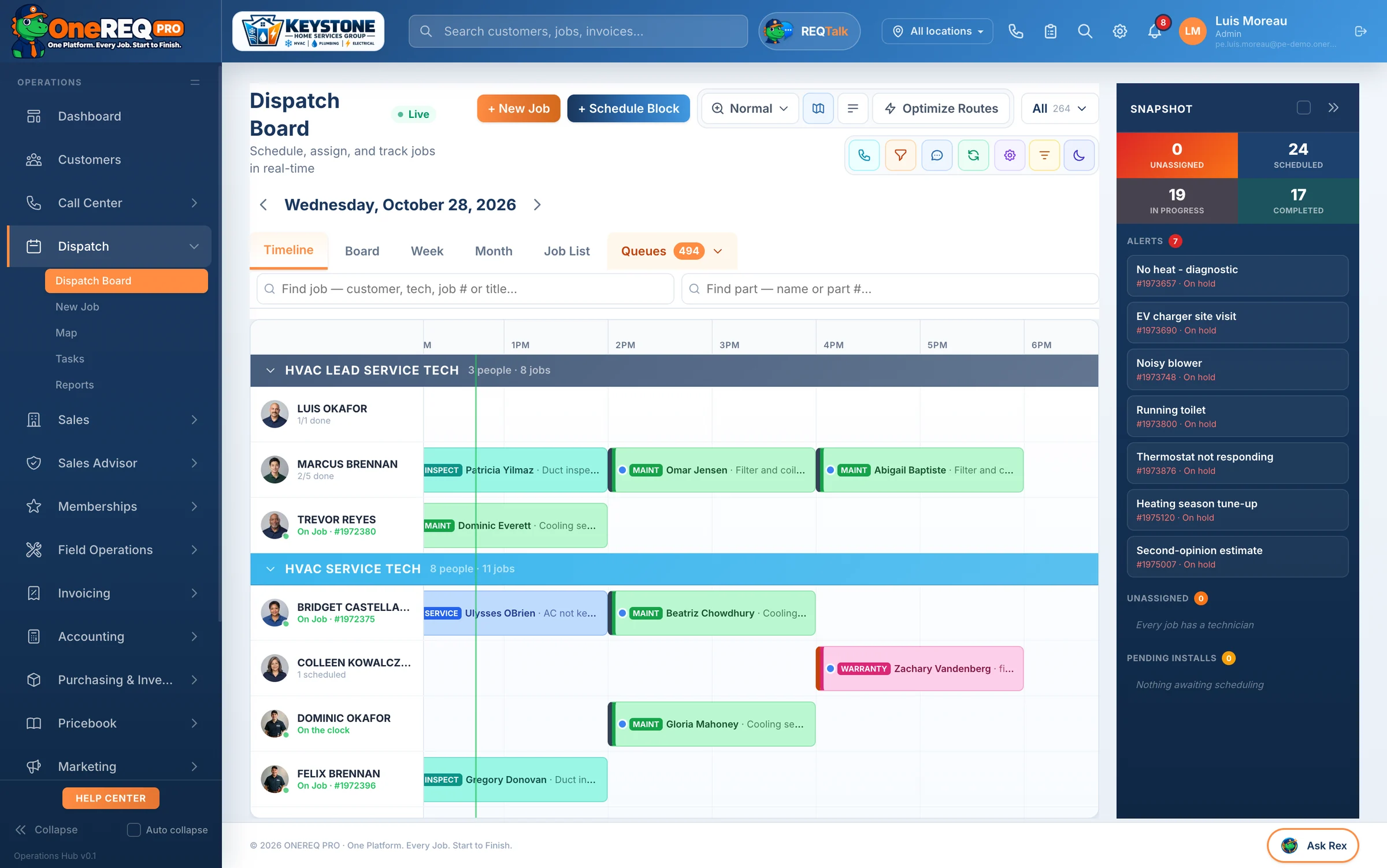
Every tech, every job, one board.
- Timeline, board, week and month views with drag and drop, and how much each day can still take.
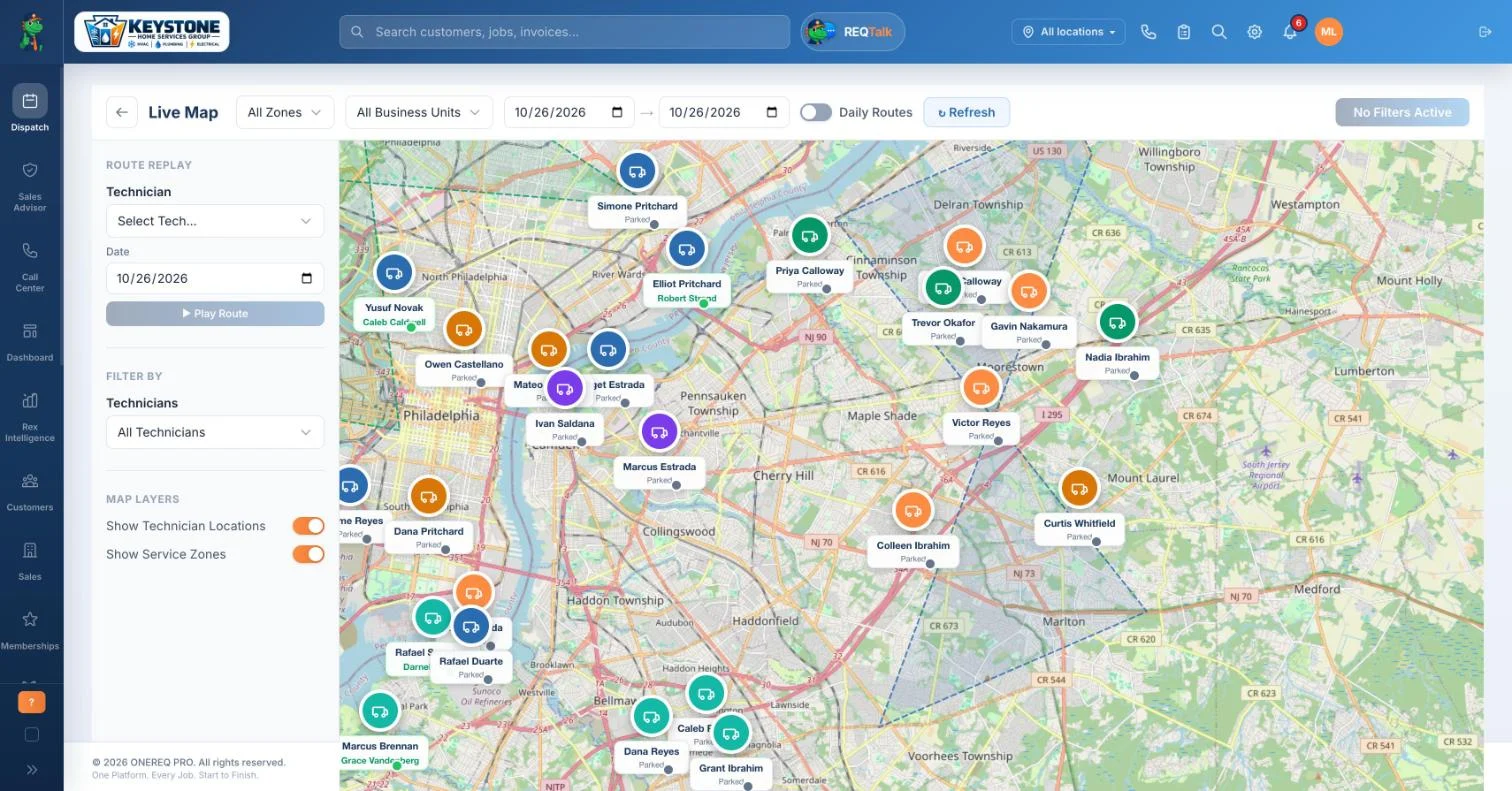
- A live map from the techs’ phones, with the route they drove.
- Leads in one inbox, and a lead nobody touches keeps escalating until someone calls it Marketing Pro.
- Follow-up lists that fill themselves: visits due, expiring memberships, unsold estimates.

Stop guessing. Start keeping more of every job.
Rex Intelligence reads every job, invoice, time card, truck and lead on the platform and points you at the leak — the job that lost money, the hours nobody billed, the truck that’s short, the ad that doesn’t book. Then the platform does the fixing for you: costs, deductions, follow-ups and paperwork happen on their own.
See Rex Intelligence
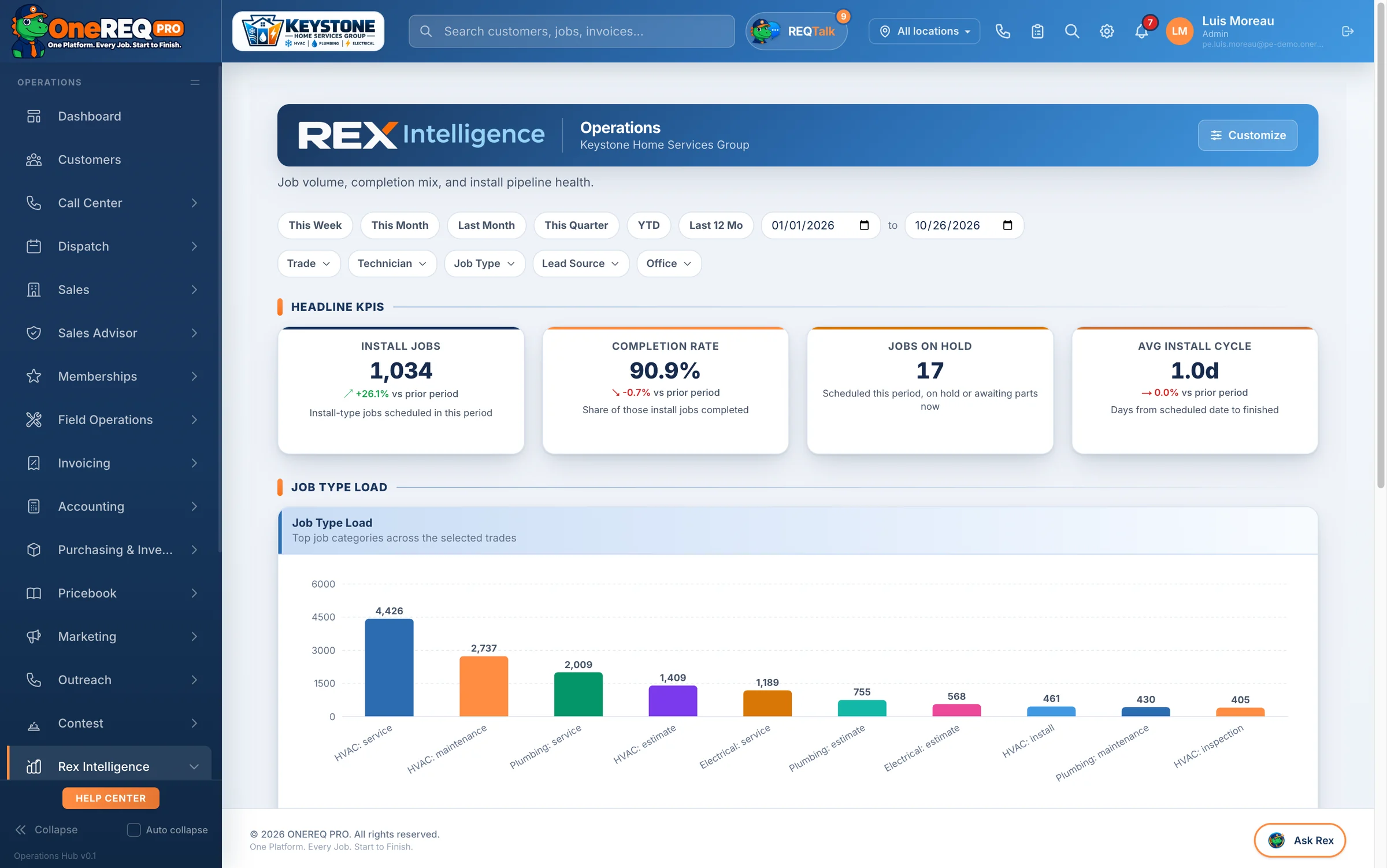
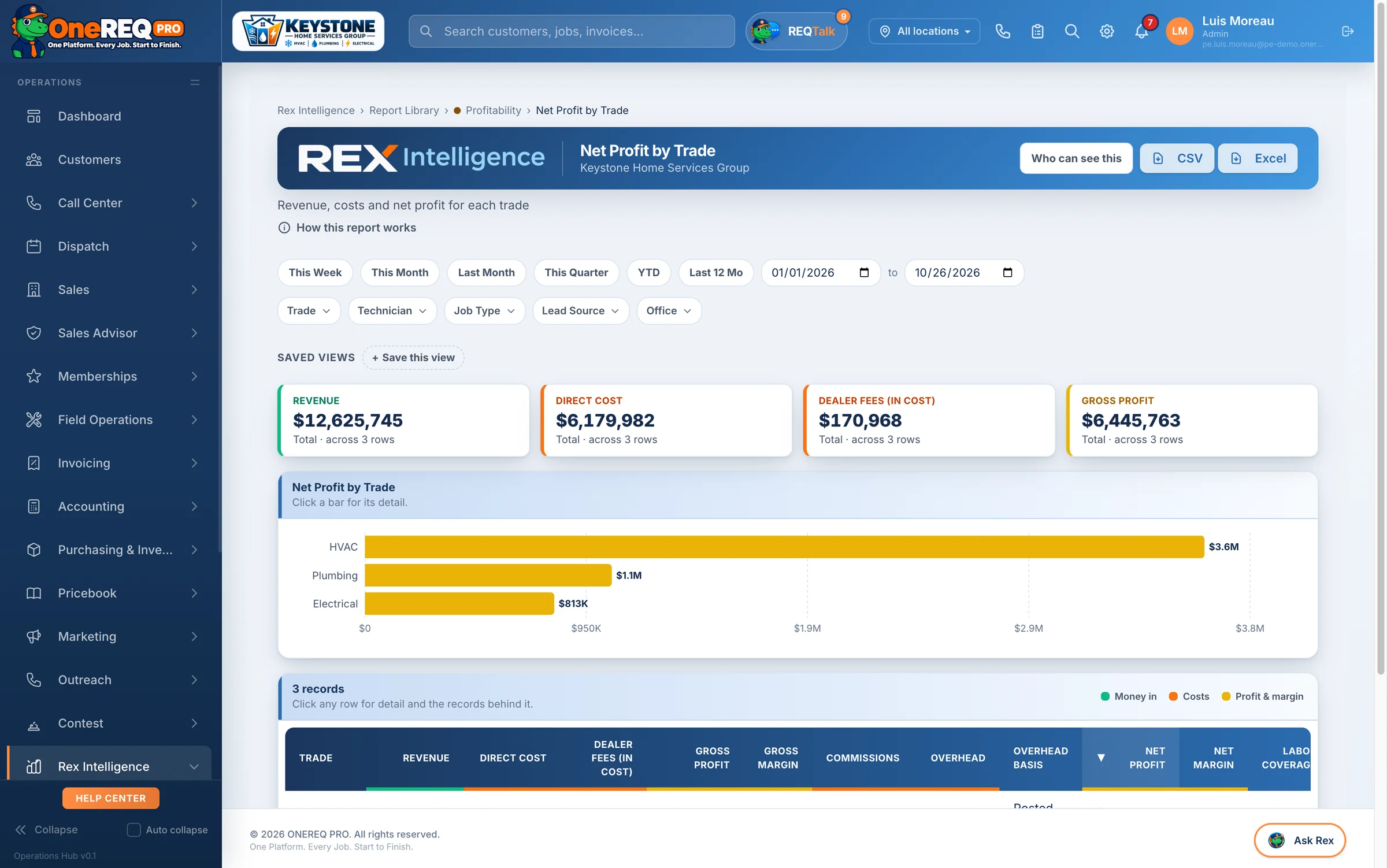
Plus reports for every corner of the business
The work that does itself.
Every hour your office spends copying numbers between screens is an hour you pay for and never bill. These run on the platform today — no extra software, nobody re-typing.
One signature, the whole install
When the customer signs, the platform creates the install job on the dispatch board, the rebate and tax-credit checks, the permit applications (Professional and Enterprise), the invoice from what they signed (with any deposit you require for how they pay), the advisor’s commission, and the “your install is on the way” email.
Job done, invoice drafted
Mark a job complete and the invoice drafts itself from the work on the job, and the tech’s time card closes. Turn on review requests and they go out on their own, with reminders.
Paid means paid out
When an invoice is paid — card, check or Square — commissions calculate, contest points post, memberships activate and job costs lock. Connect QuickBooks and it syncs every night.
Memberships run themselves
Membership invoices bill on schedule, renewal reminders go out at 30 and 7 days, and members can switch on autopay.
Proposals follow up for you
Unsigned proposals get a branded follow-up sequence until the customer signs or the proposal closes.
Overdue invoices chase themselves
Friendly at 7 days, firm at 30, final at 60 (days are configurable) — then it hands the account to a person instead of nagging forever.
Tomorrow’s customers get a text
Appointment reminders by text and push the day before, so the tech isn’t knocking on an empty house.
Customers know the tech is coming
When the tech marks a job en route, customers on HomeRex get an “on the way” notification — and the tech’s time card starts on its own.
New leads can’t sit
Leads from Angi, Thumbtack, Google LSA and your website land in one inbox, duplicates filtered. Turn on alerts and the office gets a text plus a “call this lead” task with a 15-minute clock.
Shrinkage gets caught
A truck count that comes up short on high-value parts goes straight to the warehouse review queue with the dollars missing, and an urgent email goes out.
Supplier price jumps get flagged
Every purchase order builds your vendor price history, and a price that jumps past your threshold raises an alert before it eats your margin.
Paperwork fills itself
Permit PDFs pre-fill from the job and your contractor details. In Auto mode, EPA 608 refrigerant logs write themselves from the invoice.
Sell. Serve. Get paid.
Every workflow your contractor business runs on — from the first lead to the last paid invoice — happens inside one platform with one login.
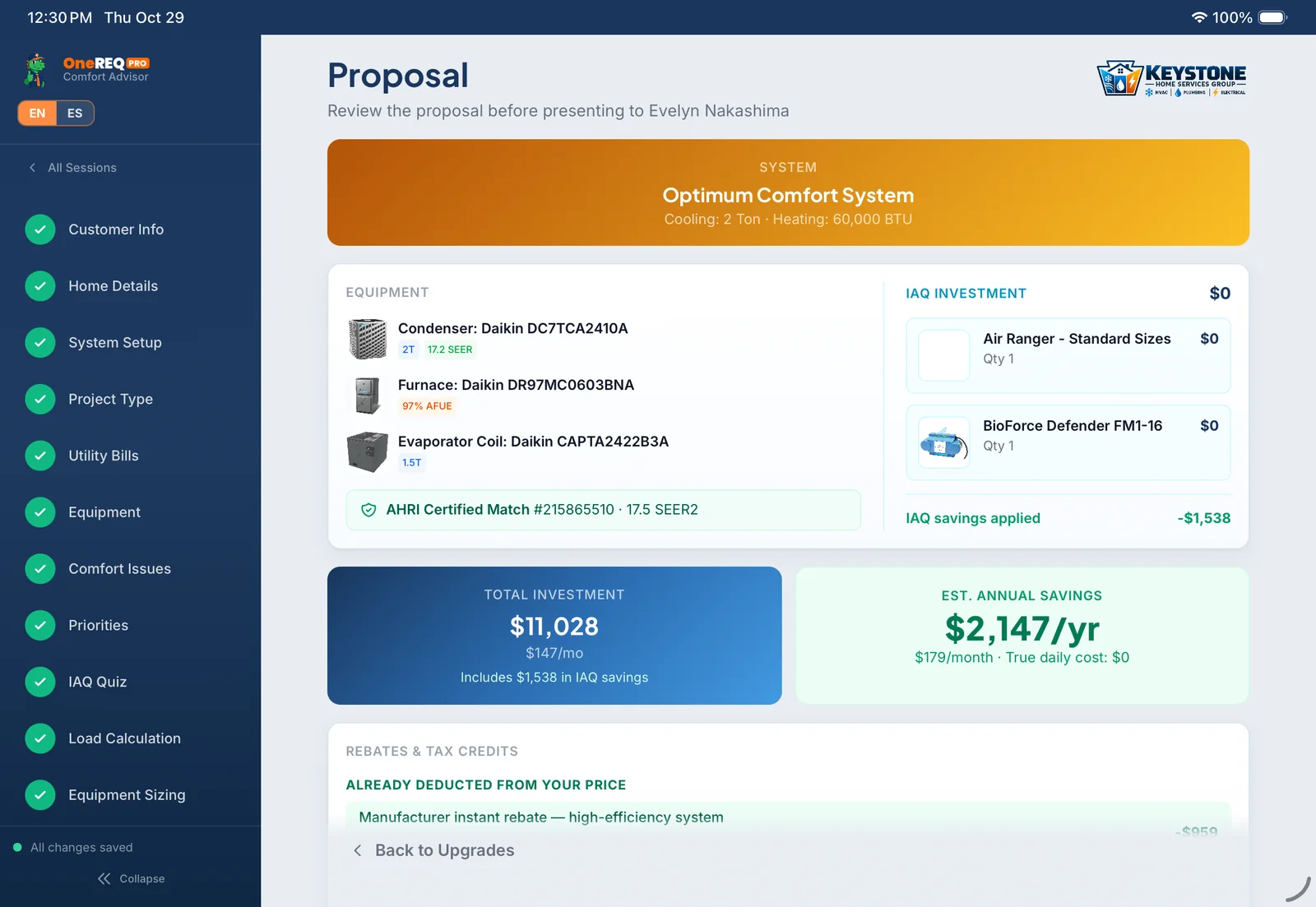
Close more, in-home.
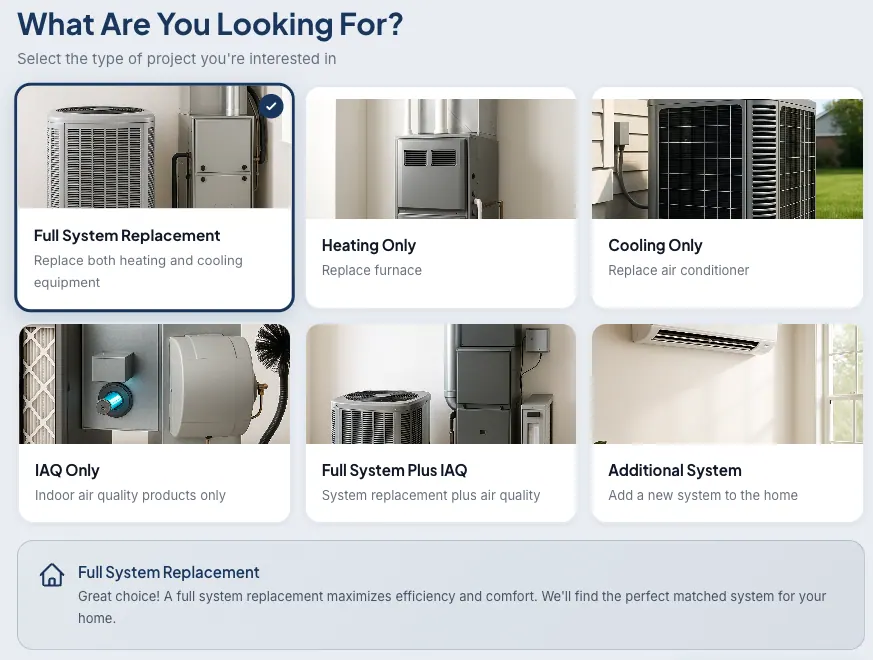
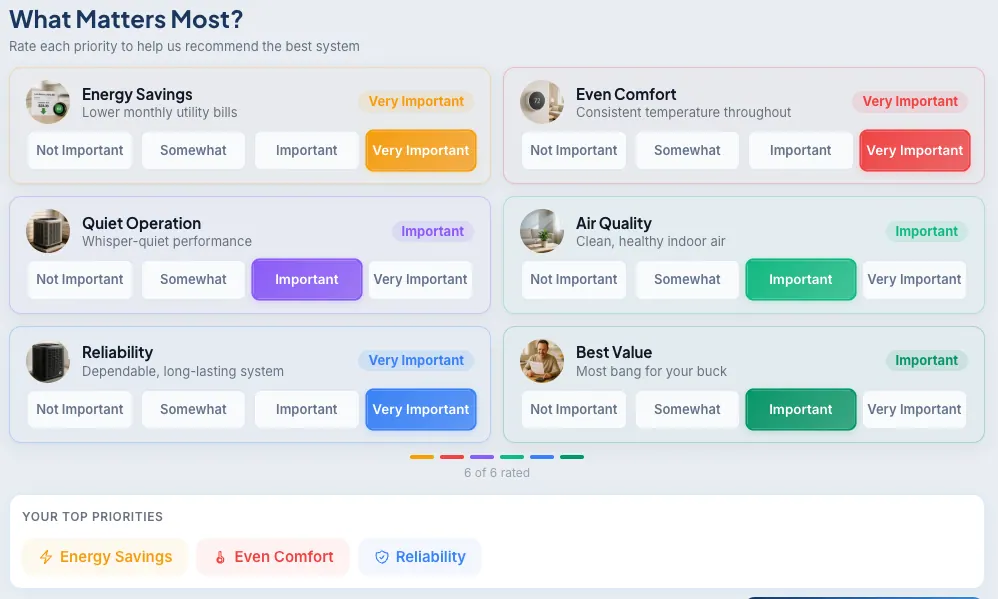
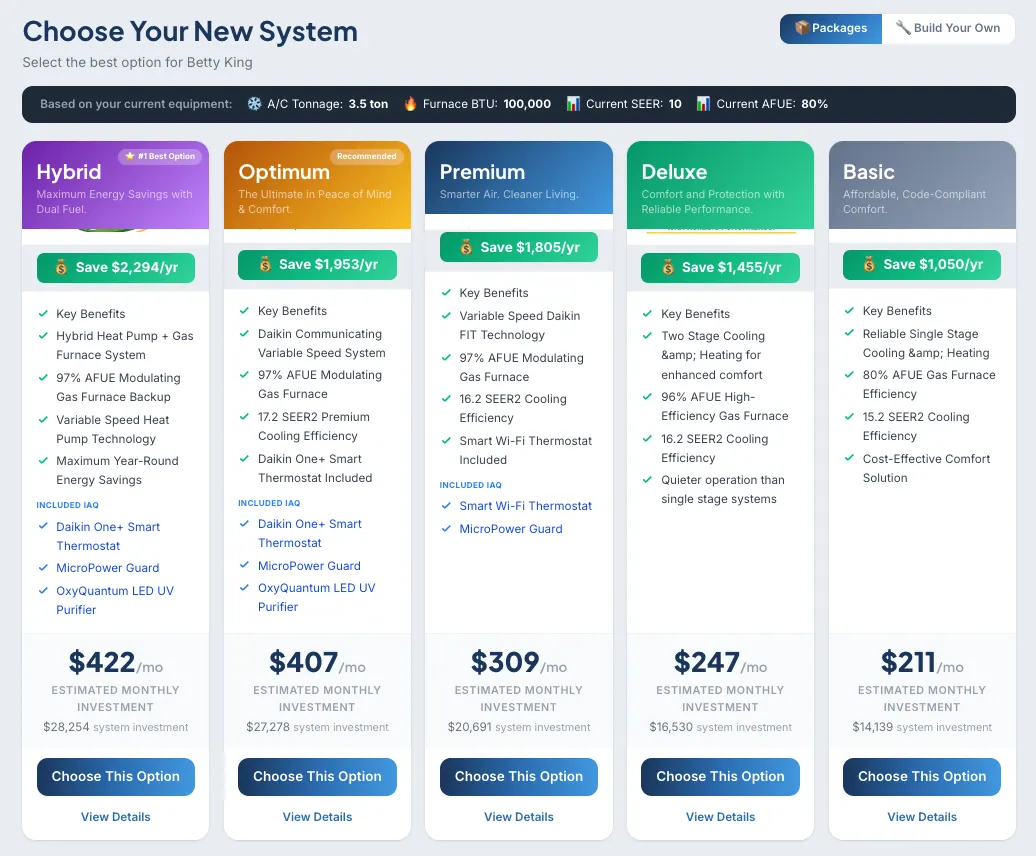
A guided in-home Sales Advisor with Manual J, energy ROI, tier pricing, financing, real images, customer signature — and a live commission preview for the advisor.
- HVAC, Plumbing & Electrical — one wizard, three trades
- Interactive homeowner presentation the advisor or homeowner completes on the iPad
- One-click sold: job, rebates and commission — plus the permit on Professional and Enterprise
- Financing application recorded at the table, with the real plan’s monthly payment
Run the truck.
A native app — iPhone, iPad and Android — techs actually want to use. Voice-to-diagnosis, on-screen signatures, photo workflow, truck inventory with barcode scan. On the App Store and Google Play.
- Voice notes → diagnosis & work-completed reports
- Data-plate scan: make · model · serial · age · refrigerant
- Card through a pay link on the tech’s device; cash and check recorded on the job
- Parts pulled off the truck on the job, so stock stays honest
Close the invoice loop.
Automatic reminders go out on aging invoices at 7, 30 and 60 days (configurable), in the customer’s language, each with a Pay Now link into HomeRex. When they pay, Stripe closes the invoice and pushes it to QuickBooks the same minute.
- Pay Now in HomeRex, straight from the invoice
- QuickBooks sync — auto on, or your bookkeeper can run it manually
- Commissions fire automatically the moment an invoice is paid
- Partial payments, deposits and surcharges all land on the same ledger
Built for your trade.
Three trades, each with its own catalog, safety quiz, calculators and financing — on one platform, one dispatch, one accounting layer.
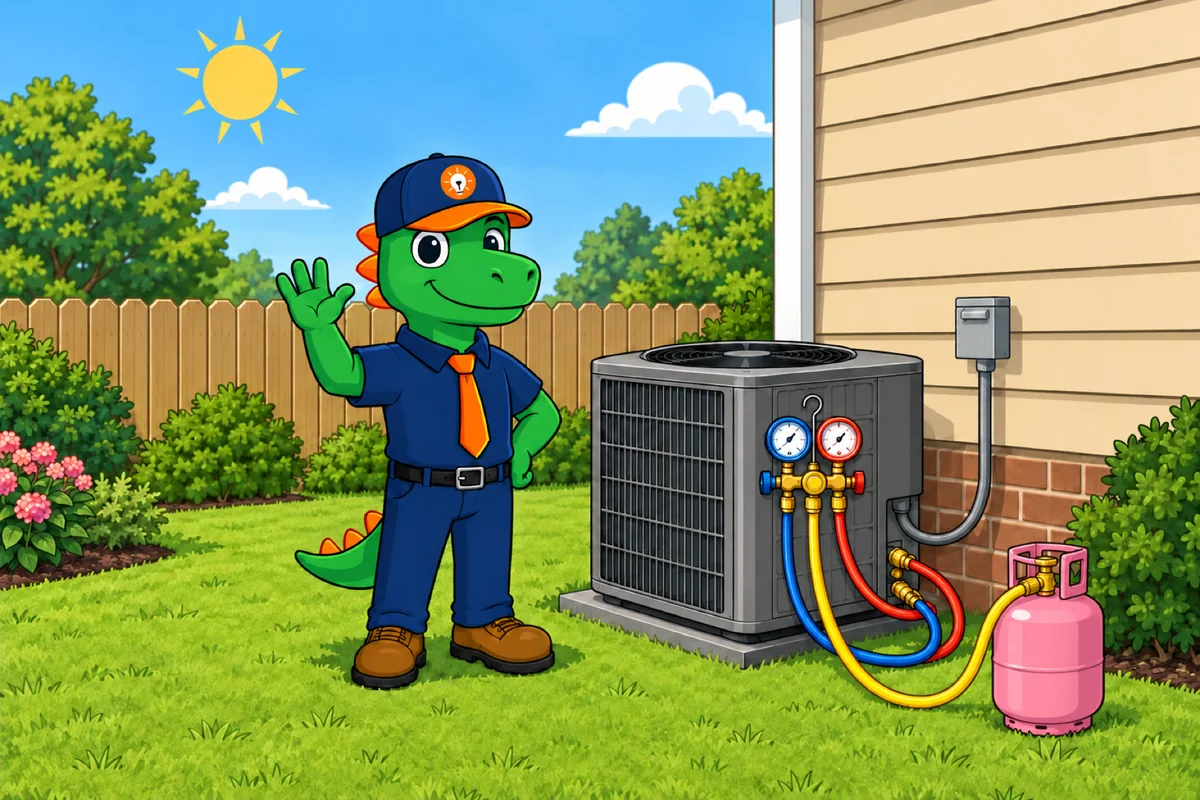
HVAC
The trade Rex was born for. Comfort Advisor, Manual J, IAQ catalog, refrigerant 608 logs, hybrid dual-fuel pricing, superheat/subcooling calc.
- AHRI-certified system matches
- Sales-tax defaults by category
- SH/SC calc + AI diagnoses
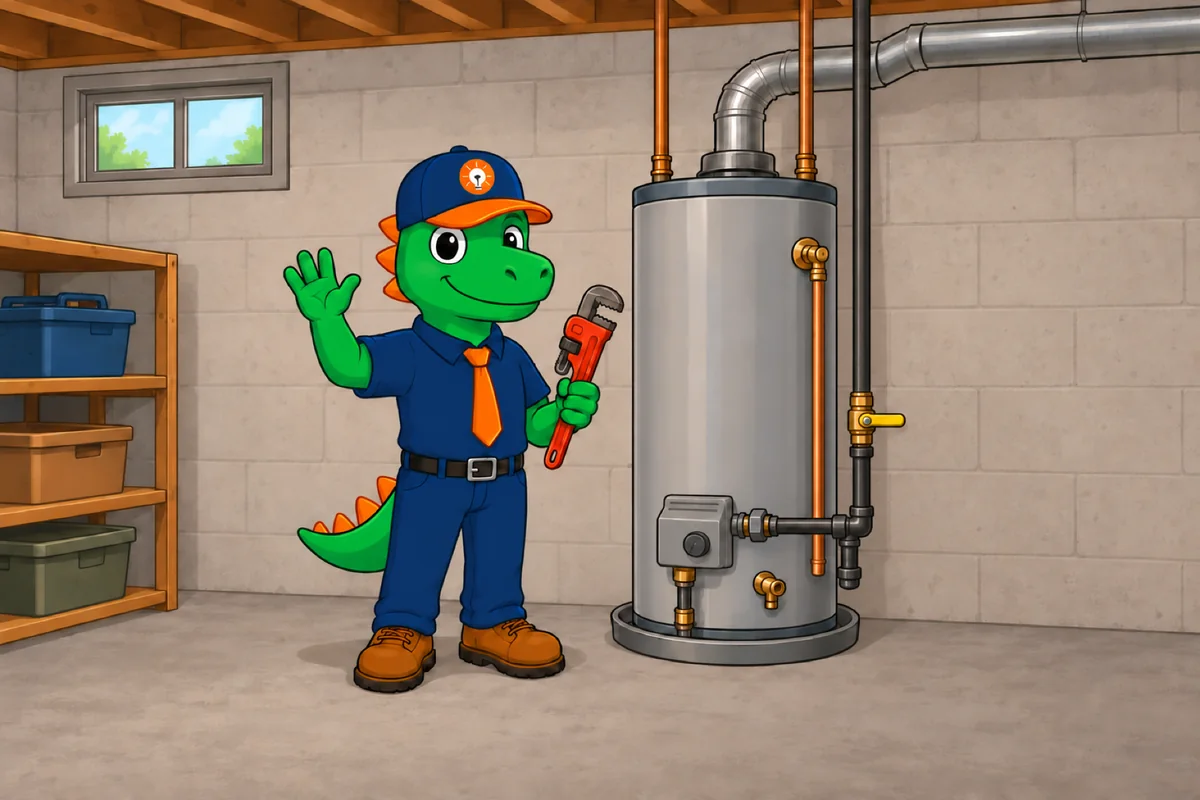
Plumbing
Water heater diagnostic, Plumbing Health Check, filtration catalog. CA-parity wizard adapted for plumbing-specific tools — financing, safety quiz, customer contacts.
- Tankless / storage / hybrid comparison
- 25-year operating cost line
- Service-agreement upsell built in
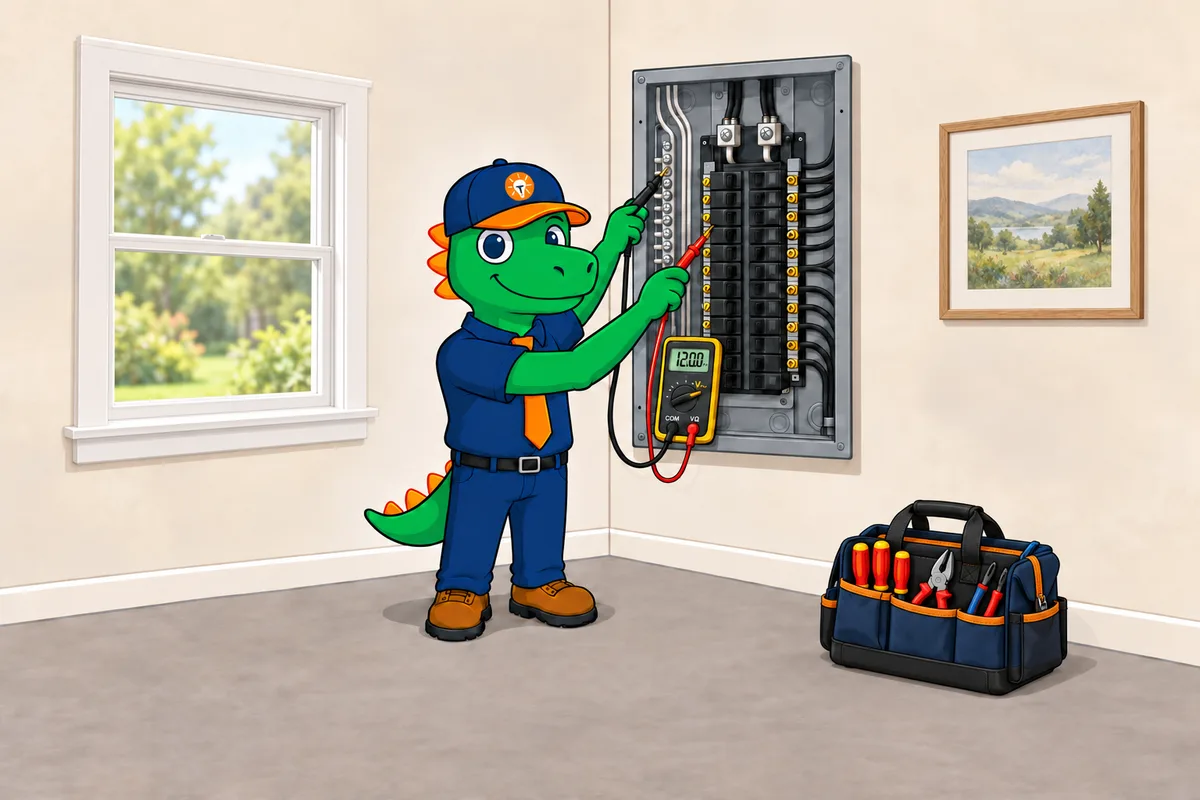
Electrical
Panel upgrades (200A → 400A), surge protection, generators, EV chargers, smart-panel catalog. NFPA safety urgency built into the script.
- NEC reference + permit catalog
- Span / Lumin smart-panel presets
- Generator + battery sizing tool
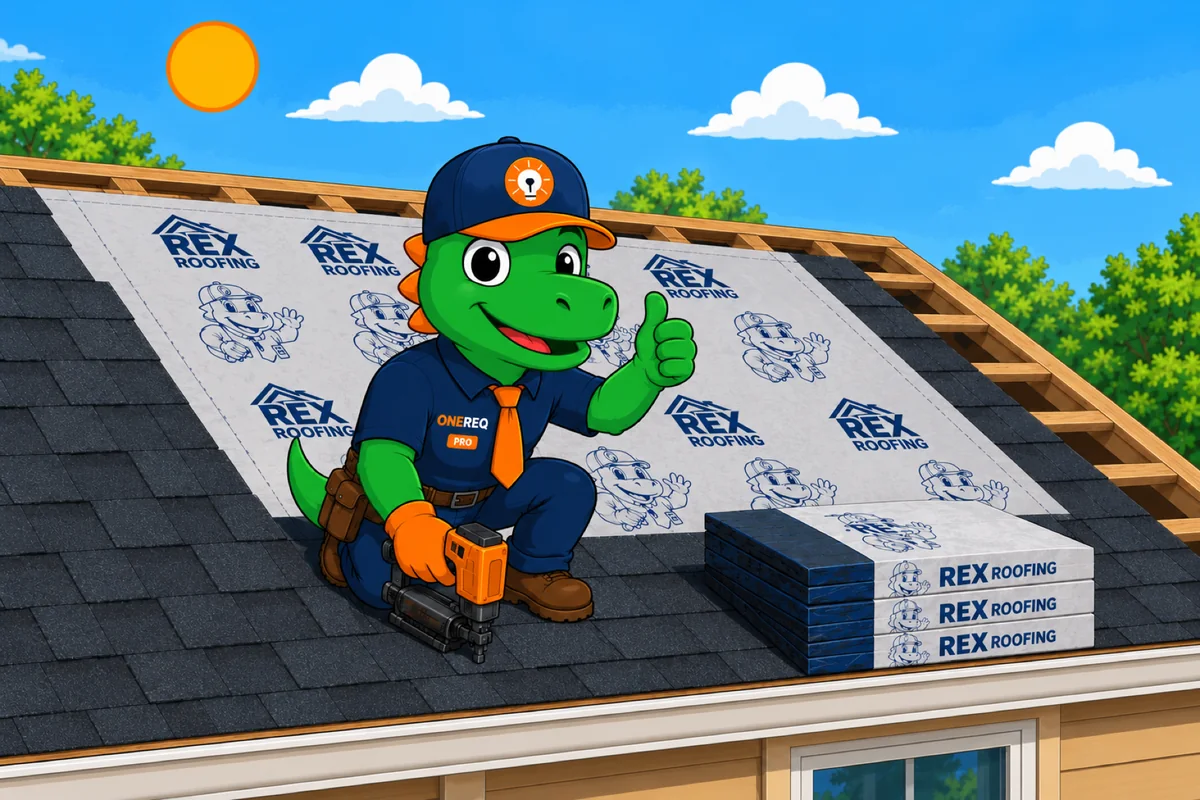
Roofing Next up
Roofing is the next trade we build, and we are building it with the contractors who sign up now — not guessing at it. Tell us how your shop actually runs and you get first slot.
- Storm & insurance claim workflow
- Material takeoff + supplier ordering
- Warranty registration + service calls

Solar Coming soon
Solar runs on Hyperis — our sister platform, built by the same team for solar dealers. Separate product, separate login, same people behind it. Not open yet — we will say so here when it is.
- 12-stage pipeline + proposal engine
- Interconnect & permit automation
- Homeowner app + financing
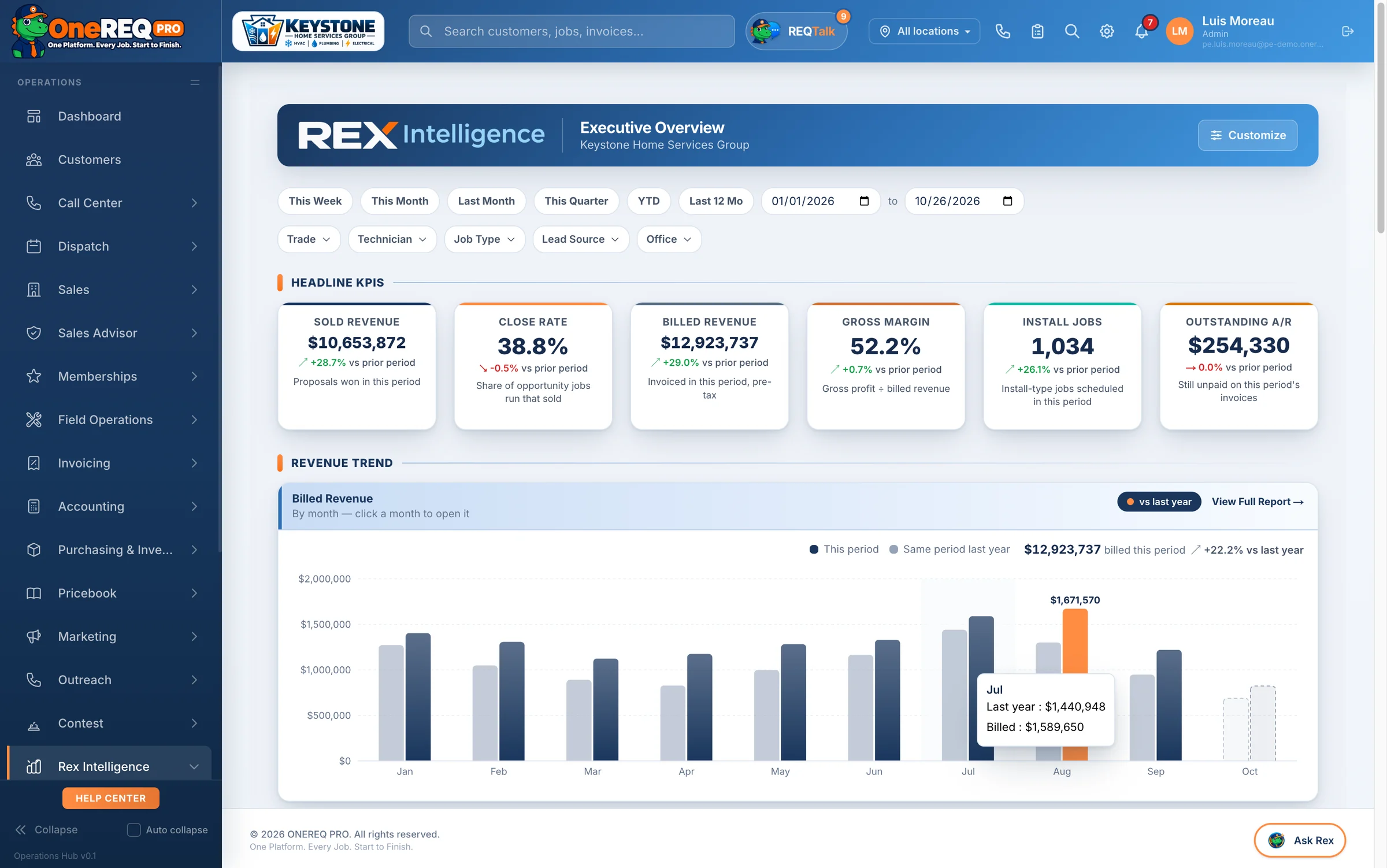
Real screens. Real workflows.
The screens your people would actually be looking at: the office, the in-home advisor on an iPad, ONEREQ PRO Field for your techs and HomeRex for your customers.
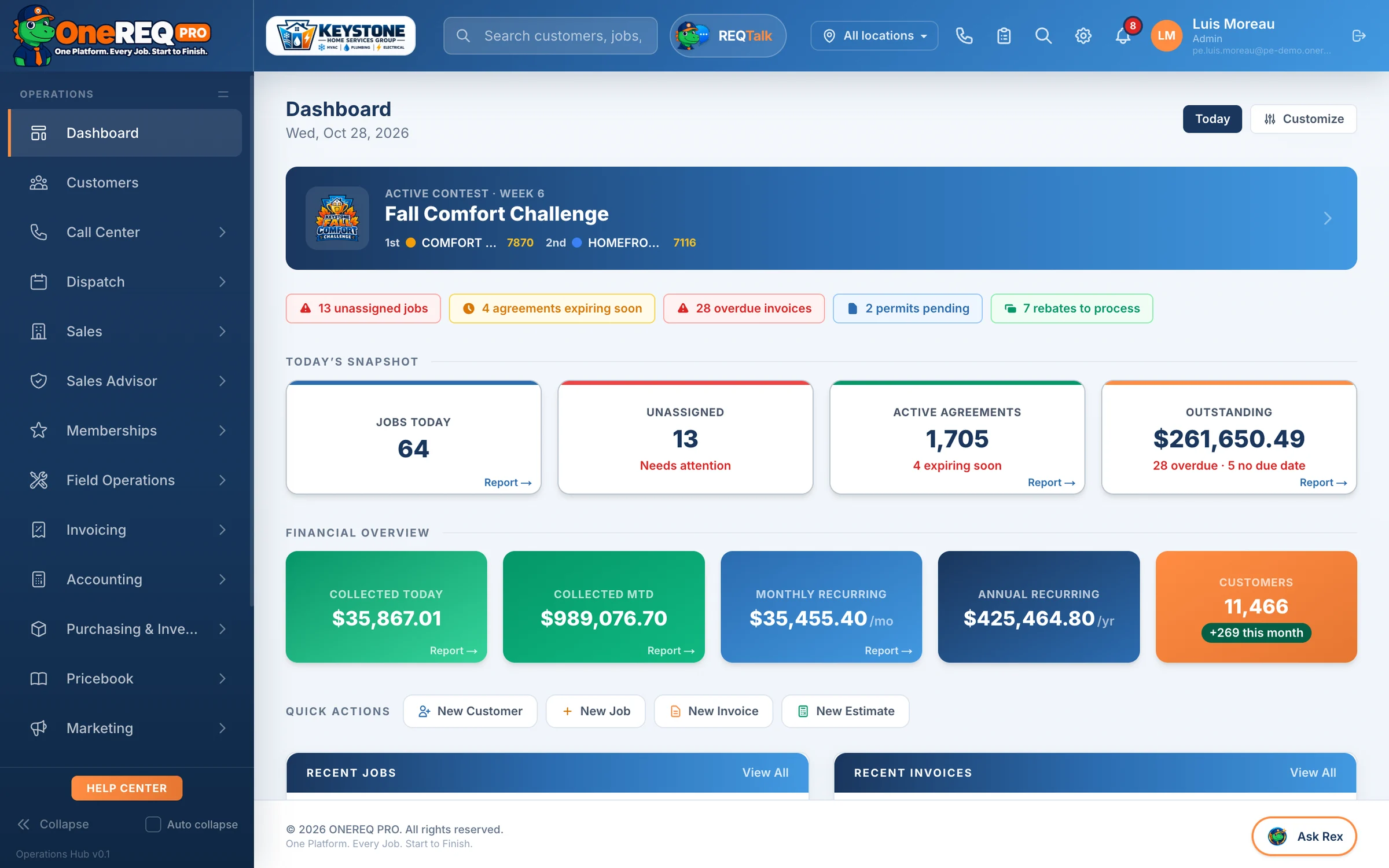
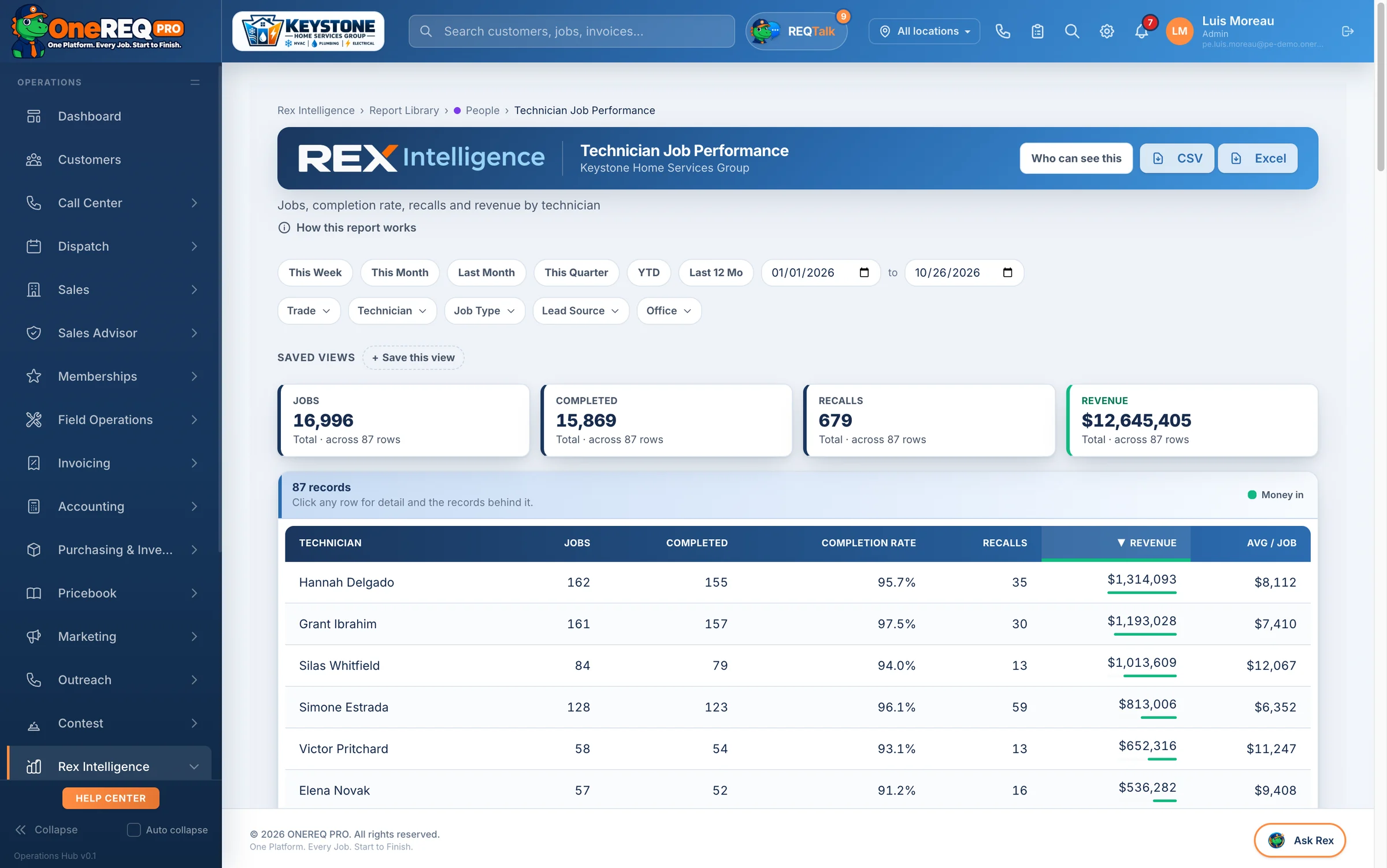
Dispatch, dashboard, fleet — one login.
Drag-and-drop dispatch with live tech GPS, revenue + leaderboard reports and the live tech map — all wired into the same data ONEREQ PRO Field writes from the field.
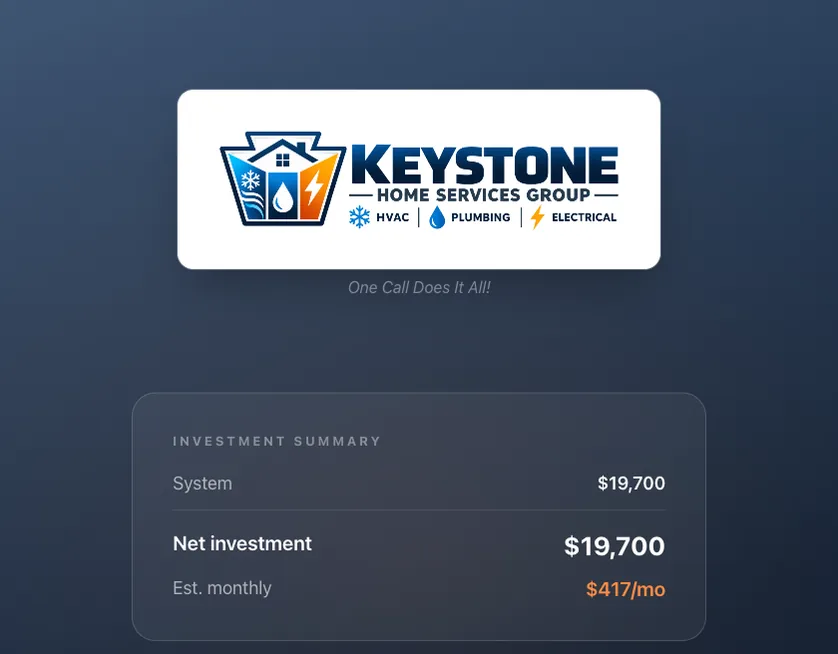
The in-home wizard that closes more.
Customers walk their own home on the iPad — what’s broken, what matters, what fits. Ends in a signed proposal.
 iPhone + iPad + Android · App Store & Google Play
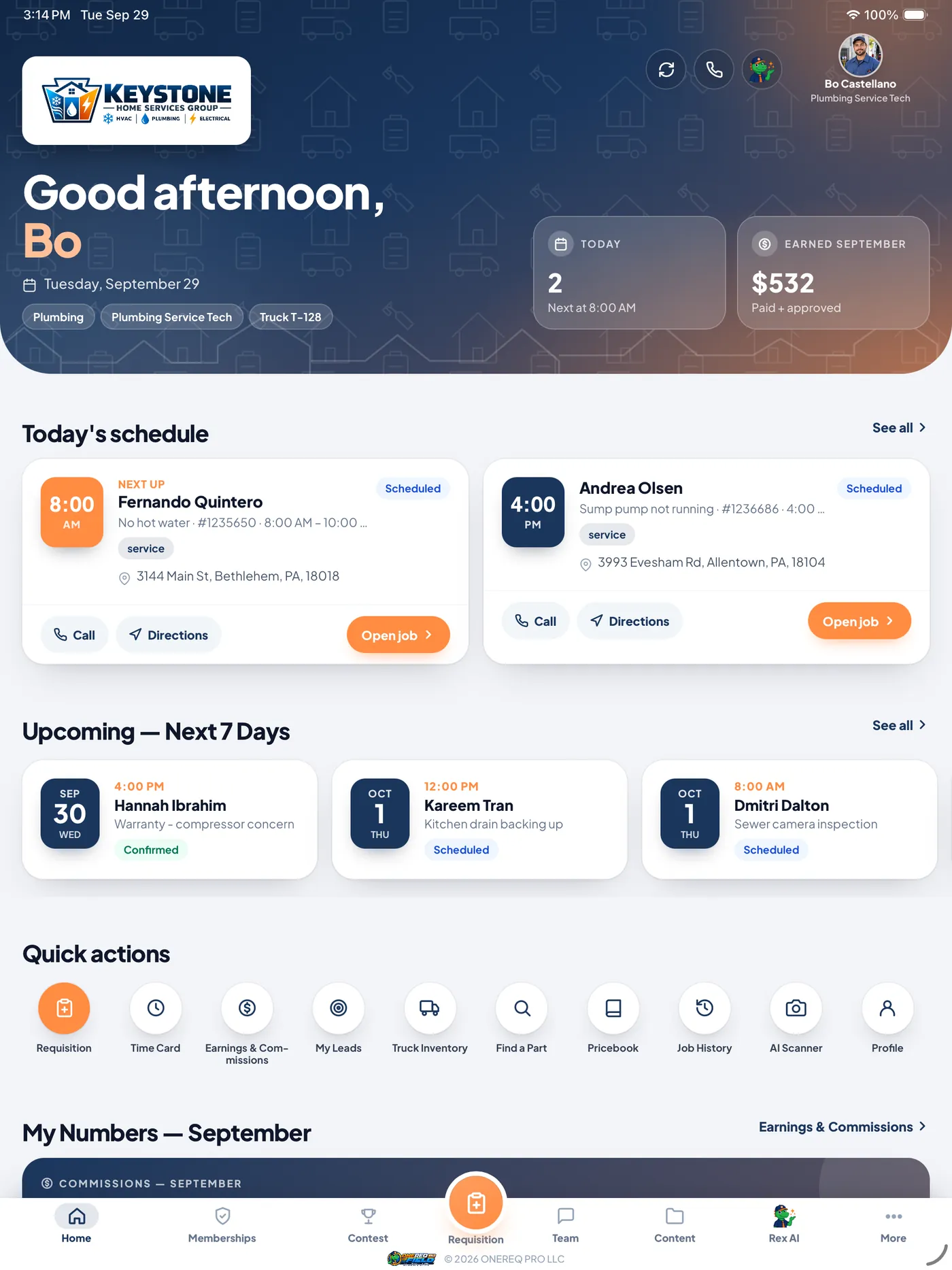
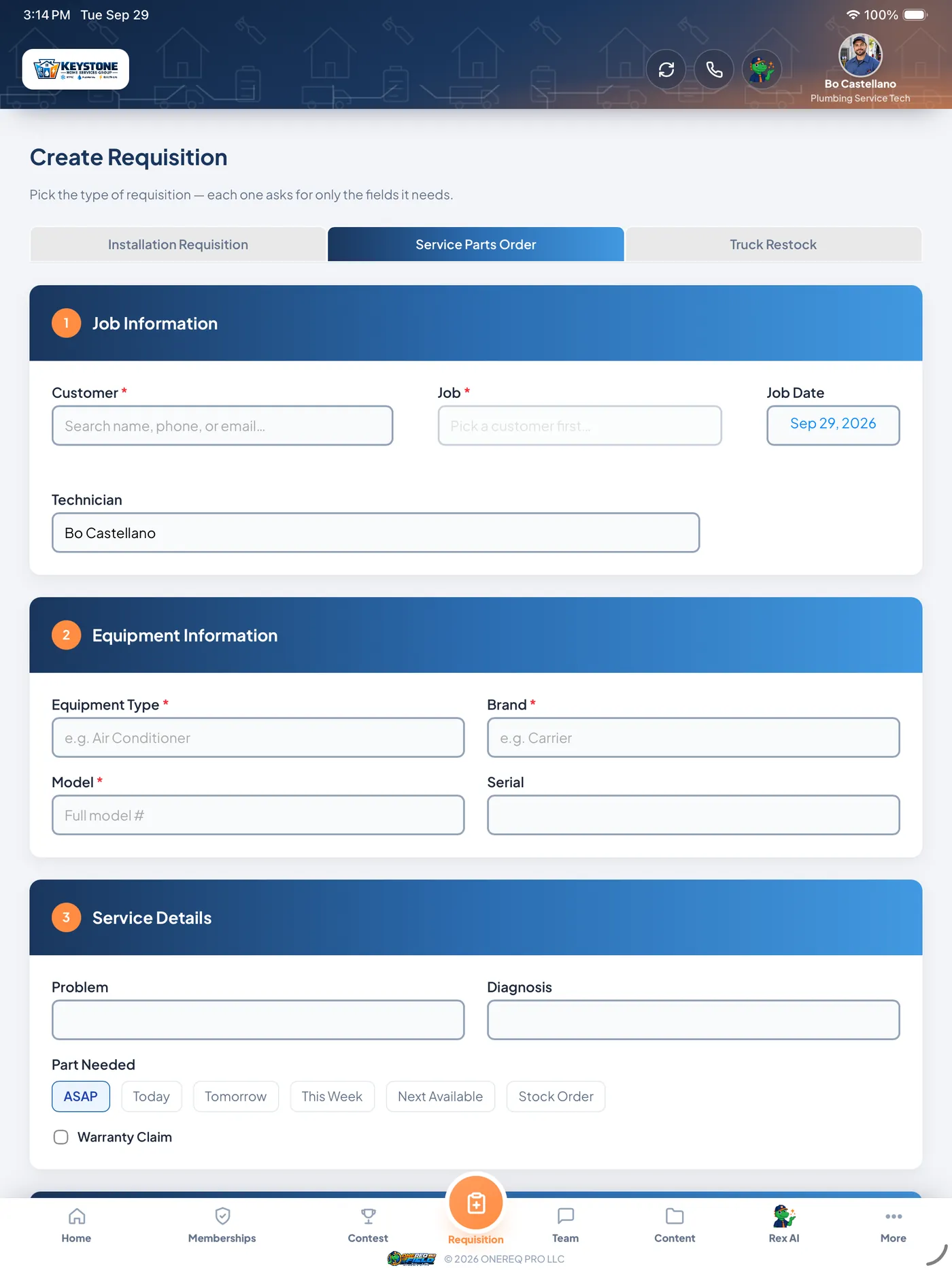
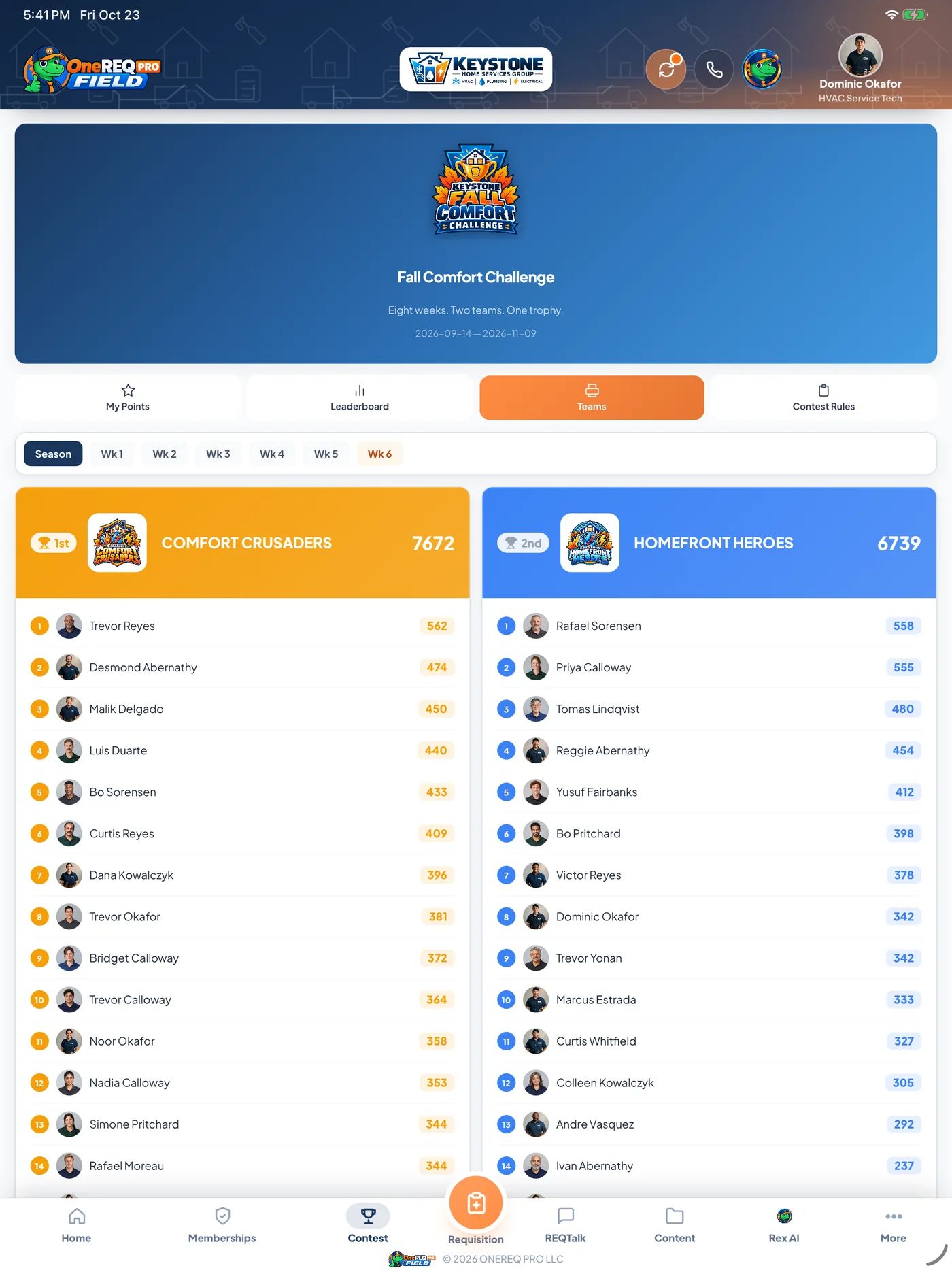
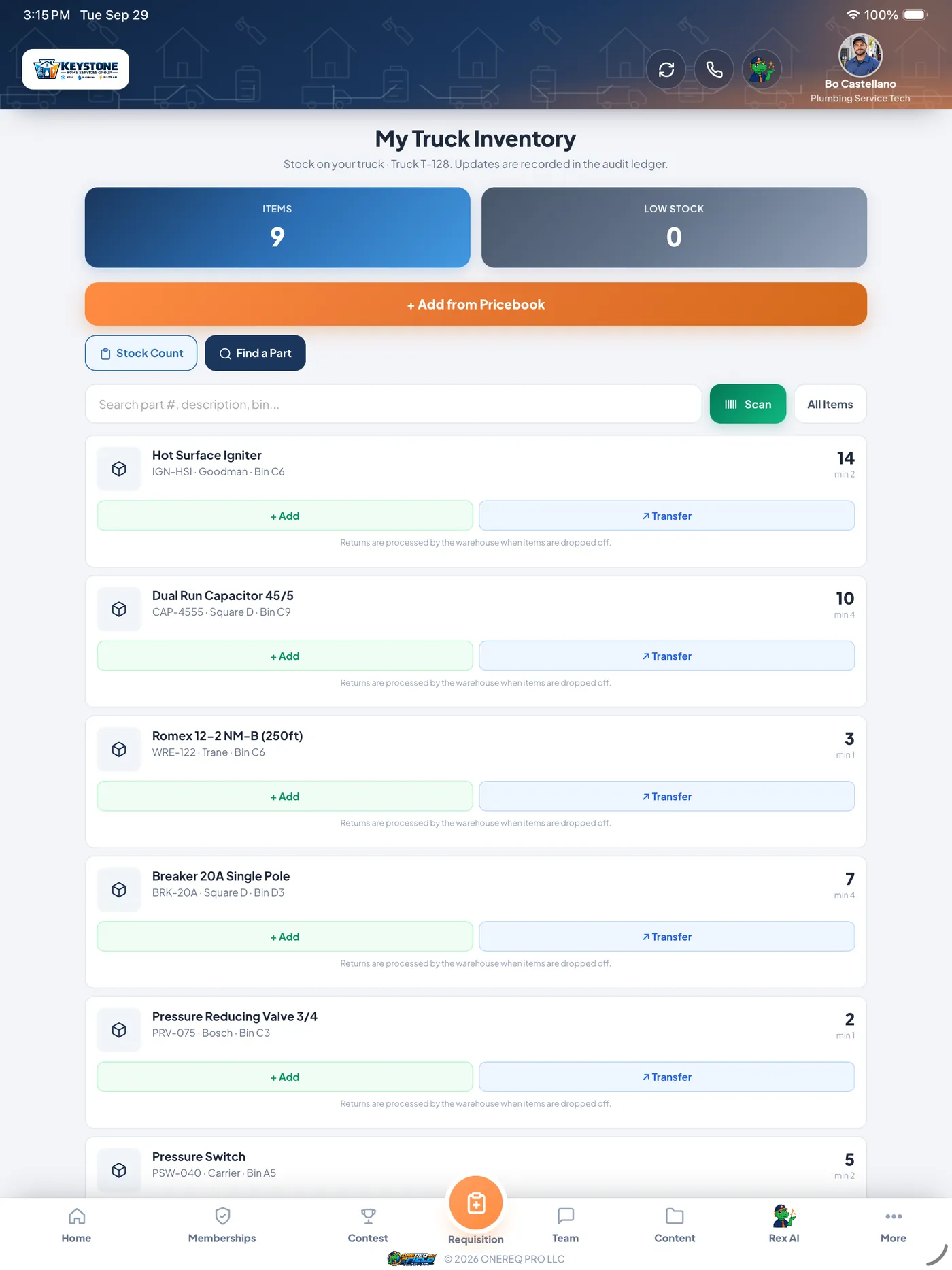
The app techs actually want to use.
Daily dashboard, job details with voice-to-diagnosis, AI data-plate scan, truck inventory, in-app memberships, real earnings — all native iOS and Android.
 Included on every plan · Web + iPhone + iPad + Android
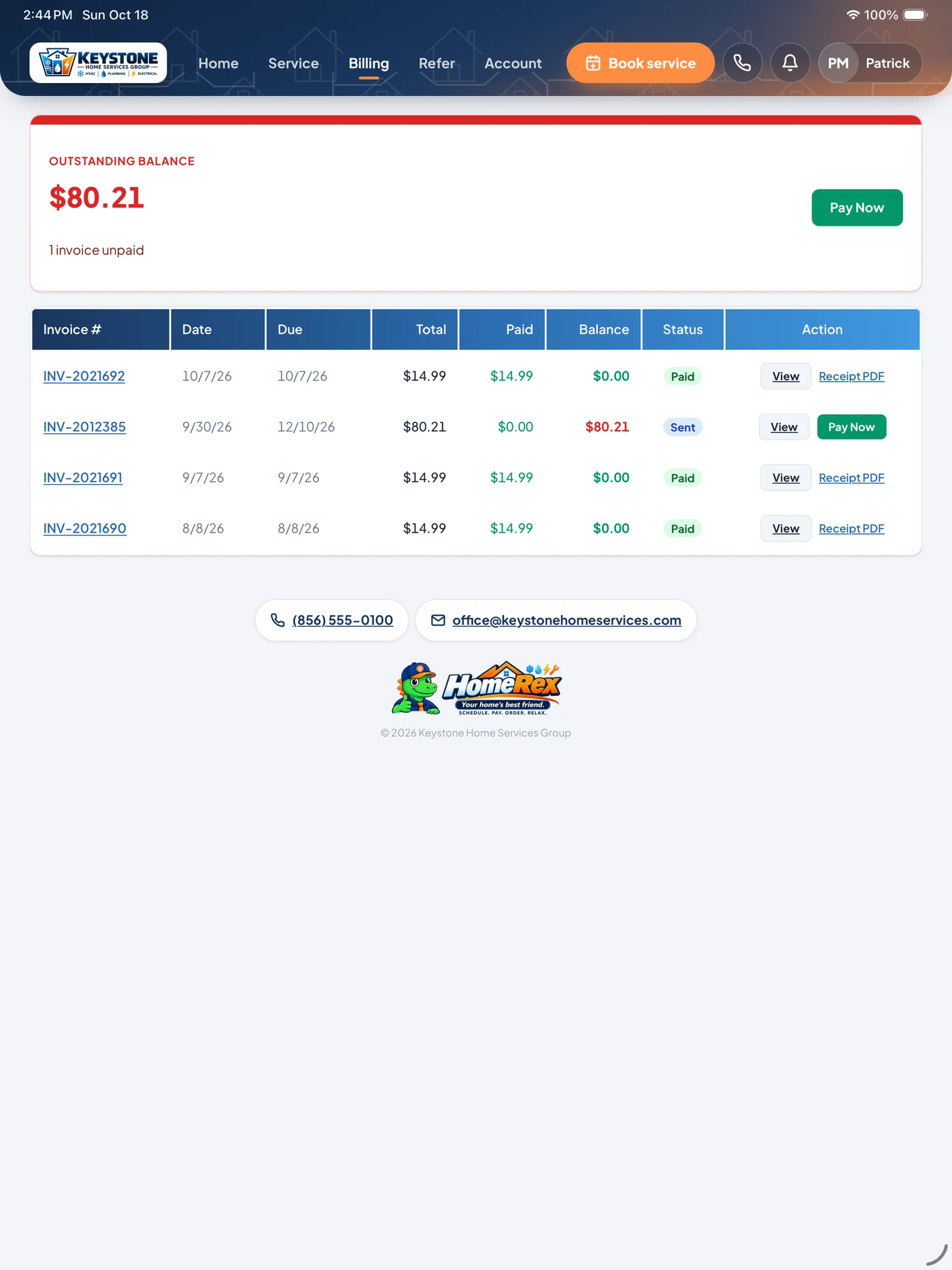
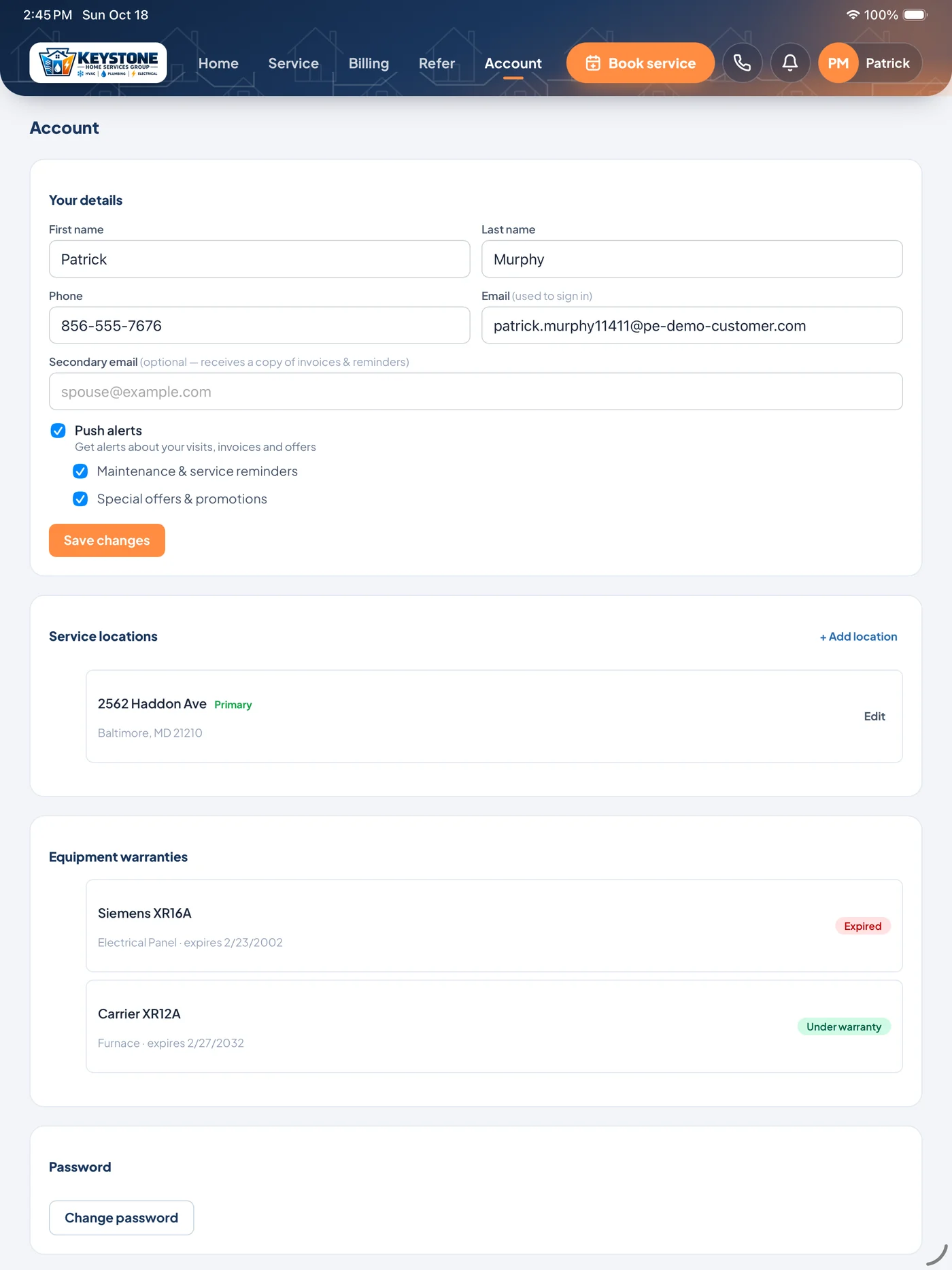
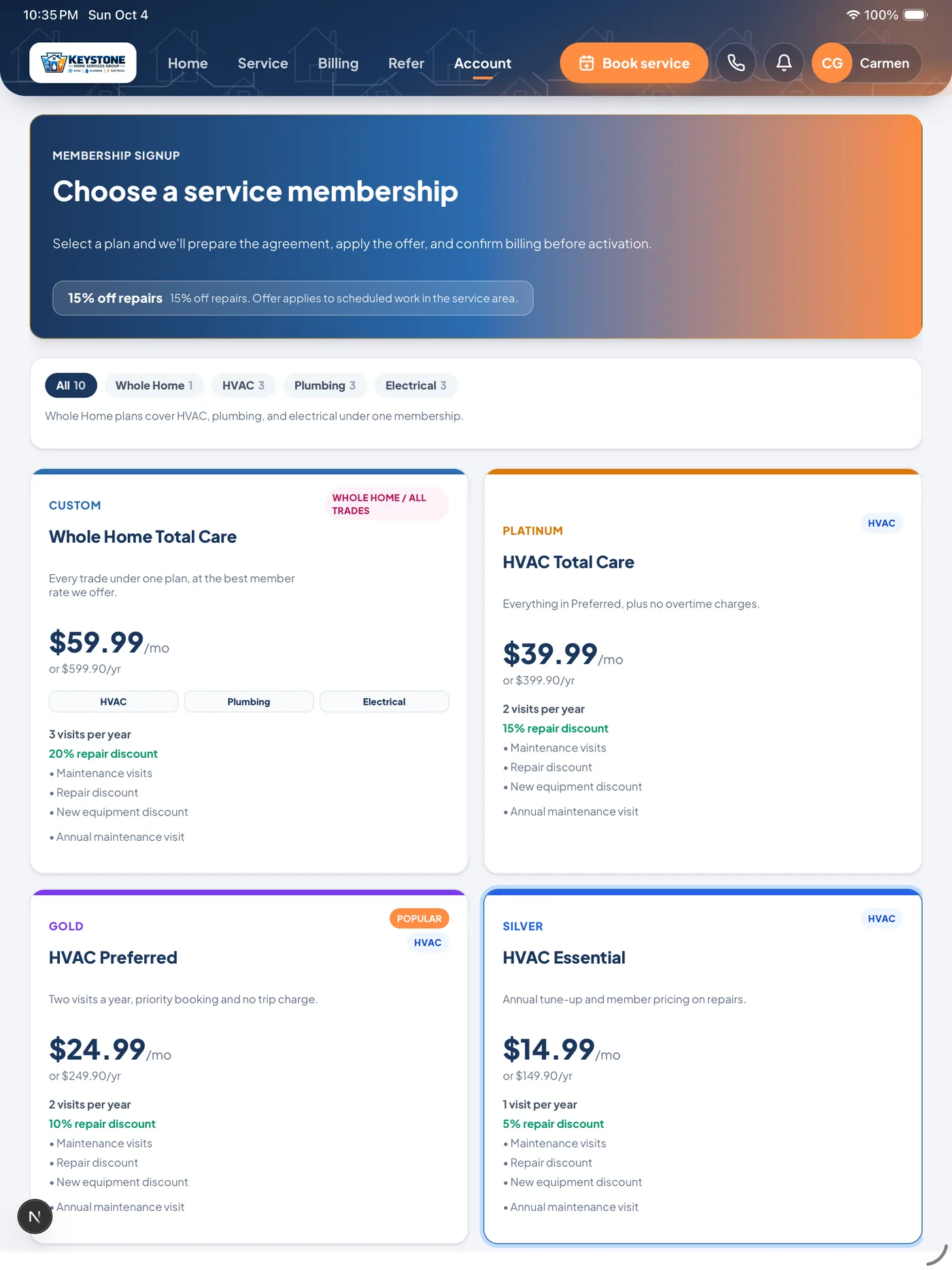
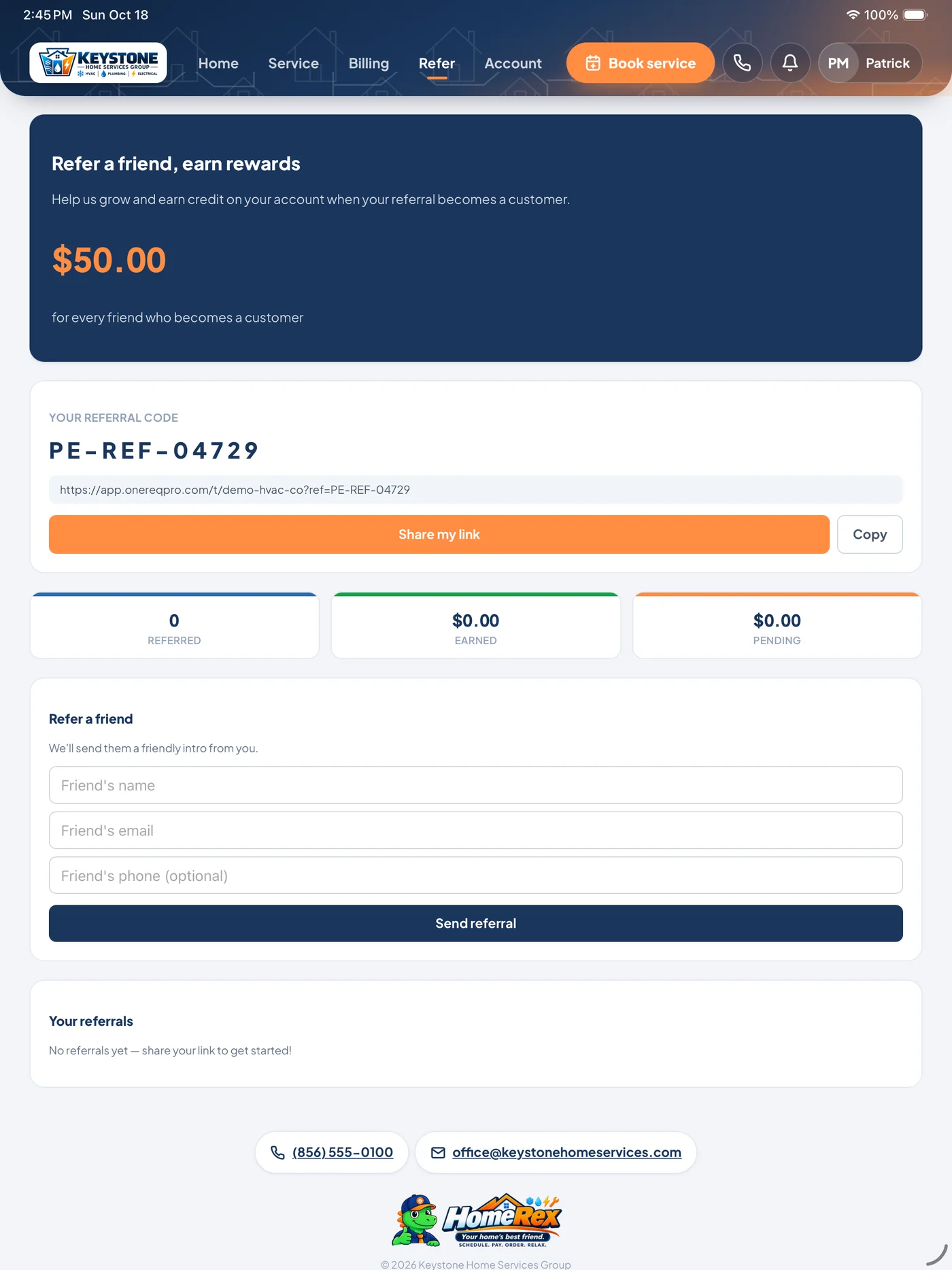
Your customers’ side of the platform.
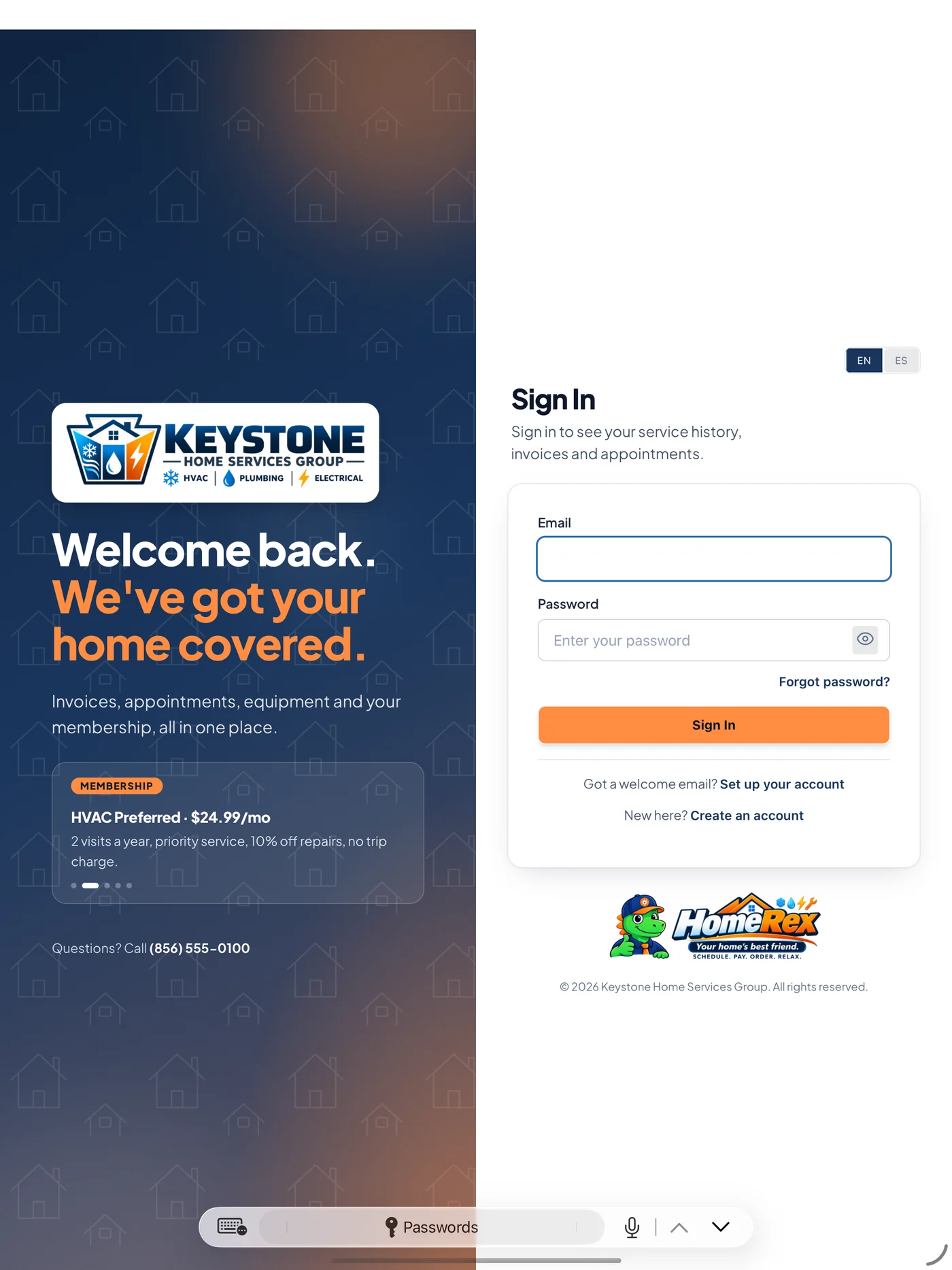
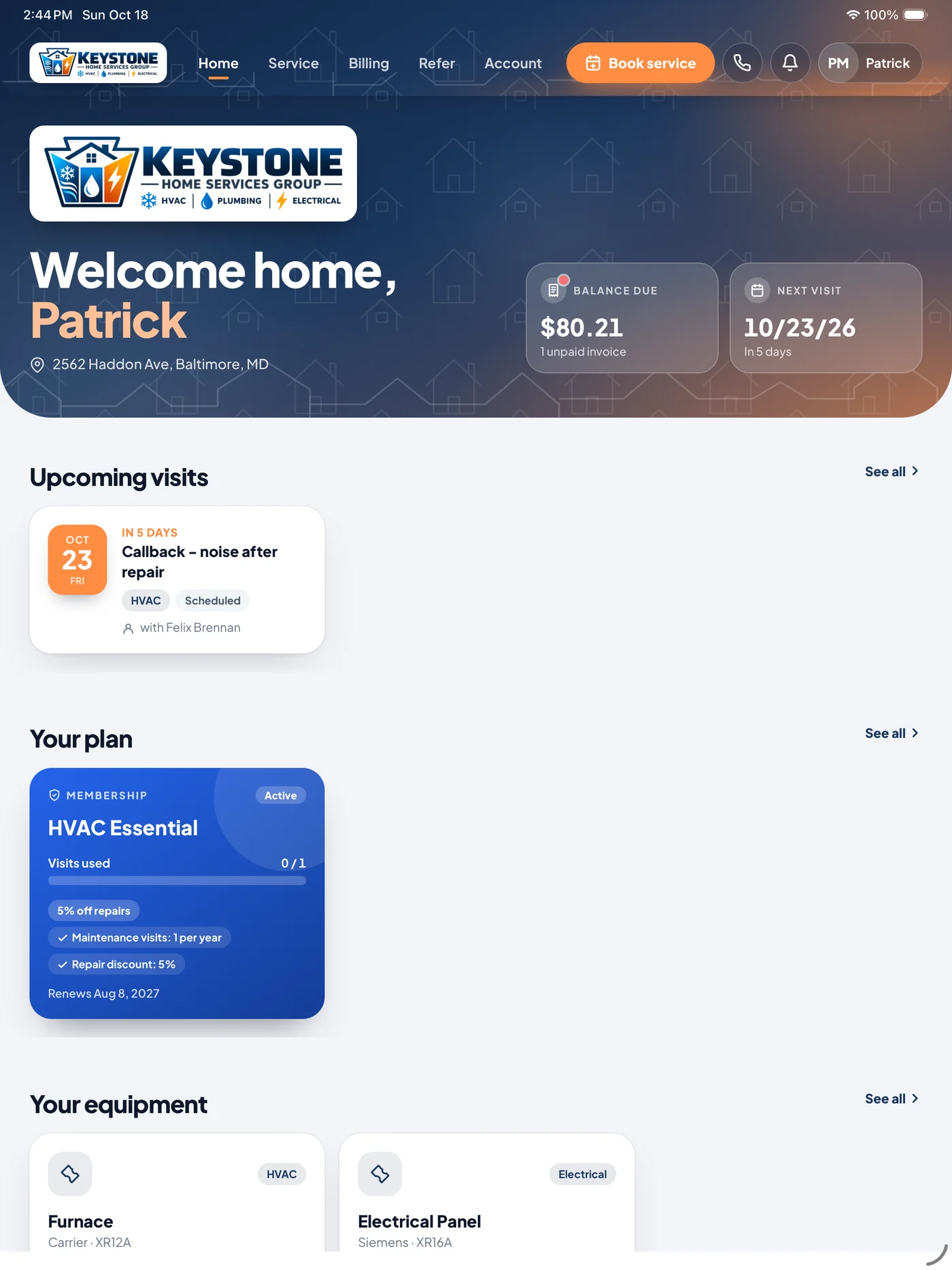
HomeRex is where your customers pay invoices, book service, sign estimates, join a membership and see every visit — under your logo, your colors and your phone number. Same data your office and techs already work in.
Leaving ServiceTitan, Housecall Pro, or Jobber?
A side-by-side of the things contractors actually email us about. Time to live, what's actually in the platform.
| ONEREQ PRO | ServiceTitan | Housecall Pro | Jobber | |
|---|---|---|---|---|
| Plans | Plans from $599 / mo, published | Quote only | Published | Published |
| Time to live | 14 days | 3 – 6 months | Weeks | Weeks |
| One definition per business number | ✓ | — | — | — |
| AI built into the job (Rex AI) | ✓ | — | — | — |
| Spanish on customer documents | ✓ | — | — | — |
| ONEREQ PRO Field, native iPhone, iPad and Android app | ✓ | Partial | Partial | Partial |
| In-home Sales Advisor (HVAC + Elec + Plumb) | Add-on, all three trades | HVAC only | — | — |
| AR Collection Loop (automatic reminders + customer portal) | ✓ | — | — | — |
| Technicians included | 5, 15 or 30 by plan, more as you hire | ~$250 / tech | Tier-gated | Tier-gated |
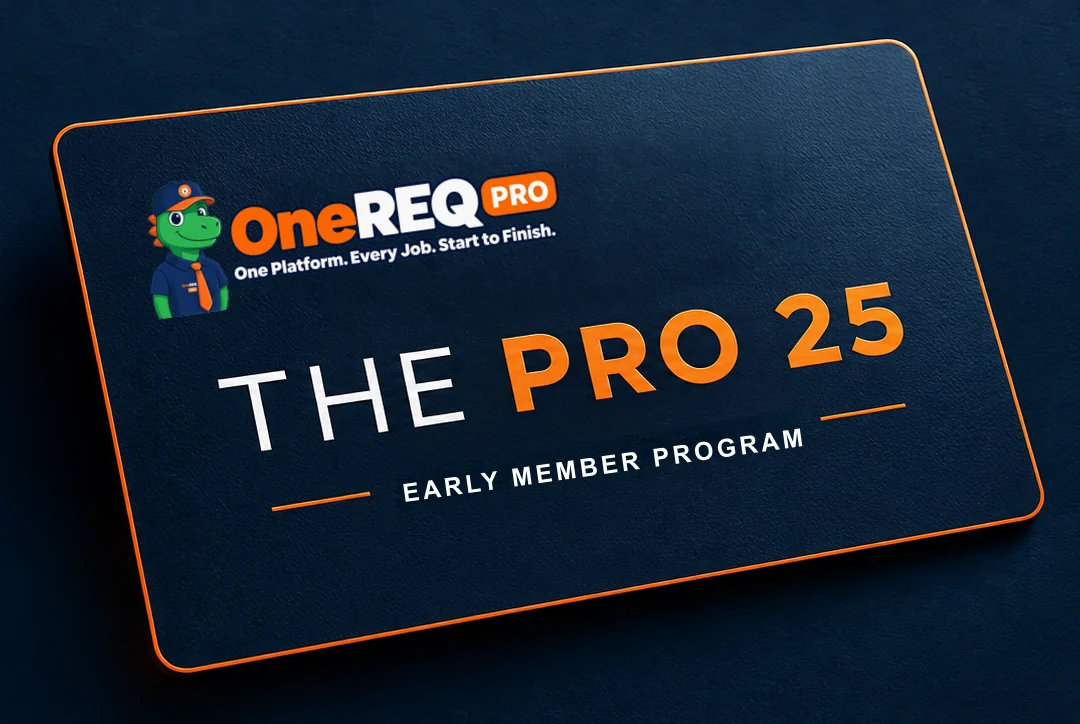
Be one of the PRO 25.
25% off your first year. No setup fee.
First 10 get Sales Advisor free.*
A direct line to the founder.
Limited to the first 25 companies.
*Year one, one trade, 2 sellers included; extra sellers 25% off.
Connected to the tools you already use.
Accounting, payments, phones, lead providers, reviews and GPS, set up for you during onboarding.







The questions we hear most.

One platform. Every job.
Start to finish.
See your shop run on ONEREQ PRO in a 30-minute demo. No deck, no slides — we walk you through the platform with your real workflow.